

Here are 10 computer shortcuts that you can use to troll your friends in the office. These shortcuts will allow you to make harmless jokes in the office, and create fun at work.
| Join the channel Telegram of the AnonyViet 👉 Link 👈 |
All these shortcuts have been tested on Windows 7/Office 2007, although it will probably work on most versions of Windows/Office as well.
10 keyboard shortcuts you can use for trolling your friends at the office
1. Turn on High Contrast
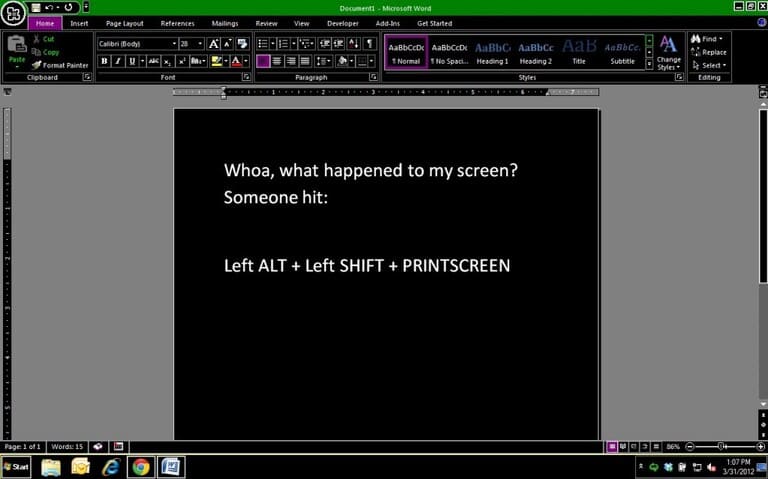
Function: Turn on High Contrast mode on the computer screen.
Evil level: 1 – It only changes the display.
Doing: Press Left Alt + Left Shift + PrintScreen.
How to fix: Press the same keys: (Left Alt + Left Shift + PrintScreen).
2. Scroll Lock in Excel
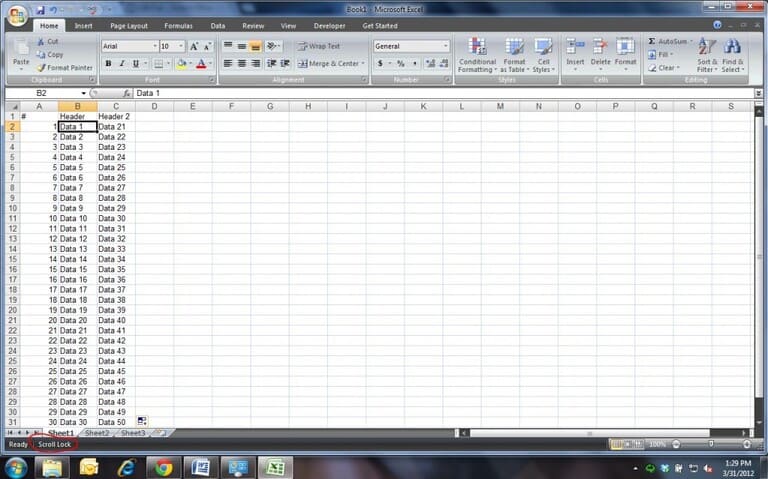
Function: Changed Excel’s behavior so that when you press the arrow keys, it changes the view, not the cell selection.
Evil level: 2 – Experts in Excel will quickly know what’s going on, but newbies won’t understand what’s going on.
Doing: In Excel, press Scroll Lock.
How to fix: Tap Scroll Lock again.
3. Flip the screen upside down
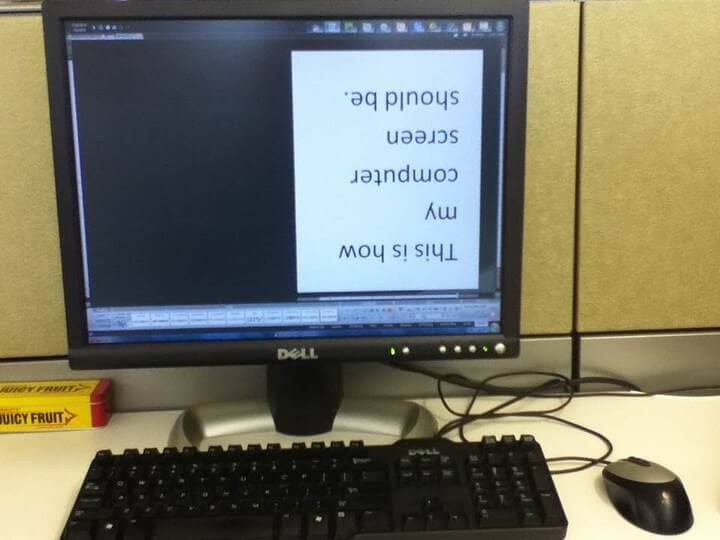
Function: Change the orientation of the computer screen to the left, right, or upside down.
Evil level: 3 – It can confuse people, but it is easy to fix.
Doing: Press Ctrl + Alt + DownArrowKey (or Left, Right, or Up).
How to fix: Ctrl + Alt + UpArrowKey.
4. Turn on the beep
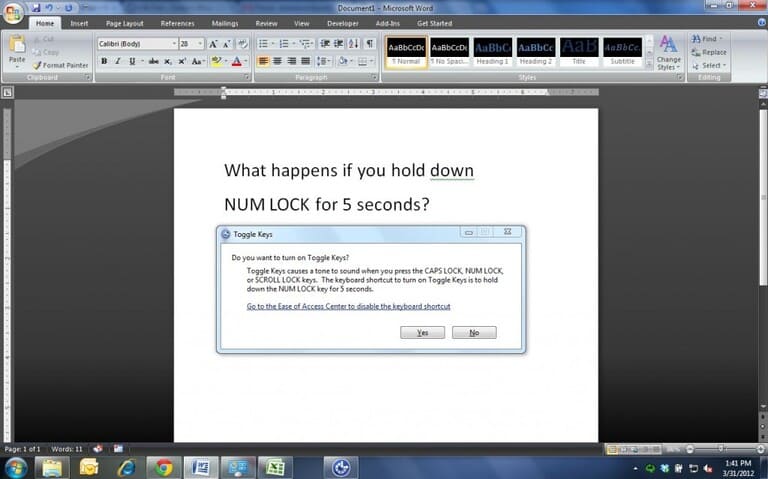
Function: Turn on “ToggleKeys” so that the computer beeps every time you press a lock key (such as Caps Lock).
Evil level: 4 – It doesn’t do any damage, but it can certainly be annoying when you don’t know why your computer is beeping.
Doing: Hold down the NUM LOCK key for five seconds, then press Yes.
How to fix: How to NUM LOCK in five seconds.
5. Insert Random Text in Word
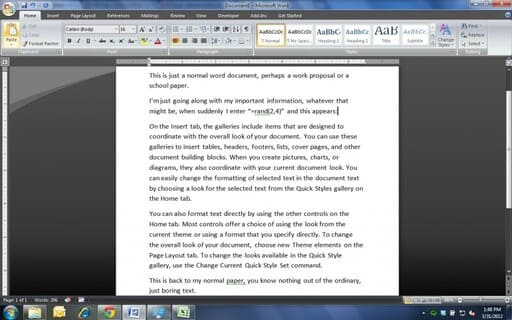
Function: Insert random text into Microsoft Word.
Evil level: 5 – It is quite easy to remove random text from a document, but if you put it in the middle of 30 pages, it is quite difficult for others to notice.
Doing: Enter the following in Word: “=rand(x, y)” where x = number of paragraphs and y = number of sentences you want.
How to fix: Highlight random text and press Delete.
6. Damaged the keyboard
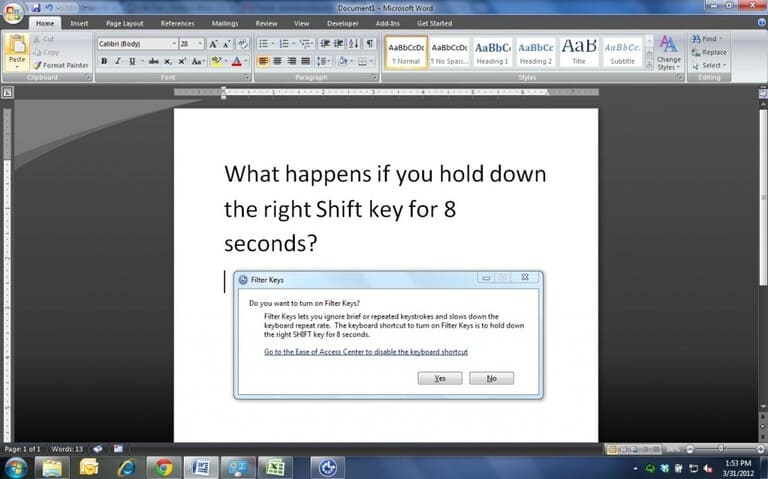
Function: Enable FilterKeys to ignore short or repeated key operations.
Evil level: 6 – Very easy to fix but it may take some people a long time to realize FilterKeys is enabled; they will think their computer has crashed.
Doing: Hold down the right Shift key for 8 seconds, then press Yes.
How to fix: Hold down the right Shift key for 8 seconds.
7. Create a fake screen.
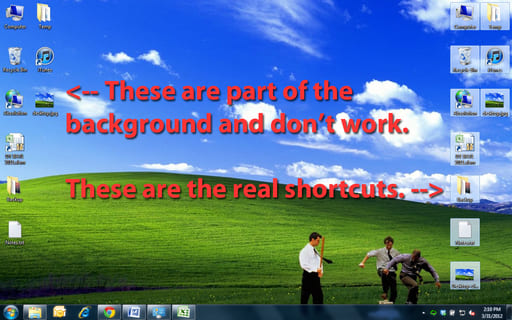
Function: Replace the desktop background with an image of the old desktop background. If you delete the folder icons, the computer may not respond or the desktop shortcuts will not open.
Evil level: 7 – Easy to restore unless you delete all shortcuts and empty the trash.
Doing: Go to the desktop, press Ctrl + Prnt Screen. Open Microsoft Paint, press Ctrl + V to copy the screenshot, save the image. Right click on the image, select “Set as Desktop Background.” WindowsKey + D to go to the desktop, Ctrl + A to select all shortcuts, Delete to delete.
How to fix: Restore shortcuts from Trash, reset desktop wallpaper.
8. Change capitalization in word documents
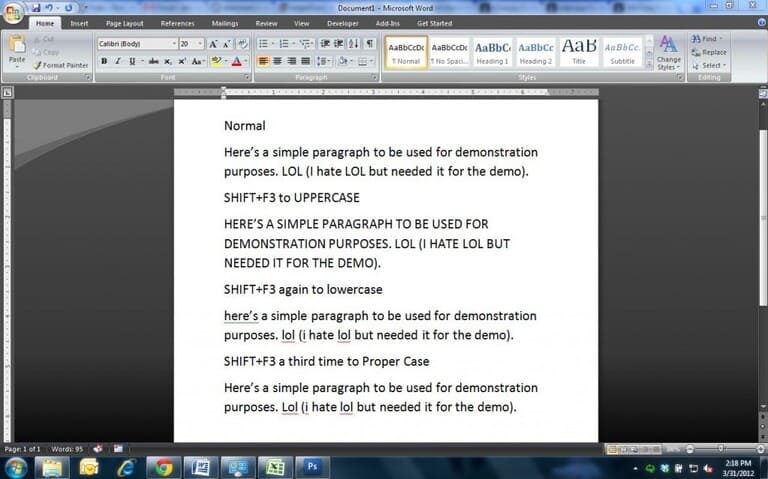
Function: Change the capitalization of selected words.
Bad level: 8 – It’s pretty easy to fix (with Ctrl + Z) but can be really annoying for large documents if you save and close the document, especially for documents with lots of acronyms.
Doing: In Microsoft Word, highlight a selection (or the entire document by pressing Ctrl + A), then press Shift + F3 to cycle through: all uppercase, no uppercase, all lowercase.
How to fix: Ctrl + Z is the easiest way. If you save the document and then exit, Ctrl + Z won’t help. The best way is to highlight the text and Shift + F3 to capitalize accordingly.
9. Rename all files in a folder
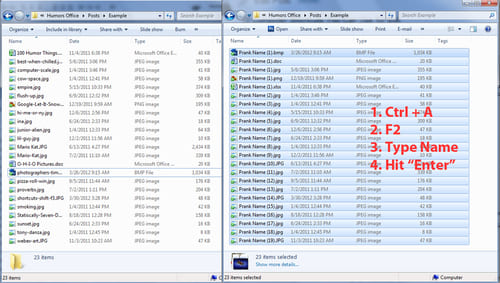
Function: Rename all files in a folder to the same name (add a number at the end to prevent duplicates).
Evil level: 9 – Unless you immediately press Ctrl + Z, there is no easy way to get the original name back.
Doing: Go to a folder with files in it. Press Ctrl + A to Select all, Press F2 to Rename the first file, Type the name you want to give all files, Press Enter.
How to fix: Ctrl + Z can be used until another directory action takes place (such as deleting a file).
10. Create a Blue Screen of Death
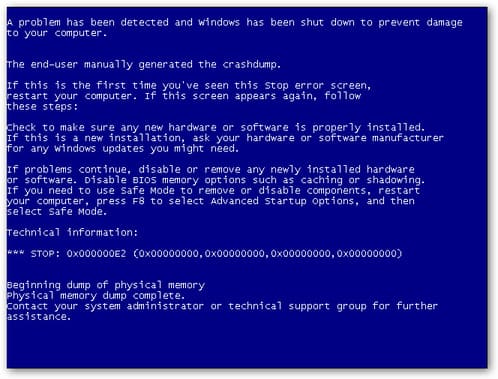
Function: Enable BSOD (Blue Screen of Death) whenever a specific shortcut is entered.
Evil level: 10 – This process requires a bit of pre-work on the computer.
Doing: Enable debug mode (follow this guide), restart the computer, then press Ctrl + Scroll Lock (twice) to cause the BSOD.
How to fix: Turn off debug mode.
Or you can also download the blue screen of death troll tool here.








