• Home
  • News
  • Software
  • Knowledge
  • MMO
  • Tips
  • Security
  • Network
  • Office
AnonyViet - English Version
  • Home
  • News
  • Software
  • Knowledge
  • MMO
  • Tips
  • Security
  • Network
  • Office
No Result
View All Result
  • Home
  • News
  • Software
  • Knowledge
  • MMO
  • Tips
  • Security
  • Network
  • Office
No Result
View All Result
AnonyViet - English Version
No Result
View All Result

Super cool way to turn photos and text into coloring pictures for kids

AnonyViet by AnonyViet
July 24, 2026
in Knowledge
0

Convert photos and text into coloring pictures is a trend loved by many parents and teachers. Thanks to that, we can create unique coloring books for children. Let’s go together AnonyViet Find out the detailed steps below.

📢 Join the channel Telegram belong to AnonyViet


👉 Go to Telegram AnonyViet

Update new articles, cool tools and IT tips fastest

Instructions for converting photos and text into coloring pictures

Method 1: Use Colorify AI

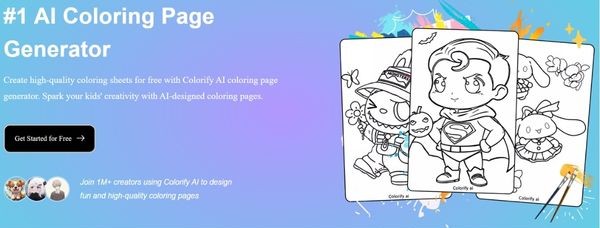
The first website I want to introduce to everyone is Colorify AI. This is a tool that supports both entering descriptions and uploading existing images from your computer.

Step 1: First, open your browser and access it Colorify AI homepage.
Super cool way to turn photos and text into coloring pictures for kids
Instructions for converting photos and text into coloring pictures

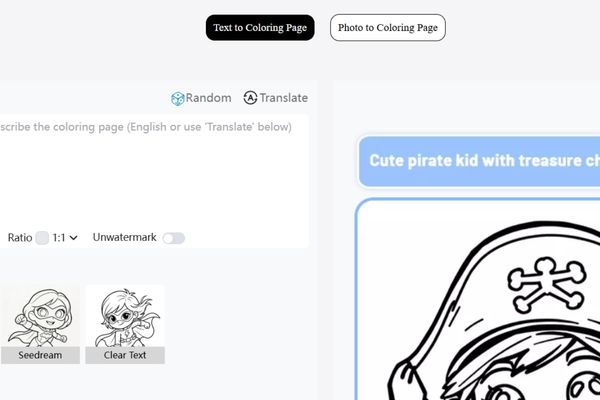
Then, quickly log in with your account Google your personal. Right at the main interface, you will see two very clear options: upload a photo to convert to drawing, or type a text describing the idea for the AI ​​to compose itself.

Choose 1 of 2 options

Step 2: Next, you need to choose the painting style that you like best. Depending on the type of painting you choose, the system will display the detailed settings below. However, you need to note that during the image creation process, there will be some high-end AI models that require a paid account. Therefore, consider choosing the type that suits your budget and needs.
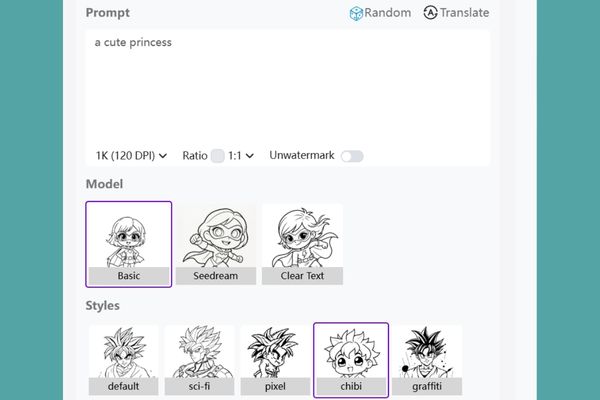
Choose a painting style that you like

Step 3: Once you have everything set up, just click the button Generate. At this point, AI will start working. One thing to remember is that the higher the quality of the photo you choose, the more credits you will spend.

When the results appear, you can press Download to immediately download images to your device. Or if you like to dabble, click the button Manual Color to color yourself online right on the web.

Step 4: If you choose to color online, the browser will automatically open a new tab with a built-in coloring toolkit. Feel free to be creative and paint to your liking. When you feel satisfied, click on the icon Download to save the results and you’re done.
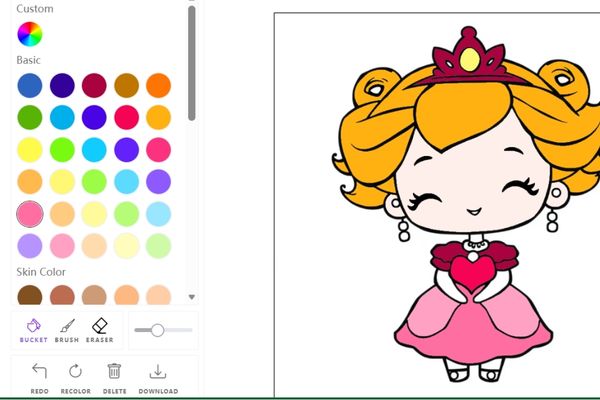
Choose online coloring

Method 2: Use ColoringBook

If you don’t like typing but only need to process available images, ColoringBook is not a bad choice at all. The interface of this website is extremely friendly, clear Vietnamese and very easy to use.

Step 1: You open your browser and access the address HERE. Similar to the tool above, you also need to use a Google account to create an account and log in to the system.

Click the Start Free Now button

Step 2: On the main screen, click the button Get started for free now. Next, you proceed to upload the color photo you want to convert to the website. After the photo has been uploaded successfully, press the button Create now located at the bottom for the system to start processing data.

Click the Create Now button

Step 3: In just a blink of an eye, you will have a black and white picture with clear lines, very suitable for students or children practicing painting. You can choose to download this file to your computer in PNG format.
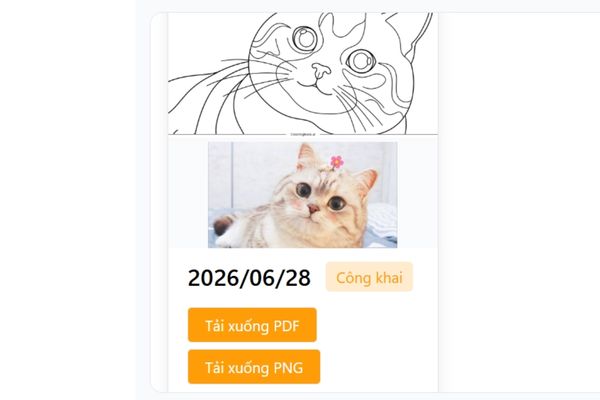
Download this file to your device

On the other hand, if you want to paint directly on the web, click directly on the image and then select the next item Coloring online.
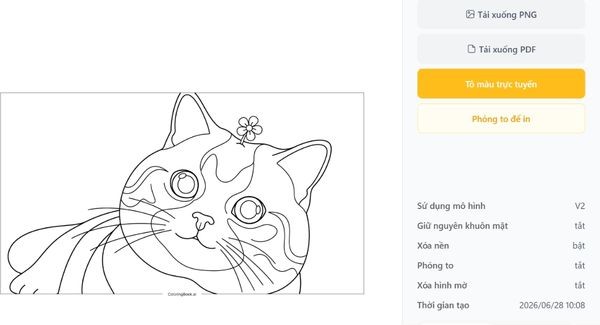
Select the Online Coloring section

Step 4: At the coloring interface, you are free to choose brushes and colors. ColoringBook’s selling point is that it automatically recognizes the boundaries between color patches. Thanks to that, when children paint, they won’t have to worry about smearing it to other areas. However, with the Pagoda version (free account), you will be limited to a few tool options. Finally, after painting, click the download icon and you’re done.
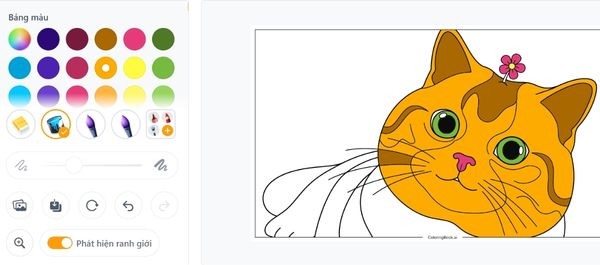
You are free to choose brushes and colors.

Conclusion

In short, work Convert photos and text into coloring pictures has become extremely leisurely thanks to the power of AI. You don’t have to be a talented artist to create beautiful paintings. Hope you have fun creative moments with these tools.

Frequently Asked Questions (Q&A)

1. Are these websites safe for Google accounts?

Completely safe. These websites only use Google’s login API to authenticate your identity, without interfering or stealing your personal data.

2. Can I print these pictures on paper?

Sure. After downloading the photo to your computer (usually in high quality PNG format), you can print it on normal A4 paper for children to color directly with crayons or watercolors.

3. Does the created painting have the website’s logo attached?

Depends on your account. Most free trials will have a small logo in the corner of the image. If you want to completely remove it, you may need to upgrade your account or use basic image cropping software on your computer.


Tags: coloringCoolKidsphotospicturessupertextturn
Previous Post

How to buy the latest Microsoft Office 2024 at an economical cost?

Next Post

Microsoft announced the end of support date for Windows 10

AnonyViet

AnonyViet

Related Posts

Instructions on how to get a certificate from Canva for free
Knowledge

Instructions on how to get a certificate from Canva for free

July 23, 2026
Little Sun Cloud Library: VTV’s audiobook application helps babies sleep well
Knowledge

Little Sun Cloud Library: VTV’s audiobook application helps babies sleep well

July 22, 2026
Hippie OSINT Toolkit: The ultimate information investigation toolkit
Knowledge

Hippie OSINT Toolkit: The ultimate information investigation toolkit

July 17, 2026
Instructions for flying a plane on Google Earth
Knowledge

Instructions for flying a plane on Google Earth

July 14, 2026
Instructions on how to draw on Note macOS 27 are extremely convenient
Knowledge

Instructions on how to draw on Note macOS 27 are extremely convenient

July 10, 2026
Instructions for getting Google Play Pass for 1 month for free
Knowledge

Instructions for getting Google Play Pass for 1 month for free

July 9, 2026
Next Post
Microsoft announced the end of support date for Windows 10

Microsoft announced the end of support date for Windows 10

0 0 votes
Article Rating
Subscribe
Login
Notify of
guest

guest

0 Comments
Oldest
Newest Most Voted

Recent News

Microsoft announced the end of support date for Windows 10

Microsoft announced the end of support date for Windows 10

July 24, 2026
Super cool way to turn photos and text into coloring pictures for kids

Super cool way to turn photos and text into coloring pictures for kids

July 24, 2026
How to buy the latest Microsoft Office 2024 at an economical cost?

How to buy the latest Microsoft Office 2024 at an economical cost?

July 24, 2026
Instructions on how to get a certificate from Canva for free

Instructions on how to get a certificate from Canva for free

July 23, 2026
Microsoft announced the end of support date for Windows 10

Microsoft announced the end of support date for Windows 10

July 24, 2026
Super cool way to turn photos and text into coloring pictures for kids

Super cool way to turn photos and text into coloring pictures for kids

July 24, 2026
How to buy the latest Microsoft Office 2024 at an economical cost?

How to buy the latest Microsoft Office 2024 at an economical cost?

July 24, 2026
AnonyViet - English Version

AnonyViet

AnonyViet is a website share knowledge that you have never learned in school!

We are ready to welcome your comments, as well as your articles sent to AnonyViet.

Follow Us

Contact:

Email: anonyviet.com[@]gmail.com

Main Website: https://anonyviet.com

Recent News

Microsoft announced the end of support date for Windows 10

Microsoft announced the end of support date for Windows 10

July 24, 2026
Super cool way to turn photos and text into coloring pictures for kids

Super cool way to turn photos and text into coloring pictures for kids

July 24, 2026
  • Home
  • Home 2
  • Home 3
  • Home 4
  • Home 5
  • Home 6
  • Next Dest Page
  • Sample Page

say88 tỷ lệ kèo nhà cái kèo nhà cái 5 febet

No Result
View All Result
  • Home
  • News
  • Software
  • Knowledge
  • MMO
  • Tips
  • Security
  • Network
  • Office

say88 tỷ lệ kèo nhà cái kèo nhà cái 5 febet

wpDiscuz
0
0
Would love your thoughts, please comment.x
()
x
| Reply