• Home
  • News
  • Software
  • Knowledge
  • MMO
  • Tips
  • Security
  • Network
  • Office
AnonyViet - English Version
  • Home
  • News
  • Software
  • Knowledge
  • MMO
  • Tips
  • Security
  • Network
  • Office
No Result
View All Result
  • Home
  • News
  • Software
  • Knowledge
  • MMO
  • Tips
  • Security
  • Network
  • Office
No Result
View All Result
AnonyViet - English Version
No Result
View All Result

Lesson 214: Soft function in Excel

AnonyViet by AnonyViet
January 24, 2023
in Office
0

This article will guide you to use the Soft function in Excel.

Join the channel Telegram of the AnonyViet 👉 Link 👈

Soft function

This article will show you how to use the SOFT function to sort the order of a column or columns that you want.

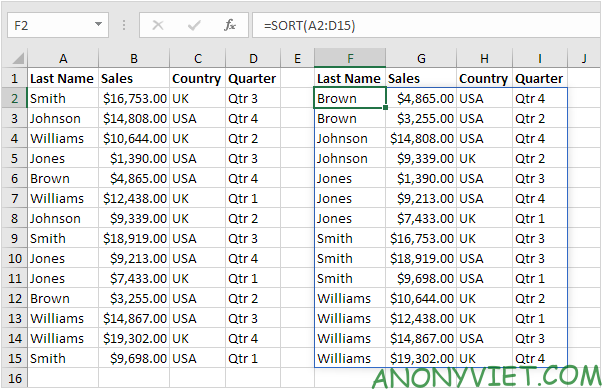
1. The simple Soft function below has only one value, A2:D15. By default, the SORT function sorts the first column, in ascending order.
Lesson 214: Soft function in Excel

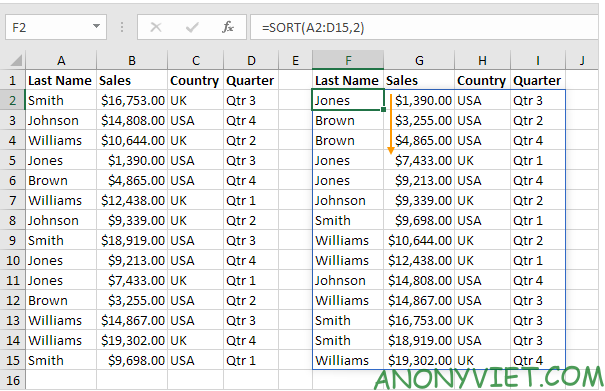
2. Use the second value of the SORT function to sort other columns. The SORT function below sorts the 2nd columns instead of the first
Lesson 214: Soft function in Excel 9

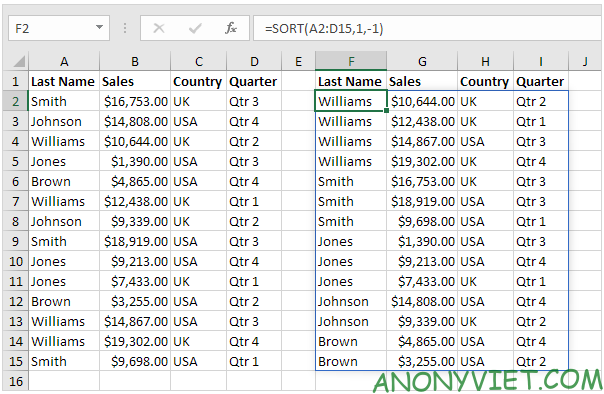
3. Use the third value of the SORT function to sort in a different order. The SORT function below sorts the first column in descending order.
Lesson 214: Soft function in Excel 10

4. To sort multiple columns, just add an array and you’re done. Lesson 214: Soft function in Excel 11
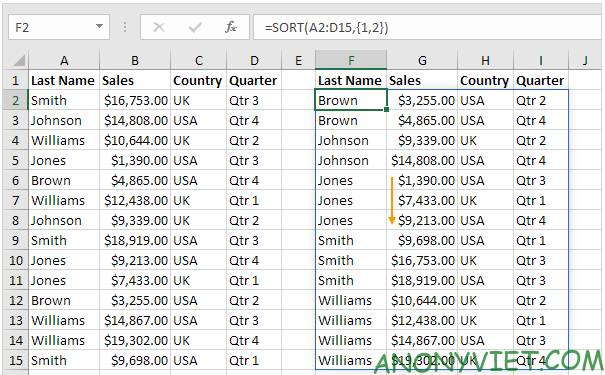
5. The advanced SORT function below sorts Last Name first (in ascending order) and Sales second (in descending order).
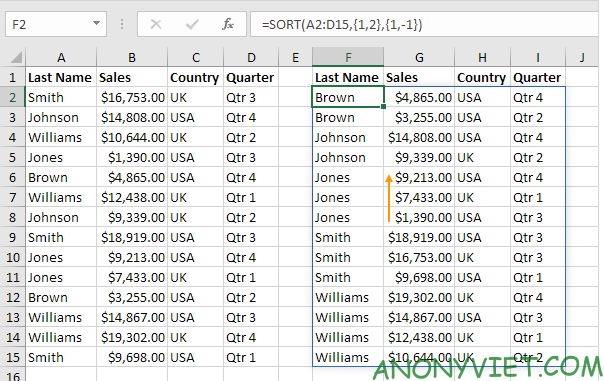
Lesson 214: Soft function in Excel 12

In addition, you can also view many other excel articles here.
The article achieved: 5/5 – (100 votes)

Tags: ExcelfunctionLessonSoft
Previous Post

11 Extensions Most Used by Hackers on Chrome

Next Post

How to Run Java Programs in Ubuntu

AnonyViet

AnonyViet

Related Posts

Instructions on how to convert text into QR codes in Word
Office

Instructions on how to convert text into QR codes in Word

October 5, 2026
Tool to adjust the format of administrative documents according to Decree 30
Office

Tool to adjust the format of administrative documents according to Decree 30

October 1, 2026
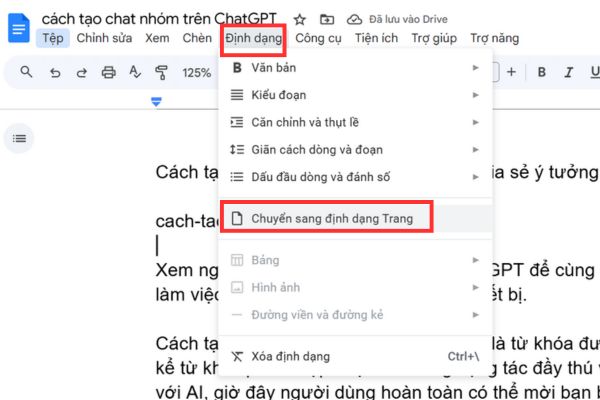
How to add Watermark to Google Docs to protect copyright
Office

How to add Watermark to Google Docs to protect copyright

April 19, 2026
Instructions on how to hide formulas in Excel to secure data
Office

Instructions on how to hide formulas in Excel to secure data

February 6, 2026
Top who creates the most beautiful presentation slide today
Office

Top who creates the most beautiful presentation slide today

September 23, 2025
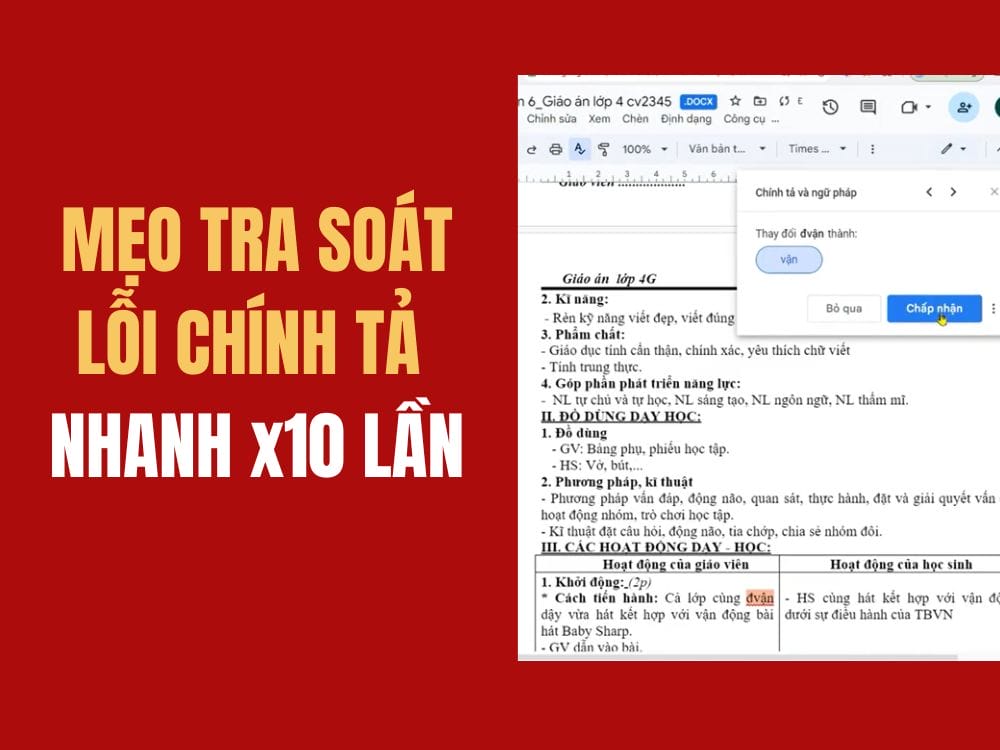
Automatically check and correct spelling errors on Google Docs
Office

Automatically check and correct spelling errors on Google Docs

February 23, 2025
Next Post
How to Run Java Programs in Ubuntu

How to Run Java Programs in Ubuntu

0 0 votes
Article Rating
Subscribe
Login
Notify of
guest

guest

0 Comments
Oldest
Newest Most Voted

Recent News

Keysoff 11.11 discount: Office 2024 Pro only .58, Windows 11 Pro from .58

Keysoff 11.11 discount: Office 2024 Pro only $26.58, Windows 11 Pro from $15.58

November 9, 2026
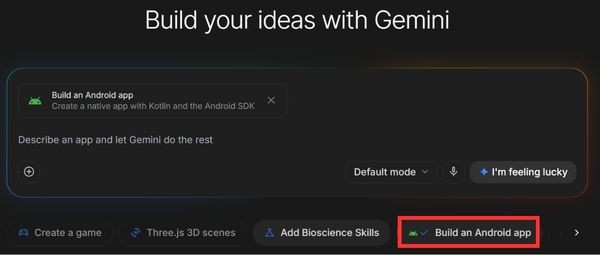
How to create an Android App using Google AI Studio without code

How to create an Android App using Google AI Studio without code

November 9, 2026
Holding OPPO Find X10 to watch movies all night: Real experience

Holding OPPO Find X10 to watch movies all night: Real experience

November 9, 2026
The truth about Galaxy A18: Is it just a cheap phone with a price increase?

The truth about Galaxy A18: Is it just a cheap phone with a price increase?

November 9, 2026
Keysoff 11.11 discount: Office 2024 Pro only .58, Windows 11 Pro from .58

Keysoff 11.11 discount: Office 2024 Pro only $26.58, Windows 11 Pro from $15.58

November 9, 2026
How to create an Android App using Google AI Studio without code

How to create an Android App using Google AI Studio without code

November 9, 2026
Holding OPPO Find X10 to watch movies all night: Real experience

Holding OPPO Find X10 to watch movies all night: Real experience

November 9, 2026
AnonyViet - English Version

AnonyViet

AnonyViet is a website share knowledge that you have never learned in school!

We are ready to welcome your comments, as well as your articles sent to AnonyViet.

Follow Us

Contact:

Email: anonyviet.com[@]gmail.com

Main Website: https://anonyviet.com

Recent News

Keysoff 11.11 discount: Office 2024 Pro only .58, Windows 11 Pro from .58

Keysoff 11.11 discount: Office 2024 Pro only $26.58, Windows 11 Pro from $15.58

November 9, 2026
How to create an Android App using Google AI Studio without code

How to create an Android App using Google AI Studio without code

November 9, 2026
  • Home
  • Home 2
  • Home 3
  • Home 4
  • Home 5
  • Home 6
  • Next Dest Page
  • Sample Page

say88 tỷ lệ kèo nhà cái kèo nhà cái 5 febet

No Result
View All Result
  • Home
  • News
  • Software
  • Knowledge
  • MMO
  • Tips
  • Security
  • Network
  • Office

say88 tỷ lệ kèo nhà cái kèo nhà cái 5 febet

wpDiscuz
0
0
Would love your thoughts, please comment.x
()
x
| Reply