Every time you enter your PIN at an ATM or enter personal information on websites, potentially malicious tools called keyloggers can always track and record your every keystroke.
| Join the channel Telegram of the AnonyViet 👉 Link 👈 |

But what exactly are these keyloggers and how do they track us? How can we identify and protect ourselves against keyloggers? Let’s find out in this article.
What are keyloggers?
The main purpose of a keylogger is to track our activities. Keyloggers come in many different genres, they can exist as spyware or a hardware device that can track every keystroke.
Most keyloggers are used to collect credit card data entered in online websites. Once the data is recorded, the hacker controlling the keylogger can easily obtain the data and perform illegal acts.
Besides being used to track keystrokes, keylogger software can also be used on smartphones, such as iPhones and Android devices.
How Keylogger is installed on your device
Hackers have many ways to install keylogger software on your computer or mobile device. But usually the following ways.
Phishing scam
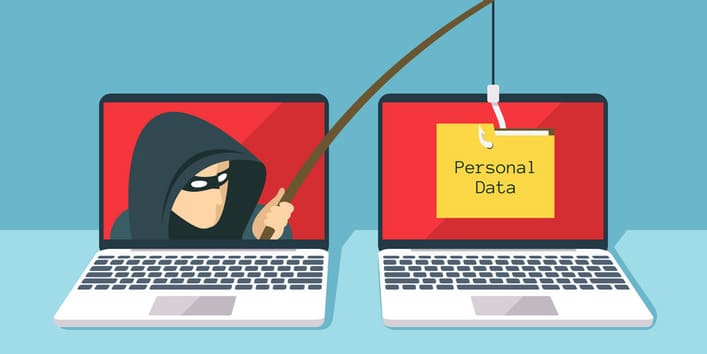
A great way to spread malware, phishing lures victims into opening fake emails, messages, attachments, or clicking links. Keylogger also from there that spread to your device.
Viruses, Trojans, malware ahij
Hackers also use Viruses, Trojans to install a keylogger on the victim’s device. The Trojan virus is emailed and can also be a fake coupon to trick you into opening it.
New types of Keylogger Trojans are also active and are designed to steal online payment data.
Malicious website
If you accidentally visit a fake or malicious website, these sites can install keyloggers on your device. Malicious websites can do that by exploiting vulnerabilities in the browser, if you are using older versions of the browser.
The system has been infected
If your computer or phone has been infected with malware, the hacker most likely used that malware to install additional Keyloggers.
How to detect Keyloggers

Keyloggers do not affect your system much, and are not like other forms of malware. While this can keep the files on your device safe, it also makes them very difficult to detect.
To detect keyloggers, you must regularly monitor for small changes such as:
- While typing, you notice that it takes a few seconds for the keystrokes to appear, or in some cases, they don’t appear at all.
- Your device is not performing well or is slow. You may also experience a lot of system problems.
- You get an error screen.
- Computer appeared unknown processes.
- Your security or antivirus software detects a security problem.
5 ways to protect against Keylogger
Caution is always the best defense against keyloggers. However, I will show you 5 useful ways to help you stay safe from these malicious keyloggers. Despite the fact that keyloggers are difficult to detect, there are ways you can ensure your safety before a keylogger is installed on your device.
1. Two-Factor Authentication
Implement two-factor authentication (2FA) is the most affordable way to add an extra layer of security before you give the app permission to access the device. Access to devices, resources, or system hardware is only allowed when two-factor authentication is successful.
Cybercriminals will need access to multiple devices if you enable 2FA, so choose phone or app authentication when accessing important accounts.
To access your account, you need to log in with a password. 2FA will then provide a password within a certain period of time for confirmation. Whereas the keylogger can only get your account password. Therefore, using 2FA greatly reduces the chances of hackers gaining access to your account.
2. Use the virtual keyboard
Most keyloggers rely on the traditional QWERTY keyboard layout for data tracking. If you switch to a keyboard that doesn’t use a traditional layout, you can reduce the risk of keyloggers getting your data.
Another alternative is to use a virtual keyboard software instead of using a physical keyboard to enter characters. It is especially advisable to use the virtual keyboard when accessing a bank account or whenever you are trying to enter sensitive information. Windows has provided a free virtual keyboard, which you can open by the following:
Press Windows + CHEAP -> Enter OSK in the Run command window -> Enter to open the virtual keyboard
But in my opinion, the above 2 options are not applicable anymore. Because currently, keyloggers do not rely on keyboard layout to collect data, and keyloggers are also equipped with a screen capture feature, so using the virtual keyboard is also ineffective.
3. Use good anti-virus software
Investing in good anti-virus software can reduce keyloggers. There are plenty of free plans out there, but investing in premium plans keeps you up to date with new threats and increases your chances of detecting keyloggers.
Along with providing protection against keyloggers, these programs also block other types of malware.
4. Be careful when clicking on strange links

You must be vigilant when clicking on any pop-ups, URL attachments or download requests. Avoid opening files received from unknown senders as they can be disguised as innocuous links.
5. Use Keylogger Removal Software
Keylogger removal software is created to detect any signs of keyloggers on your computer. It detects by comparing your files with files in the keylogger database and also prevents your keyboard characters from being tracked.
Another advantage of keylogger removal software is that it keeps your login information hidden from potential keyloggers.
How to remove Keylogger
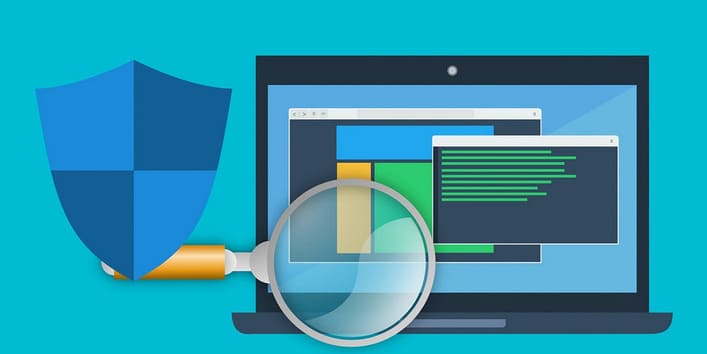
Keyloggers are difficult to detect but once you have identified keyloggers, then you should be able to remove them very easily. There are two options for removing keyloggers: Automatic and Manual.
Automatic: First, you need to turn on your anti-virus software and run a full system scan. Anti-virus software will isolate the keylogger infection manually. Then you can delete it completely.
Handmade: Once you have discovered the keylogger’s location, delete that keylogger file by pressing Shift + Delete.
But the safest is still should Reset Windows to the initial state.
In addition to all of the above, you must always be wary of keyloggers and do not install strange software or access unsafe links.