

Do you often have to use the device to do heavy tasks such as editing videos, photos or fighting games with max settings? Have you ever wondered how hot your CPU is then? So how to check CPU temperature? Many of you often ignore the problem of CPU temperature, but it is one of the causes of that CPU failure. And so today I will guide Using Real Temp to check the temperature of your computer’s CPU!
| Join the channel Telegram of the AnonyViet 👉 Link 👈 |
What is CPU overheating?
The situation of the CPU being hot must have been encountered by all computer users. The cause of this situation is because electricity is converted into heat during CPU operation to process huge amounts of information accurately. So you need to check if the CPU temperature is overloaded?
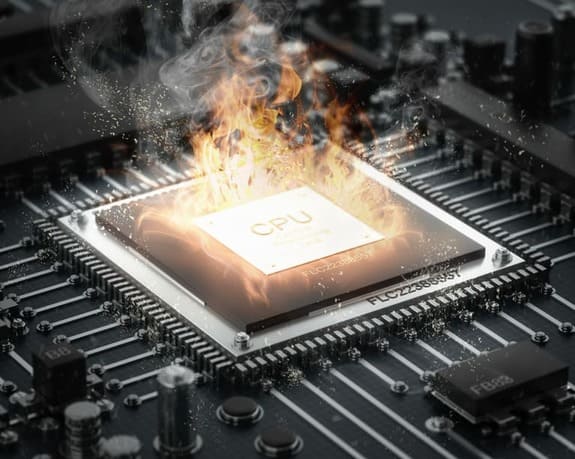
While CPU heat may sound normal, it has serious long-term consequences. If the machine is not cooled or gets hot frequently, overheating can cause the optical circuits to loosen, damage the CPU, and render your computer inoperable. When the CPU is overheated (beyond the threshold of 110 *C), it will cause the CPU life to be reduced, the computer to hang, restart suddenly, and more seriously, burn the CPU. There are some cases where CPU thermal overload leads to blue screen errors.
So what do you need to do to know how hot your CPU is? Then let me guide you how to see the temperature of your processor!
Real Temp – CPU temperature measurement software
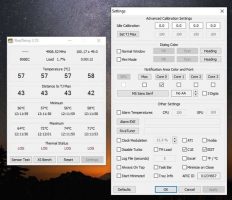
Real Temp will help you monitor and analyze from Chips of Intel Core processors such as Dual Core, Quad Cord, Core i7 processor. The program will display relevant details to help you manage your computer’s working process, knowing which speed is the maximum and safest speed for your computer. Real Temp not only displays the actual temperature in degrees Celsius, but it also displays the TJMax distance (this is the unit that represents the maximum temperature for the processor’s safety).
Features of Real Temp
- Check and display temperature information from Intel Core processors (ie measure the temperature of each Core).
- Check the DTS sensors.
- Check CPU temperature
- Keep the minimum and maximum temperature of the system stable.
- Display information quickly and accurately.
- Displays measurement units such as MHz, TJMax, VID, CPUID, APIC ID.
- Automatically close open applications to rebalance the computer system.
- Set alerts and automatically shut down CPU or NVIDIA GPU when overheating.
- Supports Windows 2000 / XP / Vista / Windows 7 / Windows 8 / Windows 10 (32 & 64 bit).
Real Temp User Manual
So right now I will show you how to use Real Temp to measure your computer’s CPU temperature!
Installation Instructions
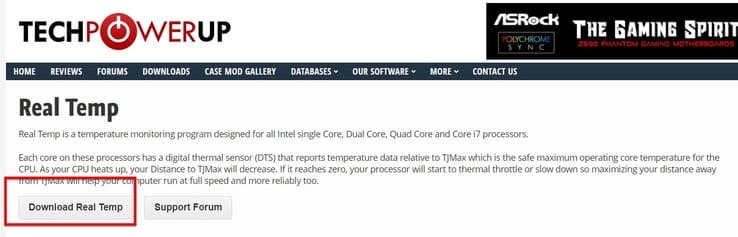
Step 1: Access to Real Tempo’s download page and select download Real Temp
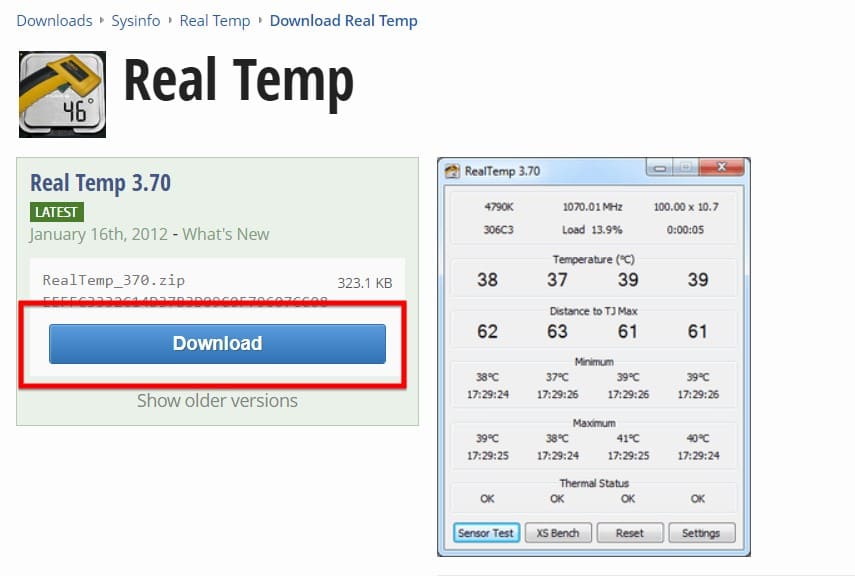
Step 2: You choose the version of Real Temp you want to install and click Download
Step 3: You choose the server to download to your computer. You can choose as you like, but to achieve the highest speed, you should choose Server Singapore!
Note: If you are not in Vietnam, please see which server displays the words under their flag “Closest to you”, please click there!

Step 4: Proceed to extract the downloaded file
Step 5: Go to the extracted folder and run the RealTemp.exe file (This software requires you to give admin rights)
Instructions for reading parameters
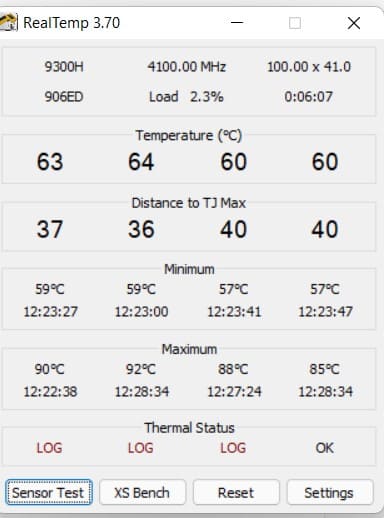
- Temperature: Temperature of each Core
- Distance to TJ max: distance to maximum temperature for each Core’s safety
- Minimum: lowest temperature of each Core
- Maximum: Highest temperature of each Core
- Thermal Status: Adjust the temperature of each Core
Instructions for setting an alarm when the temperature is high
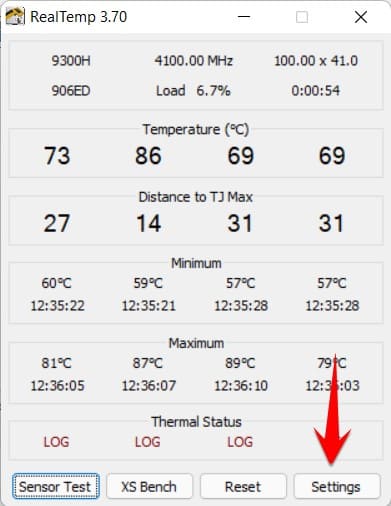
Step 1: Access the Settings section at the bottom corner of the window
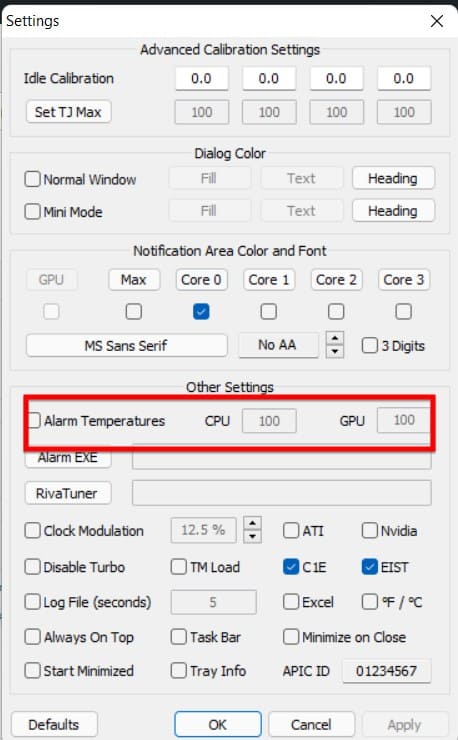
Step 2: Tick Alarm Temperature and adjust the number accordingly (in the CPU and GPU section) and then press ok
So I just finished the instructions on how to see the temperature of the processor. So how to reduce the heat for it, let’s go into this problem right away!
Instructions on how to reduce CPU temperature
So the ways to reduce the temperature to protect the life of the CPU include:
- Let the machine operate in a well-ventilated place
- Clean the machine, especially the heat sink
- Turn off unnecessary applications that are active
- Use special thermal paste for the machine
- BIOS intervention and tuning
see more: How to know if a computer is infected with a virus?










