Are you longing to experience the outstanding features of X Premium but still wondering about the cost? Don't worry, because How to sign up for X Premium for 14 days for free can completely help you satisfy that desire. This article will be a “guideline” to guide you through each simple step, so you can fully enjoy the privileges that this premium service package brings.
| Join the channel Telegram belong to AnonyViet 👉 Link 👈 |
What is X Premium?
X Premium is a mid-range subscription, equipped with powerful tools to monetize your content:
- Turn interactions into real income, receive a share of advertising revenue from your engaging posts.
- Set up your own subscription program, delivering exclusive content to enthusiastic supporters, creating a steady stream of income.
- Easily manage and track content performance with Media Studio, gain insight into impact, and optimize media strategy.
- Organize and track multiple timelines and accounts on a single interface, increase work efficiency and never miss any important information.
- Minimize distractions with significantly fewer ads, helping you focus on the content that matters and quality interactions.
- Possessing the prestigious green tick, a symbol of authenticity, helps you stand out from the crowd and build trust with the community (can be hidden if desired).
- Prioritize visibility for your feedback, ensuring your voice is heard and engagement is more meaningful.

See more: How to upgrade to Perplexity PRO for 1 month free
How is X Premium+ different from X Premium?
X Premium+ is the pinnacle of class on X, bringing a completely different and unlimited experience. With a higher fee, you can enjoy all the perks of the Basic and Premium packages, while also possessing unique features that affirm your leading position:
- Completely eliminate ads, immerse yourself in the world of information and connection without being bothered by any factors.
- Access Grok, the powerful AI assistant, to find information, ask complex questions, and engage in insightful conversations on a myriad of topics.
- Freely create and share long, richly formatted articles right on the X platform, expressing ideas in a complete and engaging way.
- Make sure your feedback is front and center, asserting influence and leading discussions.
How to sign up for X Premium for 14 days for free
Below are the detailed steps so you can sign up for X Premium for free within 14 days.
Step 1: First, open your web browser and access the link HERE.
Note: If you can't access it, try changing your VPN to Singapore.
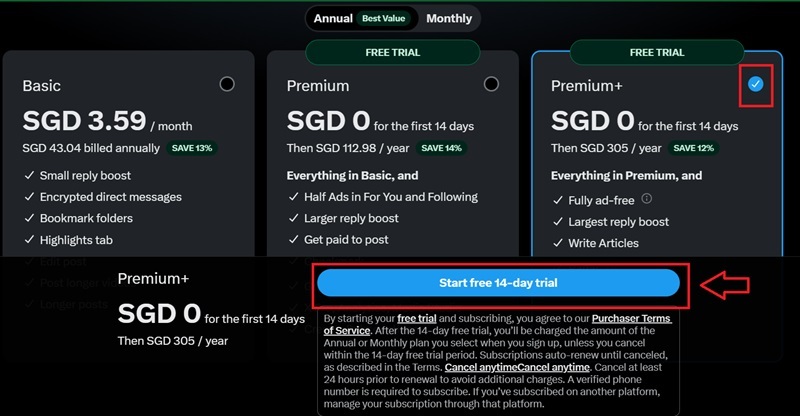
Step 2: On the registration page, you will see different X Premium plans, you should choose the “Premium+” to get all the most advanced features > Click Start free 14-day trial.
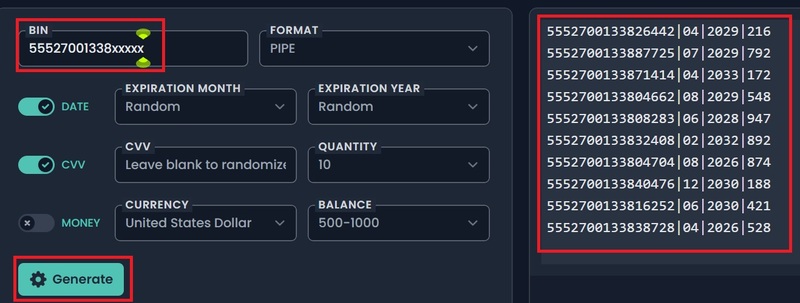
Step 3: When you get to the credit card information (CCV) request, you'll need to use a random card information generator. Visit the following website:
https://namso-gen.com/?tab=advance&network=random
In the “BIN” section, enter the following information: 55527001338xxxxx
Then press Generate. This tool will provide you with hypothetical credit card information, including card number, expiration date, and CVV code. You copy any line in the list of results that appears.
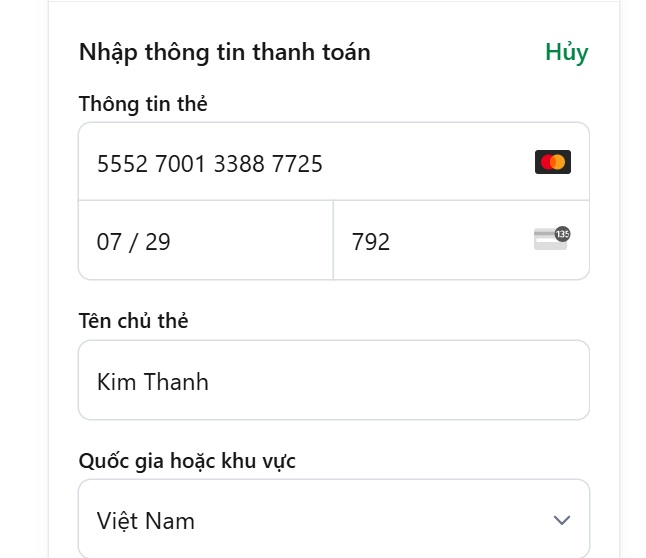
Step 5: Return to the X Premium payment page, carefully copy and paste the credit card information (card number, expiration date, CVV code) that you just generated from the namso-gen.com tool.
Step 6: After entering all information, press the button Start trial.
Step 7: If successful, you will see a message confirming that you have successfully signed up for X Premium. At this point, you can start experiencing premium features for 14 days for free.
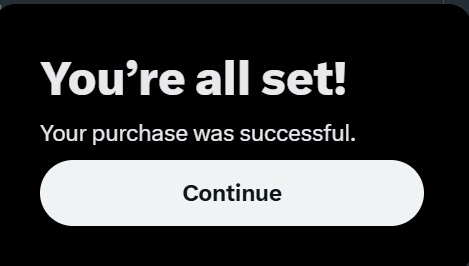
Try editing your post, uploading a longer video, or experimenting with reading mode to see if these improvements enhance your X experience. Don't forget to check to see if the green check mark has appeared on your account.
See more: Spotify Premium is only 29,500 VND for 3 months Use: “Sip” now!
Conclusion
Hopefully with detailed instructions on How to sign up for X Premium for 14 days for free presented in the article, you can confidently perform and explore the world of superior features of X Premium. Make the most of this free trial period to evaluate whether this service package really suits your needs before making the final decision!