

How to get Google AI Pro 1 year for free will help you save a significant amount of money. With this package, you will immediately own Gemini Advanced, the Veo video creation tool and a huge 5TB of storage. If you are a student or a new employee, this is a great deal. Let’s find out how to do it with AnonyViet right here!
📢 Join the channel Telegram belong to AnonyViet
Update new articles, cool tools and IT tips fastest
Why should you upgrade to the Google AI Pro plan?
Currently, up to 99% of AI users still do not know how to get Google AI Pro 1 year for free. Normally, to own this premium service package, you will have to spend about 500,000 VND/month (equivalent to nearly 6 million VND a year). This is not a small number, especially for students or those just starting to build a content creation channel.

When you upgrade successfully, you will unlock a series of heavy weapon features from Google. Below is a quick comparison table for you to clearly see the differences:
| Features | Regular Google account | Google AI Pro account |
| AI model | Gemini standard version | Gemini Advanced (Best Pro Model) |
| Storage capacity | 15GB shared | 5TB (Free to store videos and photos) |
| Create AI videos | Not supported | Go to Google Flow (Veo 4 Omni) |
| Ecosystem integration | Basic | Deep integration into Gmail, Docs, NotebookLM |
| Other perks | Do not have | Includes YouTube Premium Lite |
Looking at the table above, surely you have seen the appeal of the Pro package, right? So what are you waiting for, let’s get started now!
Instructions on how to get Google AI Pro 1 year for free
To successfully apply to receive Google AI Pro 1 year for free, you need to follow the steps below correctly and completely.
Step 1: The rule of thumb is to absolutely NOT use your primary email, work email or email containing important data to do this procedure. Create a brand new Gmail account on a new Chrome Profile. This helps ensure maximum security for your personal data.
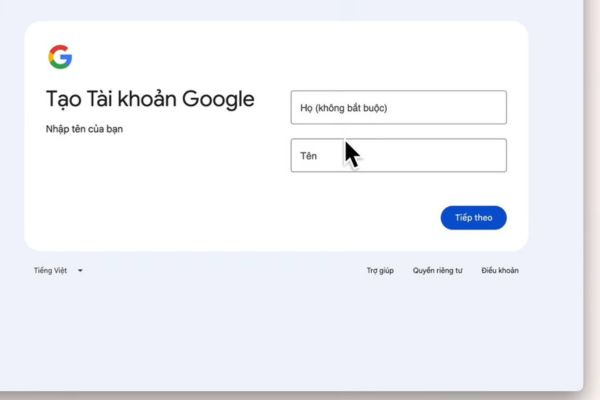
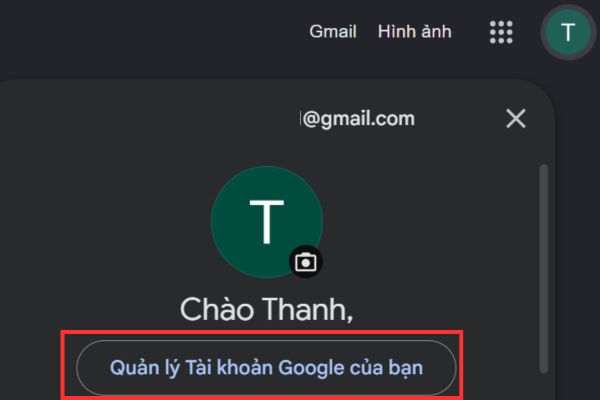
Step 2: After receiving new mail, access the section Manage your Google account.
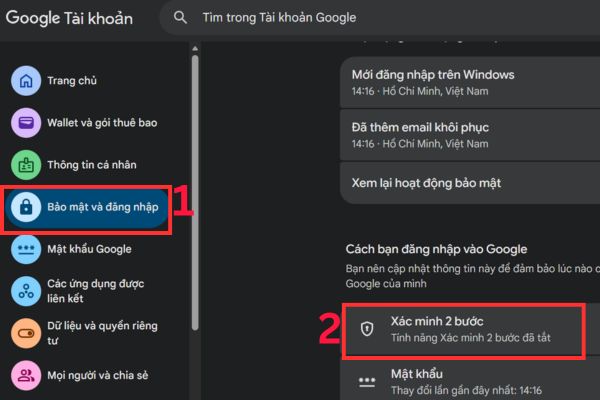
Select tabs Security and login > Find the item 2-step verification.
Here, you choose Authenticator.
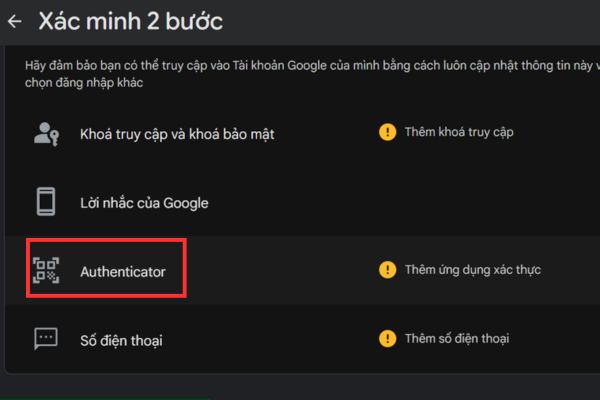
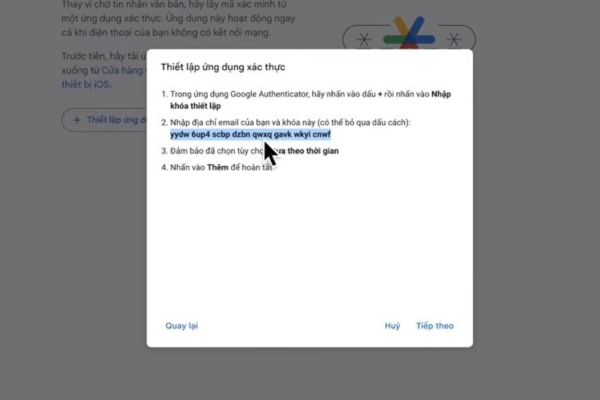
Select next Set up an authentication application. When the QR code appears, don’t scan it yet! Click on the text Can’t scan the code? so that the system displays a character code (Secret Key).
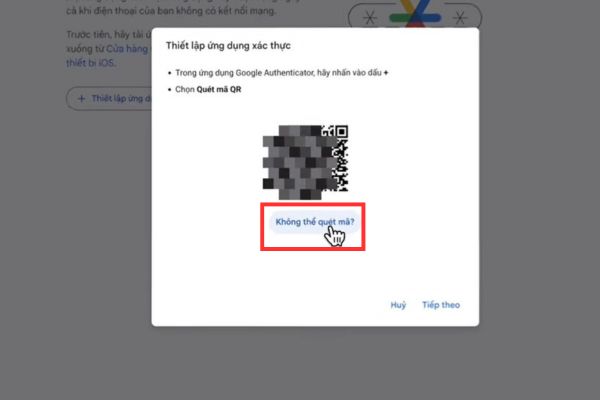
Copy this code and temporarily save it to a Word or Notepad file.
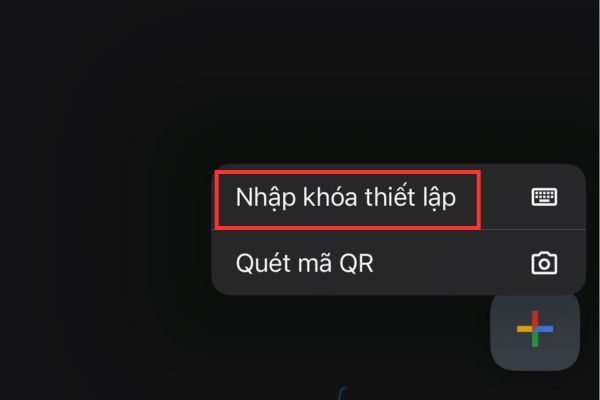
Step 3: Open the Google Authenticator app on your phone, press the + sign and select Enter the setup key.
Paste the code you just copied in Step 2 into place Your keyyou just fill in the name randomly.
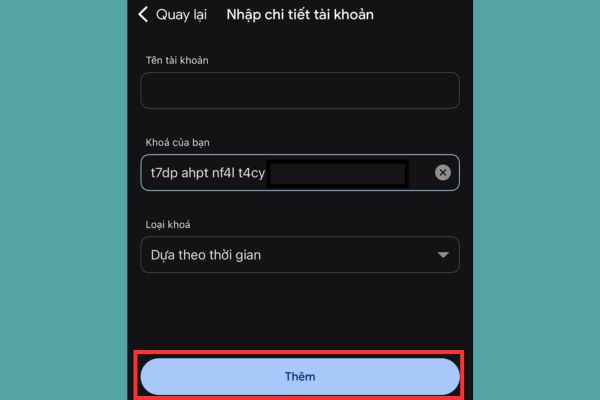
The application will create a continuously changing sequence of 6 numbers. Take these 6 numbers and enter them back into the Google website to complete turning on 2FA.
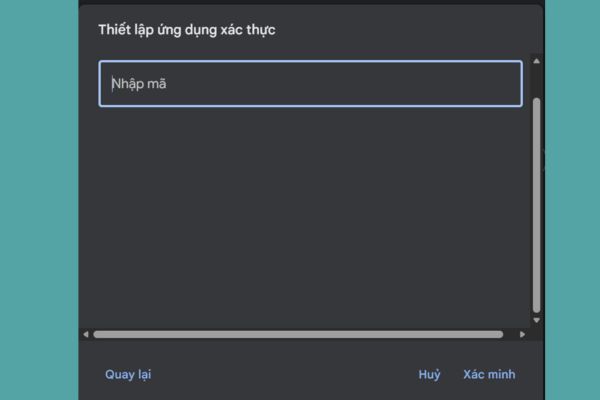
Step 4: Click the button Turn on.
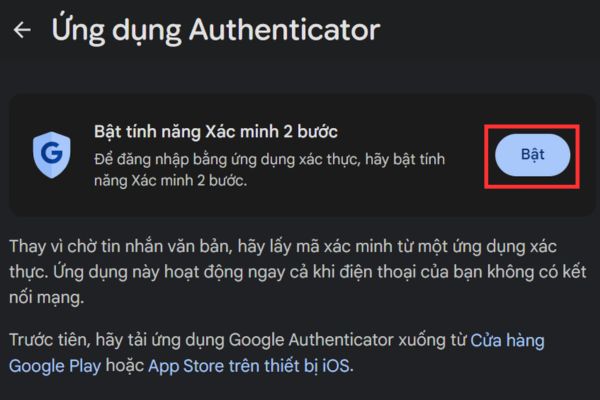
Click next Turn on 2-step verification feature.
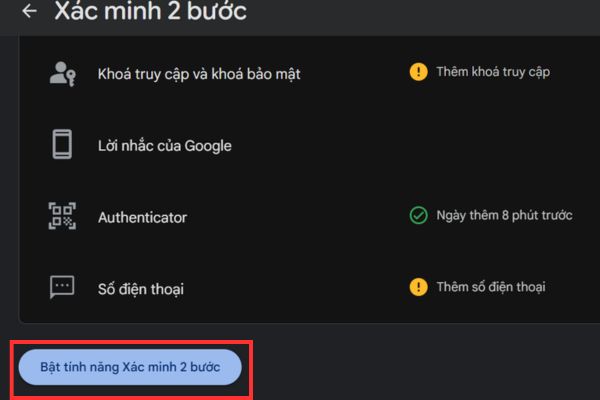
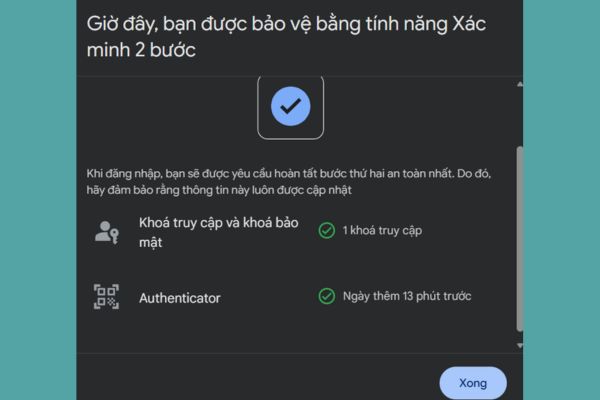
When you see the notification appear, it is successful.
Step 5: This is the core step in receiving Google AI Pro 1 year free. You need to access Telegram and find the support bot HERE.
After clicking join group and follow channel, click Done, active now to start activation. You choose Start Task.
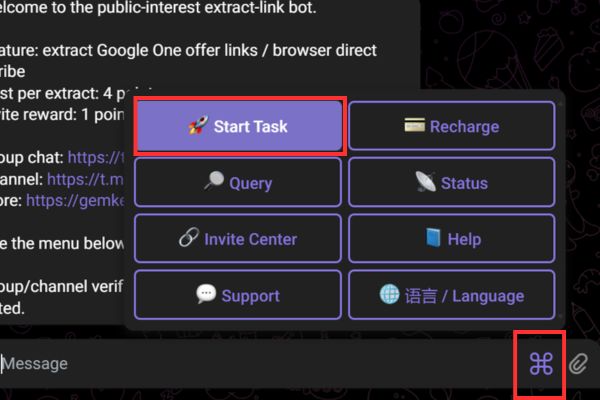
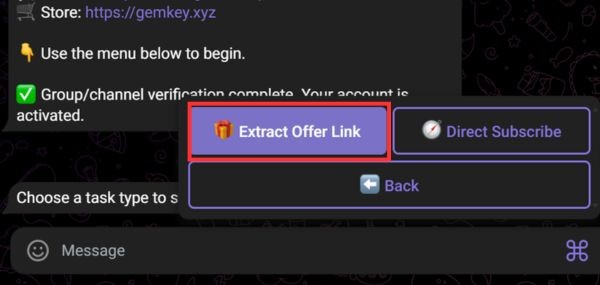
Then click Extract Offer Link. The bot will give you 4 free credits to perform. Select next Use Balance.
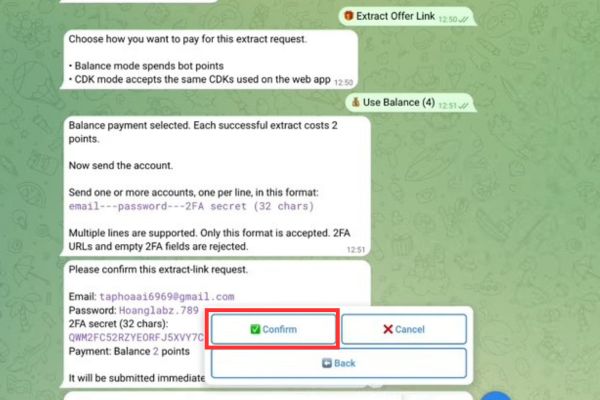
Step 6: You need to send information to the Bot according to the following extremely strict syntax:
email—password—2FA code
Strong note: The 2FA code here is the Secret Key you saved in Step 2, NOT the 6 numbers on the phone. And remember to remove all spaces (spaces) in that code before sending it to the Bot.
Step 7: Once submitted, the Bot will put your request into the queue. When it answers, press Confirm. If the system is overloaded, you may receive an error message (Failed). Don’t get discouraged, try again a few times.
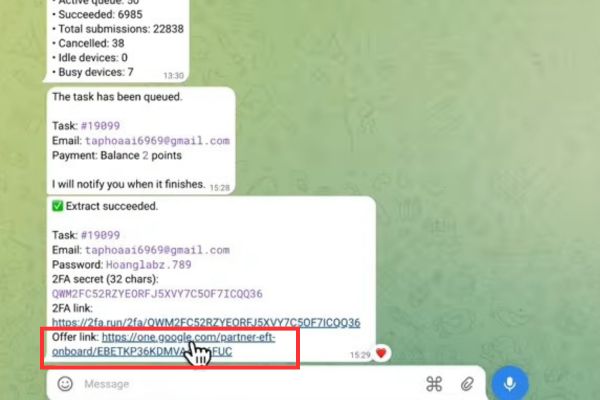
On success, the Bot will return you one Offer link. Copy that link and paste it into the browser that is logged into your new Gmail.
Boom! The registration interface for the Google AI Pro package priced at 0 VND appears.
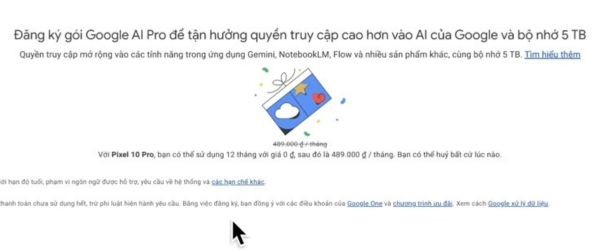
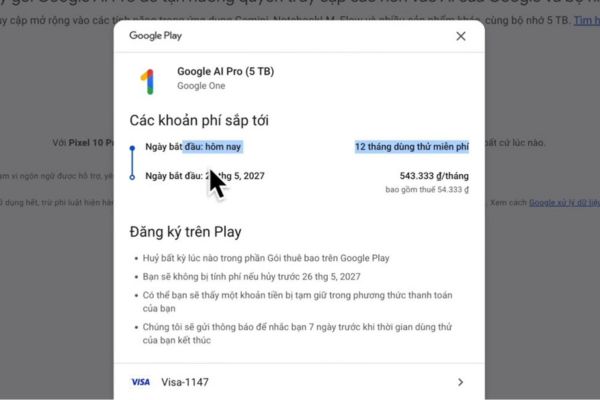
Step 8: You click Start trial. The system will request additional Visa/Mastercard or Momo wallet. Don’t worry, Google only deducts about $1 (twenty thousand) to verify the valid card, then will refund immediately. So you have successfully applied the method to receive Google AI Pro for 1 year for free!
Conclusion
With the detailed instructions above, I’m sure anyone can do it themselves How to get Google AI Pro 1 year for free. Take full advantage of Gemini Advanced’s 5TB capacity and power for study and work. Wishing you great success!
Frequently Asked Questions (Q&A)
1. Should I use my main Gmail account to do this procedure?
Absolutely not. You must hand over your login information and 2FA security code to the Telegram Bot to process, so to ensure safety, always create a completely new Gmail account (mail clone) to receive the offer.
2. When linking a Visa or Momo card, will I have money deducted?
The Google system will deduct a very small fee (about 1 USD or equivalent) to verify your payment method is genuine. However, this amount will be refunded to your account immediately afterwards.
3. How to avoid being charged when the 1-year free trial ends?
The package will automatically renew after 12 months. To avoid losing money, set an alarm or make a note, go to Google Play (or Google One) and select “Cancel subscription” on the 11th month. You will still be able to use the entire remaining time.









