How to get a certificate from Canva It’s actually extremely simple and anyone can do it. You don’t need to be a design expert or sit in front of a computer for hours to learn. Instead, it only takes a few surfing operations on the web and you’re done. Let’s go together AnonyViet Find out this cool secret right here!
📢 Join the channel Telegram belong to AnonyViet
Update new articles, cool tools and IT tips fastest
Instructions on how to get a certificate from Canva
Many people think that studying for a degree is very stressful, but in reality, everything is extremely easy. Below are the details of each operation so you can immediately bring this genuine badge to your device without spending too much effort.
Step 1: First, please visit Canva homepage. Make sure you are logged in to your personal account.
Step 2:
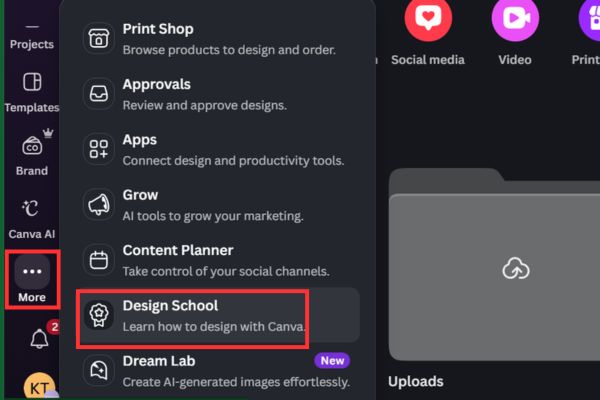
At the main interface, look down at the bottom left corner of the screen. There will be a 3-dot icon with the words More. Just lightly click on it to open a menu of extended features.
Step 3: In the list of options that appears, browse and select the item Design School. This is the virtual school where Canva hides extremely interesting courses.
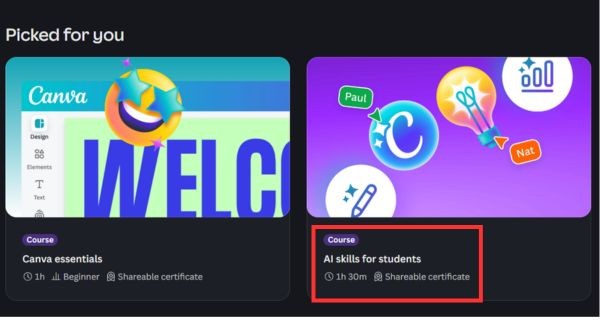
Step 4: At this point, a series of courses will appear before your eyes. You can freely browse and choose a topic that you feel most interested in. For example, you can choose the course “AI skills for students”. Most certification courses usually have a display duration over 1 hour clock.
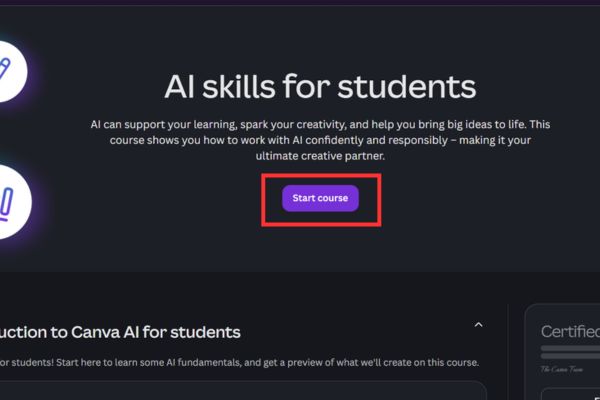
Step 5: Once you have finalized the course, click the button Start course. The system will play video lectures. However, if you are a busy person and want to know how to get a certificate from Canva Quickly, you can use the trick of fast forwarding through these videos. Just scroll back and forth for a few seconds and the system has recorded that you have completed that lesson.
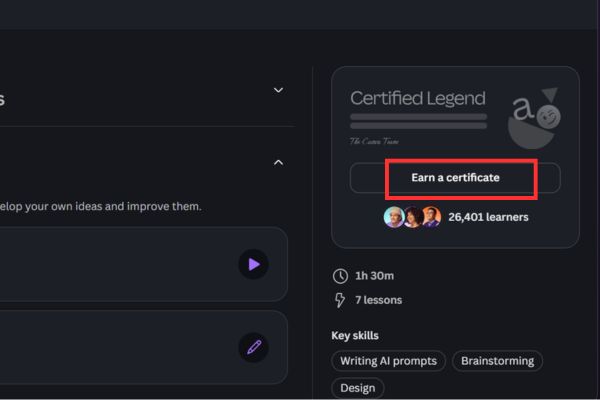
Step 6: Once you have browsed through all the videos, return to the course page and click select Earn a certificate on the right side of the screen.
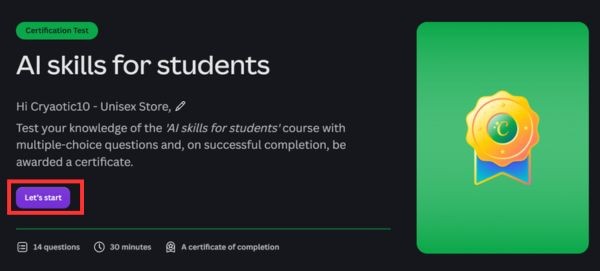
Then select the button Let’s start so you can enter the multiple choice test.
Don’t worry too much if you’re afraid of making the wrong choice. This platform is very psychological, if you accidentally choose an incorrect answer, the system will give you a red flag and allow you to choose other answers again until you get it right. Therefore, you can freely apply the strategy of “choosing at random” according to probability, no matter what you will pass.
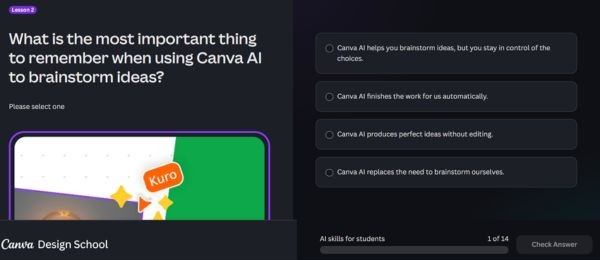
Step 7: As soon as you pass all the multiple choice questions (usually about 14), a congratulatory screen will appear. Boom! Canva officially gives you an extremely beautiful course completion certificate.
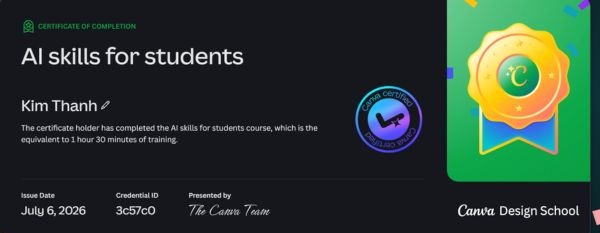
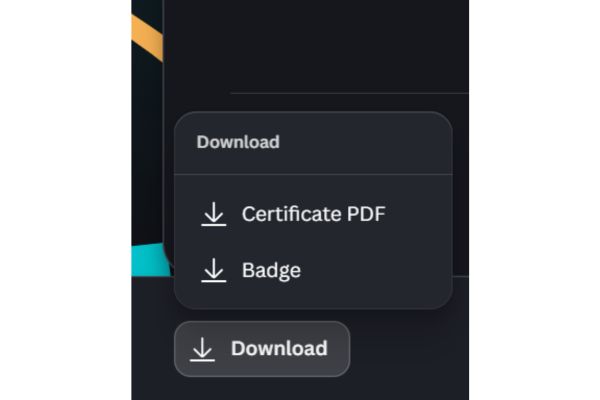
Step 8: Finally, you can download your results to your device.
You have two options: download as an image (only the badge logo) or download a full PDF file with your name clearly written on it.
In particular, before downloading the PDF file, you can click on the pen icon to edit the name to match your Vietnamese name. Thanks to that, the certificate will look much more professional.
Interesting things when joining Design School
Honestly, the fact that Canva created a learning space like this is a huge plus. It not only helps users get acquainted with design tools but also motivates them through spiritual rewards. When you successfully apply the method to get a certificate from Canva, you can confidently show off this achievement on social networks.
Moreover, the comfort of taking the test is what makes many people excited. No pressure of scores, no fear of failing exams. Instead, the system encourages you to try and correct errors immediately. In short, understanding how to get a certificate from Canva not only gives you a virtual certificate, but also a fun experience. Thanks to that, you will feel more interested in exploring new features of this application.

Conclusion
Overall, How to get a certificate from Canva is a great tip that anyone using this platform should try at least once. No exam pressure, and a great certificate, why not give it a try, right? Please share this secret with your friends!
Frequently Asked Questions (Q&A)
1. If I take the quiz on Canva, will I fail if I choose incorrectly?
Nope. If you choose the wrong answer, the system will report an error and allow you to continue choosing other answers until you get it right.
2. In what formats can I download the certificate?
You can download it as an image (badge logo only) or as a full PDF file containing your name.
3. If the name on the certificate is wrong, can it be corrected?
Absolutely. Before clicking to download the PDF file to your device, just click on the pen icon next to your name to edit it to be accurate with your real name.