• Home
  • News
  • Software
  • Knowledge
  • MMO
  • Tips
  • Security
  • Network
  • Office
AnonyViet - English Version
  • Home
  • News
  • Software
  • Knowledge
  • MMO
  • Tips
  • Security
  • Network
  • Office
No Result
View All Result
  • Home
  • News
  • Software
  • Knowledge
  • MMO
  • Tips
  • Security
  • Network
  • Office
No Result
View All Result
AnonyViet - English Version
No Result
View All Result

Instructions for updating banking biometrics on your phone at home

AnonyViet by AnonyViet
June 26, 2024
in Software
0

From 1/7/2024, the Bank biometric updates has become a mandatory requirement for online transactions worth VND 10 million or more. This article will guide you on how to update your banking biometrics on your phone easily and quickly, helping you save time and ensure the safety of your transactions.

Join the channel Telegram belong to AnonyViet 👉 Link 👈

What is NFC?

NFC (Near Field Communication) is a short-range communication technology that allows data transmission between devices in close range (about a few centimeters). This feature is built-in on iPhone from iPhone 6 and above, bringing many benefits to users such as:

  • Wireless payment: Pay quickly and conveniently at stores and services that support Apple Pay.
  • Share data: Easily share photos, videos, contact information with other NFC-enabled devices.
  • Activate the application: Open your favorite app or visit a website simply by touching your iPhone to an NFC tag or other device.
  • Unlock the device: Unlock doors, car locks, or other NFC-enabled devices with iPhone.
  • Perform tasks automatically: Use the Shortcuts app to create automated tasks triggered by NFC tags.
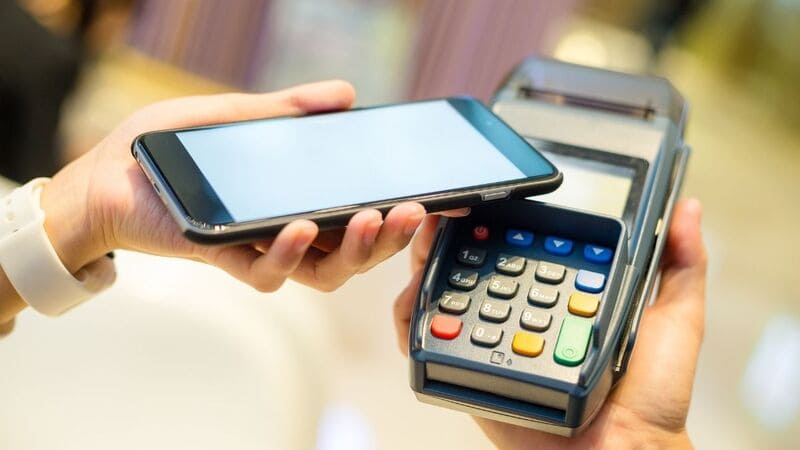
NFC helps make payments quickly

Benefits of updating banking biometrics

Enhance security and confidentiality

Using biometric information such as face and fingerprint to authenticate transactions helps reduce the risk of fraud and scams, making your bank account safer.

Convenient for users

Instead of having to go to the bank to update, you can do this yourself right on your phone easily and quickly.

Save time

Updating biometrics helps you save waiting time at the bank, especially during peak transaction periods.

Benefits of updating banking biometrics

See more: How to create songs using AI from A to Z in just 5 minutes

Instructions for updating banking biometrics on the phone

Note: The steps may vary slightly depending on the bank you use.

Step 1: Download your banking app to your phone and log in to your account.

Step 2: Look for “Biometric updates” or “Biometric authentication” in the app.
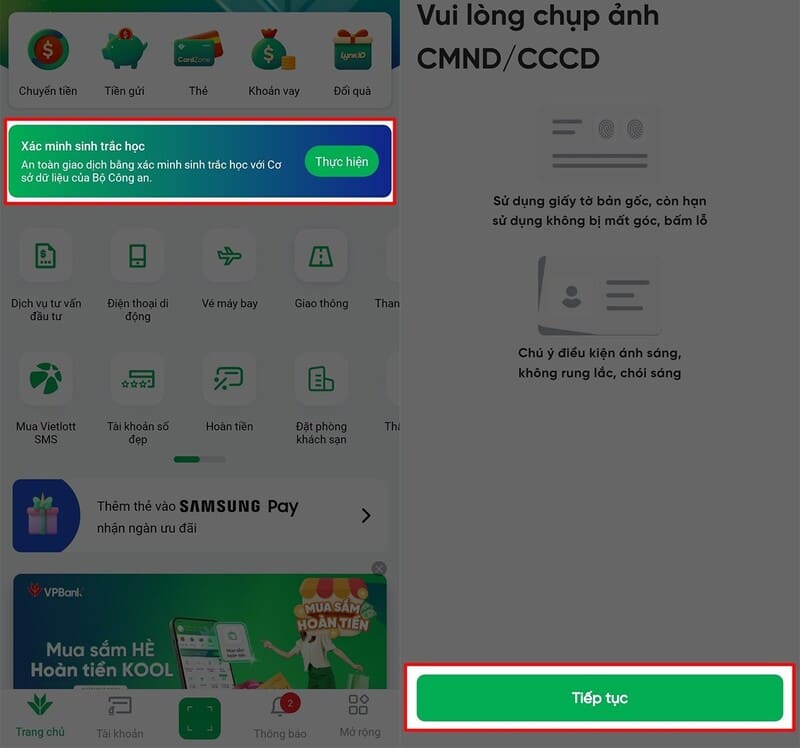
Search for items "Update biometrics" or "Biometric authentication"
Search for “Update biometrics” or “Biometric authentication”

Step 3: Follow the on-screen instructions to take a photo of the CCCD and your face.

Step 4: Place the chip side of the CCCD into the NFC sensor area on the phone.

In case you have not enabled NFC on your mobile device, follow these steps: Go to Settings > Select Connection > Enable NFC function and contactless payment.

Then, you just need to gently place the chip side of the CCCD card on the back of the phone and hold it for about 5 to 10 seconds so that the system can read and verify the information.
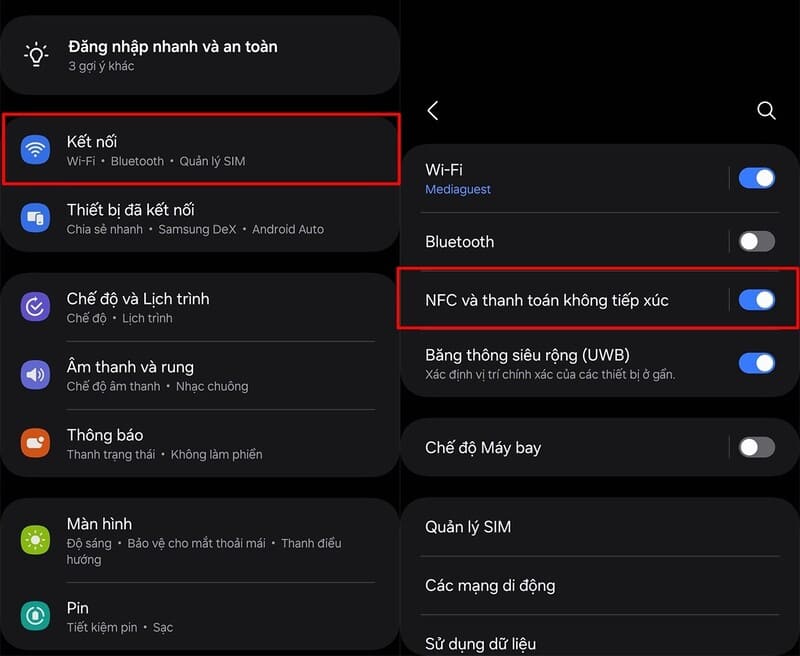
How to activate NFC on mobile devices

Some notes when updating banking biometrics

  • Make sure your CCCD card is valid and has a chip.
  • Make sure you are using a mobile device that supports NFC functionality.
  • Proceed to update your banking app to the latest version.
  • Perform the update operation in a well-lit environment.
  • Take clear photos of CCCD and faces, not blurred or obscured.
  • Place the chip side of the CCCD in the correct position over the NFC sensor area.
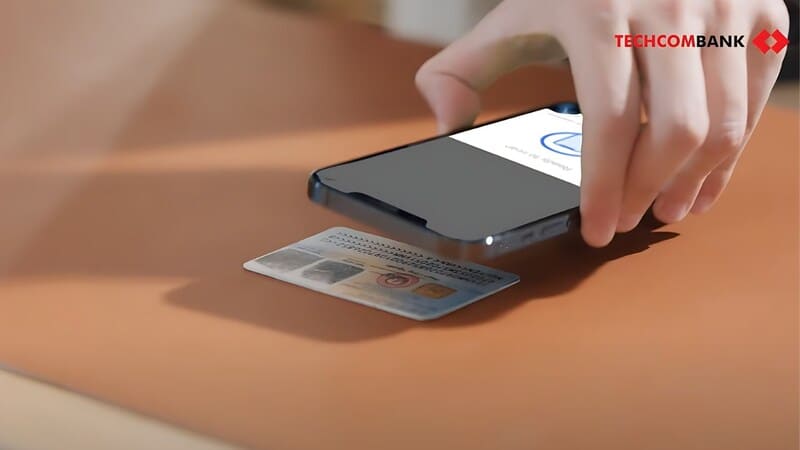
Some notes when updating banking biometrics

See more: How to make an online social insurance appointment extremely fast

Epilogue

Update banking biometrics is an essential security measure to protect your account and online transactions. Hopefully this article has provided you with useful information to perform the update process easily and quickly. Hope you are succesful.


Tags: BankingbiometricshomeInstructionsphoneUpdating
Previous Post

Top 4 ways to detect hidden cameras that everyone should know

Next Post

How to send New Year messages to all friends on Facebook

AnonyViet

AnonyViet

Related Posts

PDF editing application on Android worth 199k is free
Software

PDF editing application on Android worth 199k is free

June 10, 2026
How to buy in-game items for free on iPhone
Software

How to buy in-game items for free on iPhone

June 8, 2026
Practical use of Xiaomi 17T Pro: This is a good phone in 2026
Software

Practical use of Xiaomi 17T Pro: This is a good phone in 2026

June 8, 2026
Instructions to receive 6 months of IObit Malware Fighter 13 Pro for free
Software

Instructions to receive 6 months of IObit Malware Fighter 13 Pro for free

June 7, 2026
Instructions on how to prevent acquaintances from seeing your Tiktok
Software

Instructions on how to prevent acquaintances from seeing your Tiktok

June 2, 2026
TruyenDrive: Turn Google Drive into a professional manga reader
Software

TruyenDrive: Turn Google Drive into a professional manga reader

May 31, 2026
Next Post
How to send New Year messages to all friends on Facebook

How to send New Year messages to all friends on Facebook

0 0 votes
Article Rating
Subscribe
Login
Notify of
guest

guest

0 Comments
Oldest
Newest Most Voted
Inline Feedbacks
View all comments

Recent News

Cách làm mờ khuôn mặt trên iPhone, không cần tải app

Cách làm mờ khuôn mặt trên iPhone, không cần tải app

June 11, 2026
Website to check the World Cup 2026 match schedule intuitively, with automatic calendar synchronization

Website to check the World Cup 2026 match schedule intuitively, with automatic calendar synchronization

June 11, 2026
PDF editing application on Android worth 199k is free

PDF editing application on Android worth 199k is free

June 10, 2026
Instructions for creating Minecraft-style food photos

Instructions for creating Minecraft-style food photos

June 9, 2026
Cách làm mờ khuôn mặt trên iPhone, không cần tải app

Cách làm mờ khuôn mặt trên iPhone, không cần tải app

June 11, 2026
Website to check the World Cup 2026 match schedule intuitively, with automatic calendar synchronization

Website to check the World Cup 2026 match schedule intuitively, with automatic calendar synchronization

June 11, 2026
PDF editing application on Android worth 199k is free

PDF editing application on Android worth 199k is free

June 10, 2026
AnonyViet - English Version

AnonyViet

AnonyViet is a website share knowledge that you have never learned in school!

We are ready to welcome your comments, as well as your articles sent to AnonyViet.

Follow Us

Contact:

Email: anonyviet.com[@]gmail.com

Main Website: https://anonyviet.com

Recent News

Cách làm mờ khuôn mặt trên iPhone, không cần tải app

Cách làm mờ khuôn mặt trên iPhone, không cần tải app

June 11, 2026
Website to check the World Cup 2026 match schedule intuitively, with automatic calendar synchronization

Website to check the World Cup 2026 match schedule intuitively, with automatic calendar synchronization

June 11, 2026
  • Home
  • Home 2
  • Home 3
  • Home 4
  • Home 5
  • Home 6
  • Next Dest Page
  • Sample Page

6789 kv999

No Result
View All Result
  • Home
  • News
  • Software
  • Knowledge
  • MMO
  • Tips
  • Security
  • Network
  • Office

6789 kv999

wpDiscuz
0
0
Would love your thoughts, please comment.x
()
x
| Reply