Create Minecraft-style food photos is becoming an extremely attractive trend on social networks today. Funny pixel squares combine harmoniously with real-life contexts, creating great curiosity for viewers. Let’s experience the simplest steps with AnonyViet.
📢 Join the channel Telegram belong to AnonyViet
Update new articles, cool tools and IT tips fastest
What are Minecraft-style food photos?
The world of graphics is constantly changing, but sometimes old and simple values bring strange attraction. The cube style inspired by classic open world games is the clearest proof. When looking at these works, you will easily recognize basic features such as square, boxy shapes, surfaces covered with rough, nostalgic textures, and maximally simplified color palettes.

Nowadays, creating food photos is like Minecraft is no longer too strange for young people who love content creation. Many people often confuse this style with traditional pixel photos, but they have very clear boundaries.
| Comparative characteristics | Regular pixel art image | Minecraft style food photos (Voxel) |
| Display space | Represented on a simple two-dimensional plane | Three-dimensional rendering with realistic depth |
| Image detail | Flat pixels have no thickness | Stacked boxes create a distinct shape |
| How to do it | Draw each colored dot manually on the computer | Use a rendering engine or auto-generated AI |
| Lighting effects | Just simple simulated light and dark areas | Cast shadows naturally according to the surrounding environment |
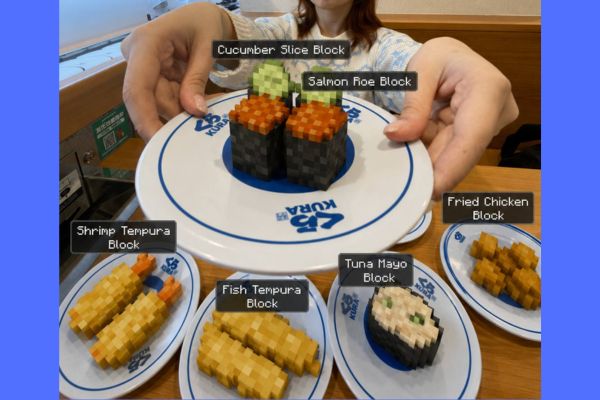
How to create Minecraft-style food photos using AI
With just a few simple steps, you can easily transform your photos.
Step 1: Access your chat interface ChatGPT.
Step 2: Upload a photo of the actual dish you want to use as the original document so the system can recognize the object’s layout and color.
Step 3: Copy the statement detailing the request to convert an image to a pixel cube and paste it directly into the input box:
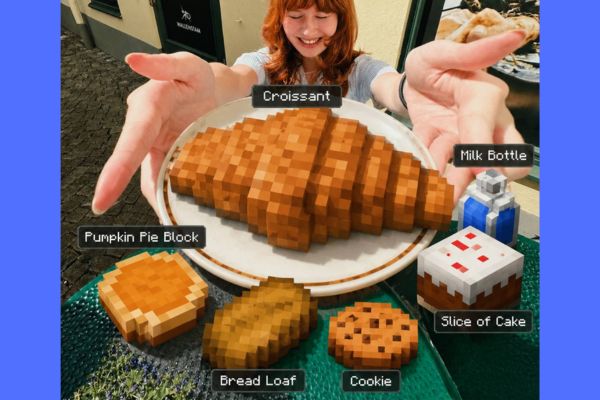
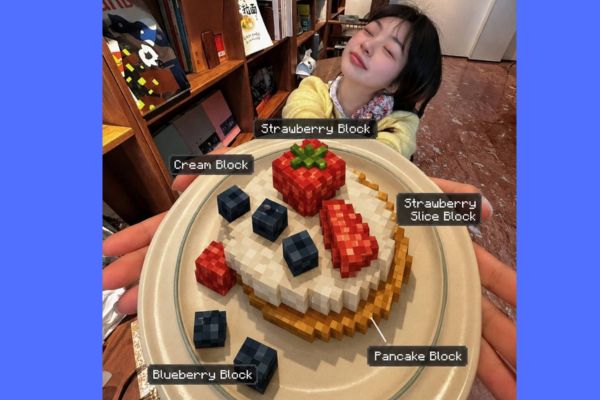
Add Minecraft-inspired inventory labels above or beside each food item using a crisp white pixel-style font on a dark translucent rectangular UI background. Each label should name the food like a Minecraft item, for example: “Cooked Turkey,” “Pumpkin Pie Block,” “Mashed Potato Cube,” or “Apple Slice Block.”
Make sure every label is clearly visible, floating naturally in the scene without covering any people.

Keep all humans, faces, skin textures, clothing, background elements, camera angle, composition, and lighting completely realistic and unchanged from the original image.

Apply realistic shadows and object interaction so the voxel-style food appears naturally placed on the table within the environment.

All transformed food items must match authentic Minecraft aesthetics: low-resolution pixel textures, visible cubic geometry, sharp square edges, flat surfaces, and no smooth shading, gradients, or realistic gloss.

Do not alter any non-food elements in the image. Only the food/items should be converted into Minecraft-style voxel objects.

Hard Rules:
• Humans and background stay fully realistic and untouched
• Only food/items become voxelized and labeled
• Labels must resemble official Minecraft UI/inventory text
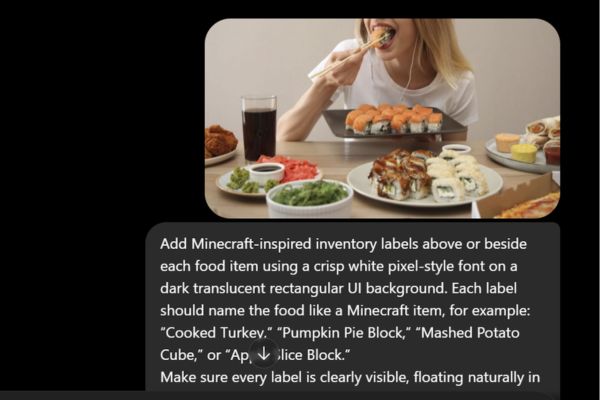
Step 4: Click send request to let the system analyze the image and combine the command, then wait a few seconds to receive your own unique work.
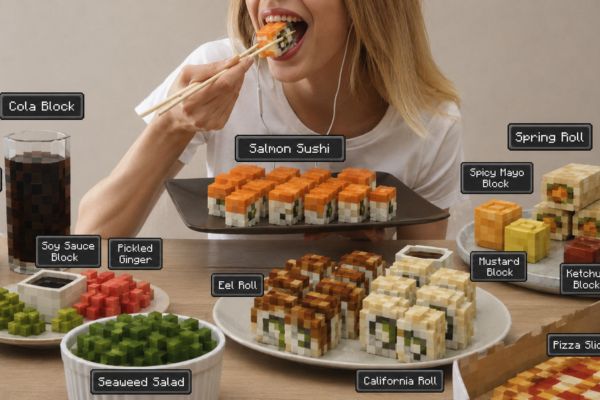
Conclusion
If you’re looking for a way to make your profile stand out, Create Minecraft-style food photos is the most ideal answer. This design that is both familiar and strange will easily keep viewers on your posts longer.
Frequently Asked Questions (Q&A)
1. Does creating food photos like this cost a lot of money?
You can absolutely use free AI tools to experience or invest in ChatGPT’s paid packages for higher resolution and detailed images.
2. Do I need to know how to use complex 3D graphics software?
Out of necessity, today’s AI models will automatically calculate, render, and shade based on your text description.
3. Can I use my own real photos for conversion?
Absolutely, you just need to upload the selfie to the AI software and write a request to convert it to the desired voxel cube format.