In the digital age, online shopping and payment are becoming more and more popular. However, using traditional credit cards poses many risks in terms of information security. The optimal solution to this problem is to use a virtual Visa card. This article will guide you in detail on how to Create virtual Visa card on Viettel Money and important notes when using.
| Join the channel Telegram belong to AnonyViet 👉 Link 👈 |
What is a virtual Visa card?
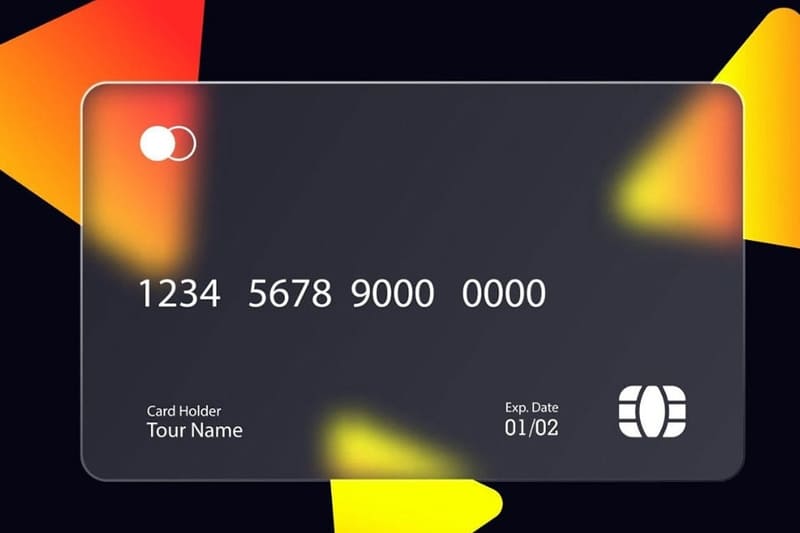
Virtual Visa card is a type of international payment card issued as a prepaid card, existing in digital form and has no physical form. You will receive card information such as card number, expiration date and CVV code (Security code) through Viettel Money application.
Advantages of using virtual Visa card
Using a virtual Visa card offers many outstanding advantages, helping to enhance the online shopping experience and manage finances effectively:
Safety and Security
Virtual Visa cards help reduce the risk of physical card information being exposed, as card information exists only in electronic form. This helps prevent financial fraud when shopping online.
Easy to manage expenses
You can set spending limits and usage times for each card, helping to effectively control spending and prevent overspending. This is an ideal solution for those who want to manage their personal finances closely.
Convenient and flexible
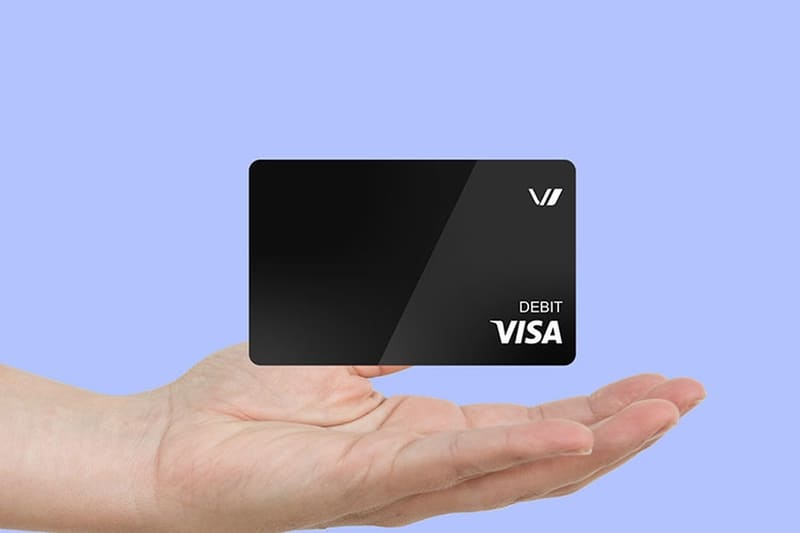
Creating and using a virtual Visa card is easy and quick. You can create a card through your bank's apps or website without having to go directly to the bank to get a physical card. Virtual Visa cards can also be used for global payments, similar to regular Visa cards.
Free or low cost
The fees for issuing and maintaining a virtual Visa card are typically much lower than for a physical credit card. Many banks and financial institutions even offer free services for transactions using a virtual card.
Multi-purpose
Virtual Visa cards are not only for online shopping but can also be used to verify accounts, subscribe to services and pay for a variety of other services such as Google Play, Apple Store and other e-commerce websites.
Thanks to these advantages, virtual Visa cards are increasingly popular and become the choice of many users for safe and convenient online transactions.
Instructions for creating a virtual Visa card on Viettel Money
Creating a virtual Visa card on Viettel Money is an easy and convenient process, allowing you to make secure online transactions without the need for a physical card. Here are the detailed steps for you to create a virtual Visa card via the Viettel Money application:
Step 1: First, go to Google Play or App Store to download and install the Viettel Money app on your phone.
Step 2: Open the app and register an account using your phone number. You can use any phone number in Vietnam. Enter your phone number, set a password and confirm the password to complete the registration. Then, enter the OTP code sent to your phone number to verify your account.
After completing the registration process, log in to the Viettel Money application using the phone number and password you just created.
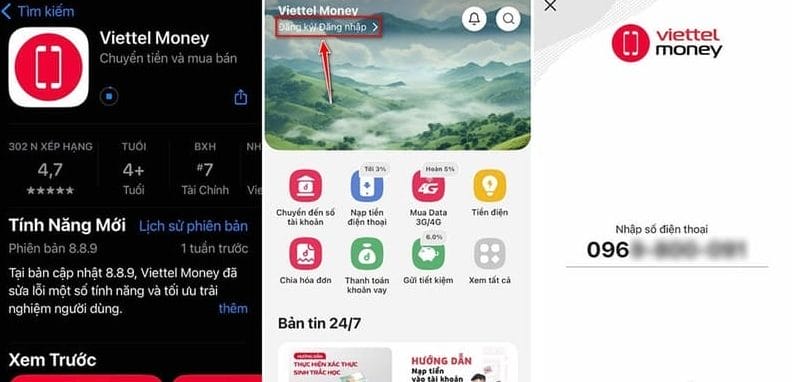
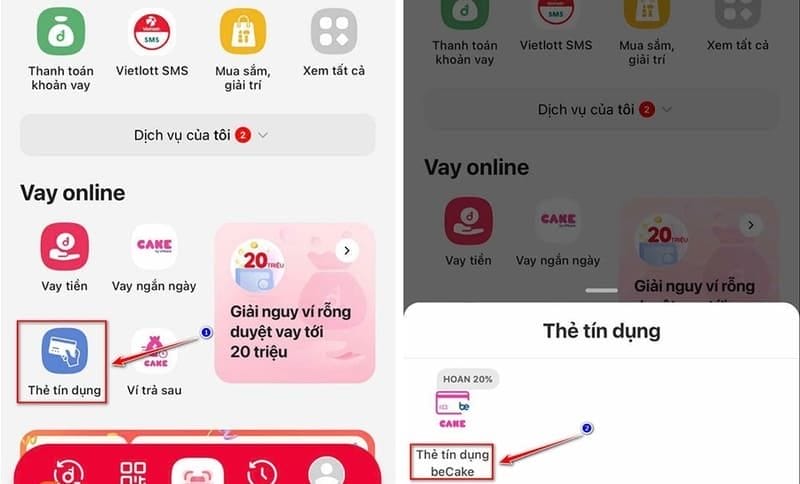
Step 3: On the main interface of the application, go to “Online Loan” and select “Credit card” > Select virtual Visa card to see detailed information about the types of cards that Viettel supports making online via the mobile application.
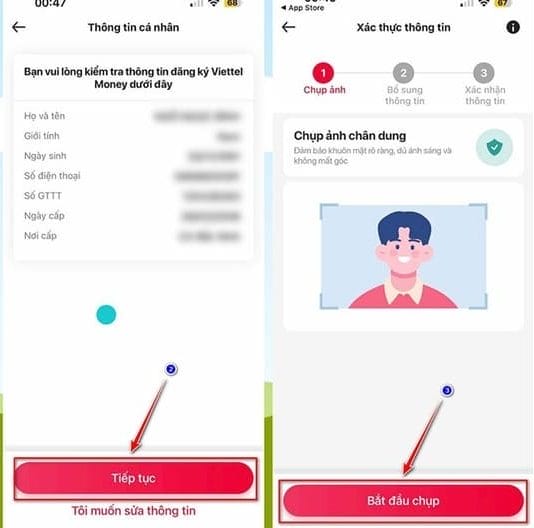
Step 4: After agreeing to the Terms of Service, click “Try it now” to start the registration process > In the next step, check your personal information again. Click “Continue” if the information you provided is correct. If you need to edit, select “I want to edit information”.
The app will then ask you to verify your information by taking a portrait photo and adding a photo of your Citizen ID. Follow the instructions to complete the card creation.
Step 5: Upon successful registration, the virtual Visa card information such as card number, expiration date, and CVV code will be displayed on the application. You can use this information to make online payments on websites that accept Visa cards.
See also: Visafe – Application to protect you while surfing the Web
Things to note when using virtual Visa card
Although virtual Visa cards offer convenience and flexibility in online transactions, you need to keep in mind the following points to use the card safely and effectively:
Card information security
Virtual Visa cards exist only in digital form, with information such as card number, expiration date and CVV code not directly linked to your bank account. This reduces the risk of losing account information. However, you need to be careful to protect your card information by not sharing it with others and only using it on reputable websites.
Set limits on the amount and time of use
Virtual Visa cards usually have a certain amount and time limit. You can set these limits to control your spending and transaction time, avoid overspending and stay in control of your finances.
Always check transaction status
Check your virtual Visa card transaction history regularly to detect any unusual transactions. If you see any suspicious activity, contact your financial service provider immediately for assistance.
Use cards only on trusted websites
Use your virtual Visa card on highly trusted and secure websites, such as SSL encryption. Avoid using your card on unknown websites to avoid the risk of fraud and information theft.
Make sure you have a stable network connection
Since virtual Visa cards only work with an Internet connection, you need to ensure a stable network connection when making transactions to avoid interruptions during the payment process.
See also: Instructions Add VISA/MasterCard to Google Wallet
Conclusion
Job Create virtual Visa card on Viettel Money Not only is it simple and fast, it also gives you peace of mind and convenience when paying online. With outstanding advantages in security, spending control and flexibility, Viettel Money virtual Visa card deserves to be the top choice for all your online transactions.