How to use Google Stitch brings modern interface design solutions based on the power of the Gemini model. Whether you are a professional designer or a newbie, this tool helps shorten the workflow significantly. Let’s learn with AnonyViet how Google Stitch works.
📢 Join the channel Telegram belong to AnonyViet
Update new articles, cool tools and IT tips fastest
What is Google Stitch and its practical applications?
Google Stitch is an experimental product from Google Labs, designed to help users create user interfaces (UI) through artificial intelligence. Instead of having to start from a blank page in graphics software, you can use text descriptions, images or sketches to let AI automatically build the layout.
The main purpose of this tool is to help developers, product managers (PMs) and designers shorten the ideation and prototyping stages. With the support of the model GeminiGoogle Stitch has the ability to understand complex requirements and convert them into highly aesthetic, intuitive interface elements.
How to use Google Stitch to design professional UI
To take full advantage of the power of artificial intelligence in design, you need to master the basic 5-step process below:
Step 1: Start up and set up your workspace
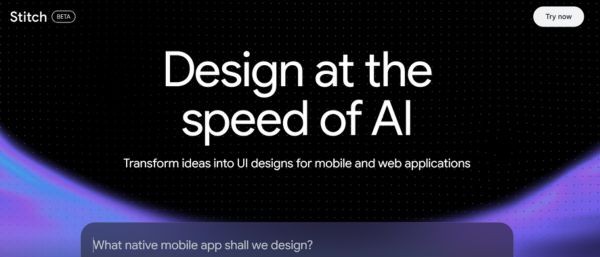
First, you need to visit the official website Stitch in the Google Labs ecosystem. Press Try Now to log in with your personal Google account.
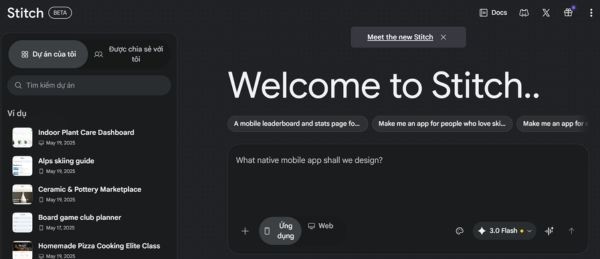
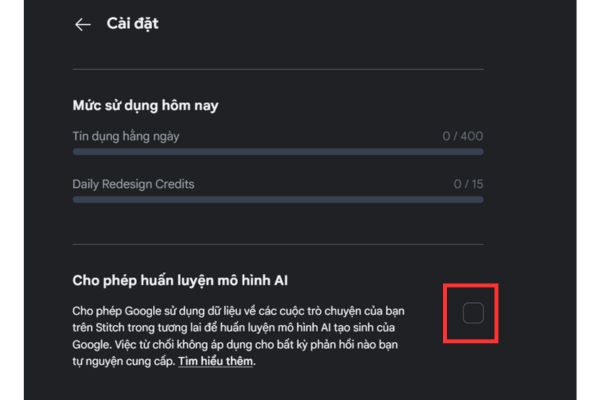
At the main interface, you can manage old projects or start a new project. Don’t forget to go to Settings to customize privacy, especially the option to allow Google to use your data to train AI or not (Click on avatar > Select Install Stitch > Uncheck the box Enables training of AI models).
Step 2: Realize ideas through commands
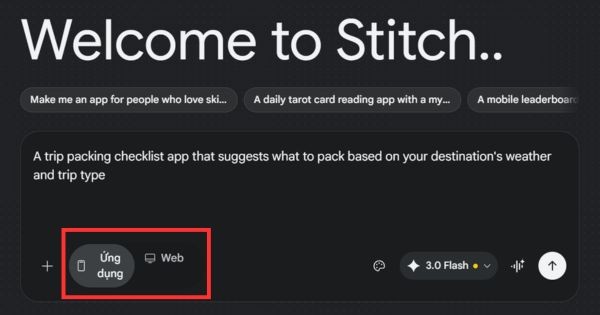
You will enter commands in English describing the interface you want. For example: “A trip packing checklist app that suggests what to pack based on your destination’s weather and trip type”.
You can choose a design for the interface on the application or website. Then press Enter.
Step 3: Optimize the design from reference images
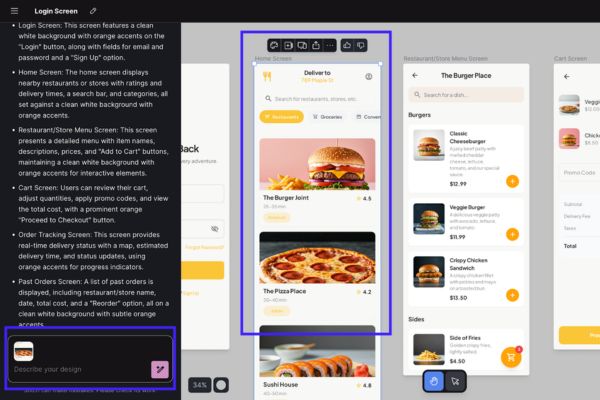
If you already have a hand-drawn drawing on paper or a rough wireframe, upload it to the system. AI will analyze the layout from that image to build the corresponding UI interface.
Step 4: Refine the interface
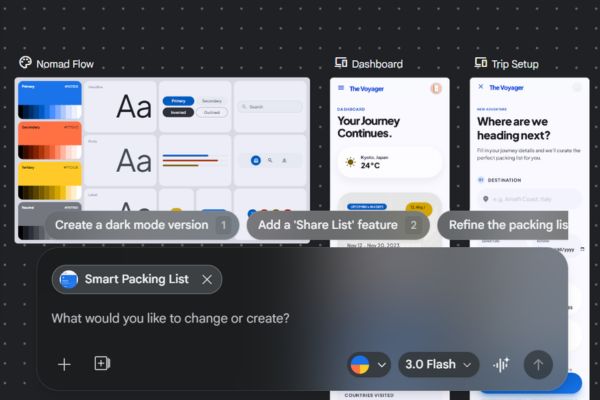
After the AI returns the first result, you can continue to request corrections. You can command AI to change fonts, adjust main colors or add new buttons. A nice feature of using Google Stitch is that you can create many different variations of the same screen to compare before finalizing the final solution.
Step 5: Convert to source code and Figma
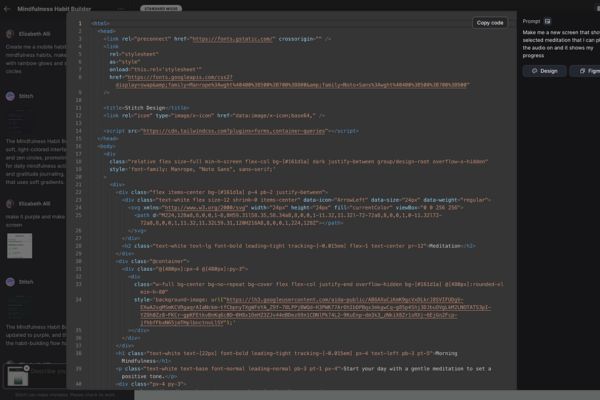
Once you are satisfied with the design, you can export the product as HTML and CSS source code. This is extremely useful for frontend developers to build the skeleton of the application. In addition, exporting to Figma also helps professional designers continue to refine the smallest details that AI has not yet handled perfectly.
Compare Google Stitch and traditional design software
To better understand the value of this tool, let’s see the comparison table below:
| Characteristic | Google Stitch (AI) | Traditional software (Figma/Adobe XD) |
| Initialization speed | Extremely fast (few minutes) | Slow (need to manually draw each component) |
| Accuracy | Relatively, it needs to be refined | Absolutely according to the artist’s wishes |
| Requires skills | Low, just need to know how to write prompt | High, requires knowledge of UI/UX |
| Ability to export code | Basic HTML/CSS export support | Requires plugins or third-party tools |
| Synchronism | Completing | Very good with the Design System |
Advantages and barriers when using Google Stitch
Understanding both sides of the tool will help you apply Google Stitch to your work more intelligently.
Advantage
- Save maximum time for the brainstorming stage.
- Intuitive interface, accessible even to those without a background in art.
- The ability to magically transform abstract ideas into visual images.
Limit
- The synchronization between complex screen flows is sometimes even sporadic.
- Color and spacing may not meet professional design standards.
- Manual human intervention is still needed to optimize source code and layout.
When should you choose Google Stitch?
You should use Google Stitch when you need to quickly create demos to present to customers or superiors. It is also a great tool for programmers to build basic interfaces for personal projects without needing to hire a designer. However, for large-scale commercial productions, consider Stitch as a stepping stone to creating quality sketches before moving on to other specialized tools.
Conclusion
The mastery How to use Google Stitch will help you save a lot of time in the initial ideation stage. This is truly a big step forward in applying AI to the field of creative design. Hope you soon create impressive interfaces for your projects.
Frequently asked questions
1. Does Google Stitch support Vietnamese?
Currently, the tool works best with English prompts to ensure the AI accurately understands UI/UX jargon.
2. Can I use Google Stitch for free?
As a product of Google Labs, the tool is currently available for free, however there may be a limit to the number of creations per month.
3. Can code exported from Google Stitch be used immediately?
HTML/CSS code from Stitch provides the basic layout structure, you still need a programmer to optimize it to ensure responsiveness and performance.