• Home
  • News
  • Software
  • Knowledge
  • MMO
  • Tips
  • Security
  • Network
  • Office
AnonyViet - English Version
  • Home
  • News
  • Software
  • Knowledge
  • MMO
  • Tips
  • Security
  • Network
  • Office
No Result
View All Result
  • Home
  • News
  • Software
  • Knowledge
  • MMO
  • Tips
  • Security
  • Network
  • Office
No Result
View All Result
AnonyViet - English Version
No Result
View All Result

How to see recalled messages on Messenger

AnonyViet by AnonyViet
January 24, 2023
in Tips
0

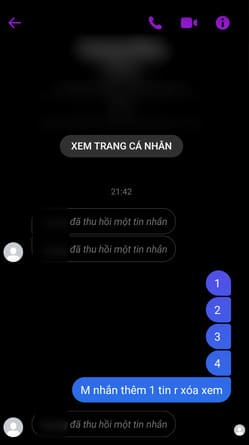
Have you ever felt bitter because of a recall message on Messenger? I remember at that time I was driving on the road, the phone in my pocket kept vibrating, thinking that there was something I had to pull over to see immediately. But when I open the messenger, it’s all deleted messages :v, it’s so spicy. So in this article, I will show you how to view deleted messages in Messenger with Unseen Messenger.

Join the channel Telegram of the AnonyViet 👉 Link 👈

How to see recalled messages on Messenger

What is Unseen Messenger?

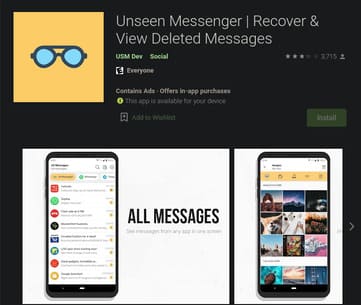
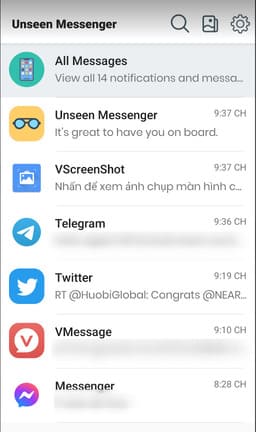
With the Unseen Messenger app, you can view all messages and notifications from the installed app in a single screen. It saves you a lot of time when switching between apps to find the notification or message you need.

Useful features of Unseen Messenger:

  • You can read received messages, but your friends cannot know when you opened and read them.
  • No need to worry about Last Seen (last message view) and Blue Ticks (message viewed trace)
  • If you want to find a message and you’re not sure who you received it from and on what app, you can search for it in Unseen Messenger.
  • Unseen Messenger saves messages from any app you selected and you can also read deleted messages.

Unseen Messenger can store messages and notifications from any messaging app installed on your phone. You can even choose the app in which you want to save the message.

  • Select the app you need to save the message
  • Read deleted or lost messages
  • No Last Seen (last message view)
  • No Blue Ticks (message viewed ticks)
  • Delete messages all the time
  • Beautiful user interface
  • Message Search
  • Gallery to view images, videos, audios, GIFs and Documents
  • You stay incognito mode while reading your friends’ messages

How to see recalled messages on Messenger

First, you install the Unseen Messenger application on Android here.
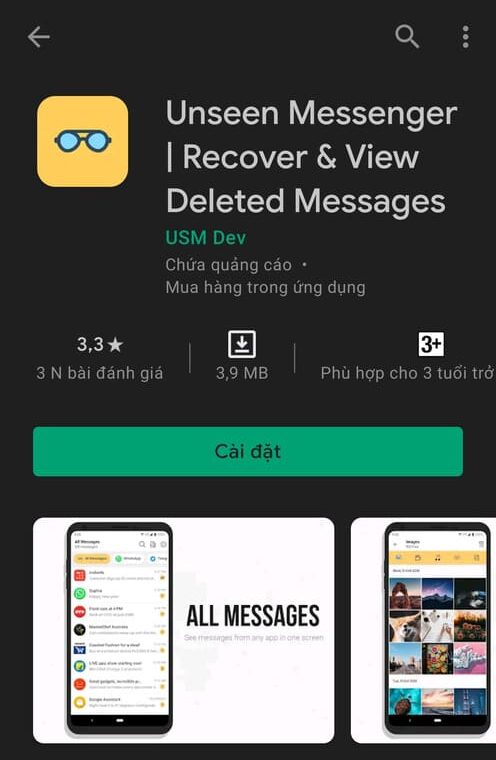
How to view recalled messages on Messenger 14

Next, you open the application, agree to the terms and press “Tiếp tục”.

How to view recalled messages on Messenger 15

Press “Enable Permission” to grant permissions to the application.
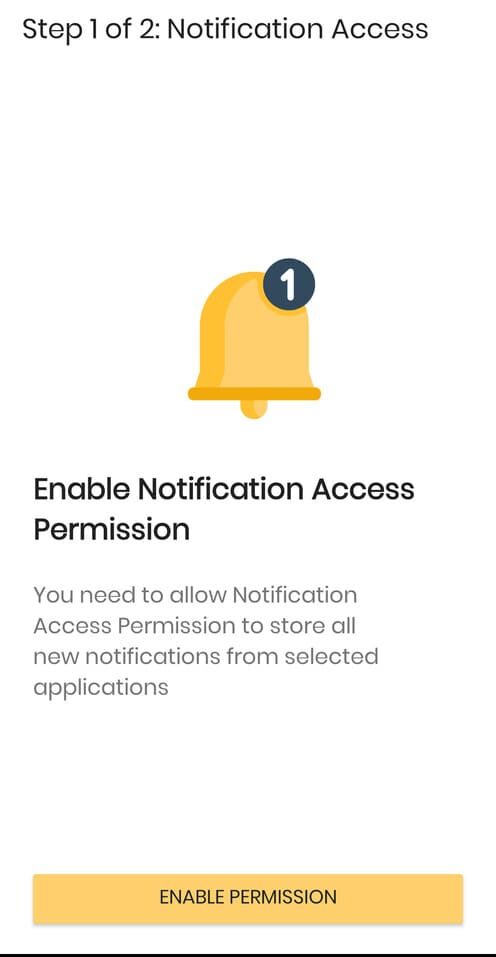
How to view recalled messages on Messenger 16

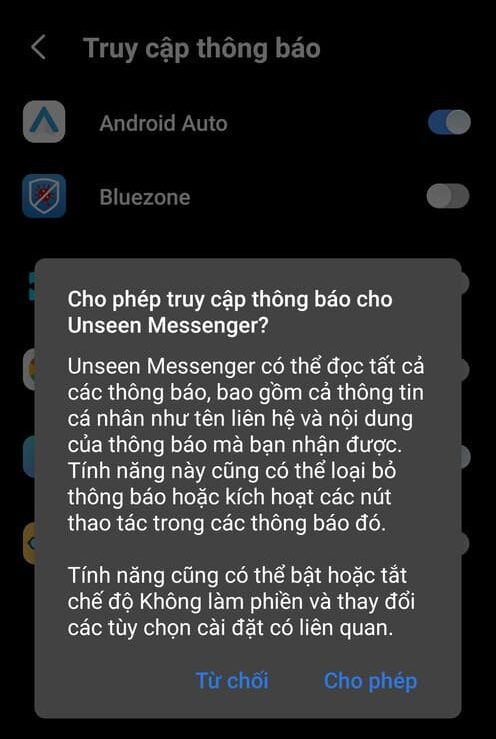
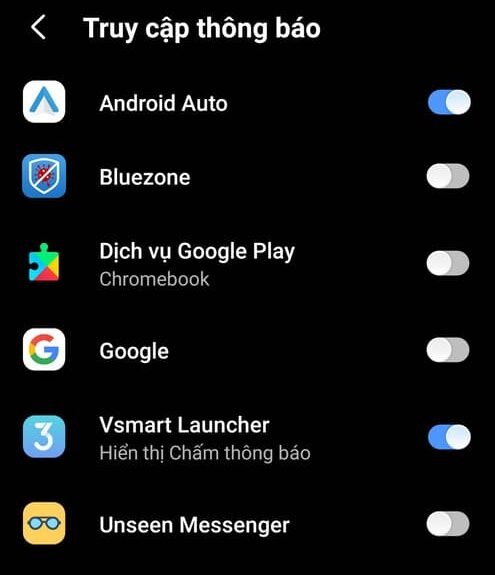
Toggle the Unseen Messenger application switch.
How to view recalled messages on Messenger 17

Press “Allow”.

How to view recalled messages on Messenger 18

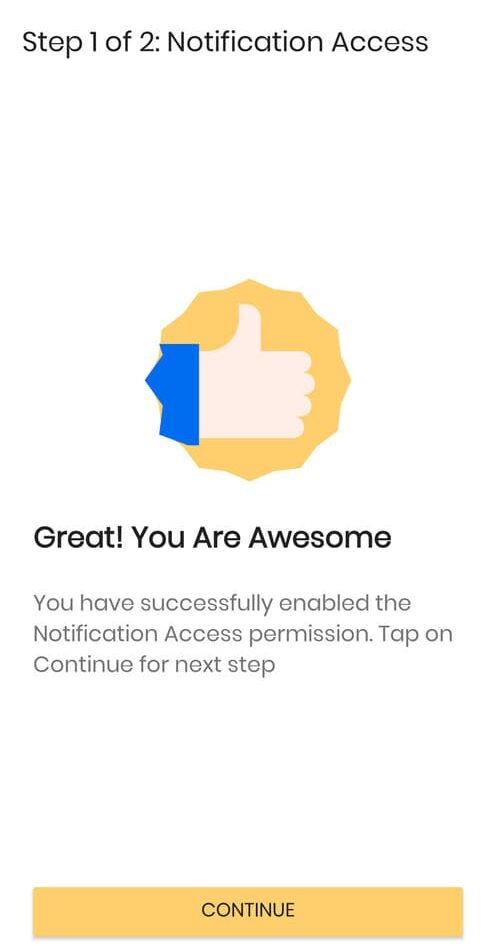
Next, press “Tiếp tục”.

How to view recalled messages on Messenger 19

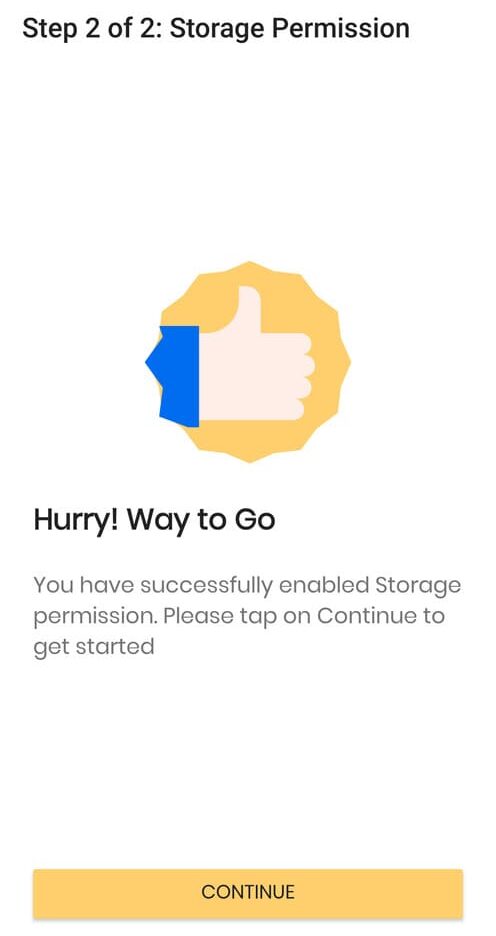
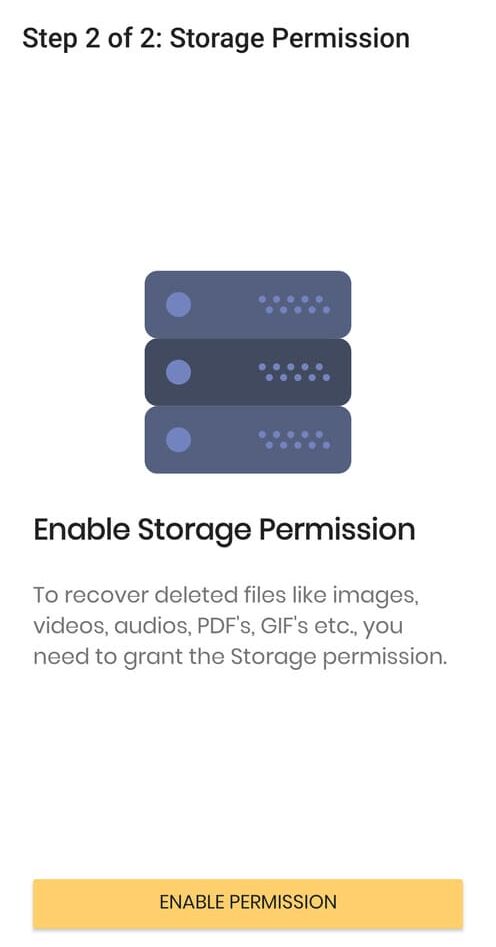
You grant storage rights to Unseen Messenger by clicking “Enable Permission”.
How to view recalled messages on Messenger 20

Finally, press “Tiếp tục”.

How to view recalled messages on Messenger 21

You guys come in “All Messages”.

How to view recalled messages on Messenger 22

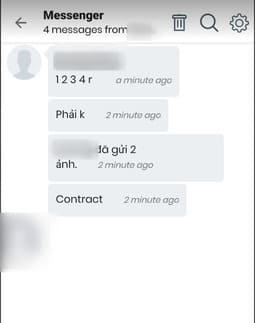
So you have seen the message successfully recovered.
How to view recalled messages on Messenger 23

How to view recalled messages on Messenger 24

In addition, you can also review deleted messages on Facebook with History Remove Messenger here.


The article achieved: 5/5 – (100 votes)

Tags: messagesMessengerrecalled
Previous Post

How to make Vim the default editor on Linux

Next Post

6 great features on Spotify you should use

AnonyViet

AnonyViet

Related Posts

How to add sliders to Facebook Stories to easily rewind videos
Tips

How to add sliders to Facebook Stories to easily rewind videos

April 21, 2026
How to change the default font on Windows 10
Tips

How to change the default font on Windows 10

April 13, 2026
5 tips for using a Browser to replace an App (helps save RAM, time and money)
Tips

5 tips for using a Browser to replace an App (helps save RAM, time and money)

April 13, 2026
How to make funny MeMe photos without Photoshop within 10 seconds
Tips

How to make funny MeMe photos without Photoshop within 10 seconds

April 11, 2026
How to quickly design your own Logo without Photoshop
Tips

How to quickly design your own Logo without Photoshop

April 10, 2026
How to convert Website into App on Windows
Tips

How to convert Website into App on Windows

April 9, 2026
Next Post
6 great features on Spotify you should use

6 great features on Spotify you should use

0 0 votes
Article Rating
Subscribe
Login
Notify of
guest

guest

0 Comments
Oldest
Newest Most Voted
Inline Feedbacks
View all comments

Recent News

Instructions for looking up prescriptions on VNeID instead of paper medical books

Instructions for looking up prescriptions on VNeID instead of paper medical books

April 26, 2026
Tips to completely turn off CAPTCHA codes on iPhone and Mac are super simple

Tips to completely turn off CAPTCHA codes on iPhone and Mac are super simple

April 25, 2026
Compare Poco X8 Pro and Poco X7 Pro: A new step for the “king” of mid-range performance

Compare Poco X8 Pro and Poco X7 Pro: A new step for the “king” of mid-range performance

April 24, 2026
How to compress online videos for free without losing quality

How to compress online videos for free without losing quality

April 24, 2026
Instructions for looking up prescriptions on VNeID instead of paper medical books

Instructions for looking up prescriptions on VNeID instead of paper medical books

April 26, 2026
Tips to completely turn off CAPTCHA codes on iPhone and Mac are super simple

Tips to completely turn off CAPTCHA codes on iPhone and Mac are super simple

April 25, 2026
Compare Poco X8 Pro and Poco X7 Pro: A new step for the “king” of mid-range performance

Compare Poco X8 Pro and Poco X7 Pro: A new step for the “king” of mid-range performance

April 24, 2026
AnonyViet - English Version

AnonyViet

AnonyViet is a website share knowledge that you have never learned in school!

We are ready to welcome your comments, as well as your articles sent to AnonyViet.

Follow Us

Contact:

Email: anonyviet.com[@]gmail.com

Main Website: https://anonyviet.com

Recent News

Instructions for looking up prescriptions on VNeID instead of paper medical books

Instructions for looking up prescriptions on VNeID instead of paper medical books

April 26, 2026
Tips to completely turn off CAPTCHA codes on iPhone and Mac are super simple

Tips to completely turn off CAPTCHA codes on iPhone and Mac are super simple

April 25, 2026
No Result
View All Result
  • Home
  • News
  • Software
  • Knowledge
  • MMO
  • Tips
  • Security
  • Network
  • Office

wpDiscuz
0
0
Would love your thoughts, please comment.x
()
x
| Reply