• Home
  • News
  • Software
  • Knowledge
  • MMO
  • Tips
  • Security
  • Network
  • Office
AnonyViet - English Version
  • Home
  • News
  • Software
  • Knowledge
  • MMO
  • Tips
  • Security
  • Network
  • Office
No Result
View All Result
  • Home
  • News
  • Software
  • Knowledge
  • MMO
  • Tips
  • Security
  • Network
  • Office
No Result
View All Result
AnonyViet - English Version
No Result
View All Result

How to move Google Photos photos to another place for storage

AnonyViet by AnonyViet
January 31, 2023
in Tips
0

In the past few days, you probably already know Google Photos will soon stop unlimited free storage anymore huh? After Google implements this policy, your storage space is only 15GB for the free plan. So, in our mind, there will be 3 questions: How much space am I using? How do I upgrade to a free plan? And how to move Google Photos photos to another place for storage?

Join the channel Telegram of the AnonyViet 👉 Link 👈

How to move Google Photos photos to another place for storage

Don’t worry, in this article, I will answer those 3 questions for you. So, let’s get started.

Check the space you’re using on Google Photos

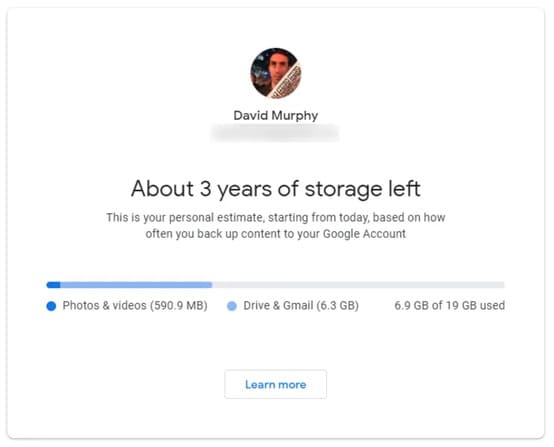
This is pretty easy. First, you just need to click come in and you will see the amount of memory available on Google. Google divides your storage usage by apps, so you can decide if you should delete your Gmail mail or delete some large files in Google Drive to free up space.

How long until you run out of Google storage
How to move Google Photos photos to another place to store 3

The answer to this question depends on how much you upload to Google services. To help you find the answer, Google has released a calculation tool your current upload or backup habits and try to predict when you will run out of space if you continue to use Google services as usual.

How to reduce space in use on Google Photos

It’s likely that your Google Photos account is using more space than Google Drive or Gmail, especially if you’re uploading “Original Quality” images (Raw images, etc.) to take advantage of the “no” offer. limited” previously by Google.

Access Setting of Google Photos and see if you can remove any unsupported videos that Google can’t convert for whatever reason. Download or delete them.

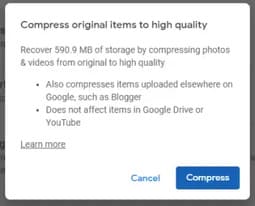
Then consider clicking “Restore Storage” to convert all your “Original Quality” content into “High Quality” content, which will free up a lot of the space you used. used in Google Photos.
compress images google photos

Then make sure you’re running the latest version of Google Photos on your Android or iPhone. Launch the app, tap Gallery, then Utilities. Here, Google will give you plenty of suggestions for photos you might want to delete — like any screenshots you’ve taken. If not, keep checking again.

If you plan to use Google Photos until next June, Google is planning release a tool gives you even more helpful suggestions for photos you might want to delete. Include large videos that are taking up more space than in Google storage, or blurry photos that you don’t want to save.

You don’t have to delete anything right now unless you store it in “Original Quality” or “photos with more than 16MP and videos with more than 1080p resolution”. You can’t search Google Photos photos by megapixel, but you can at least start to be more careful when uploading any large video.
How to move Google Photos photos to another place to store 4

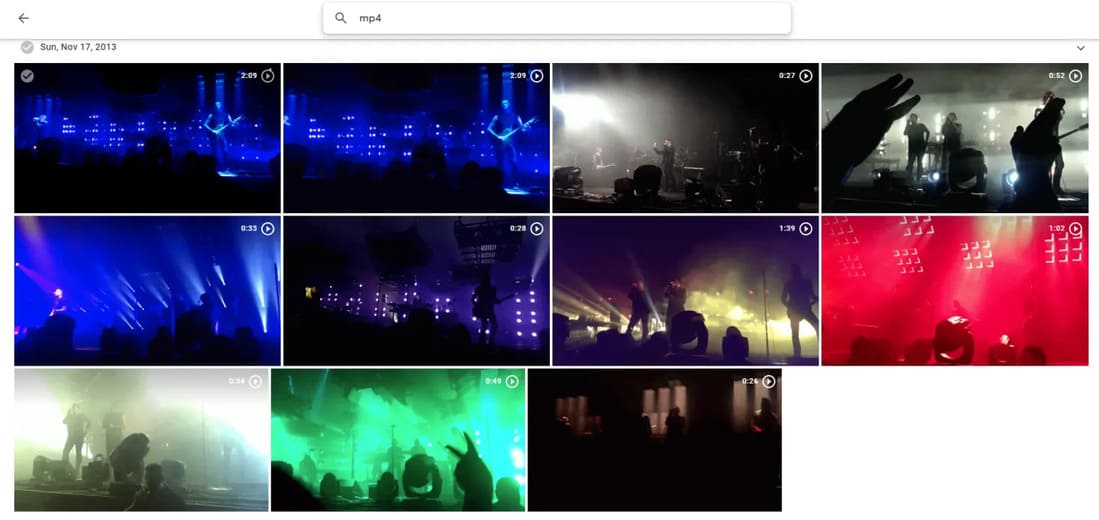
Import any common file type for videos: “avi”, “mp4,” “mov”,… This will filter and return the videos you have uploaded. You can also select all those videos to download and store anything you want to remove from the cloud.

How to move Google Photos photos to another service for storage

If Google’s decision causes you to search for a other service better storage than Google Photos, then you’re probably also looking for a quick and easy way to move all your photos and videos elsewhere. You probably don’t have time to manually download each one, right?
How to move Google Photos photos to another service for storage

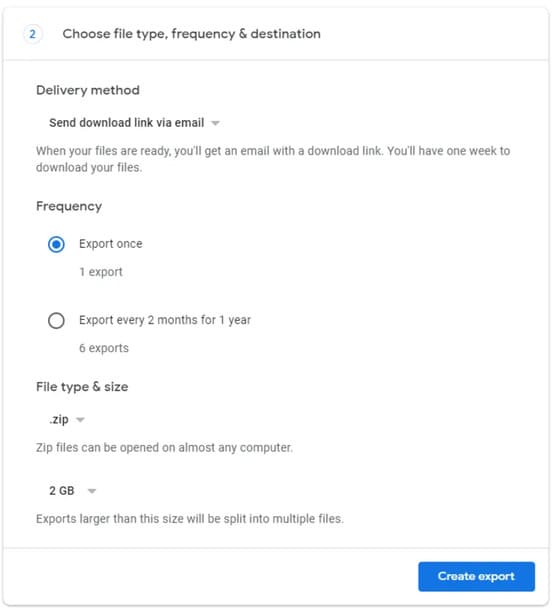
Instead, just visit Google Takeout in web browser. Uncheck everything, then go back and select the “Google Photos” option. Choose a delivery method for your files, as well as options for the archives you’ll receive, and then begin the evacuation process. Wait until you receive an email from Google, download all your photos and videos and then re-download them somewhere else.

However, don’t delete them from Google Photos. You now have a free photo backup that can last as long as you have a Google account — or at least until Google changes its agreement again.


The article achieved: 5/5 – (100 votes)

Tags: GoogleMovephotosplaceStorage
Previous Post

LeGend Rat v1.3 comprehensive update

Next Post

Instructions to Hack Adorable Home 1.6.1 on IPhone iOS successfully

AnonyViet

AnonyViet

Related Posts

How to change the default font on Windows 10
Tips

How to change the default font on Windows 10

April 13, 2026
5 tips for using a Browser to replace an App (helps save RAM, time and money)
Tips

5 tips for using a Browser to replace an App (helps save RAM, time and money)

April 13, 2026
How to make funny MeMe photos without Photoshop within 10 seconds
Tips

How to make funny MeMe photos without Photoshop within 10 seconds

April 11, 2026
How to quickly design your own Logo without Photoshop
Tips

How to quickly design your own Logo without Photoshop

April 10, 2026
How to convert Website into App on Windows
Tips

How to convert Website into App on Windows

April 9, 2026
Instructions for getting 3 months of Adobe Express Pro for free
Tips

Instructions for getting 3 months of Adobe Express Pro for free

April 9, 2026
Next Post
Instructions to Hack Adorable Home 1.6.1 on IPhone iOS successfully

Instructions to Hack Adorable Home 1.6.1 on IPhone iOS successfully

0 0 votes
Article Rating
Subscribe
Login
Notify of
guest

guest

0 Comments
Oldest
Newest Most Voted
Inline Feedbacks
View all comments

Recent News

Japanese Watch Week: Choose the color that suits your destiny, start the new year well at Mobile World

Japanese Watch Week: Choose the color that suits your destiny, start the new year well at Mobile World

April 20, 2026
4K Video Downloader Plus – Tool to download YouTube videos on macOS

4K Video Downloader Plus – Tool to download YouTube videos on macOS

April 20, 2026
How to add Watermark to Google Docs to protect copyright

How to add Watermark to Google Docs to protect copyright

April 19, 2026
How to intercept traffic using Burp Suite to analyze HTTP/HTTPS

How to intercept traffic using Burp Suite to analyze HTTP/HTTPS

April 18, 2026
Japanese Watch Week: Choose the color that suits your destiny, start the new year well at Mobile World

Japanese Watch Week: Choose the color that suits your destiny, start the new year well at Mobile World

April 20, 2026
4K Video Downloader Plus – Tool to download YouTube videos on macOS

4K Video Downloader Plus – Tool to download YouTube videos on macOS

April 20, 2026
How to add Watermark to Google Docs to protect copyright

How to add Watermark to Google Docs to protect copyright

April 19, 2026
AnonyViet - English Version

AnonyViet

AnonyViet is a website share knowledge that you have never learned in school!

We are ready to welcome your comments, as well as your articles sent to AnonyViet.

Follow Us

Contact:

Email: anonyviet.com[@]gmail.com

Main Website: https://anonyviet.com

Recent News

Japanese Watch Week: Choose the color that suits your destiny, start the new year well at Mobile World

Japanese Watch Week: Choose the color that suits your destiny, start the new year well at Mobile World

April 20, 2026
4K Video Downloader Plus – Tool to download YouTube videos on macOS

4K Video Downloader Plus – Tool to download YouTube videos on macOS

April 20, 2026
No Result
View All Result
  • Home
  • News
  • Software
  • Knowledge
  • MMO
  • Tips
  • Security
  • Network
  • Office

wpDiscuz
0
0
Would love your thoughts, please comment.x
()
x
| Reply