How to make photo cards for children is no longer a worry for parents when it’s back to school season. Now, with the help of AI technology, you can create professional, standard photo IDs for your baby right at home quickly and conveniently. AnonyViet will guide you in detail step by step to get the most satisfactory photo cards for your baby.
| Join the channel Telegram belong to AnonyViet 👉 Link 👈 |
Instructions on how to make photo cards for children using AI
The process is extremely simple, you just need to follow these steps:
Step 1: Choose a frontal, clear photo of your child’s face. Photos should have good lighting, not blurry or glare.
Step 2: Upload the prepared photo to the tool Gemini Nano Banana (or similar AI imaging tools).
Step 3: Copy one of the suggested command samples below, paste it into the tool’s input box and press the button Run to create images.
Suggested prompt models for girls
Below are pre-designed command templates to create popular and lovely card photo styles for girls.
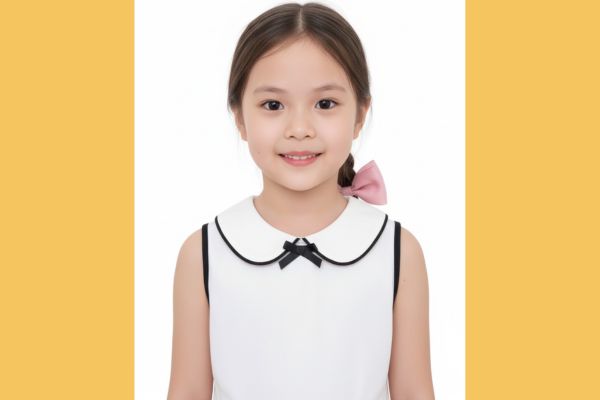
1. Gentle beauty with braided hair
This command will create an image of an elementary school girl wearing a white shirt with a ruffled collar, shoulder-length hair tied in a side braid and a pink bow clip, smiling naturally on a white background.
A realistic ID-style photo of an elementary school girl wearing a white blouse with a baby collar, smiling naturally against a plain white background with even lighting, facing directly forward. Her shoulder-length hair features a small side braid and a medium pink bow clip. Ensure the photo looks like a genuine ID image and accurately reflects her real facial features from the attached reference photo.
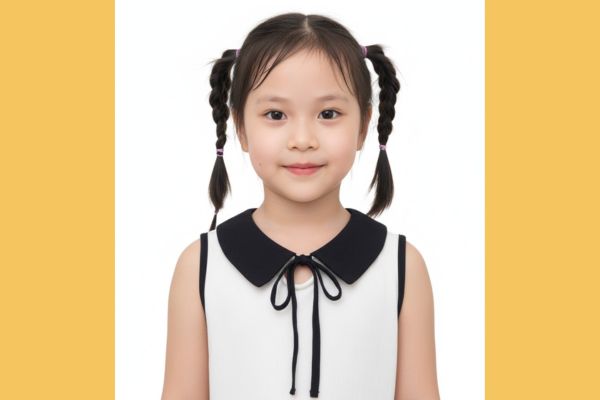
2. Playful look with braids on both sides
This request produced a photo of the girl wearing a white turtleneck shirt with a navy bow, her hair neatly braided into two pigtails.
Realistic ID-style portrait of an elementary school girl dressed in a crisp white blouse with a baby collar and a dark navy ribbon tie. She has a gentle, natural smile, posed front-facing against a clean white background with bright, even lighting. Her hair is neatly styled into two braided pigtails adorned with pink ribbon clips. The image should resemble a genuine ID photo and precisely reflect her real facial features from the reference image.
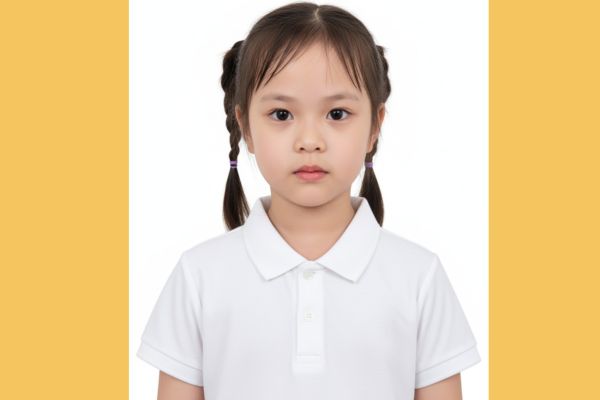
3. Simple style with polo shirt
This is a safe choice and complies with many school regulations, creating a photo of the child wearing a white polo shirt, with a serious expression on a white background.
Realistic ID-style portrait of an elementary school student wearing a tidy white polo school uniform. The image should feature a plain white background, bright and even lighting, and a direct front-facing pose with a calm, neutral expression. Ensure the result looks like a genuine ID photo and faithfully captures the child’s real facial characteristics from the provided reference image.
4. Dynamic ponytail
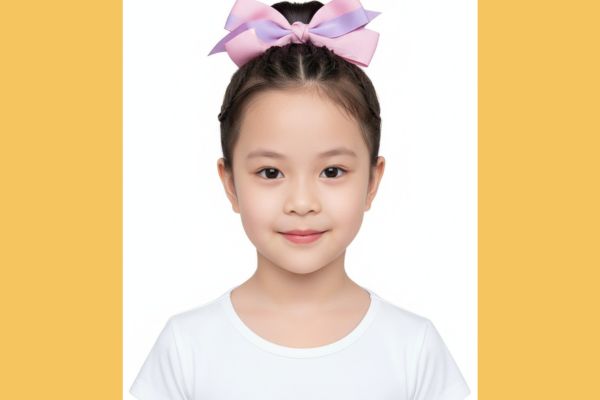
This command describes a little girl wearing a simple round neck t-shirt, her hair tied in a ponytail with a few small braids and decorated with a pink and purple bow.
Realistic ID-style portrait of an elementary school girl dressed in a simple white round-neck T-shirt, smiling naturally. The photo should have a clean white background, bright balanced lighting, and a straight front-facing pose. Her hair is neatly pulled into a ponytail, combined with several small braids and topped with a pink-purple ribbon bow. The final image should appear like a genuine ID photo and faithfully capture her real facial details from the provided reference picture.
5. Elegant with navy bow
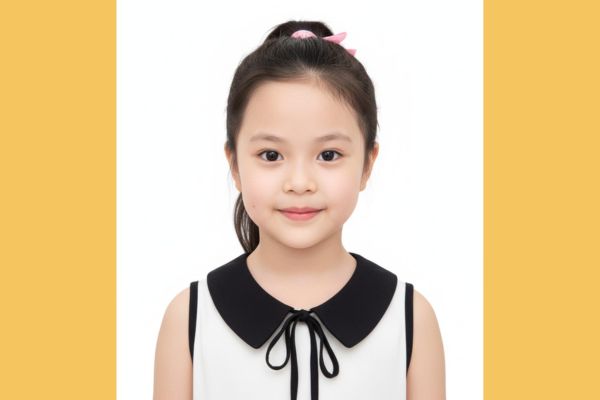
This template creates a photo of a girl wearing a white ruffled collar shirt, a navy bow tie, and a neatly clipped ponytail, for an elegant look.
Realistic ID-style portrait of an elementary school girl wearing a crisp white baby-collar blouse with a dark navy string ribbon tie, smiling naturally. The photo should feature a plain white background, bright even lighting, and a direct front-facing pose. Her hair is styled in a ponytail secured with a hair clip. The final image should look like an authentic ID photo and faithfully reflect her true facial features from the provided reference image.
Suggested prompt models for boys
1. Be elegant with a polo shirt and tie
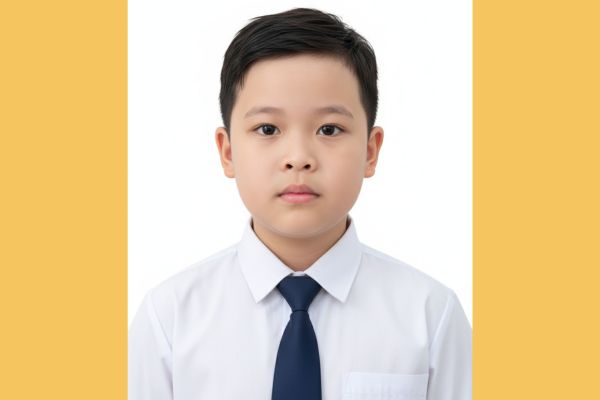
This command will create an image of an elementary school student wearing a white polo shirt and navy blue tie, with a serious expression, suitable for important documents.
Realistic ID-style portrait of an elementary school student dressed in a clean white polo school uniform paired with a dark navy necktie. The image should feature a plain white background, balanced lighting, and a clear, front-facing composition. The student maintains a calm, neutral expression. Ensure the portrait appears authentic and faithfully represents the child’s actual facial features from the provided reference photo.
2. Be active with a white polo shirt
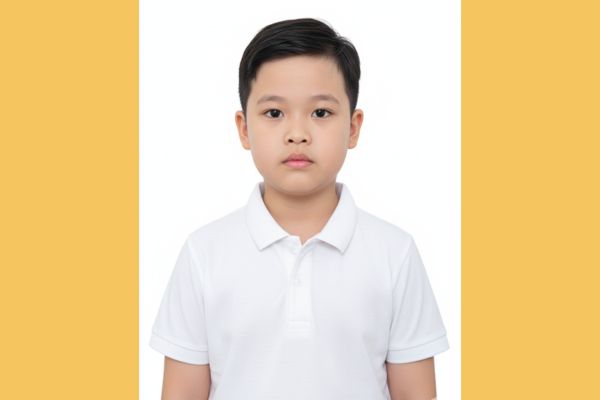
This is the most basic and popular option, creating a photo of a boy wearing a simple, neat white polo shirt on a white background, with a natural expression.
Realistic ID-style portrait of an elementary school student dressed in a clean white polo shirt. The image should have a plain white background, bright and even lighting, and a straight front-facing pose with a calm, neutral expression. Ensure the final result resembles a genuine ID photo and precisely reflects the child’s real facial features from the attached reference image.
Conclusion
So, you see How to make photo cards for children at home is not complicated at all. With just a few simple steps and available command templates, you will immediately have the right photo cards for your baby without wasting time and money going to the store. Wishing you and your baby beautiful photo cards for the new school year!