Google’s new operating system, Chrome OS Flex, is available as a developer release. Chrome OS Flex will be compatible on almost any computer. In this article, we will learn what this operating system is and how to install it on a PC or Mac.
| Join the channel Telegram of the AnonyViet 👉 Link 👈 |
What is Chrome OS Flex?
Chrome OS Flex is a version of Chrome OS Designed for business and educational purposes. It is based on the CloudReady software, developed by Neverware, which allows Chrome OS to run on almost any PC. With Chrome OS Flex You don’t need a Chromebook to run.
The goal was to create a lightweight operating system to replace Windows and macOS on older computers so they wouldn’t slow down over time – improving lifespan and reducing e-waste. Chrome OS Flex relies heavily on cloud integration, just like Chrome OS. Besides being lightweight and cloud-first, Chrome OS Flex is designed to be secure – support UEFI secure boot – and easy to manage with Google Admin.
Configure to run Chrome OS Flex
Ideally, you should run Chrome OS Flex on one of the Google-certified devices. However, the number of certified devices is currently limited. But this operating system will probably run on many devices not listed, maybe system stability or drivers will be missing.
Warning: As of its February 2022 release, Chrome OS Flex is still in beta. However, you can try this operating system from USB without installing it on your PC.
Minimum configuration you will need:
- 64-bit Intel or AMD CPU
- 4gigabytes of RAM
- One 16GB USB drive
- Support booting from USB
- Administrative access to BIOS/UEFI settings
- Internet connection
Note: Chrome OS Flex does not support ARM-based systems.
How to try Chrome OS Flex without installing
Chrome OS Flex can run on a USB drive without installing to the PC’s hard drive, just like a Linux Live USB drive. I will use the Chromebook Recovery Utility extension to format and set up the USB drive.
Prepare the USB drive
Start by installing the extension Chromebook Recovery Utility from the Web Store in Google Chrome.
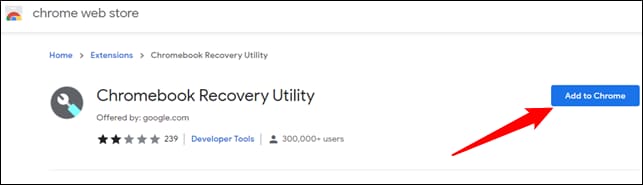
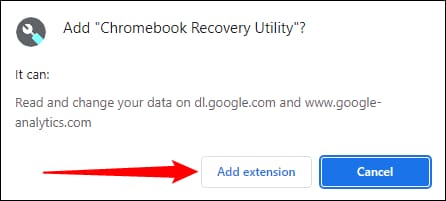
Install the extension by clicking “Add Extension”, then plug the USB drive into your PC.
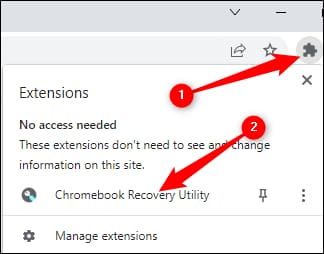
Click on the little tile in the top right corner of Google Chrome to see installed extensions, then click “Chromebook Recovery Utility”.
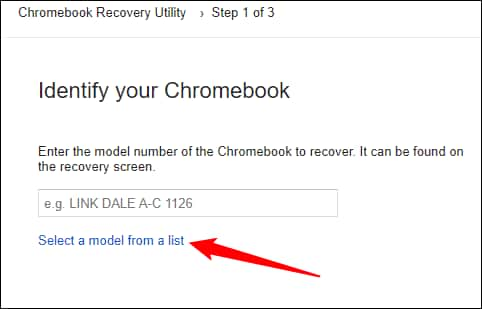
On the first page of Chromebook Recovery Utility, click “Get started” in the bottom right. Then, on the next screen, click “Select a model from a list”.
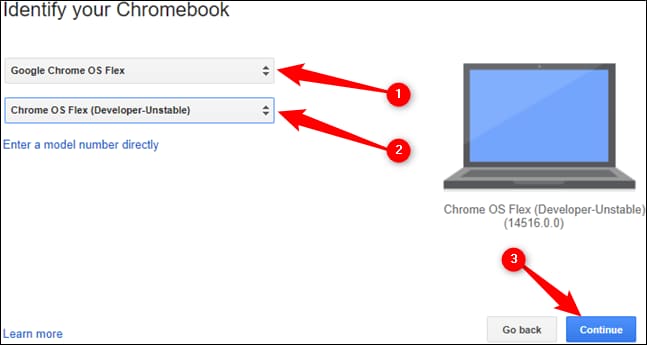
Select the first line as “Google Chrome OS Flex”, then the second line as “Chrome OS Flex (Developer-Unstable)” and click “Continue”.
Select the USB drive you plugged in, then press “Continue”.
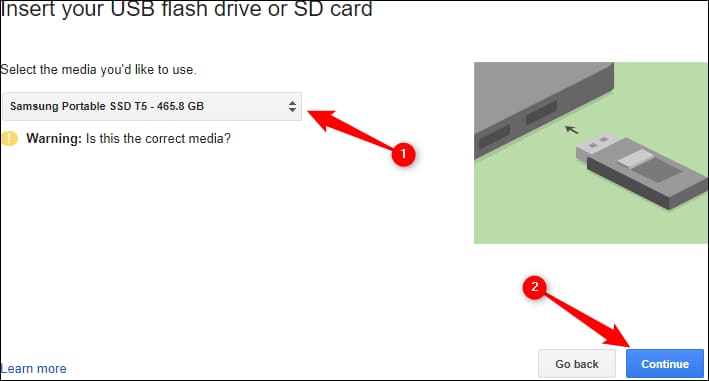
Warning: This step will erase your entire USB drive. You need to check the USB to make sure that nothing important is stored on it.
On the next page, click “Create Now” in the bottom right corner. Creating the USB drive may take a few minutes. Once done, click “Done”.
USB boot
Go to BIOS and select USB boot mode.
Google says Chrome OS Flex should be compatible with UEFI Secure Boot, but your UEFI Secure Boot settings may need to be adjusted. For example, the Surface device I tried requires Secure Boot to change from “Microsoft only” to “Microsoft & 3rd party CA” for the Chrome OS Flex USB drive to boot.
Try Chrome OS Flex
Chrome OS Flex is still in beta and it may not fully support all hardware in your device. This can lead to malfunction or hardware failure. Follow the prompts after launching it to get started.
Warning: Be sure to select “Try It First”. Chrome OS Flex is still new and not stable enough to use as your daily operating system. Additionally, installing Chrome OS Flex will wipe out existing data on your hard drive. Google does not recommend installing an operating system at this time, and neither do I.
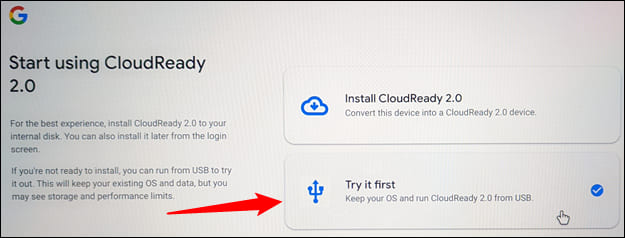
You will also be prompted if you want to try signing in with your Guest account or with your Google account. Signing in with your Google account automatically helps you sign in to all Google apps on your device, just like you would on a Chromebook.
How to use using Chrome OS
If you’ve ever used Chrome OS on a Chromebook, you should be able to use Chrome OS Flex right at home. These 2 operating systems are identical.
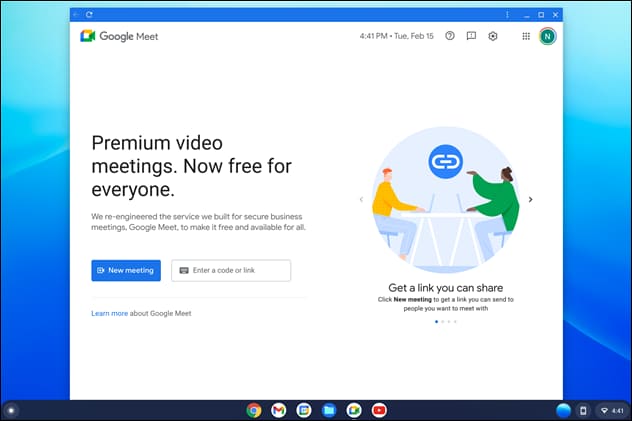
The user interface is smooth and responsive and there were no major errors during my testing.
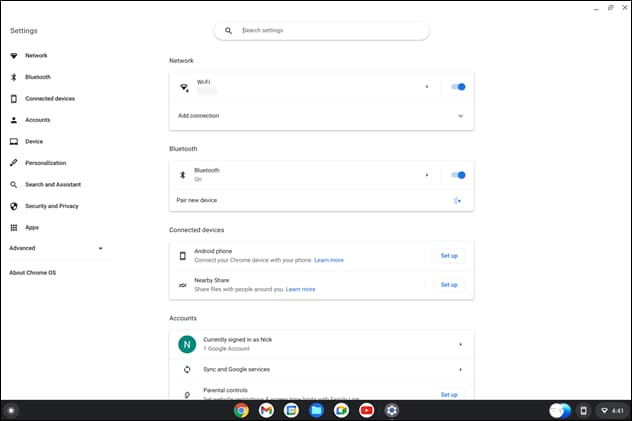
There are some important differences that you may notice. Chrome OS Flex does not support Android Apps or Google Play. Your familiar keyboard shortcuts from Chrome OS may also be different, as not every Chrome OS Flex keyboard is the same.
Chrome OS Flex’s hardware support is also pretty good. Unfortunately, neither of the laptops I tested did not respond to their built-in trackpads or keyboards. However, the external USB mouse and keyboard still work. Wi-Fi, Bluetooth and audio devices all work perfectly. Chrome OS Flex even runs flawlessly on a 13 year old PC with a dedicated GPU and sound card.
Although it’s an unstable release for developers, Chrome OS Flex still performs very well, well worth a try.