How to create your own Zalo stickers is a trend loved by many users to personalize conversations. Instead of using available sticker sets, you can completely turn your or your loved ones’ faces into funny expressions. Let’s join AnonyViet to better understand this extremely interesting implementation process.
📢 Join the channel Telegram belong to AnonyViet
Update new articles, cool tools and IT tips fastest
Why you should know face sticker collection by ChatGPT
Designing your own set of stickers brings many benefits.
- First, it helps you assert your personal style, not confusing it with anyone else.
- Second, for parents, turning their children’s lovely moments into… stickers is a very unique way of preserving memories.
- Finally, AI support makes the process quick without you having to be a graphics expert.
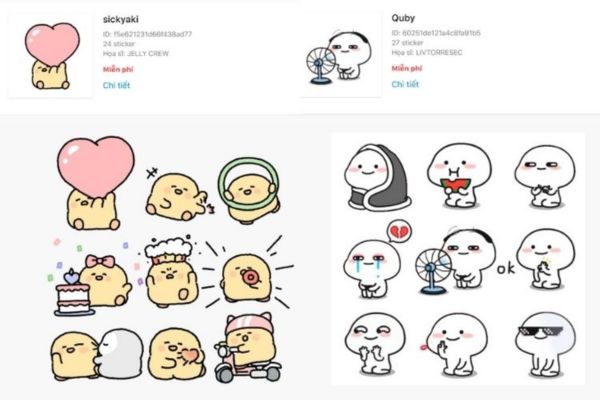
Below is a comparison table between using available stickers and creating your own personal stickers:
| Characteristic | Stickers are available on Zalo | Self-generated stickers using AI |
| Uniqueness | Low (many users) | Absolute (only) |
| Closeness | Medium | Very tall (family picture) |
| Feeling | According to the pattern | Close to the actual conversation |
| Difficulty of implementation | Do not have | Very easy (with AI instructions) |
Detailed instructions on how to create a face sticker collection using ChatGPT
To start, you need to prepare a clear portrait photo (for example, a photo of your baby, a photo of your pet or yourself) and a ChatGPT account to create the image.
Step 1: Create a sticker set
First, you log in ChatGPTpaste the dedicated prompt and upload the original photo. Suggested prompt:
Tạo bộ sticker kiểu Zalo từ khuôn mặt trong ảnh chân dung, giữ nguyên nét đáng yêu tự nhiên. Thiết kế nền trắng hoặc trong suốt, sạch sẽ, dễ tách từng sticker riêng lẻ. Gồm 16 biểu cảm sinh động như: vui vẻ, khóc nhè, buồn ngủ, bất ngờ, ngơ ngác, ăn uống, nhăn nhó, đáng yêu, tinh nghịch…
Mỗi sticker đi kèm một câu chữ tiếng Việt dễ thương đặt phía dưới nhân vật để dễ cắt sticker, ví dụ:
“xin chàoooo”, “cưng quá dzậy”, “xin cảm ơn”, “xin lỗi mà”, “ok luôn nè”, “ăn thôi nào”, “ngủ ngoan nha”, “buồn quá à”, “vui quá đi”, “ghê zạ”, “dữ dị sao”, “quá đã”, “thật không chời”, “úi chời”,…
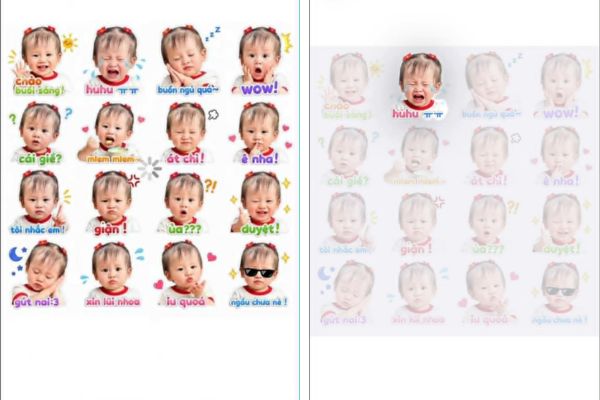
After AI processing, you will receive a photo that synthesizes many different expressions based on the face in the original photo. Please save this photo to your phone.
Step 2: Access the sticker feature on Zalo
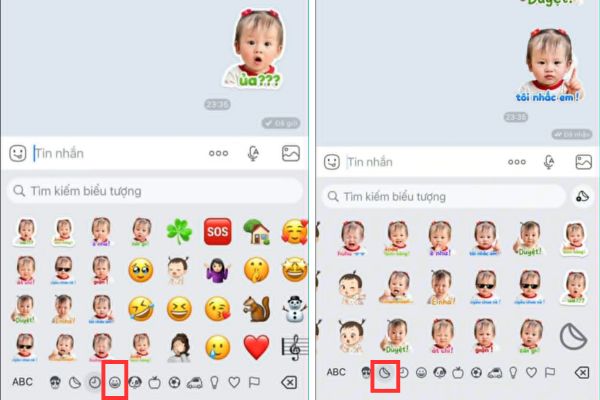
After you have the desired sticker set, open the Zalo application on your phone. Go to any conversation, click the icon smiley face on the keyboard (where you usually select stickers to send).
Step 3: Add a new personal sticker set
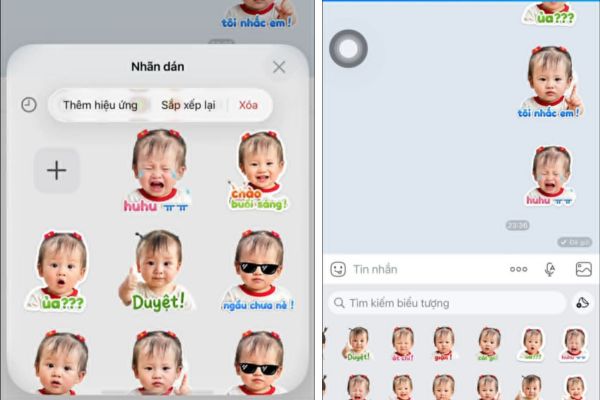
At the sticker interface, select next sticker icon. Here, you will see one plus sign (+) Large is used to add new or manage sticker sets. Click on this plus sign, then select create a new sticker from your photo library. Now, select the photo that AI just created in Step 1.
Step 4: Customize and complete the sticker
After selecting a photo, Zalo will allow you to cut each expressive image into small pieces. You choose the sticker you want to add, now you can add vivid effects, insert text or change the border to make the sticker look more professional. Once completed, the sticker set will automatically appear on your Zalo keyboard, ready to use in every conversation.
Notes to have a beautiful sticker set
Although creating your own Zalo sticker is quite simple, to make the final product look truly “genuine”, you should note:
- Original image quality: Portrait photos should be clear and have good lighting for AI to accurately recognize faces.
- Background removal: If possible, use background removal tools (like remove.bg) before putting them on Zalo so the sticker looks neater on the chat frame background.
- Short sentences: Phrases such as “Okay”, “Sleeping”, “Hungry” should be written large and clear so that the recipient can easily read it.
Conclusion
Hopefully through this article, you have mastered it How to create your own Zalo stickers to enrich your sticker store. Owning “genuine” stickers will definitely make your friends admire you. Wish you success and have fun chatting moments.
Frequently Asked Questions (Q&A)
1. Can I create Zalo stickers on my computer?
Currently, the feature of creating and adding personalized stickers works best on the mobile version of the Zalo app (iOS and Android).
2. Can AI create stickers from pet photos?
Absolutely. You just need to upload your pet’s photo to ChatGPT and use the same prompt, AI will turn your pet’s face into extremely fun sticker expressions.
3. How to delete the created sticker set if you don’t like it anymore?
Go to the sticker management section, select the sticker and press and hold then select “Delete” to remove it.