Increasing phone RAM, is it possible? Your Android phone may have 64GB of memory (or more), but it’s the RAM that really affects your experience. Most high-end Android devices come with 2GB of RAM or more, but some cheaper devices may have only 1GB of RAM or even 512MB.
| Join the channel Telegram of the AnonyViet 👉 Link 👈 |
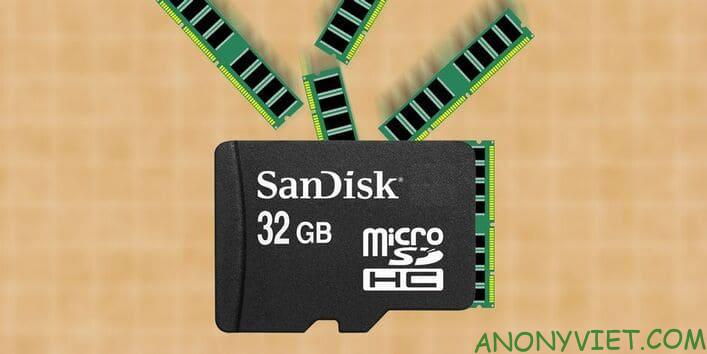
So in this article, I will show you how to add RAM to your Android phone using an SD card.
Why does your phone need more RAM?
While more storage space helps you load more apps and save more data, the extra RAM will make the processor work faster and support multitasking apps and games more efficiently. Not only phones but computers also need to increase RAM, Read this article to know how much RAM you need Please.
For example, you can use more apps without having to open them again. When you are using app A and switch to app B, app A won’t need to reload when you switch back to app A.
How to add more phone RAM?
On a desktop or laptop computer, you can set aside some of your hard drive memory to increase RAM. This is called a swap file, which will take advantage of the free space on your HDD or SSD when the RAM is full. Instead of discarding data, it is stored on your drive.
Windows 10 has advanced swap file management, so you don’t have to install it manually. However, if you install it manually, you will significantly increase the swap file memory with that HDD or SSD.
You can also do the same on Android phones.
While the basic principle is the same, the implementation on Android is different. You will need specialized software and have to root your device.
By default, certain files and permissions are blocked in Android. By rooting your device, you will have full control over the operating system and hardware. This allows you to access restricted files and other hardware, as well as install and run specialized software.
Although easier than before, rooting can be a daunting process. But if you want to increase the RAM on your Android phone or tablet then you need to root the device first.
Note: Rooting the device will void the device’s warranty.
What you need to increase RAM on Android phone
Using the swap file method to increase RAM on Android has 3 main requirements:
- Quality microSD card (preferably class 4 or higher)
- Rooted Android phone or tablet
- An application to manage swap files
To save time checking if you can manually increase Android RAM use the app MemoryInfo & Swapfile Check.
Just run the app and tap Start RAMExpander Test Here to start testing. If it is possible to increase the swap file size, the application will notify “Congratulations”, along with the maximum increase of the device’s RAM.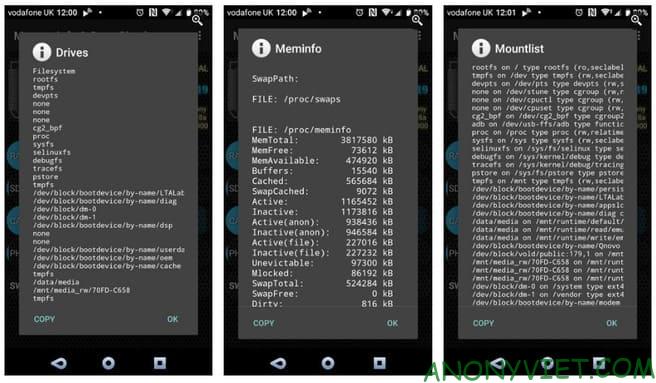
Choose a good quality microSD card to increase RAM
If the swap file of the phone or tablet can change, then next we will check the microSD card. As noted above, you need a fast and resilient microSD card.
Don’t just buy any old microSD cards. Instead, spend a little more money to buy a better quality microSD card. Check the quality ratings on the box when buying a new microSD card, at least Class 4, but Class 10 is the best.
And remember to watch out for fake microSD cards. Poor quality SD card will bring some disadvantages to your Android phone.
Note: Using SD card to increase RAM of Android device will reduce the life of SD card.
It is important to note that some phones will not allow the use of external storage (microSD card) to swap files. However, if your phone has enough internal memory, you can use it to replace the microSD card, but its lifespan will also be reduced similarly to the microSD card.
Two apps to help increase RAM on Android phones
While it is possible to change the swap file manually on an Android device, you can also use an app to make it easier:
Both applications work by the same mechanism:
- Run the app
- Create swap file
- Change the size of the swap file
- Choose a location for the swap file (microSD card or internal memory)
- Wait for the swap file to be created
You may need to reboot your phone once done to initialize the swap file.
Does increasing RAM improve phone performance?
If you have successfully increased the RAM of your phone, you will immediately see the results. If you’re a gamer, you’ll find that previously incompatible games now work.
But you need to make a few trade-offs. Your memory will be basically smaller than before, due to having to use for swap files.