

In this article, I will guide you to download all user photos and videos Instagram. I will use the tool of Mr. Hoang Tran. If you find it interesting, you can give it 1 star on his github here Please.
| Join the channel Telegram of the AnonyViet 👉 Link 👈 |
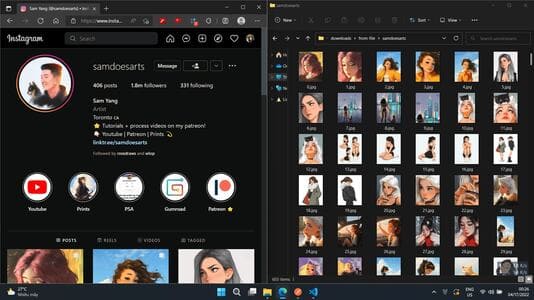
How to download all Instagram users’ photos and videos
First, copy the code below.
javascript: (function () {
  if (window.location.host === "www.instagram.com") {
    console.log("Đang lấy user id ...");
    fetch(location.href + "?__a=1")
      .then((response) => response.json())
      .then((json) => {
        const {
          fbid,
          id,
          username,
          full_name,
          profile_pic_url_hd,
          profile_pic_url,
          edge_owner_to_timeline_media,
        } = json.graphql.user;
        console.log(json.graphql.user);
        window.prompt(`User ID của ${username}:`, id);
      })
      .catch((e) => {
        alert("Lỗi: " + e.toString());
      });
  } else {
    alert(
      "Bookmark này chỉ hoạt động trên trang www.instagram.com\nBạn hãy vào trang www.instagram.com và ấn lại bookmark để lấy token an toàn nhé."
    );
    window.open("https://www.instagram.com");
  }
})();
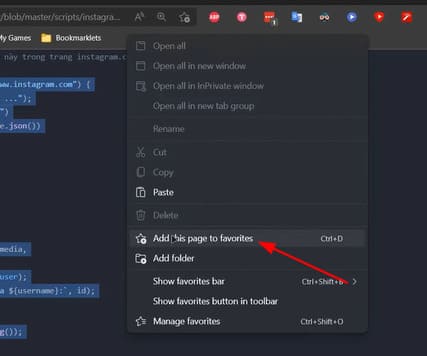
Then right click on bookmarks and select “Add this page to favorites”.
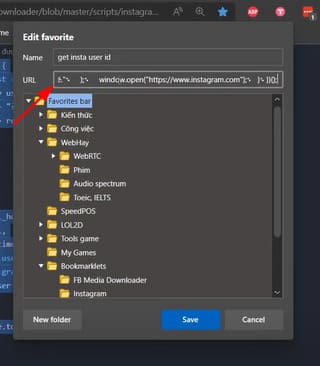
Rename the name part to “get insta user id” and paste the copied code in the URL and press Save.
Continue to copy the code below.
javascript: (async function () {
  let user_id = prompt("Enter user id:", "");
  if (!user_id) return;

  function getBiggestMediaFromNode(node) {
    if (node.is_video) {
      return getUniversalCdnUrl(node.video_url);
    } else {
      let r = node.display_resources;
      return r[r.length - 1]?.src;
    }
  }

  function download(data, filename, type) {
    var file = new Blob([data], { type: type });
    if (window.navigator.msSaveOrOpenBlob)
      window.navigator.msSaveOrOpenBlob(file, filename);
    else {
      var a = document.createElement("a"),
        url = URL.createObjectURL(file);
      a.href = url;
      a.download = filename;
      document.body.appendChild(a);
      a.click();
      setTimeout(function () {
        document.body.removeChild(a);
        window.URL.revokeObjectURL(url);
      }, 0);
    }
  }

  function getUniversalCdnUrl(cdnLink) {
    const cdn = new URL(cdnLink);
    cdn.host = "scontent.cdninstagram.com";
    return cdn.href;
  }

  let all_urls = [];
  let after = "";

  while (true) {
    console.log("FETCHING...");
    let data = await fetch(
      `https://www.instagram.com/graphql/query/?query_hash=396983faee97f4b49ccbe105b4daf7a0&variables={"id":"${user_id}","first":50,"after":"${after}"}`
    );
    let json = await data.json();
    let edges = json?.data?.user?.edge_owner_to_timeline_media?.edges || [];

    console.log(`Found ${edges?.length} medias. Processing...`);

    let urls = [];
    edges.forEach((e) => {
      let childs = e.node?.edge_sidecar_to_children?.edges;

      if (childs) {
        urls.push(...childs.map((c) => getBiggestMediaFromNode(c.node)));
      } else {
        urls.push(getBiggestMediaFromNode(e.node));
      }
    });

    all_urls.push(...urls);
    console.log(`Saved ${urls.length} medias. (TOTAL: ${all_urls.length})`);

    let pageInfo = json?.data?.user?.edge_owner_to_timeline_media?.page_info;
    if (pageInfo?.has_next_page) {
      after = pageInfo?.end_cursor;
    } else {
      console.log("[STOP] THIS IS THE LAST PAGE.");
      break;
    }
  }
  console.log(all_urls);

  download(all_urls.join("\n"), user_id, ".txt");
})();
Rename the part name to “get media user insta”paste the above copied code into the URL field and press Save.
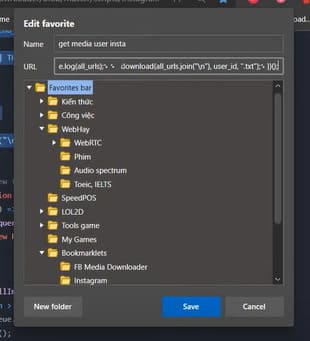
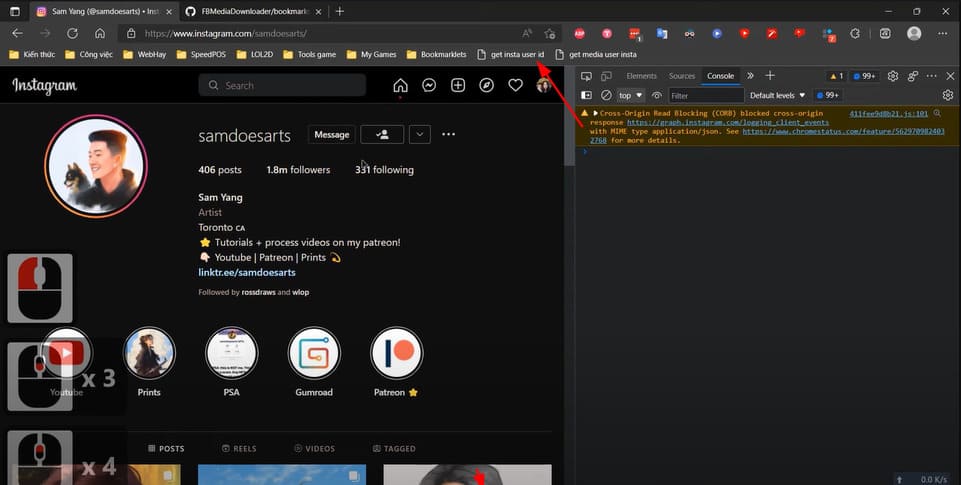
Now you access the instagram page you want to download photos and videos. Then press F12 and switch to the Console tab. Next click on “get insta user id”.
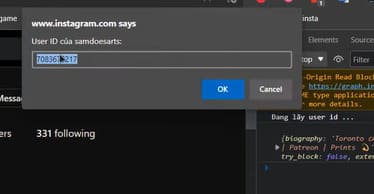
Copy the Insta ID you want.
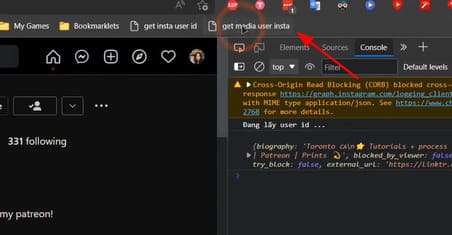
Next click on “get media user insta”.
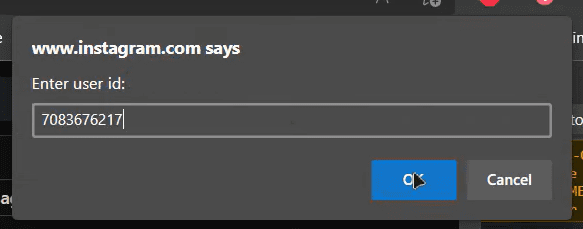
Then paste the ID you just copied and press OK.
Please wait a moment for the tool to get the link of photos and videos.
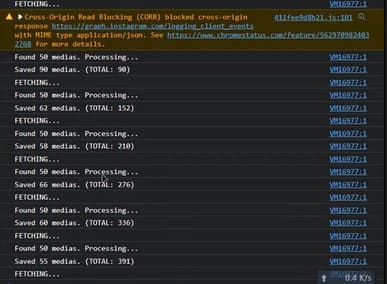
Once completed, the browser will ask you to download the file link. Save it somewhere easy to remember.
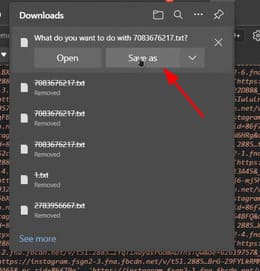
Next, you download the FBMediaDownloader tool here and install more NodeJS (version 14 and above) here.
Open cmd in the downloaded project folder and run the command npm install to install the tool.
Copy the code below and create bookmarks similar to above to get the access token. Then paste the access token into the config.js file.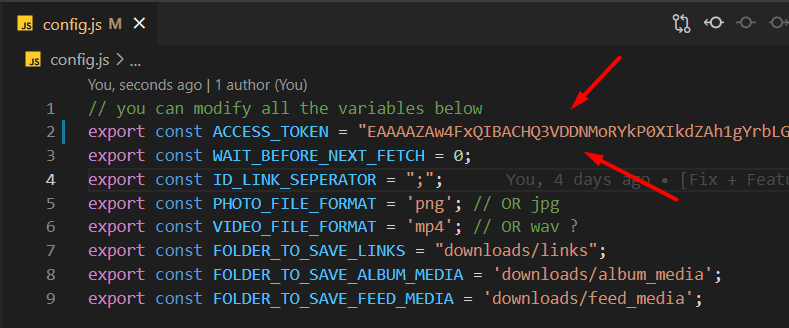
javascript: (function () {
  try {
    const encoded = document.cookie
      .split("; ")
      ?.find((_) => _.startsWith("fbsr"))
      ?.split(".")[1];
    if (encoded) {
      const decoded = JSON.parse(atob(encoded));
      console.log(decoded);
      window.prompt("Access token: ", decoded.oauth_token);
    } else {
      alert(
        "Không tìm thấy thông tin access token trong cookie!\nBạn đã đăng nhập instagram chưa??"
      );
    }
  } catch (e) {
    alert("Lỗi: " + e.toString());
  }
})();
Next run the command node index.js in cmd or VScode and you will see below interface. Press 6 to download the image from the file link. Then drag the file link into cmd or you can also type the path yourself. Finally, enter the folder name.
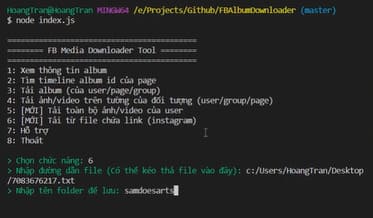
You access the downloaded project folder > download > from-file > samdoesarts. And here are your results.
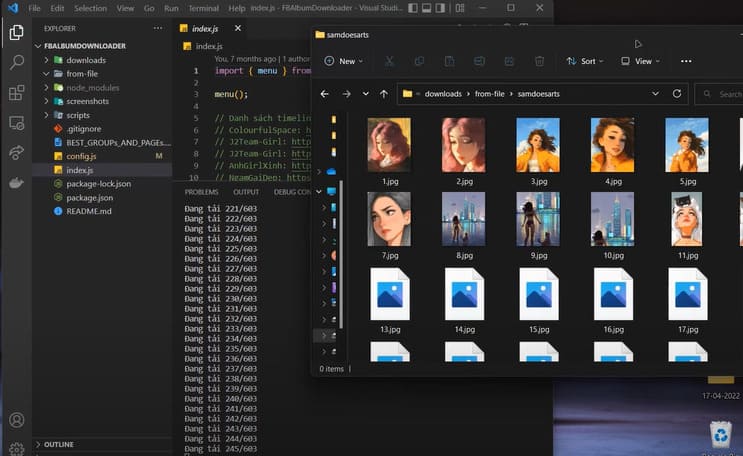
So you have successfully downloaded photos from someone else’s instagram. In addition to photos, you can also download videos. If you find it interesting, please give 1 star to his github.










