• Home
  • News
  • Software
  • Knowledge
  • MMO
  • Tips
  • Security
  • Network
  • Office
AnonyViet - English Version
  • Home
  • News
  • Software
  • Knowledge
  • MMO
  • Tips
  • Security
  • Network
  • Office
No Result
View All Result
  • Home
  • News
  • Software
  • Knowledge
  • MMO
  • Tips
  • Security
  • Network
  • Office
No Result
View All Result
AnonyViet - English Version
No Result
View All Result

How to create a locked profile – Locked Profile on Facebook

AnonyViet by AnonyViet
January 30, 2023
in Tips
0

A new movement of Facebook Tricker world is creating Locked Profile. On your personal page will display the words “This profile is locked” or “This profile is locked”. This text shows that the Facebook account is temporarily locked for some reason. Currently this feature is only supported in India, but AnonyViet will guide you how to create a simple Locked Profile:

Join the channel Telegram of the AnonyViet 👉 Link 👈

How to create a locked profile – Locked Profile on Facebook

Update how to create Locked Profile 2021

You can use a Web browser on your phone or computer and then create a Locked Profile as follows:

You need change Facebook language via Burma, go to Settings -> Language and region -> Select Language on Facebook:

facebook locked profile

After changing the language, go to your personal page by following the link https://m.facebook.com/me. Click on the ... next to the blue box, then click on the icon Shield to turn on Locked Profile.

tao locked profile 2021

Next, select the last blue line.

I'm sorry fb bi science

Now you change the language back to Vietnamese (link to change language), then I saw the message on my personal page “You have locked your profile” that’s done.

How to create a locked profile – Locked Profile on Facebook

To unlock again, you continue to use the link: https://m.facebook.com/me. Click on the box Learn more -> Unlock it’s done

Preparation steps:

Update: Please read this information before following the instructions below:

This guide you should do it on the phone to achieve the best results. You can create nick Facebook India clone for fast. If you use the available Facebook Acc, follow these steps:

  1. Switch Privacy for all posts about mode Bạn bè (Use faceIT for quick).
  2. Edit the About section and your information about Only me mode.
  3. Turn on mode Avatar Protection Shield

Detailed steps to create Locked Profile:

Step 1: Fake IP to India.

Step 2: Select your Avatar choose Turn on Picutre Guard to Enable avatar protection

How to create a locked profile - Locked Profile on Facebook

Step 3: Into the Settings select Timeline and Tagging.

Step 4: The first item is: “Who can see posts you’re tagged in on your timeline?” .You choose Only me

Who can see posts you're tagged in on your timeline?

Step 5: Continue in section Settings select Review.

Step 6: In the first and second items:

  • “Remember: When you approve a tag, the person tagged and their friends may be able to see your post”.
  • “Review posts you’re tagged in before the post appears on your timeline?”

You choose and On for both lines

Review posts you're tagged

Step 7: Wait a few days (about 7 days). Fake IP IndiaLogin to Facebook and select the next item Settings -> Help

SettingsStep 8: Typing profile locked and click on Search Help Center.

Search Help CenterStep 9: Select the box that says How do locked profiles work?

How do locked profiles work?Step 9: Scroll down to select Tap Here

Tap HereStep 10: Finally click on Lock Profile. Congratulations, you have successfully locked your account!

Lock Profile

At this time, friends who go to your profile will see the words “This profile is locked” or “This profile is locked”. If you go to your profile page you will see Your Profile Is Locked. It’s really cool, isn’t it!

  Your Profile Is Locked

And this is link 178 to create Locked Profile if your account meets Facebook’s criteria. If the text appears “Locked profiles are only currently available in some countries.” then you have not Fake IP to India and the account is not of India. So you should follow the phone instructions above.

Note

Although it is Locked, but you still use Facebook normally, no problem! Perhaps the Locked Profile feature is being tested in India and soon in Vietnam! Wish you will create a personal profile for yourself!


The article achieved: 5/5 – (100 votes)

Tags: createFacebooklockedprofile
Previous Post

Instructions for downloading and installing BlackArch Linux operating system on VituralBox

Next Post

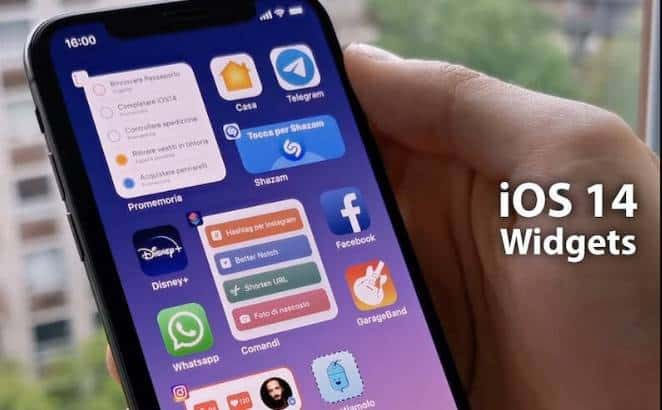
How to add and remove widgets on iPhone screen

AnonyViet

AnonyViet

Related Posts

How to add sliders to Facebook Stories to easily rewind videos
Tips

How to add sliders to Facebook Stories to easily rewind videos

April 21, 2026
How to change the default font on Windows 10
Tips

How to change the default font on Windows 10

April 13, 2026
5 tips for using a Browser to replace an App (helps save RAM, time and money)
Tips

5 tips for using a Browser to replace an App (helps save RAM, time and money)

April 13, 2026
How to make funny MeMe photos without Photoshop within 10 seconds
Tips

How to make funny MeMe photos without Photoshop within 10 seconds

April 11, 2026
How to quickly design your own Logo without Photoshop
Tips

How to quickly design your own Logo without Photoshop

April 10, 2026
How to convert Website into App on Windows
Tips

How to convert Website into App on Windows

April 9, 2026
Next Post
How to add and remove widgets on iPhone screen

How to add and remove widgets on iPhone screen

0 0 votes
Article Rating
Subscribe
Login
Notify of
guest

guest

0 Comments
Oldest
Newest Most Voted
Inline Feedbacks
View all comments

Recent News

How to turn off password suggestions on iPhone: Prevent Safari from auto-filling passwords

How to turn off password suggestions on iPhone: Prevent Safari from auto-filling passwords

April 27, 2026
Instructions for looking up prescriptions on VNeID instead of paper medical books

Instructions for looking up prescriptions on VNeID instead of paper medical books

April 26, 2026
Tips to completely turn off CAPTCHA codes on iPhone and Mac are super simple

Tips to completely turn off CAPTCHA codes on iPhone and Mac are super simple

April 25, 2026
Compare Poco X8 Pro and Poco X7 Pro: A new step for the “king” of mid-range performance

Compare Poco X8 Pro and Poco X7 Pro: A new step for the “king” of mid-range performance

April 24, 2026
How to turn off password suggestions on iPhone: Prevent Safari from auto-filling passwords

How to turn off password suggestions on iPhone: Prevent Safari from auto-filling passwords

April 27, 2026
Instructions for looking up prescriptions on VNeID instead of paper medical books

Instructions for looking up prescriptions on VNeID instead of paper medical books

April 26, 2026
Tips to completely turn off CAPTCHA codes on iPhone and Mac are super simple

Tips to completely turn off CAPTCHA codes on iPhone and Mac are super simple

April 25, 2026
AnonyViet - English Version

AnonyViet

AnonyViet is a website share knowledge that you have never learned in school!

We are ready to welcome your comments, as well as your articles sent to AnonyViet.

Follow Us

Contact:

Email: anonyviet.com[@]gmail.com

Main Website: https://anonyviet.com

Recent News

How to turn off password suggestions on iPhone: Prevent Safari from auto-filling passwords

How to turn off password suggestions on iPhone: Prevent Safari from auto-filling passwords

April 27, 2026
Instructions for looking up prescriptions on VNeID instead of paper medical books

Instructions for looking up prescriptions on VNeID instead of paper medical books

April 26, 2026
No Result
View All Result
  • Home
  • News
  • Software
  • Knowledge
  • MMO
  • Tips
  • Security
  • Network
  • Office

wpDiscuz
0
0
Would love your thoughts, please comment.x
()
x
| Reply