• Home
  • News
  • Software
  • Knowledge
  • MMO
  • Tips
  • Security
  • Network
  • Office
AnonyViet - English Version
  • Home
  • News
  • Software
  • Knowledge
  • MMO
  • Tips
  • Security
  • Network
  • Office
No Result
View All Result
  • Home
  • News
  • Software
  • Knowledge
  • MMO
  • Tips
  • Security
  • Network
  • Office
No Result
View All Result
AnonyViet - English Version
No Result
View All Result

How to create a ChatGPT account in Vietnam to talk to AI

AnonyViet by AnonyViet
January 15, 2023
in Tips
0

ChatGPT is an openai Automated Bot that uses artificial intelligence to communicate with users. There are some people who speculate that ChatGPT will replace all the work of programmers because it seems to know everything in the world. You can give an exercise or a question, ChatGPT will answer you with 99% accuracy.

Join the channel Telegram of the AnonyViet 👉 Link 👈

However, registering for a ChatGPT account in Vietnam is limited, so you need a little trick to create an account.

Materials needed to create a ChatGPT account

  1. VISA or MasterCard card, if you do not have a physical card, you can create a virtual card from Viettel Pay or App Vietcombank.
  2. VPN software to Fake IP via USA: you can use extension HOLA or software Free VPN that I introduced

How to create a ChatGPT account in Vietnam

Step 1: Rent SMS

First you rent a US virtual phone number. The price is also quite cheap, only about 1$ to receive SMS verification of ChatGPT.

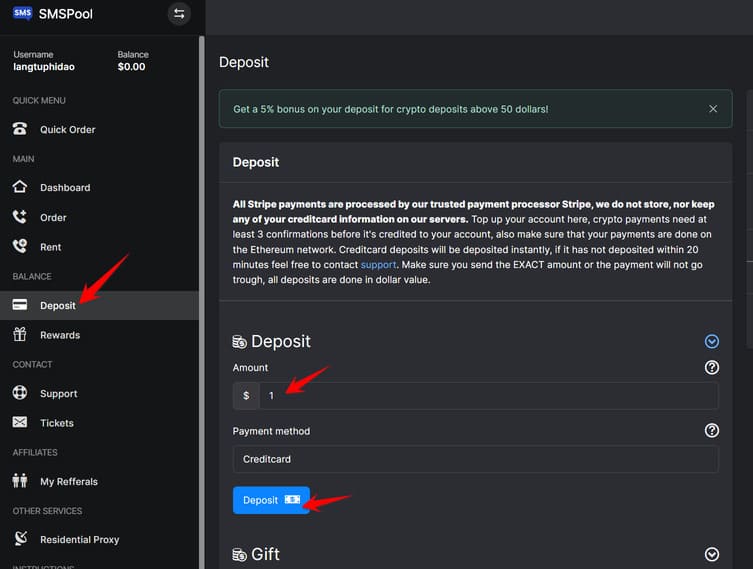
You can register at smspool.net (referral code: CsG2UqMKaq ) or sms-activate.org. Some people recommend creating an account in smspool to rent a phone number to receive OTP codes for convenience. After creating an account, go to Menu Deposit and deposit 1$.
I have a chat GPT Vietnam

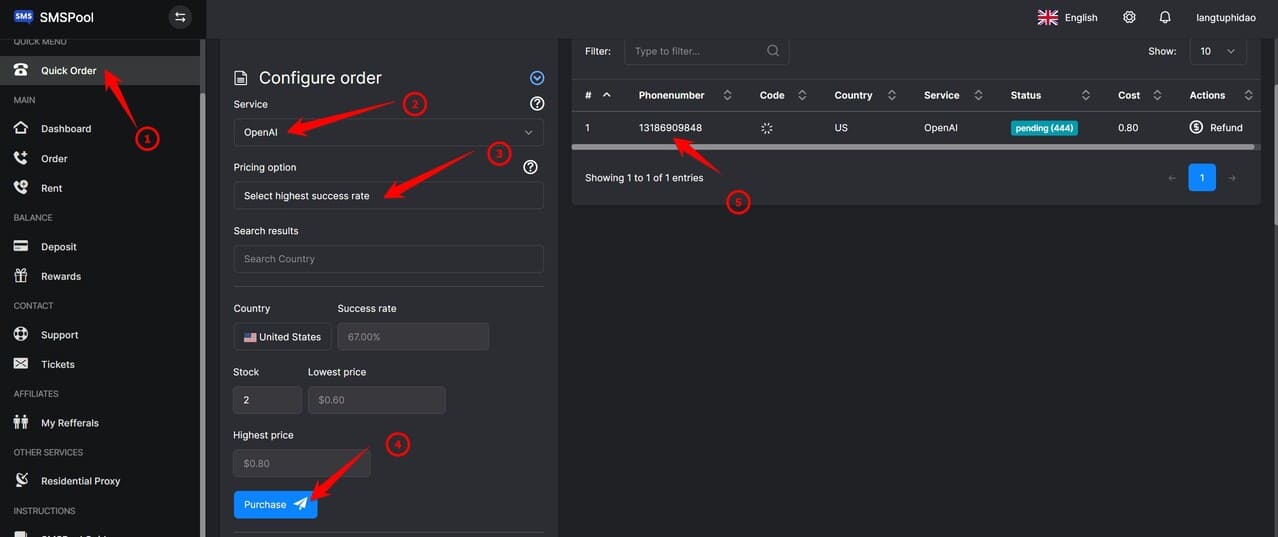
You will be redirected to the payment page, use your VISA/MasterCard to deposit $1 into your account. After the deposit is complete, you go to Menu Quick Order

  • Service: OpenAI
  • Pricing Options: Select highest success rate
  • Select country United States
  • Press Purchase

After successful you will see the phone number on the right hand side. Use this number to receive OTP from ChatGPT. Remember this number, as in the picture below I rented the number 13186909848
receive smspool i chat gpt

Step 2: Create an OpenAI account to use ChatGPT

Now you turn on VPN and pass the IP over the USA (United State) up. Then go to the page https://chat.openai.com/ Press the button Sign up to create an account
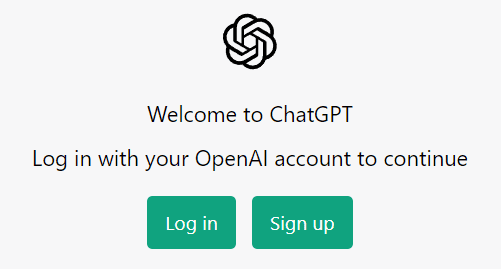
I have an OpenAI vietnamese earphone

Enter your email address and account information, then confirm the email.

To the phone number verification step, you enter the rented phone number above, as in the article, you have rented the number 13186909848 then enter the phone number box, leave out the number 1, just enter 3186909848.

Go back to the smspool.net tab to get the OTP code.
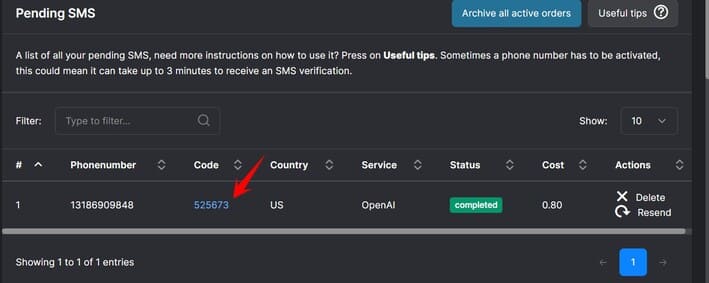
lay code

Then back to Tab openai.com to enter the OTP. After successful verification, you will enter the main interface of ChatGPT.
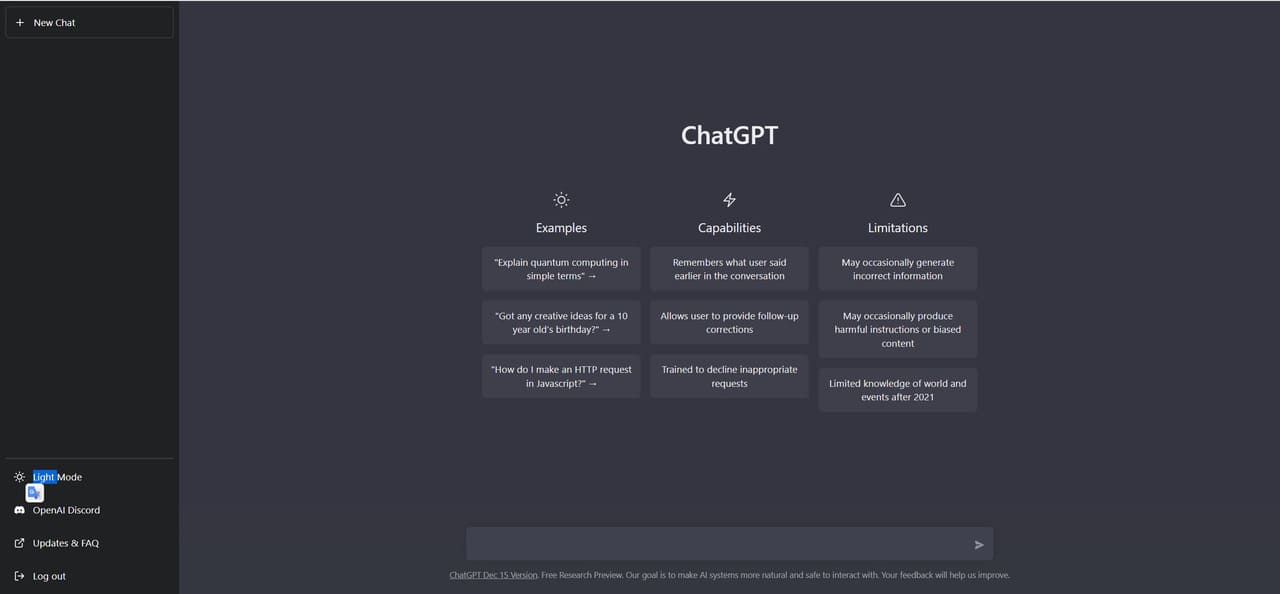
i chatgpt openaiHow to chat with OpenAI ChatGPT

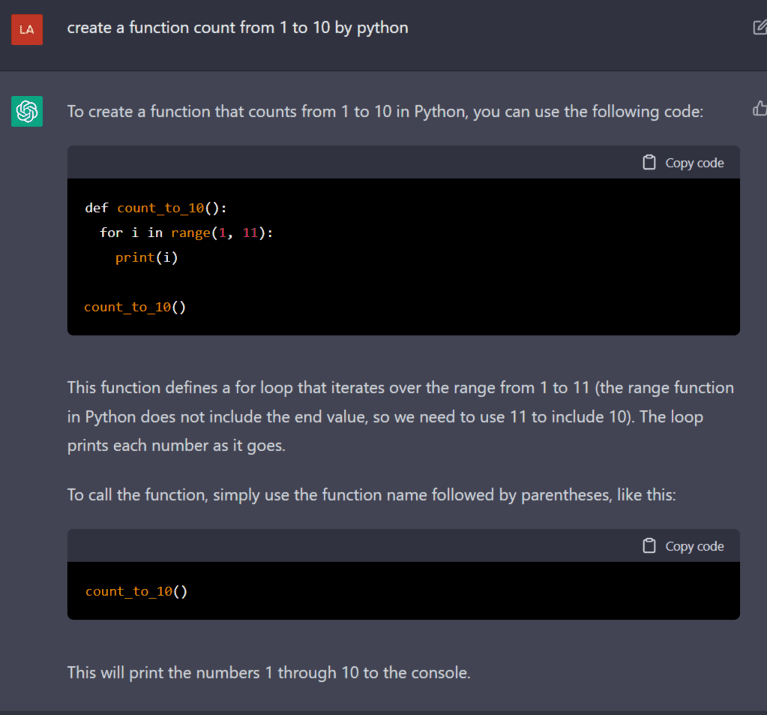
Once you have entered the ChatGPT interface, chat with the BOT by entering the content in the box below the bottom of the page. For example, I asked it to create a program to count from 1 to 10 in python

how to use chatgpt

And the result is as follows:

how to chat with chatgpt in vietnamese

It’s terrible isn’t it guys, I don’t know where the future of programmers will go when this ChatGPT is getting smarter and smarter. The reason that ChatGPT knowledge is more and more is because there are many questions coming to it and it will learn by itself until there are still people chatting with it. Thus its wisdom will increase over time.

Share ChatGPT account

Seeing everyone struggling to register for a ChatGPT account, BQT AnonyViet would like to share 3 free accounts for you to use and experience the divine level of this AI:

user: [email protected]
pass: AnonyViet@123
---------------
user:[email protected]
pass: AnonyViet@123
---------------
[email protected]
pass: AnonyViet@123

Share Account ChatGPT is only for AnonyViet Fans, please copy or sell.

When using the Share GPT Chat account, you may encounter an overloaded AI, then just press F5 a few dozen times to be able to talk to it.


The article scored: 4.6/5 – (27 votes)

Tags: accountChatGPTcreatetalkVietnam
Previous Post

How to create a pie chart in Google Sheets

Next Post

How to get a free Microsoft certificate

AnonyViet

AnonyViet

Related Posts

How to change the default font on Windows 10
Tips

How to change the default font on Windows 10

April 13, 2026
5 tips for using a Browser to replace an App (helps save RAM, time and money)
Tips

5 tips for using a Browser to replace an App (helps save RAM, time and money)

April 13, 2026
How to make funny MeMe photos without Photoshop within 10 seconds
Tips

How to make funny MeMe photos without Photoshop within 10 seconds

April 11, 2026
How to quickly design your own Logo without Photoshop
Tips

How to quickly design your own Logo without Photoshop

April 10, 2026
How to convert Website into App on Windows
Tips

How to convert Website into App on Windows

April 9, 2026
Instructions for getting 3 months of Adobe Express Pro for free
Tips

Instructions for getting 3 months of Adobe Express Pro for free

April 9, 2026
Next Post
How to get a free Microsoft certificate

How to get a free Microsoft certificate

0 0 votes
Article Rating
Subscribe
Login
Notify of
guest

guest

0 Comments
Oldest
Newest Most Voted
Inline Feedbacks
View all comments

Recent News

How to add Watermark to Google Docs to protect copyright

How to add Watermark to Google Docs to protect copyright

April 19, 2026
How to intercept traffic using Burp Suite to analyze HTTP/HTTPS

How to intercept traffic using Burp Suite to analyze HTTP/HTTPS

April 18, 2026
How to avoid Adblock detection on Youtube with 4 good tips

How to avoid Adblock detection on Youtube with 4 good tips

April 17, 2026
How to transfer ChatGPT data to Claude is extremely simple

How to transfer ChatGPT data to Claude is extremely simple

April 16, 2026
How to add Watermark to Google Docs to protect copyright

How to add Watermark to Google Docs to protect copyright

April 19, 2026
How to intercept traffic using Burp Suite to analyze HTTP/HTTPS

How to intercept traffic using Burp Suite to analyze HTTP/HTTPS

April 18, 2026
How to avoid Adblock detection on Youtube with 4 good tips

How to avoid Adblock detection on Youtube with 4 good tips

April 17, 2026
AnonyViet - English Version

AnonyViet

AnonyViet is a website share knowledge that you have never learned in school!

We are ready to welcome your comments, as well as your articles sent to AnonyViet.

Follow Us

Contact:

Email: anonyviet.com[@]gmail.com

Main Website: https://anonyviet.com

Recent News

How to add Watermark to Google Docs to protect copyright

How to add Watermark to Google Docs to protect copyright

April 19, 2026
How to intercept traffic using Burp Suite to analyze HTTP/HTTPS

How to intercept traffic using Burp Suite to analyze HTTP/HTTPS

April 18, 2026
No Result
View All Result
  • Home
  • News
  • Software
  • Knowledge
  • MMO
  • Tips
  • Security
  • Network
  • Office

wpDiscuz
0
0
Would love your thoughts, please comment.x
()
x
| Reply