

Lost/Forgot Password WinRAR can be a headache for all computer and phone users. Sometimes we protect essential documents/files with strong passwords and forget the unlock password. So, I will guide you how to crack WinRAR password and get back your important data.
| Join the channel Telegram of the AnonyViet 👉 Link 👈 |
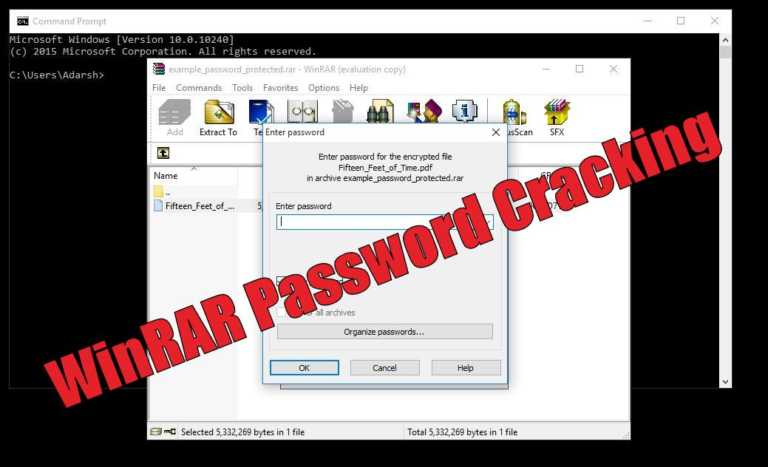
WinRAR is a utility to compress your files and protect them with a password. You can keep your data safe and save storage space by compressing it in the .RAR format. When it comes to RAR and ZIP, RAR has a lot of advantages. It can store NTFS file system properties, making it a great backup tool. Its compression ratio is also better.
Another advantage of using the RAR file format is that the data can be broken down into parts and stored into smaller storage media.
However, what to do if you forget the password of a WinRAR password protected file?
To crack a WinRAR password protected file, you need to recover the file password and use it to unlock the file. There are several methods to crack a WinRAR password using the command prompt, but it usually fails completely.
So all you need is a 100% successful method. This article will use a simple password recovery tool to recover your lost/forgotten WinRAR file password.
You need to use RAR Password Genius to crack WinRAR password and ZIP Password Genius to crack WinZIP password.
I will explain how to crack WinRAR password in the steps below. WinRAR Password Genius is a lightweight yet powerful password recovery tool, known for its high speed and breaking complex password algorithms. It supports all .RAR archive creation software. By using a similar tool for WinZIP and similar steps, you can recover passwords from files protected with .ZIP files.
How to crack Password RAR with WinRAR Unlocker?
We will use a third-party application to unlock WinRAR password protected files. Likewise, the tool is called WinRAR Password Genius.
Download WinRAR password cracking tool
To crack WinRAR password you need to download WinRAR Password Genius and install it on PC. This software is the solution to your worries, and it only needs three steps to complete WinRAR password recovery. Its interface is very simple and all the options are visible before your eyes.
The software may not have a great and modern interface, but it gets the job done.
Start the software and import the RAR . file
To start the WinRAR recovery process, you need to activate the software and import the .RAR file into WinRAR Password Genius. You can do this by pressing the Open button at the top and searching for the .RAR file on your computer to put it in the Encrypted File box.
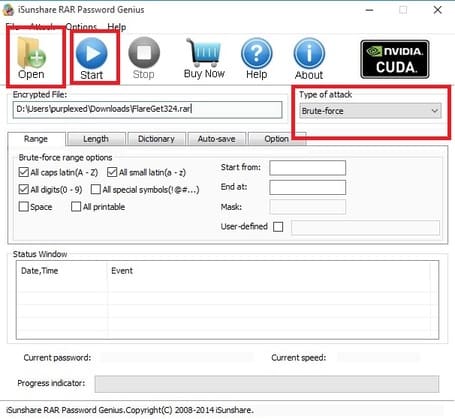
Choose the type of jailbreak
The software uses many attack techniques to crack WinRAR passwords. Different types of attacks include Brute-force, Mask, Dictionary and Smart. They are used to guess different types of passwords and you need to use these methods accordingly. For example, Brute-Force is a popular cracking method that tests all possible combinations and shows you the results when the correct password is found.
Start the jailbreak process
Now, after selecting the attack type from the drop-down list, press the Start button.
Wait for the process to complete
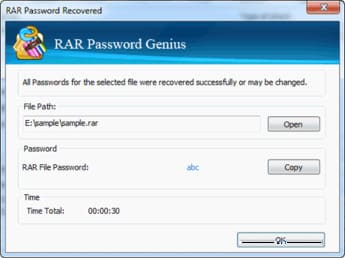
Then the software will start the process and recover the WinRAR password for you. When the software cracks the file, a pop-up will appear, showing you the password.
Use the recovered password to unlock the file
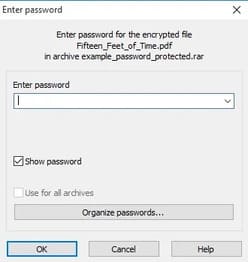
Now, open the password protected file.RAR in WinRAR and you will see a dialog asking for a password. Enter the recovered password and press enter. This will bypass the password and you can now access your files and extract them.
To crack WinZIP password protected files, you need to use WinZIP Password Genius and follow the same steps mentioned above.
5 best RAR password crackers
If you are looking for other tools that can help you crack a RAR file, there are many tools to choose from. Similarly, here are the top utilities that you can use to crack RAR files:
Conclusion
Forgetting the password of compressed files can be a disaster. Therefore, you can use WinRAR Password Genius to password crack your WinRAR archives. If that doesn’t work for you, you can always use other RAR password cracking tools to access your data.








