Google Chrome automatically block websites with bad purposes such as viruses, scams… However, sometimes even the most popular browser in the world does not recognize threats from other websites.
| Join the channel Telegram belong to AnonyViet 👉 Link 👈 |
Whether you want your family members to stay away from harmful, useless websites or you want to limit access to social networking sites, blocking websites on Chrome is very easy.
How to block websites on Chrome?
Unfortunately, Google Chrome does not allow users to block websites unless you are Chrome Enterprise admin want to prevent your employees from accessing the website.
But fortunately, there are many third-party extensions that can block websites on Chrome easily.
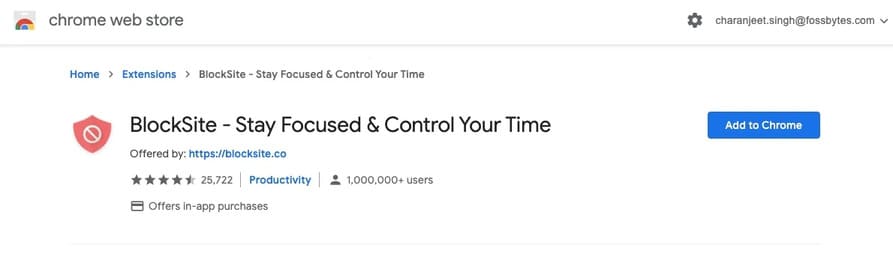
Step 1: Access extensions BlockSite on Chrome Store.
Step 2: Press the button “Add to Chrome”.
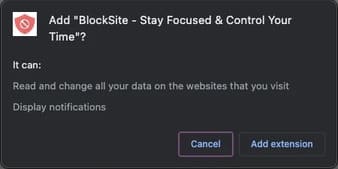
Step 3: Again, click “Add Extension” in the pop-up window.
After installing BlockSite on Chrome, you will see an orange icon along with other extensions in the top right corner of Chrome.
Step 4: Visit the website you want to block on Chrome.
Step 5: Click the BlockSite icon and then tap “Block this site”.
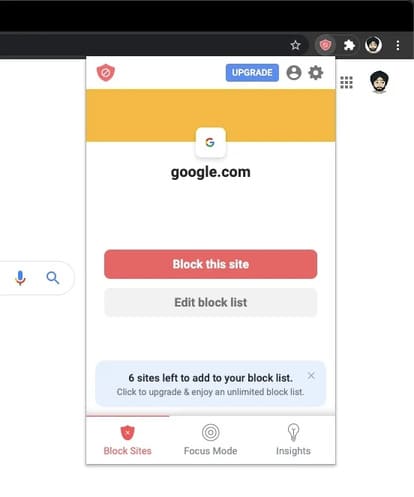
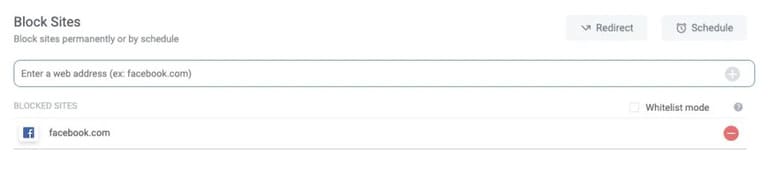
To block multiple sites on Google Chrome, click the BlockSite icon and click Edit Block List. Now, on the extension settings page, enter the website URL and tap on the icon “+”.

To unblock a website, simply click on the icon “-” on the BlockSite settings page.
You should password protect the settings pages BlockSite or blocked websites so that others cannot unblock the websites without your permission.
BlockSite also allows users to set blocking schedules for websites. You can even block certain words, where the extension will block a website on Chrome if it contains blocked words. This will be useful if someone tries to access a website through URL mangling.
Note that you can only block up to six websites in the free version of BlockSite.
Other ways to block websites on Chrome
Use a website blocking application
You actually have a lot of options for third-party apps to block websites. But I just list some of the applications I think are the best for your reference.
For example: you can use applications like Self Control (MACOS), LeechBlockand Cold Turkey to block websites in all other browsers. Since adding extensions to Chrome can affect the system and make Chrome slower, installing a standalone app to block certain websites on Chrome is a great sounding idea.

How to block websites on Google Chrome for Android?
Talking about apps, there are many of them CH Play with which you can block websites on your Android device. For example, you can use BlockSite’s applicationAppBlock is also a good choice for blocking websites on Google Chrome mobile.
Use Access list Control on Modem/Router
Another way to block websites on Google Chrome is to use the website blocker available in the settings of new Wi-Fi routers and Internet connection Modems.
If you can’t find the option to block websites, you can also try calling your ISP and asking them to block certain websites.
Use Chrome’s URL Blocklist
As I said before, Chrome has it URL blocker but can only be used if you are using a Chrome Enterprise administrator account.
An organization can create an enterprise policy that prohibits users from accessing certain websites. Admins can even enforce the same policy across all Chrome platforms (Windows, Mac, Linux, Android, Chromebook).
Block Websites using hosts file
You access the link "C:\Windows\System32\drivers\etc"
Open the hosts file with Notepad or Notepad++.
Add the page you want to block according to the following structure:
127.0.0.1 tên-trang-web
For example: 127.0.0.1 facebook.com

Finally, Save the hosts file again and you’re done
Frequently asked questions
Can I block websites directly on Google Chrome?
No, standard Google Chrome does not have a built-in feature to block websites. You need to use extensions or other methods mentioned in the article.
Are there any effective extensions to block websites on Chrome?
BlockSite is a popular and effective extension. However, there are many other options, depending on your needs.
Besides extensions, are there any other ways I can block websites?
You can use a standalone website blocking application, customize your router/modem, or edit the hosts file. The article has mentioned these methods in detail.