How to activate the new Start Menu On Windows 11 is an interesting trick that allows you to go ahead of the time. If you are a technology lover and curious about the changes that Microsoft is cherishing, this is an opportunity for you to experience the future interface early. This article Anonyviet will guide you to gradually implement it safely and quickly.
| Join the channel Telegram belong to Anonyviet 👉 Link 👈 |
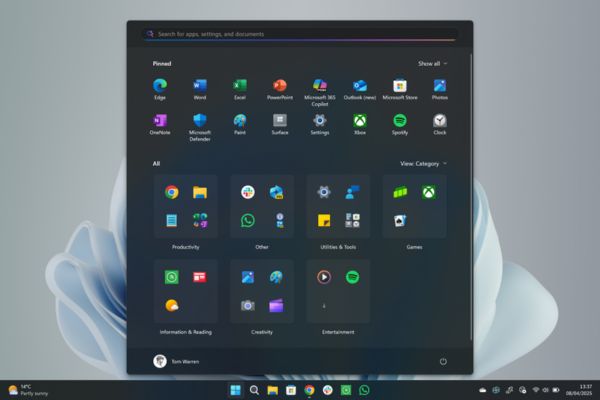
Before going into detailed instructions, let’s find out why the new Start Menu has so much attention. Although Microsoft has not announced all changes, based on leaked and analyzed information from the community, we can expect the following breakthrough improvements:
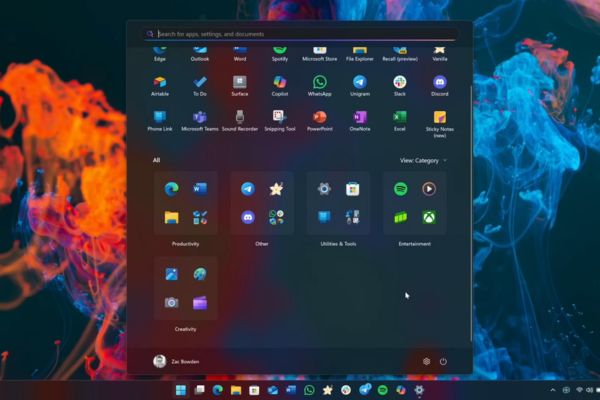
- More modern design: The interface is refined in the Fluent Design language, bringing a sense of airy, the icons are more scientific and intuitive.
- Integrating more accompanying features: Maybe Start menu It will not only be a place to open the application, but also a miniature information center, displaying widgets (widgets) or personalized information.
- Smart organization: Pinsed applications, proposed files and search areas can be reorganized more logically, helping you access everything quickly with just a few clicks.
- Improved performance: A new interface often comes with the optimization of the source, promising to bring faster response speed and consume less system resources.
Early experience these changes not only satisfies curiosity but also helps you get used to the interface will soon become the standard in the future.
Some important things before starting
This feature is still in the testing stage and is hidden. Therefore, activation it may potentially have some risks. To ensure the process goes smoothly, you need to note the following:
- Only for insider users: This tutorial works best on the versions of Windows 11 Insider Program (Beta, Dev, and Canary). If you are using the official version, you may not work.
- Data backup: Although this method is quite safe, backing up important data is always a wise step before making any changes on the system.
- Potential risks: Test features can cause minor or instability. Be ready for this ability and know how to return to the old interface (we will guide at the end of the article).
This process will use a third -party tool called Vivetool. This is a prestigious application in the Windows community, developed to help users turn on or off the hidden features that Microsoft is testing.
Step 1: First, you need to download vivetool from the official github page HERE.
Find the latest version and download the file Vivetool-vx.xxzip.
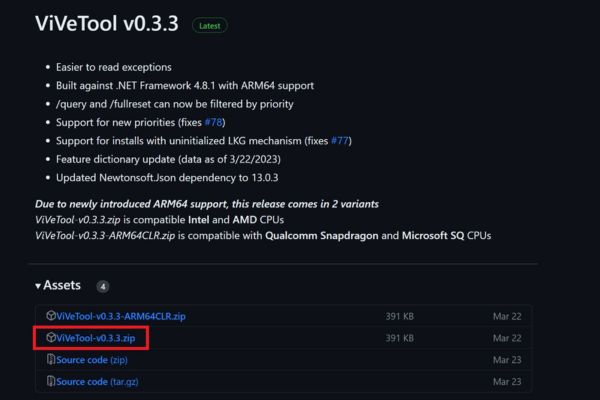
Step 2: Right -click on the downloaded .zip file and choose Extract all. In the window, choose an easy -to -remember location, for example: C: \ vivetool> press Extract.
Step 3: Press the Windows key, type CMD.
In search results, right click on Command Prompt and choose Run as administrator.
Press Yes If there is a user account Control (UAC) dialog box appears.
Step 4: Type the following command and press Enter (replace C: \ vivetool with your accurate path):
CD C: \ vivetool
Next, copy and paste the following two command lines into Command Prompt. After each command line, press Enter.
vivetool /enable /ID: 47205210,49221331,49381526,494029,498255549532222222222222222222222222222222222222222222222
vivetool /enable /ID: 48433719
If you see the notice “Successfully set feature configuration (S)”, that means you have succeeded.
Step 5: In order for the changes to take effect, you need to restart the computer. Then, press the Windows key. Congratulations! You can admire and experience the all -new Start Menu interface of Windows 11.
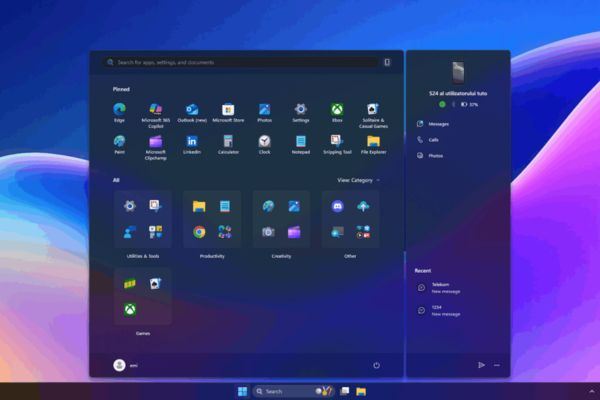
If you have an error or simply don’t like the new interface and want to come back, the process is also very simple. You just need to repeat the above steps but replace /enable with /disable.
- Open Command Prompt (Admin).
- Move to Vivetool folder: CD C: \ Vivetool
- Run the following commands:
vivetool /disable /ID: 47205210,49221331,49381526,49402389,4982555495322222222222222222222222222222222222222222222222222
Vivetool /Disable /ID: 48433719
- Restart the computer is done.
Conclusion
The discovery of hidden features always feels an interesting feeling, and How to activate the new Start Menu On Windows 11 is a typical example. With just a few simple steps, you can become one of the first people to experience the future of the most popular operating system in the world. Try and share your feelings about this new interface in the comment section below!