In a context where businesses increasingly prioritize flexibility and investment efficiency, office laptops are no longer evaluated simply by configuration, but as a combination of durability, portability, stable performance and reasonable cost. Dell Pro – Dell’s new product line – is positioned to meet that need. Among these, Dell Pro 14 (PV14250) and Dell Pro 15 (PV15250) emerge as two representative choices for different office user groups.
| Join the channel Telegram belong to AnonyViet 👉 Link 👈 |
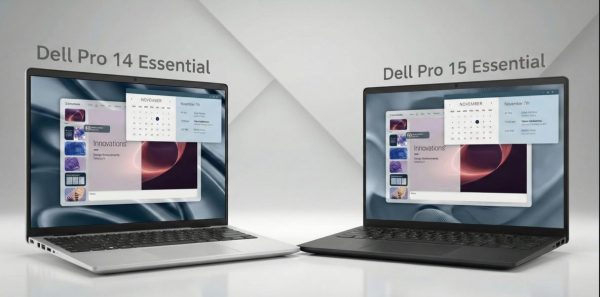
Design: Practical, durable according to business standards
Both Dell Pro models pursue a pragmatic design philosophy, prioritizing durability over flashiness. Users can choose between a scratch-resistant laser-textured PC+ABS plastic shell or a high-quality aluminum shell, providing a sturdy and professional feel.
What’s worth noting in common is that both have MIL-STD 810H military durability certification, allowing the device to withstand light impacts, vibrations and harsh usage conditions – an important factor in business environments. The hinges are well reinforced, limiting screen vibration when operating vigorously.
The difference is evident in mobility. Dell Pro 14 weighs about 1.35 kg, is 18.9 mm thin, suitable for people who often move. Meanwhile, the Dell Pro 15 weighs nearly 1.9 kg, trading mobility for a compact feel and more spacious workspace.
Screen: Two philosophies, two experiences
Dell did not simply increase the screen size, but created a clear differentiation in display experience.
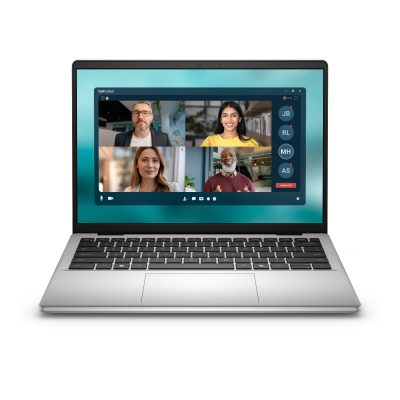
Dell Pro 14 has a 14-inch screen, 16:10 ratio (Full HD+), providing about 5% more vertical display space than traditional 16:9. This is especially useful when working with spreadsheets, long documents, or browsing the web.
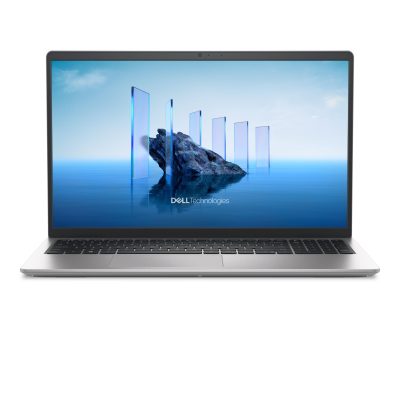 In contrast, the Dell Pro 15 uses a 15.6-inch screen with a 16:9 ratio but is upgraded to a 120Hz refresh rate. Thanks to that, the experience of scrolling pages, switching windows and splitting the screen becomes smooth, suitable for people who multitask for long periods of time.
Performance: AI PC competes with “solid and durable” configuration
In terms of hardware, the two Dell Pro models serve two different groups of needs.
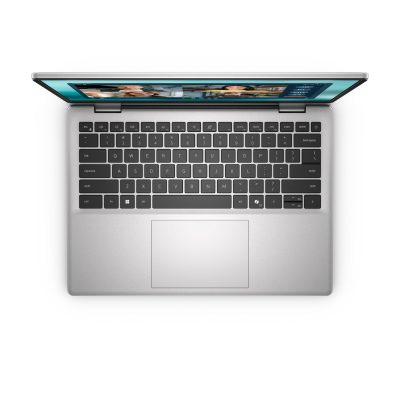
Dell Pro 14 is equipped with an Intel Core Ultra (Series 1) processor with integrated NPU – a specialized processor for AI tasks. Thanks to that, features such as background blur, noise cancellation during online meetings or Microsoft Copilot can run directly on the device, reducing CPU load and saving battery. High-speed DDR5 RAM also makes multitasking smoother.
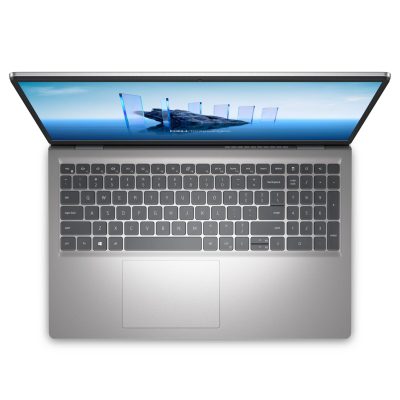
Meanwhile, the Dell Pro 15 focuses on traditional performance with CPU options ranging from Intel Core 3 100U to Core i7-1355U. Even without an NPU, this configuration is still more than capable of handling heavy office tasks, data processing, and even basic 2D photo editing. This is the optimal cost choice for businesses that need to deploy large quantities.
Connectivity and convenience: “Pro” shows its true nature
Dell Pro 14 stands out with Thunderbolt 4 port (40Gbps), supporting high-speed data transfer, 4K image output and fast charging. Keeping the RJ-45 LAN port and HDMI 2.1 on a thin and light 14-inch model is a big plus for business users.
Dell Pro 15 does not have Thunderbolt but is equipped with a numeric keypad (Numpad) – an important factor for accountants and data entry staff. USB-A, HDMI ports and SD card slots fully meet basic connectivity needs.
Both are equipped with a TPM 2.0 chip, physical camera shutter and optional fingerprint sensor, ensuring enterprise security standards.
Batteries and sustainability
Thanks to the power-saving processor and smaller screen, the Dell Pro 14 has better battery life, supporting ExpressCharge fast charging (80% in about 1 hour). The Dell Pro 15 with a larger screen has a slightly shorter usage time but is still enough for a working session.
Dell also focuses on environmental factors when using recycled materials, achieving certifications such as EPEAT Silver and ENERGY STAR.
Conclude
Dell Pro 14 (PV14250) is suitable for people who frequently travel, managers, sales staff and people interested in AI PC, who need a compact device but with strong connectivity.
Dell Pro 15 (PV15250) is aimed at people who work fixedly, process data, need a large screen and numeric keypad, with a reasonable investment.
The two products do not compete directly, but complement each other – literally a “pair of cards” for the modern office.
Learn more at: USA Tech HUB – Your Tech In Your Hand – Genuine Dell components – Fast delivery – Easy to upgrade – Clear warranty.