When mentioning MSI, many people often think of rugged laptop models for gamers. But in recent years, the company has expanded its product range in a more practical direction, from thin and light machines for studying and working to high-configuration options for design, video editing and digital content processing. The issue is no longer “Is MSI suitable”, but rather which line should be chosen for the right needs.
📢 Join the channel Telegram belong to AnonyViet
Update new articles, cool tools and IT tips fastest
How is MSI different from the familiar image of many people?
MSI has built a very strong name in the gaming segment, so it is understandable that users assume this is a brand dedicated to gaming. However, if we look at current usage needs, the company’s product portfolio has become significantly broader.
In addition to high-performance models, MSI also has models that favor compact design, easy-to-read screens, comfortable keyboards, and powerful enough configurations for studying and working every day. This is especially important for first-time laptop buyers, because they often just look at the brand and then eliminate a suitable option.
For those who are looking MSI laptopswhat needs to be considered is not whether the machine has “gaming quality” or not, but which problem it can solve better: taking it to school a lot, working continuously in the office or handling heavy graphics.
According to what criteria should students choose MSI?
Students often need a laptop that balances value, durability and flexibility. A device that is too heavy will be inconvenient to carry to school, but a device that is too thin with a weak configuration will also quickly tire if you have to open many tabs, study online, make slides, write reports or do basic photo editing.
This is when MSI’s popular-pragmatic lines become notable. Machine groups like Modern are often suitable for students of economics, social studies, foreign languages or majors that need to travel a lot. The value for money of this model lies in its compact design, easy to carry, enough connection ports and suitable configuration for many years of study if you choose the right RAM and SSD versions.
Students of information technology, engineering or studying subjects that involve simulation, programming, and basic 2D – 3D modeling should prioritize long-term stable performance over thin and light appearance. Then, an MSI model with a good cooling system and powerful processor will make a clear difference during actual use, especially when running heavy software for long periods of time.

Some thin and light MSI lines are suitable for students who need to carry the device every day while still maintaining enough performance for studying.
What students should avoid is buying a laptop just because the configuration sounds strong on paper. For this group, battery life, typing comfort, weight and the ability to upgrade later often affect the experience as much as the CPU or GPU.
Do office workers need to go to MSI?
The answer is yes, if your work goes beyond Word and Excel. Many office workers now work on dozens of browser tabs, have continuous video meetings, handle large files, use AI tools, management software, and even edit images and short videos for internal work.
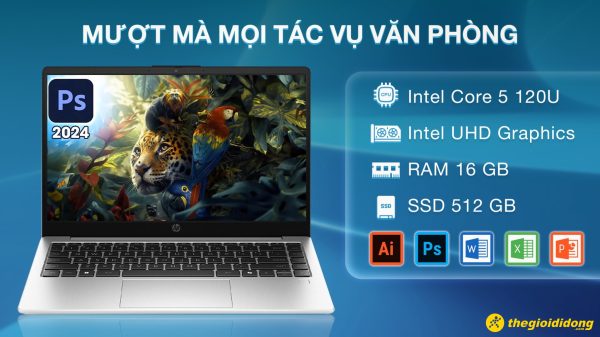
In that context, office laptops are no longer just machines “enough to open documents”. Users need a device that operates smoothly, is less hot, less noisy and has a screen good enough for long viewing. MSI has the advantage of bringing performance optimization thinking to non-gaming models, so some models feel responsive and stable when multitasking.
For office workers who prioritize neatness, MSI’s thin and light models are suitable for people who often move between home, the company and work cafes. If you work in finance, data management, operations engineering, or often have to open many applications at the same time, you should prioritize a better configuration from the beginning to avoid having to change devices early.
With the same level of needs, many people also consider it Acer because this is a familiar brand in the learning and office machine group. However, MSI is worth considering if you want a laptop with a bit more performance for long-term use, especially when work can expand to heavier tasks in the future.
What should creators look at besides configuration?
For designers, editors, young architects, content creators or in-house marketers, strong configuration is necessary but not enough. The screen, rendering stability, heat dissipation and number of connection ports are the factors that determine the daily working experience.
MSI is a brand that has a natural advantage in this user group because it is inherently strong in optimizing performance for heavy loads. If your work regularly involves Photoshop, Illustrator, Premiere Pro, CapCut PC, modeling or processing large files, MSI’s high-performance models can easily take advantage of their strengths compared to pure office laptops.
However, not every creative person needs a large gaming machine. A content creator who travels a lot may need a machine that balances performance and portability. Meanwhile, people who mainly edit videos, do 3D or do long-term rendering should prioritize models with good heat dissipation, large screens and more durable configurations.
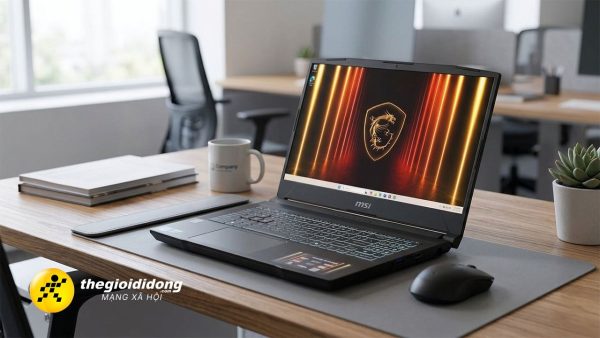
MSI is suitable for creative people who need a machine to handle heavy tasks that is more stable than basic office laptops.
The good thing about MSI is that users can choose according to the severity of the job instead of being forced into a single brand image. In other words, MSI not only has “gaming machines”, but also has configurations for content creation at many different levels.
Choose MSI by model or by actual needs?
If you buy a laptop by line name without understanding your needs, it’s easy for users to either overbuy or underbuy. With MSI, the more reasonable choice is to go from daily use needs.
If you need a compact and lightweight machine for basic to moderate study and work, you should prioritize the office-oriented machine group. If you need strong multitasking, processing large spreadsheets, coding, or running specialized software, you can choose a higher configuration with a good cooling system. If your job involves a lot of design, editing, and content creation, prioritize the screen, sustained performance, and peripheral connectivity.
This approach makes MSI much easier to pick up. Instead of asking “Is MSI a gaming laptop?”, the more accurate question is “Which MSI model is suitable for my working habits?”.
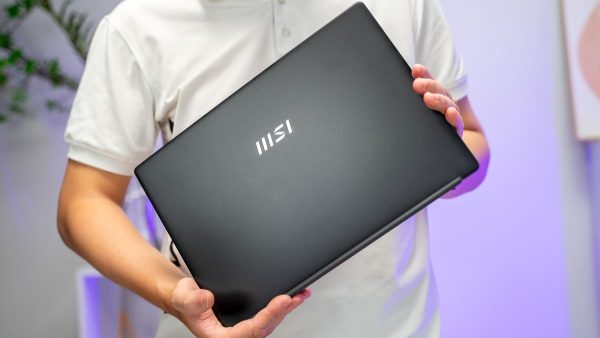
Choosing the right MSI line according to actual needs is more important than looking at the brand through gaming stereotypes.
When is MSI a good choice?
MSI is suitable when users want a laptop with good performance, stable operation and still has many options outside of pure gaming. For students, it can be a model that balances between studying and long-term use. For office workers, it is a laptop that is smooth enough for multitasking and modern work. For creators, it’s a reliable performance platform to handle the more demanding software of every day.
If you are looking for a device that meets these criteria, the MSI laptop group at The Gioi Di Dong is an easy place to refer to because there are enough options for gaming, graphics and office, while also supporting 0% installment payments and genuine warranty. For people who want to buy a device for long-term use but still balance their budget, this is a much more practical advantage than just looking at the configuration on paper.
In short, MSI is no longer a name just for gamers. The value of this brand lies in the fact that users can find a configuration that suits their learning, working or creative rhythm, as long as they choose the right line instead of choosing according to old prejudices.