• Home
  • News
  • Software
  • Knowledge
  • MMO
  • Tips
  • Security
  • Network
  • Office
AnonyViet - English Version
  • Home
  • News
  • Software
  • Knowledge
  • MMO
  • Tips
  • Security
  • Network
  • Office
No Result
View All Result
  • Home
  • News
  • Software
  • Knowledge
  • MMO
  • Tips
  • Security
  • Network
  • Office
No Result
View All Result
AnonyViet - English Version
No Result
View All Result

Compare Ubuntu Vs Pop!_OS: Which one to choose?

AnonyViet by AnonyViet
January 31, 2023
in Tips
0

Pop!_OS based Ubuntu improved with more features, and recently this operating system has become more and more popular in the Linux world. Many users are considering switching to Pop!_OS from Ubuntu-based mixes or from Ubuntu itself. This has shown us that Pop!_OS has a very strong appeal to users. So comparing Ubuntu and Pop!_OS, which one is worth choosing?

Join the channel Telegram of the AnonyViet 👉 Link 👈

Compare Ubuntu Vs Pop!_OS: Which one to choose?

Look and Feel

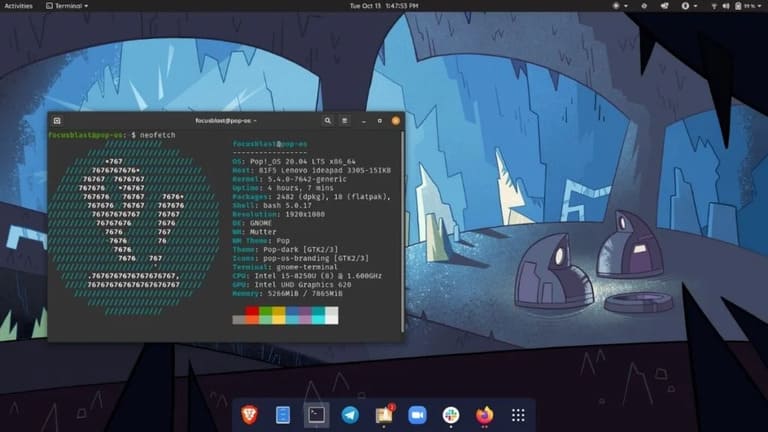
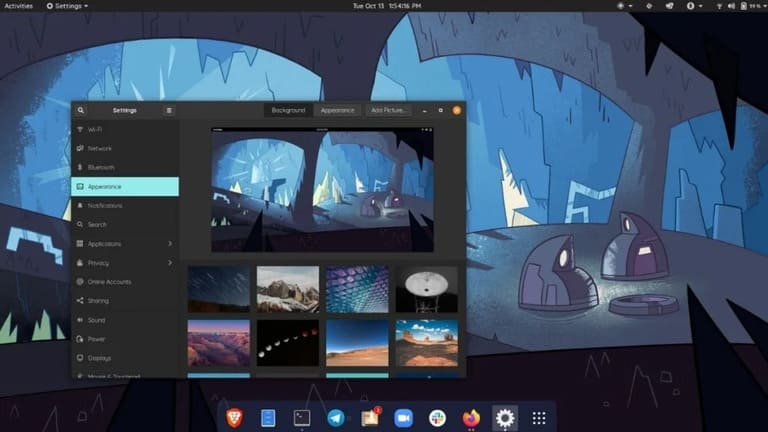
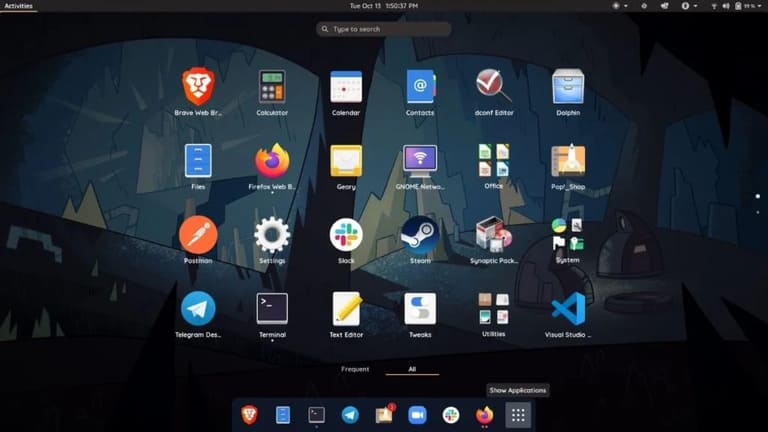
Pop! _OS looks a lot better than Ubuntu. The icons look very sleek and the user interface is very lively and clean, which will make you want to use this operating system even more. In addition, you can also customize the Pop! _OS using GNOME extensions because Pop is based on the GNOME environment.
Compare Ubuntu Vs Pop!_OS Compare Ubuntu Vs Pop!_OS: Which one to choose?  7 Compare Ubuntu Vs Pop!_OS: Which one to choose?  8

Calling this a renamed version of Ubuntu would be a huge mistake. Because Pop has many features that we will talk about later in this article. Overall, Pop looks more modern than Ubuntu’s user interface, and if you are looking for an operating system with a good user interface, then this will be an option that you should try once.

Feature

Ubuntu Vs Pop!_OS: Bloatware

Both Ubuntu and Pop!_OS are great for beginners as well as professionals. Just like most normal Android devices install bloatware, Ubuntu also provides bloatware, resulting in a relatively poor user experience and performance compared to Pop! _OS.

Download POP!_OS | Download Ubuntu

Ubuntu also has a “Ubuntu Minimal options” setting, which does not include many pre-installed applications and it will let you install what you really need. Also, Ubuntu’s software center has a built-in for snap apps, while you won’t find snap packages in the Pop store! _OS you will find flatpak package option instead.

However, Snap packages take up too much space on the drive; therefore, I recommend that you consider using the APT version of any application. Pop! _OS also has its own official PPA where you can find apps like TensorFlow and Android Studio using “apt-get install“.

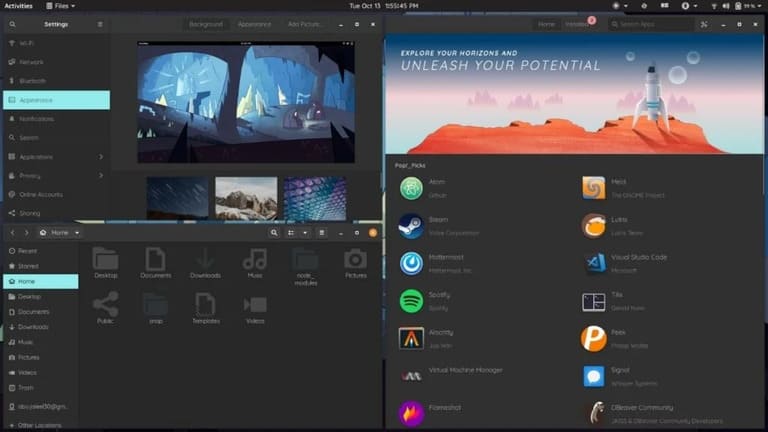
Automatically split windows in Pop!_OS
Compare Ubuntu Vs Pop!_OS: Which one to choose?  9

Another great feature of Pop! _OS which is not included in Ubuntu is Windows Auto-Tiling. As the name implies, this feature allows applications to automatically split windows in the workspace, which greatly helps with Window management. Some other features like the system tray and application shortcuts are also worth a try.

Ubuntu Vs Pop!_OS: Privacy

By default, Ubuntu collects information from your system while Pop! _OS does not store or collect any information as you will not find any “sending information” option in the privacy settings.

You can prevent Ubuntu from collecting your data by going to Privacy -> Diagnostics settings.

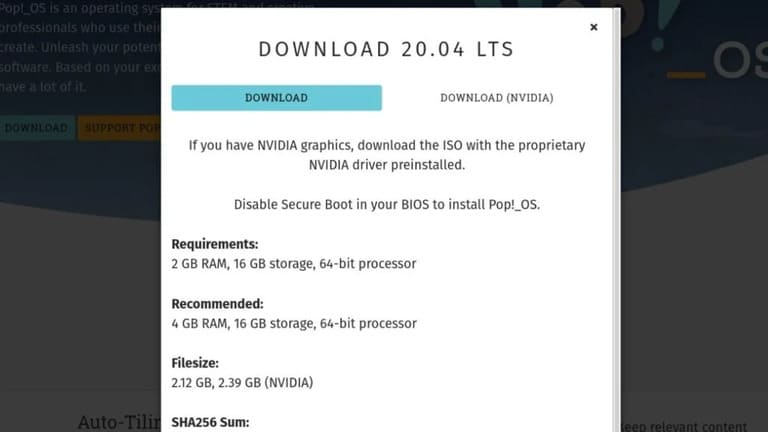
Ubuntu Vs Pop!_OS: Drivers
Compare Ubuntu Vs Pop!_OS: Which one to choose?  ten

Another great thing that Pop! _OS can do is download page Its allows you to choose between two ISOs. One comes pre-installed with Nvidia drivers and the other is a normal driver. This will help reduce the burden of installing the Nvidia drivers you want on Ubuntu. If you’re a gamer, then Pop! _OS is one of the best Linux distributions to help you with this.

Performance

I tested Pop! _OS on the laptop uses Core i5 8250U, 8GB RAM and 1TB hard drive and I don’t see any performance issues. Effects, application opening times and restarting times are fine on the i5 8250U. This configuration does not work with any operating system.

Problem

By default, there are no maximize and minimize buttons on the window, which is a bit annoying for users coming from Windows or Ubuntu.

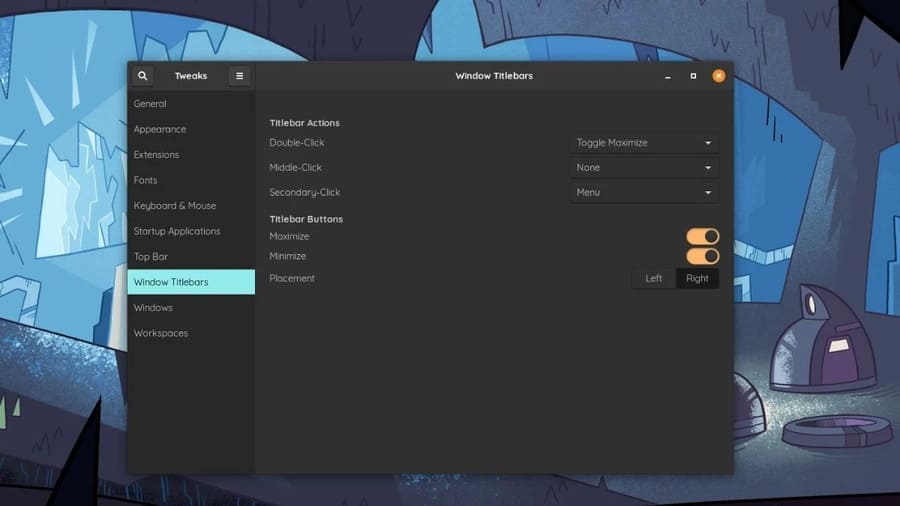
However, you can easily re-enable the zoom in and out buttons by installing GNOME Tweaks from Pop! _Shop or by entering the following command in the terminal.

sudo apt install gnome-tweaks
Compare Ubuntu Vs Pop!_OS: Which one to choose?  11

All you need to do is open GNOME tweaksgo to the “Window Titlebars” and enable option Maximize and Minimize. Also, you can also choose the position of those buttons left or right, that’s great, isn’t it?

Conclusion

Pop! _OS beats Ubuntu in terms of overall look, features and gaming due to the pre-installed Nvidia drivers. Therefore, if you are a gamer or someone who is bored with Ubuntu and is looking for a change, then Pop! _OS is a distro worth trying.


The article achieved: 5/5 – (100 votes)

Tags: chooseComparePop_OSUbuntu
Previous Post

How to hide apps on iPhone or iPad from others

Next Post

Anti-DDOS when attacked by Proxy

AnonyViet

AnonyViet

Related Posts

Instructions on how to create POV product review videos using Flow
Tips

Instructions on how to create POV product review videos using Flow

July 13, 2026
How to fix “This PC can’t run Windows 11” error This PC doesn’t meet the minimum system requirements
Tips

How to fix “This PC can’t run Windows 11” error This PC doesn’t meet the minimum system requirements

July 13, 2026
How to fix Windows 11 error of not being able to install .Net Framework 3.5
Tips

How to fix Windows 11 error of not being able to install .Net Framework 3.5

July 11, 2026
How to encrypt messages with GenZ’s smiley face icon
Tips

How to encrypt messages with GenZ’s smiley face icon

July 10, 2026
Download the Copyright-Free Music app for Cafes now
Tips

Download the Copyright-Free Music app for Cafes now

July 9, 2026
Multcloud – Manage, copy, and move data between Cloud Drives
Tips

Multcloud – Manage, copy, and move data between Cloud Drives

July 9, 2026
Next Post
Anti-DDOS when attacked by Proxy

Anti-DDOS when attacked by Proxy

0 0 votes
Article Rating
Subscribe
Login
Notify of
guest

guest

0 Comments
Oldest
Newest Most Voted

Recent News

Instructions on how to create POV product review videos using Flow

Instructions on how to create POV product review videos using Flow

July 13, 2026
How to fix “This PC can’t run Windows 11” error This PC doesn’t meet the minimum system requirements

How to fix “This PC can’t run Windows 11” error This PC doesn’t meet the minimum system requirements

July 13, 2026
Compact design, durable battery, excellent camera: Review of OPPO Reno 16 Pro 5G

Compact design, durable battery, excellent camera: Review of OPPO Reno 16 Pro 5G

July 12, 2026
Download the free 3D Pinball Space Cadet game on the App Store now

Download the free 3D Pinball Space Cadet game on the App Store now

July 12, 2026
Instructions on how to create POV product review videos using Flow

Instructions on how to create POV product review videos using Flow

July 13, 2026
How to fix “This PC can’t run Windows 11” error This PC doesn’t meet the minimum system requirements

How to fix “This PC can’t run Windows 11” error This PC doesn’t meet the minimum system requirements

July 13, 2026
Compact design, durable battery, excellent camera: Review of OPPO Reno 16 Pro 5G

Compact design, durable battery, excellent camera: Review of OPPO Reno 16 Pro 5G

July 12, 2026
AnonyViet - English Version

AnonyViet

AnonyViet is a website share knowledge that you have never learned in school!

We are ready to welcome your comments, as well as your articles sent to AnonyViet.

Follow Us

Contact:

Email: anonyviet.com[@]gmail.com

Main Website: https://anonyviet.com

Recent News

Instructions on how to create POV product review videos using Flow

Instructions on how to create POV product review videos using Flow

July 13, 2026
How to fix “This PC can’t run Windows 11” error This PC doesn’t meet the minimum system requirements

How to fix “This PC can’t run Windows 11” error This PC doesn’t meet the minimum system requirements

July 13, 2026
  • Home
  • Home 2
  • Home 3
  • Home 4
  • Home 5
  • Home 6
  • Next Dest Page
  • Sample Page

say88 tỷ lệ kèo nhà cái kèo nhà cái 5 febet

No Result
View All Result
  • Home
  • News
  • Software
  • Knowledge
  • MMO
  • Tips
  • Security
  • Network
  • Office

say88 tỷ lệ kèo nhà cái kèo nhà cái 5 febet

wpDiscuz
0
0
Would love your thoughts, please comment.x
()
x
| Reply