• Home
  • News
  • Software
  • Knowledge
  • MMO
  • Tips
  • Security
  • Network
  • Office
AnonyViet - English Version
  • Home
  • News
  • Software
  • Knowledge
  • MMO
  • Tips
  • Security
  • Network
  • Office
No Result
View All Result
  • Home
  • News
  • Software
  • Knowledge
  • MMO
  • Tips
  • Security
  • Network
  • Office
No Result
View All Result
AnonyViet - English Version
No Result
View All Result

How to make funny MeMe photos without Photoshop in 10 seconds

AnonyViet by AnonyViet
January 30, 2023
in Tips
0

Memes are probably an indispensable thing in life with modern technology. It contributes to creating laughter for you and others. You can make other people happy with funny meme montages or real meme montages.

Join the channel Telegram of the AnonyViet 👉 Link 👈

Usually, it will take you a long time to be able to create a simple meme image such as: have to find the original image, then delete the text, add text, edit the text… Therefore today Anonyviet will guide you to create meme own style without knowing photoshop, how to do it in just a few seconds.

What is MeMe?

You have certainly seen the word meme on the internet. But if you’re not well versed in internet culture, it can be hard to find a clear explanation of what exactly a meme is.

Let’s go through the definitions of memes, discover their usage, and look at some examples of both classic memes and the things that are popular today.

You might be surprised to learn that the word meme didn’t originate from the Internet. In fact, author Richard Dawkins first used the word in his 1976 work The Selfish Gene. The book looked at evolution and used memes to describe an idea or behavior that spread among people within a culture.

When someone says meme today, they’re probably referring to an internet meme. This is the common usage we will discuss here and builds on Dawkins’ use of the term.

To get the meme definition like this:

A piece of media, often humorous, spreads quickly through the internet.

With social networks like today, it’s no wonder that memes spread so quickly. With just a little idea, you can create a funny meme photo, or a meme video mocking others….

Make Meme Photo Quickly Without Photoshop

First, please visit the page Imgflip – Create and Share Awesome Images so we can create memes.

This is a compilation of famous original photo memes in the world, you don’t have to spend time in Google Searching for each image according to the idea, here will provide you with a lot of meme photos to make.
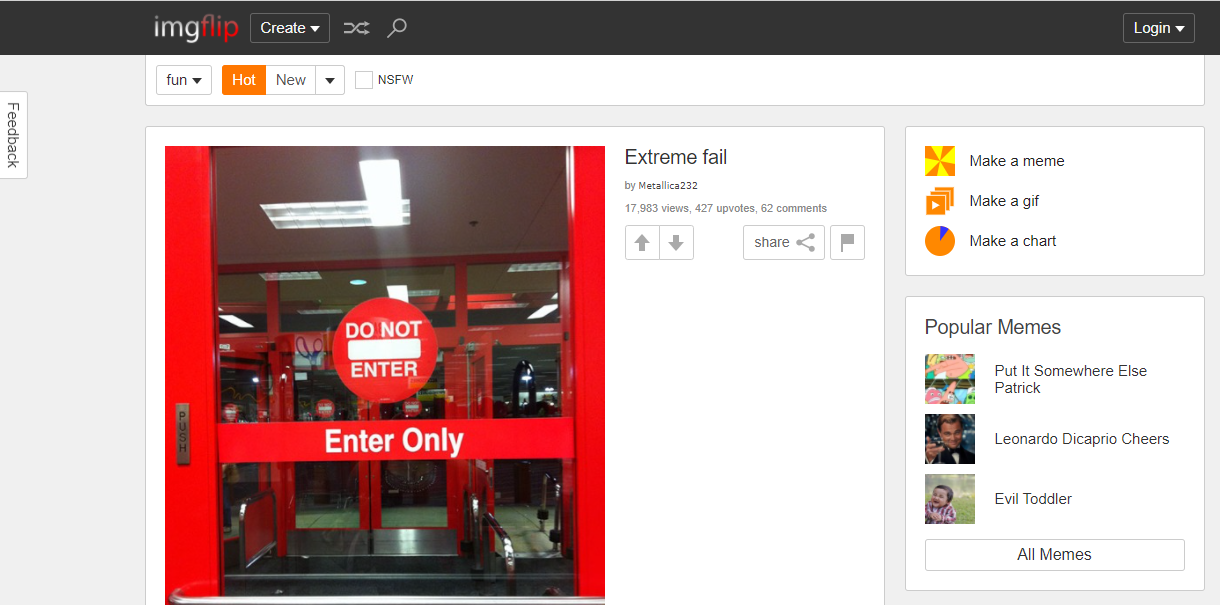
How to make funny MeMe photos without Photoshop within 10 seconds

Then where are you? Create select Make a Meme or choose Make a Meme on the right
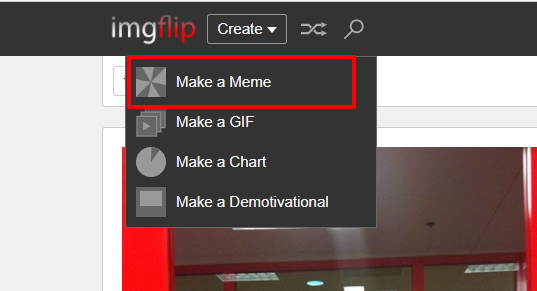
Make a Meme make meme photos quickly

And this will be the meme selection interface with the function of adding text to the image
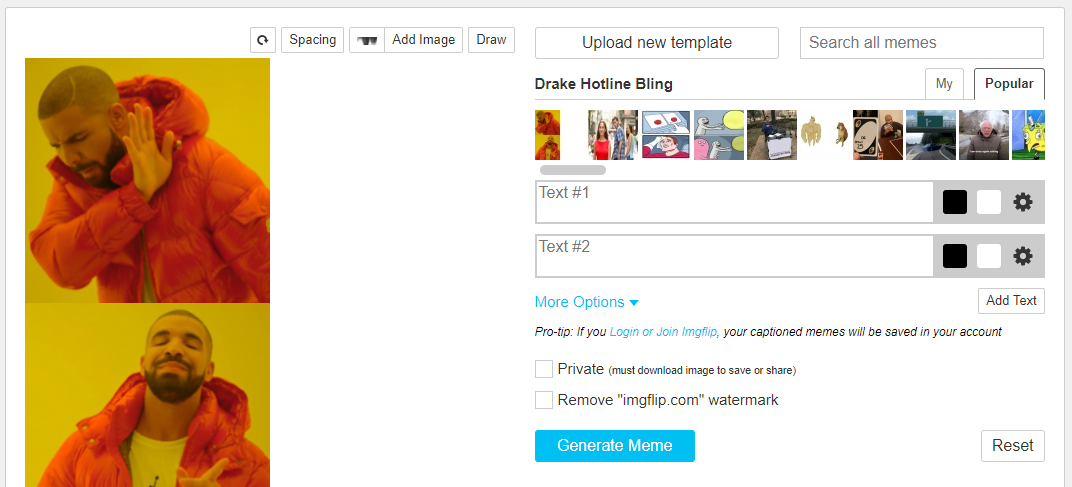
How to make funny MeMe photos without Photoshop in 10s 7

In this frame, you will choose a meme template to make photos, there are quite a few famous original photos hanging on the trend.

How to make funny MeMe photos without Photoshop in 10 seconds

In two cells Text #1 – Text #2 is you fill in ideas for your meme.
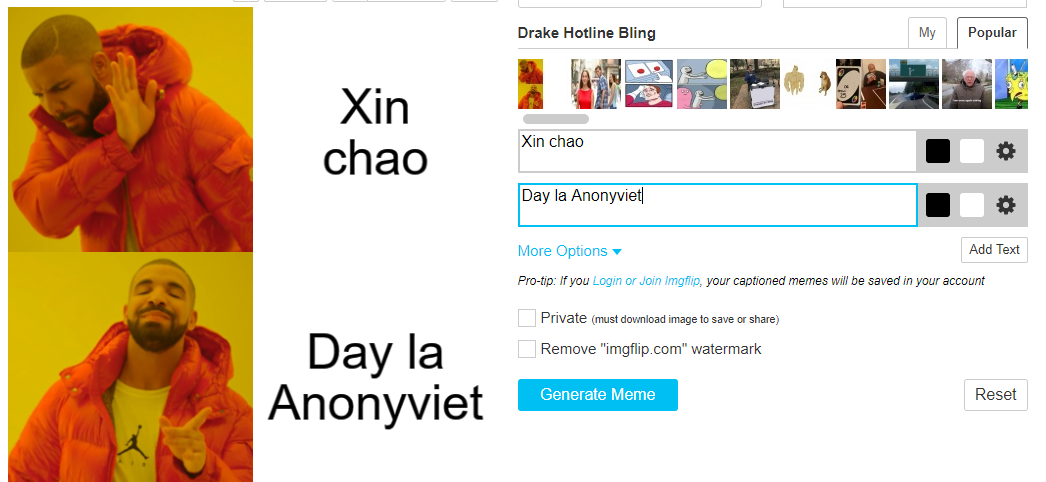
fill in meme text quickly without photoshop

Then you click Generate Meme to create memes. If you want to remove the Watermark (logo) of imgflip, you can use the function Screen capture without downloading.
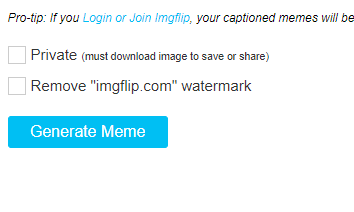
Generate Meme

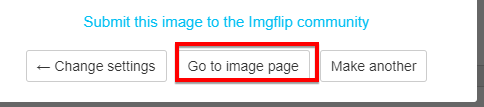
Then you click Goto Image Page

Goto Image Page

And then right click already Save to your device and use it.

Summary

So I showed you how to make a super-fast meme in just a few seconds and you’re done. Hopefully through this guide you can contribute more memes to the online community and bring laughter to everyone. See you in the next post.


The article achieved: 5/5 – (100 votes)

Tags: funnyMeMephotosPhotoshopseconds
Previous Post

Windows File Recovery: Official Microsoft Data Recovery Tool

Next Post

How to change the default Font on Windows 10

AnonyViet

AnonyViet

Related Posts

How are Windows 11 Pro and Windows 10 Pro different?
Tips

How are Windows 11 Pro and Windows 10 Pro different?

October 23, 2026
Instructions for using CleanYourTV: Remove ads on Android TV, Google TV
Tips

Instructions for using CleanYourTV: Remove ads on Android TV, Google TV

October 23, 2026
How to use Messenger without a Facebook account
Tips

How to use Messenger without a Facebook account

October 22, 2026
The website helps you draw beautifully like TikToker Viet My
Tips

The website helps you draw beautifully like TikToker Viet My

October 21, 2026
Instructions on how to hard reset iPhone 18 Pro / iPhone 18 Pro Max
Tips

Instructions on how to hard reset iPhone 18 Pro / iPhone 18 Pro Max

October 21, 2026
Anyone can do how to increase Internet speed using CMD
Tips

Anyone can do how to increase Internet speed using CMD

October 20, 2026
Next Post
How to change the default Font on Windows 10

How to change the default Font on Windows 10

0 0 votes
Article Rating
Subscribe
Login
Notify of
guest

guest

0 Comments
Oldest
Newest Most Voted

Recent News

How are Windows 11 Pro and Windows 10 Pro different?

How are Windows 11 Pro and Windows 10 Pro different?

October 23, 2026
Instructions for using CleanYourTV: Remove ads on Android TV, Google TV

Instructions for using CleanYourTV: Remove ads on Android TV, Google TV

October 23, 2026
Receive copyright for 3 Halloween software worth 0

Receive copyright for 3 Halloween software worth $150

October 23, 2026
How to use Messenger without a Facebook account

How to use Messenger without a Facebook account

October 22, 2026
How are Windows 11 Pro and Windows 10 Pro different?

How are Windows 11 Pro and Windows 10 Pro different?

October 23, 2026
Instructions for using CleanYourTV: Remove ads on Android TV, Google TV

Instructions for using CleanYourTV: Remove ads on Android TV, Google TV

October 23, 2026
Receive copyright for 3 Halloween software worth 0

Receive copyright for 3 Halloween software worth $150

October 23, 2026
AnonyViet - English Version

AnonyViet

AnonyViet is a website share knowledge that you have never learned in school!

We are ready to welcome your comments, as well as your articles sent to AnonyViet.

Follow Us

Contact:

Email: anonyviet.com[@]gmail.com

Main Website: https://anonyviet.com

Recent News

How are Windows 11 Pro and Windows 10 Pro different?

How are Windows 11 Pro and Windows 10 Pro different?

October 23, 2026
Instructions for using CleanYourTV: Remove ads on Android TV, Google TV

Instructions for using CleanYourTV: Remove ads on Android TV, Google TV

October 23, 2026
  • Home
  • Home 2
  • Home 3
  • Home 4
  • Home 5
  • Home 6
  • Next Dest Page
  • Sample Page

say88 tỷ lệ kèo nhà cái kèo nhà cái 5 febet

No Result
View All Result
  • Home
  • News
  • Software
  • Knowledge
  • MMO
  • Tips
  • Security
  • Network
  • Office

say88 tỷ lệ kèo nhà cái kèo nhà cái 5 febet

wpDiscuz
0
0
Would love your thoughts, please comment.x
()
x
| Reply