Overclocking the CPU helps increase the operation of the clock to make the CPU run beyond the manufacturer’s actual capacity, just like you build a car. Overclocking requires technique, but if you are not familiar, you can use one of the 5 popular overclocking software below.
| Join the channel Telegram of the AnonyViet 👉 Link 👈 |

5 best CPU overclocking software
first. MSI Afterburner

MSI Afterburner is free software that allows you to overclock both CPU and GPU. This software also shows you detailed information about your hardware, MSI Afterburner allows you to control your computer’s fan speed, benchmark and record video.
Furthermore, MSI Afterburner comes with a custom user interface, multi-language support, and Furmark-based software to unleash the full potential of your graphics card and boost your gaming performance.
Outstanding Main Features
- Free to use
- Works with Intel CPUs
- It can also be used to overclock the GPU
2. Intel Extreme Tuning Utility (Intel XTU)
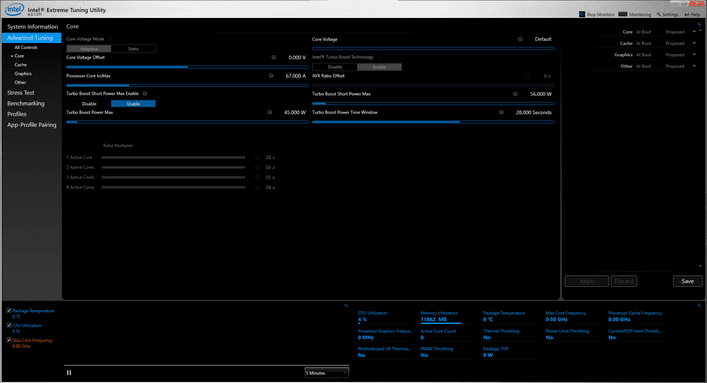
This is Intel’s Windows-based CPU overclocking software, mainly for Intel CPUs. Intel XTU allows you to overclock, monitor and stress test your PC, with some other special features for Intel CPUs and Intel motherboards.
Furthermore, Intel XTU also gives you metrics like CPU usage and temperature, which can be used to monitor overclocking and see if it’s causing any performance issues.
In the case of a bad CPU overclock, your computer may hang and eventually shut down. To fix this, all you have to do is restart your computer, open the Intel XTU app, and reset your overclock settings back to normal.
It’s a pretty advanced piece of software that’s why you shouldn’t use it if you haven’t overclocked your CPU before. However, if you have experience with CPU overclocking, Intel XTU is one of the best CPU overclocking apps out there.
Outstanding Main Features
- Free to use
- Works with Intel CPUs
- User-friendly interface
- Easy to use for beginners and professionals alike
3. EVGA Precision X
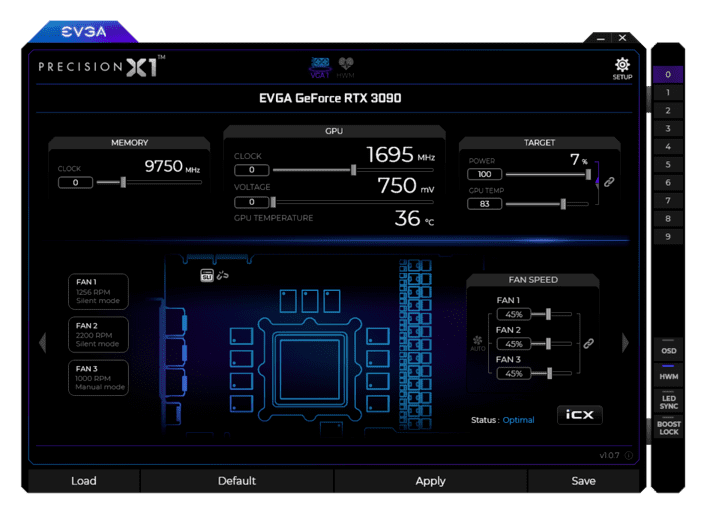
EVGA Precision X is another great and free software for gamers who want to take their gaming laptop or PC to the next level. The EVGA Precision X comes with up to 10 customizable user profiles and allows you to overclock your Intel CPU with ease.
However, if you want to use it to overclock your GPU, it only works with Nvidia graphics cards, unlike MSI Afterburner which also works with AMD GPUs.
The EVGA Precision X comes with many useful settings. You can automatically set independent CPU voltages for maximum control over your processor, one-click overclock with linear mode, and find the optimal voltage level for your graphics card with this mode. scan rate.
Main salient features
- Free to use
- Works with Intel CPUs
- Also useful for GPU overclocking
4. AMD Ryzen Master
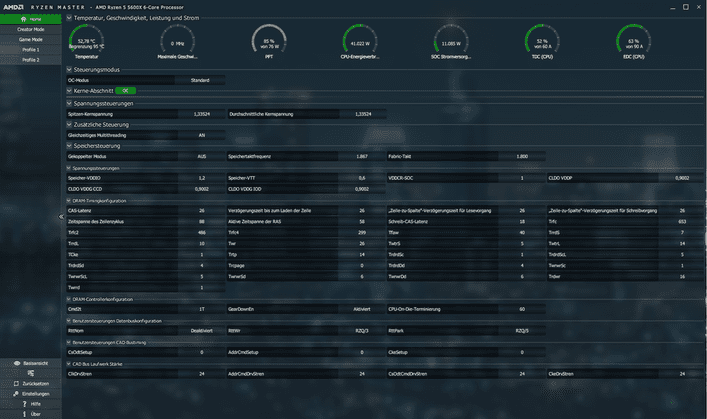
With a comprehensive approach to overclocking, AMD Ryzen Master is arguably one of the best CPU overclocking software available today.
Along with CPU overclocking, AMD Ryzen Master comes with pre-tuned settings to overclock your RAM and memory to boost DDR3 RAM performance.
AMD Ryzen Master is specially made for AMD CPUs, so you should use this software if you are using Ryzen CPUs.
However, since Ryzen and the latest AMD processors already have pretty good performance, you may not need to overclock them.
Outstanding Main Features
- Free to use
- AMD CPU Support
- Can also be used to overclock RAM
5. CPU Tweaker
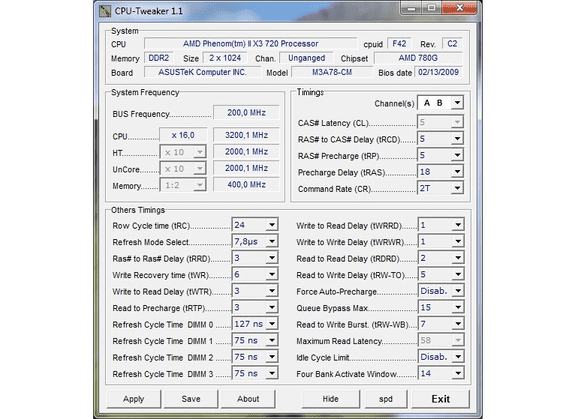
CPU Tweaker is a lightweight yet powerful CPU tuning utility that allows you to overclock your CPU to increase your computer’s processing performance.
With advanced control features, you’ll get the best possible overclocking performance without frequent crashes and blue screens.
One drawback of CPU Tweaker is that it is a bit difficult to use, as the user interface is not very beginner-friendly. However, if you are an experienced overclocker, you will love this tool.
Outstanding Main Features
- Free to use
- Works with Windows XP, 2003, Vista, 7 and 8
- Light capacity
Frequently asked questions about CPU overclocking
Is CPU overclocking safe?
CPU overclocking is much safer than it was a few years ago when cooling systems weren’t as efficient as they are today.
Is it possible to reverse CPU overclocking?
In most cases, CPU overclocking can be easily reversed. If you have a very powerful processor, you should not overclock it.
Is overclocking CPU dangerous?
Overclocking the CPU is not as dangerous as it used to be. Today’s processors are already much more capable of handling heat as the cooling system has improved over the years. Furthermore, CPU and motherboard manufacturers often pay attention to overclocking, producing hardware specifically suited to overclocking.
Should I overclock?
Today, there are very powerful processors on the market, such as the AMD Ryzen and Apple’s M1 Silicon processors.
With this power, you don’t really need to overclock your CPUs, as they are already powerful and provide incredible performance. This is especially true when we compare today’s processors with CPUs of decades ago.
In short, overclocking the CPU is almost unnecessary at this point. Even modern graphics cards are incredibly powerful and don’t require overclocking. However, if you have an older CPU and GPU, you might want to consider overclocking them to keep up with modern gaming configuration requirements.