• Home
  • News
  • Software
  • Knowledge
  • MMO
  • Tips
  • Security
  • Network
  • Office
AnonyViet - English Version
  • Home
  • News
  • Software
  • Knowledge
  • MMO
  • Tips
  • Security
  • Network
  • Office
No Result
View All Result
  • Home
  • News
  • Software
  • Knowledge
  • MMO
  • Tips
  • Security
  • Network
  • Office
No Result
View All Result
AnonyViet - English Version
No Result
View All Result

Turn Windows 11 Taskbar into MacOS Dock with TaskbarXI

AnonyViet by AnonyViet
January 26, 2023
in Tips
0

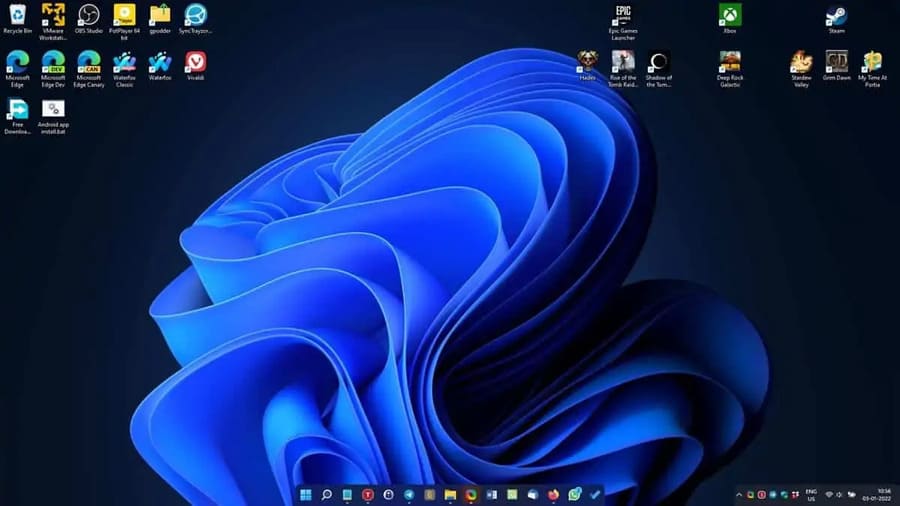
Windows 11’s Taskbar is not very customizable, aside from some visual effects that you can change. There are many alternatives to this problem and third-party software that can help you tailor the Taskbar to your liking and the software I am talking about is TaskbarXI.

Join the channel Telegram of the AnonyViet 👉 Link 👈

Turn Windows 11 Taskbar into MacOS Dock with TaskbarXI

Change the Taskbar on Windows 11 into a MacOS Dock with TaskbarXI

This C++ program aims to inherit TaskbarX (formerly FalconX), from the same developer, but TaskbarXI is still in the early stages of development. It has no interface yet. The project’s website says that GUI under development, as well as options to change the taskbar background style and color.

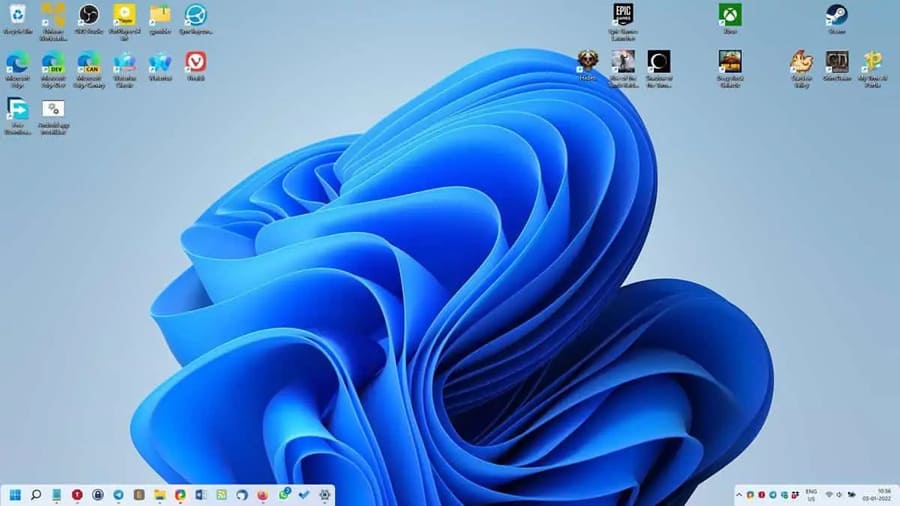
So even at this stage, it still offers some good features. TaskbarXI also has a portable version, which you can download from The project’s GitHub page, run the executable and it’s ready to use. You may not notice a difference if you maximize the window (full-screen), ie the taskbar will look normal. But when you open a minimized window or switch to the desktop, the tool minimizes the taskbar to a dock, with the wallpaper spilling to the edges. The system tray and clock are separated from the taskbar and look like an extra dock.

The edges of the dock are rounded, but there is a jagged effect due to the lack of anti-aliasing in Windows 11. This tool can display the taskbar on multiple monitors, and also supports the system tray. and clock. If you are someone who doesn’t like the taskbar centered, then you can left-align the taskbar by going to Personalization > Taskbar screen.

I think it will look better when centered, because the left align style creates a gap between the taskbar and the system tray, which looks a bit weird. TaskbarXI also supports separate DPI scaling.
Turn Windows 11 Taskbar into MacOS Dock with TaskbarXI 6

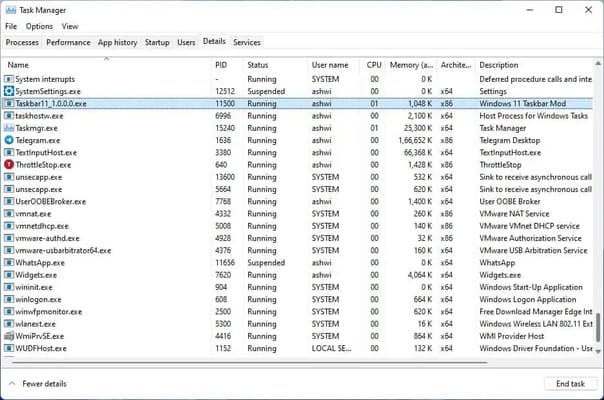
This application works with both dark and light themes in Windows 11. Currently there is no option to make any changes, so you cannot change the size of the taskbar or the transparency, enable the automatic feature. Since there is no GUI, the only way to close the program is to open Taskmanager and kill Taskbar11.exe (name includes version number, e.g. Taskbar11_1.0.0.0.exe) and has the description “Windows 11” Taskbar Mod”.
Turn Windows 11 Taskbar into MacOS Dock with TaskbarXI 7

I encountered a few cases where the taskbar was lost. It happened once when PotPlayer was running in windowed mode, but other cases were random. However, understandably, this is an alpha version anyway, so it may not be stable.

But this is also a good start to the first release, although in my opinion RoundedTB has similar features and a more user-friendly interface. There are other open source options you can choose to customize the Windows 11 Taskbar, including TranslucentTB, ElevenClock, and more.

Note: TaskbarXI is developed by Chris Andriessen, not to be confused with Dustin Hendriks’ Taskbar11.

If you want a nicer Start Menu, with Open Shell, this is also a free and open source tool. There are some paid alternatives that you can choose like Start11 or StartAllBack, I haven’t used these two, so don’t know if they are better than Open Shell.


The article achieved: 5/5 – (100 votes)

Tags: DockMACOSTaskbarTaskbarXIturnWindows
Previous Post

Lesson 73: How to convert units from Kg to Lbs in Excel

Next Post

Lesson 72: How to convert units from centimeters to inches in Excel

AnonyViet

AnonyViet

Related Posts

Cách Đăng ký Nhận Code ChatGPT Business
Tips

Cách Đăng ký Nhận Code ChatGPT Business

November 2, 2026
Instructions for cleaning LG TV with Antigravity to help it run faster
Tips

Instructions for cleaning LG TV with Antigravity to help it run faster

October 30, 2026
Quét lỗ hổng bảo mật cho Vide Coding bằng Security Audit Skill
Tips

Quét lỗ hổng bảo mật cho Vide Coding bằng Security Audit Skill

October 27, 2026
Instructions for registering for OxionAI Pro for 1 year with many powerful AI models
Tips

Instructions for registering for OxionAI Pro for 1 year with many powerful AI models

October 24, 2026
How are Windows 11 Pro and Windows 10 Pro different?
Tips

How are Windows 11 Pro and Windows 10 Pro different?

October 23, 2026
Instructions for using CleanYourTV: Remove ads on Android TV, Google TV
Tips

Instructions for using CleanYourTV: Remove ads on Android TV, Google TV

October 23, 2026
Next Post
Lesson 72: How to convert units from centimeters to inches in Excel

Lesson 72: How to convert units from centimeters to inches in Excel

0 0 votes
Article Rating
Subscribe
Login
Notify of
guest

guest

0 Comments
Oldest
Newest Most Voted

Recent News

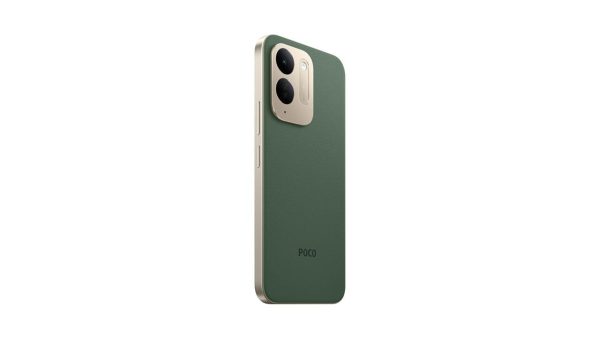
Besides the 7500 mAh battery and 6.9 inch screen, what else does the POCO C95 Pro 4G have to make it a secondary device worth buying?

Besides the 7500 mAh battery and 6.9 inch screen, what else does the POCO C95 Pro 4G have to make it a secondary device worth buying?

November 5, 2026
App fixes printer errors automatically, effective immediately with 1 click

App fixes printer errors automatically, effective immediately with 1 click

November 5, 2026
What to do when your company opening information is stolen?

What to do when your company opening information is stolen?

November 4, 2026
How to get 0 in Docker credits to run AI Agent for free

How to get $250 in Docker credits to run AI Agent for free

November 3, 2026
Besides the 7500 mAh battery and 6.9 inch screen, what else does the POCO C95 Pro 4G have to make it a secondary device worth buying?

Besides the 7500 mAh battery and 6.9 inch screen, what else does the POCO C95 Pro 4G have to make it a secondary device worth buying?

November 5, 2026
App fixes printer errors automatically, effective immediately with 1 click

App fixes printer errors automatically, effective immediately with 1 click

November 5, 2026
What to do when your company opening information is stolen?

What to do when your company opening information is stolen?

November 4, 2026
AnonyViet - English Version

AnonyViet

AnonyViet is a website share knowledge that you have never learned in school!

We are ready to welcome your comments, as well as your articles sent to AnonyViet.

Follow Us

Contact:

Email: anonyviet.com[@]gmail.com

Main Website: https://anonyviet.com

Recent News

Besides the 7500 mAh battery and 6.9 inch screen, what else does the POCO C95 Pro 4G have to make it a secondary device worth buying?

Besides the 7500 mAh battery and 6.9 inch screen, what else does the POCO C95 Pro 4G have to make it a secondary device worth buying?

November 5, 2026
App fixes printer errors automatically, effective immediately with 1 click

App fixes printer errors automatically, effective immediately with 1 click

November 5, 2026
  • Home
  • Home 2
  • Home 3
  • Home 4
  • Home 5
  • Home 6
  • Next Dest Page
  • Sample Page

say88 tỷ lệ kèo nhà cái kèo nhà cái 5 febet

No Result
View All Result
  • Home
  • News
  • Software
  • Knowledge
  • MMO
  • Tips
  • Security
  • Network
  • Office

say88 tỷ lệ kèo nhà cái kèo nhà cái 5 febet

wpDiscuz
0
0
Would love your thoughts, please comment.x
()
x
| Reply