Microsoft’s upcoming Windows 11 operating system has leaked real images. After screenshots were first published on Chinese site Baidu, the entire Windows 11 OS was revealed, complete with a new user interface, Start Menu and more. You can Download Windows 11 Insider Preview build 22000.51 for programmers to test first.
📢 Join the channel Telegram belong to AnonyViet
Update new articles, cool tools and IT tips fastest
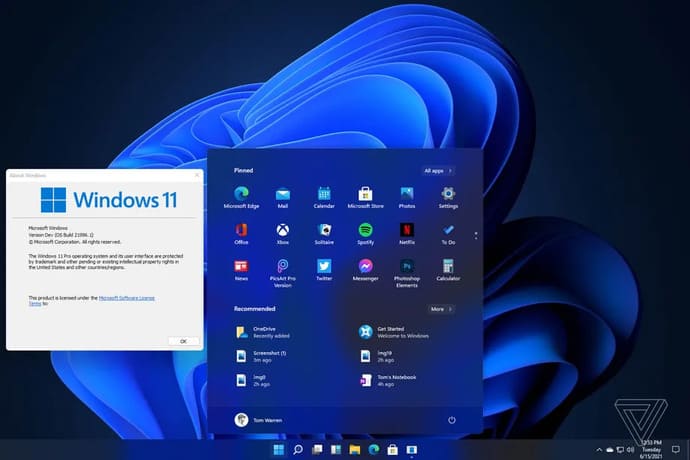
The biggest change in the interface on Windows 11
New Windows 11 user interface and Start Menu very similar to Windows 10X. Microsoft simplified Windows for dual-screen devices, before canceling the project in favor of Windows 11. Visually, the most obvious changes can be seen along the taskbar. Microsoft has centered the app icons, cleaned up the system tray area, and changed the Start Menu button to a new one.
Start Menu updated to a more simplified version, No Live Tiles. Includes pinned apps, recent files, and quick shutdown or restart of Windows 11 devices. This Start Menu is actually a lot simpler than the current Windows 10.
If you don’t want to center the app icons and Start Menu, there is an option to move them all back to the left side. Coupled with Dark Mode, Windows 11 starts to look more like a refined version of Windows 10 than a completely new one. What are you waiting for? Download Windows 11 right now to experience the latest features.
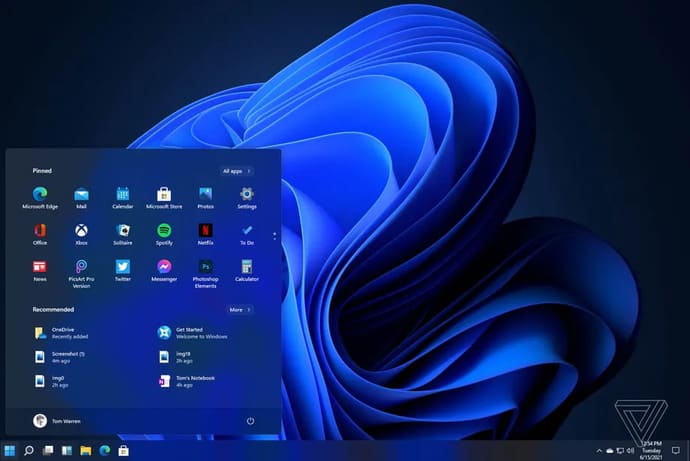
Microsoft is also using these rounded corners in Windows 11. These corners are applied to the context menu, along with other apps and File Explorer. The Start Menu itself also applies rounded corners. This is still an early leaked version of Windows 11, so not everything is included.
I hope to see more changes to the built-in apps in Windows 11, but most of those changes don’t seem to have appeared yet. However, the majority of the operating system is complete, so we expect a beta version of the operating system to be released soon so that Windows insiders can try it out.
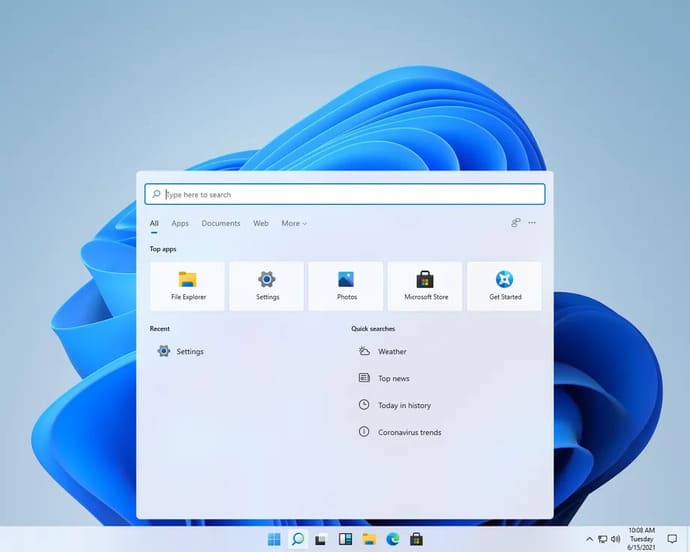
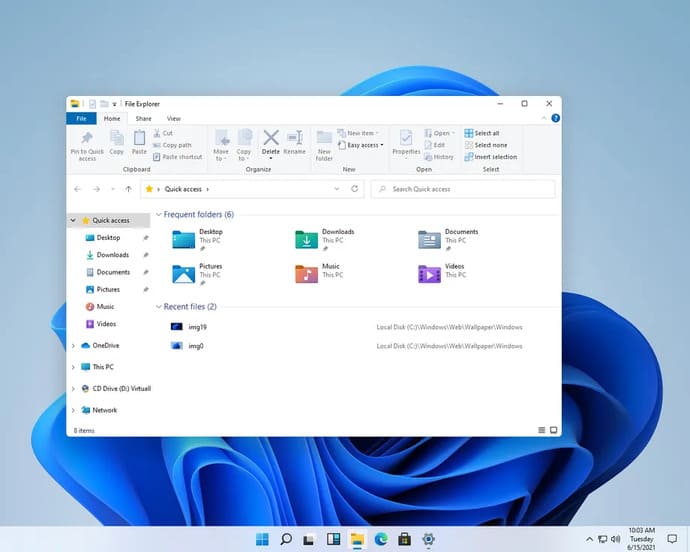
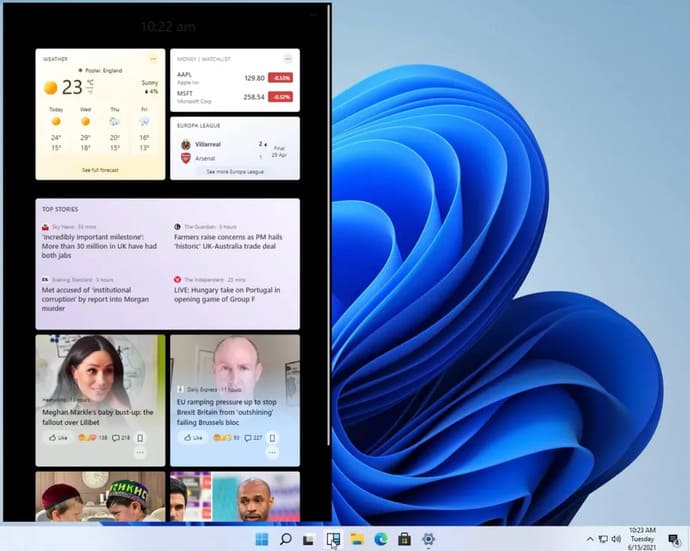
You may have seen a new icon on the Windows 11 taskbar, and it’s called Widgets. Rumors suggest that Microsoft is bringing back Windows Widgets.
Since this is obviously a very early version of Windows 11, widgets cannot yet be displayed off-screen, but they are designed to be placed off the Desktop and provide quick access to news, weather, and other web content.
Even though Microsoft has canceled the Windows 10X operating system, it’s clear that the company is reusing much of the Windows 10X interface. Windows 10X was originally designed for dual-screen devices, before moving to traditional laptops and then being canceled. Windows 10X includes a number of features that refine and simplify Windows 10, and most of those changes are present in this leaked version of Windows 11.
Windows 11 also adds new window split options that you can access from the maximize button on all apps. You can quickly merge windows side by side or arrange them into different parts of the screen.
/cdn.vox-cdn.com/uploads/chorus_asset/file/22660603/win11snap.gif "Windows 11 Download Link and new interface appear 19")
Windows Store has not changed anything
Unfortunately, there doesn’t appear to be any major update to the Windows Store yet. Since this is an early leaked version, it’s possible that Microsoft’s plans haven’t been revealed yet.
The Windows Store interface is largely the same as in current Windows 10, with access to all the same apps available.

Microsoft has been said to be working on a new app store for Windows in recent months, and rumors suggest it will be a big change from the current one. Microsoft CEO Satya Nadella has promised to “unlock greater economic opportunity for developers and creators” with Windows, and that may come in a new store app.
Microsoft may be overhauling the Windows app store to allow developers to post any Windows app, including browsers like Chrome or Firefox. Microsoft is also considering allowing third-party commerce platforms to appear in apps, allowing developers to avoid Microsoft’s fees.
New startup sound on Windows 11
Microsoft has also been very thoughtful when trying to bring new experiences to users. And an integral part of Windows 11 is the new startup sound.
this is the new Windows 11 startup sound pic.twitter.com/UQZNFBtAxa
— Tom Warren (@tomwarren) June 15, 2021
Change Xbox
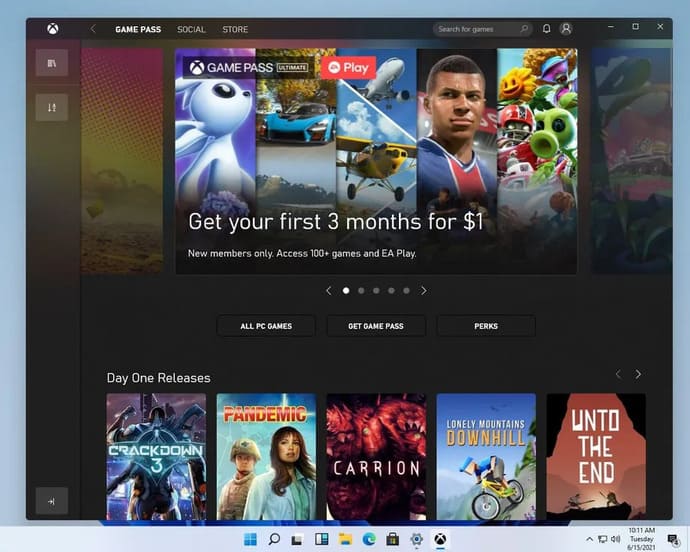
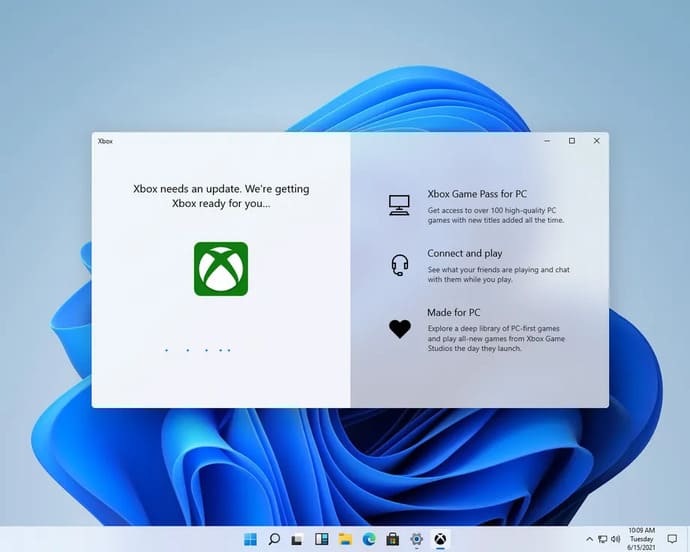
Microsoft is also improving the Xbox experience in Windows 11. The new Xbox app is integrated into Windows 11, providing quick access to Xbox Game Pass games, the Xbox network, and the Xbox store. Xbox Game Bar and Windows Game Mode both remain the same as Windows 10.
Microsoft hinted that it is ready to launch Windows 11. The software giant is held a special Windows event to reveal their next operating system on June 24. The event begins at 11 a.m. ET. Microsoft executives have also been making announcements about the “next generation of Windows” for months and have now confirmed that Windows 11 will be officially revealed later this month. Additionally, you can also learn more about new features and release dates of Windows 11 here.
Link Download Windows 11 Insider Preview
If you have not downloaded Windows 11 yet, you can download it here. This is Windows 11 Insider Preview build 22000.51.
Download Windows 11 Insider Preview build 22000.51 Google Drive
Download Windows 11 Insider Preview build 22000.51 Fshare
After downloading is complete, you Install Windows 11 to experience it
The next generation of Windows is Windows 11 Consumer Edition (including Home Edition / Professional Edition / Professional Workstation / Home Single Language Edition versions).
Features and bugs of Windows 11 build 22000.51
Some features may be removed when upgrading to Windows 11 from Windows 10 or installing updates to Windows 11.
Taskbar:
-
- The taskbar will not be displayed on multiple monitors but will return in an upcoming build.
- The preview window may not display the entire window when hovering over Task View on the Taskbar.
Settings:
-
- When upgrading a device with multiple user accounts to Windows 11, Settings will not launch. Here’s how fix.
- Future releases will address a small number of legacy site settings, corrections, and finalization bugs.
- The ‘power mode’ setting is not visible on the power and battery page.
- When launching the Settings app, a brief green flash may appear.
- When using quick settings to modify accessibility settings, the settings UI may not save the selected state.
Start:
-
- You may not be able to enter text when searching from scratch or on the Taskbar in some cases. If you have problems, press Win + R on your keyboard to launch the RUN dialog box, then close the dialog box.
- Microsoft is fixing an issue that prevents apps from being unpinned in the first place, causes the command bar in the file explorer to disappear, or hides snaps. To fix these errors, restart your PC.
Search:
-
- App icons in the Search panel may not load and instead appear as gray squares.
- When hovering over the search icon on the Taskbar, the third most recent search does not load and remains blank.
- After clicking the Taskbar search icon, the search panel may not open. If this happens, restart the “Windows Explorer” process and reopen the search panel.
- When you hover over the search icon on the Taskbar, recent searches may not be displayed. To fix the problem, restart your device.
- The search panel may appear black and not display any content below the search box.
Widgets:
-
- System text scaling will scale all widgets proportionally and may result in widgets being cut off.
- Launching links from the widget panel may not call the app to the foreground.
- When using a screen reader/narrator in widgets it may not announce the content properly.
- The widget panel may appear blank. To fix the problem, you can sign out and then sign back in.
- When using the Outlook client with Microsoft Account, Calendar, and To-Do, changes may not sync to widgets in real time.
- Widgets may be displayed at the wrong size on external displays. If this is the case, you can first launch the widgets via touch or the WIN+W shortcut on your actual device screen, and then launch on the secondary screens.
- Some widgets may not show up on the panel after quickly adding multiple widgets from widget settings.
Store:
-
- The install button may not work in some limited cases.
- Ratings and reviews are not available for some apps.
Frequently asked questions
What main interface changes does Windows 11 have compared to Windows 10?
Windows 11 has a refreshed interface with a simpler Start Menu, without Live Tiles. Application icons on the taskbar are centered (customizable), and use more rounded corners. In addition, there is a new Widget feature.
Where can I download Windows 11?
The article mentions downloading Insider Preview build 22000.51 for programmers. However, the official version has not been released yet.
Will the Windows Store change significantly in Windows 11?
According to information from the article, the leaked version does not show any major changes to the Windows Store. Microsoft may be planning a bigger update in the future.