

How to buy in-game items without losing money is always what many gamers seek to experience the game more fully. Instead of having to deposit real money, you can completely own genuine equipment with just a few small tricks. This method is extremely useful for jailbroken iOS devices. Let’s explore with AnonyViet in detail how to do it right below.
📢 Join the channel Telegram belong to AnonyViet
Update new articles, cool tools and IT tips fastest
Why do gamers like to buy free items?
In the world of video games, owning powerful items, beautiful costumes or abundant resources is always the desire of every player. However, not everyone has the financial means to continuously recharge cards into the game. Many publishers often set high difficulty barriers to encourage players to spend money.
Therefore, solutions that support bypass or payment simulation have been born. They help users fully experience the game’s features without being limited by money factors, bringing entertainment fairness in a unique way.

Can I buy items without losing money?
In fact, there are many ways to buy in-game items for free, but using tweaks on jailbroken iOS devices is one of the most popular methods. This method works by interfering with the process of sending payment requests from apps to the App Store.
When you click buy an item package, instead of sending real bank card information, a tweak called LocalIAPStore will create a mock receipt. This receipt tricks the game’s system into thinking the transaction was successful, thereby unlocking the item for you immediately. The great thing is that you don’t need to log into your bank account or make any actual transactions.
Instructions on how to buy in-game items for free
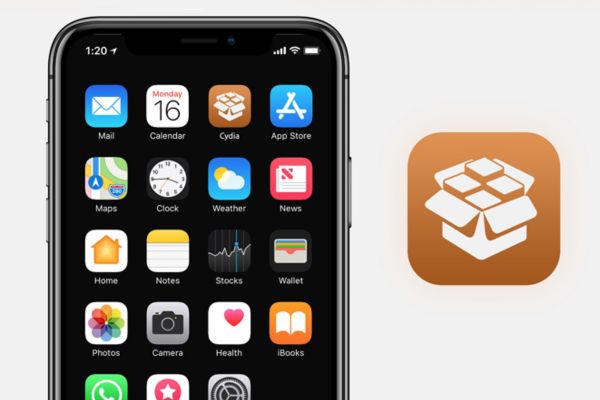
To be able to start unlimited shopping, you need to prepare one iPhone or the iPad has been successfully jailbroken (with Cydia or Sileo pre-installed). The steps are simplified as follows:
Step 1: You open the Cydia (or Sileo) application store on your phone screen and wait a moment for the system to download the data.
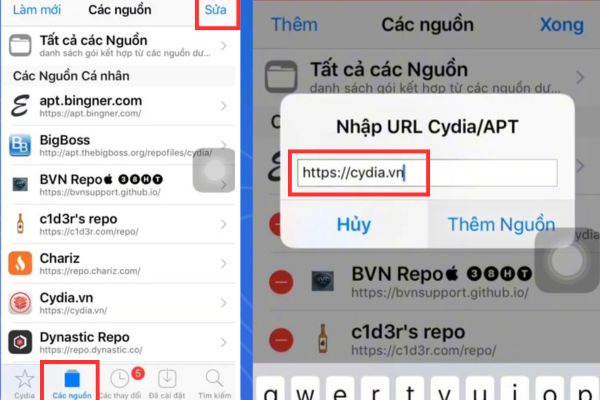
Step 2: Switch tabs Sourcespress the button Fix in the upper right corner of the screen, then select More. You enter the source address https://cydia.vn in the empty box then press Add source. Please wait for the system to validate the URL and update new resource packs.
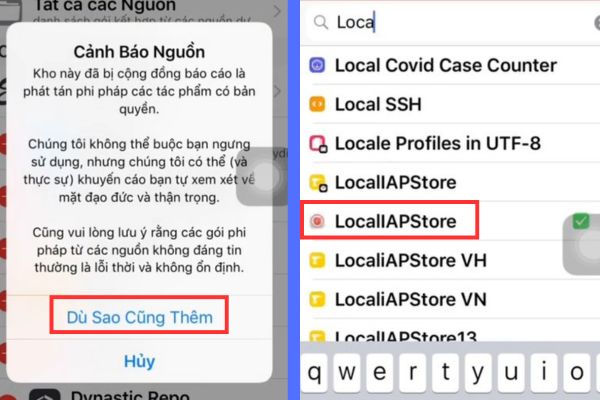
Step 3: Select next Anyway, more. Once the source has been added, you move on to the section Search and type keywords LocalIAPStore. Click on the settings that appear, press Setting and confirm to automatically download.
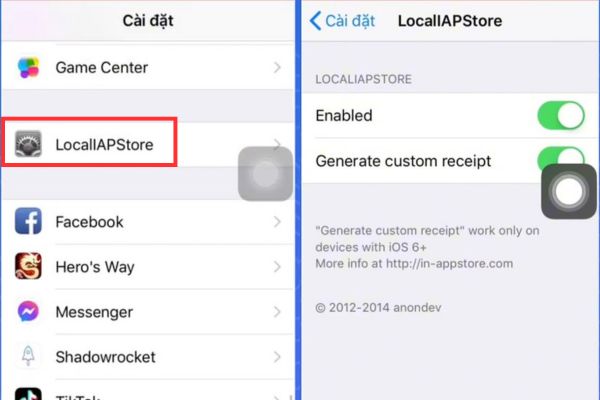
Step 4: Visit Setting device default, scroll down to find the item LocalIAPStore. Here, turn on both options Enabled and Generate custom receipts to blue.
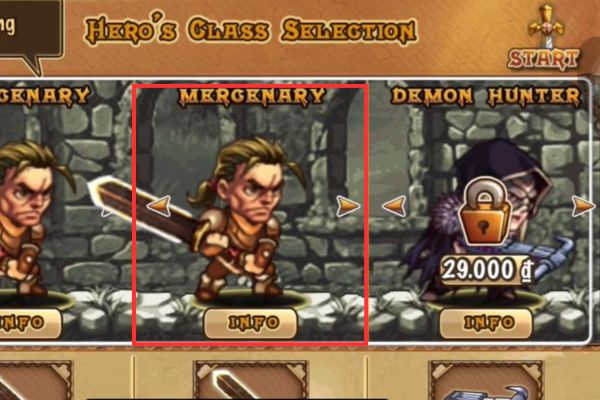
Step 5: Now, you just need to open your favorite offline game (eg Hero’s Way or Monsters War), go to the in-game item store.
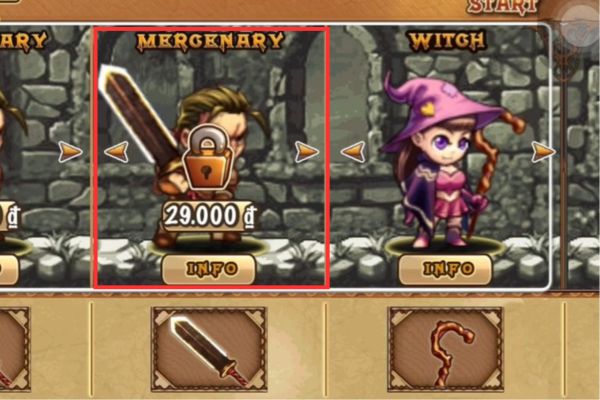
Click on the gold, diamond or character package you want to buy.
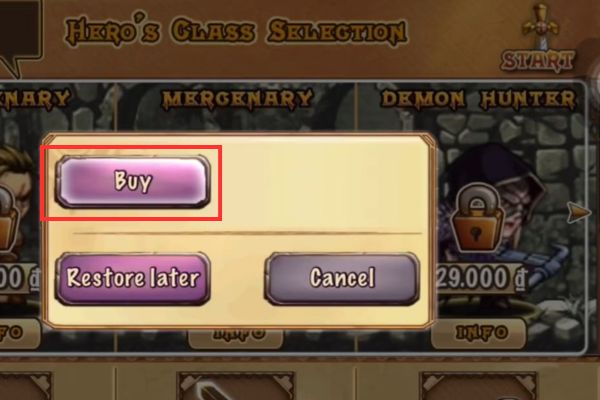
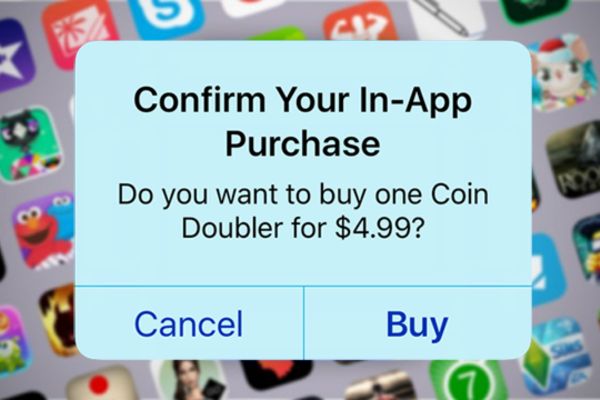
When the App Store payment confirmation pops up asking you to click Buy, tap the button Cancel.
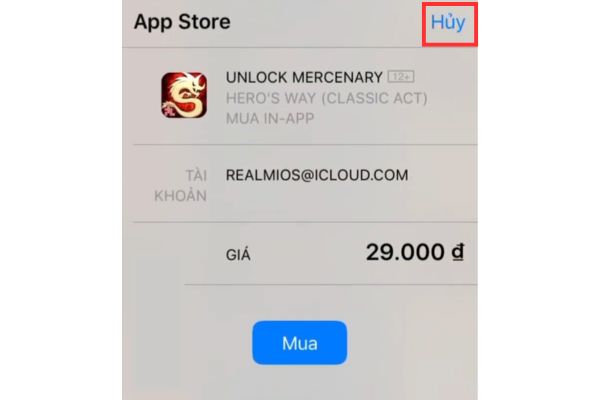
Immediately, you will see the number of that item or character successfully unlocked.
Important notes to avoid errors when implementing
Although this is an extremely convenient way to buy in-game items for free, it doesn’t always work smoothly on every game. There are a few points you need to especially keep in mind to make the experience run as smoothly as possible.
Scope of operation
This tool only works most effectively with games that store data offline (save data directly on your phone). For online games with strictly managed servers, invoice authentication will be performed directly on the publisher’s server, so this tweak will not be able to interfere.
What to do when the system reports an error?
If you click buy and click “Cancel” but the system still reports an error or does not receive the item, it is possible that the current version of the game has been updated with newer security features. A little tip for you is to use another tweak called AppStore++ to downgrade that game version to a lower version, then repeat the purchase steps as usual.
Conclusion
Hopefully with the detailed instructions above, you already know How to buy in-game items without losing money to enjoy your game experience. This trick not only helps save money but also brings more comfortable entertainment moments. Try applying it right on your device and enjoy the results.
Frequently Asked Questions (Q&A)
1. Is this method applicable to non-jailbroken devices?
Unfortunately no. Tweak LocalIAPStore requires permission to deeply intervene in the iOS system to simulate payment receipts, this can only be done after the device has been successfully jailbroken.
2. Will using LocalIAPStore cause my Apple ID account to be locked?
This method is completely safe for your Apple ID account. When the payment table appears, you actively press the Cancel button so there are no fraudulent transactions recorded on Apple’s system.
3. Why did I install successfully but I still can’t click on the game to buy?
There are two main reasons: One is that the game has very high online security features to protect recharge packages. Second, you have not activated the Enabled and Generate custom receipt buttons in the LocalIAPStore settings on your phone.










