Have you ever wanted to convert your handwriting to text? This is quite good for you to save the contents of your notebook to your computer and then review it in Word. Especially for those studying ielts or simply learning English and taking notes, they will always want to scan pages of notes into text for easy printing as a review outline. In this article, I will show you how to convert handwriting to text Windows 10 The simplest and fastest. This method also applies to those who scan paper documents.
📢 Join the channel Telegram belong to AnonyViet
Update new articles, cool tools and IT tips fastest
How to convert handwriting to text in Windows 10
Like many of you, I carry a notebook with me every day and write lots of handwritten notes on almost everything, from work plans to shopping items…
I like to write on paper with a pen and rarely use note-taking apps on my smartphone, digital pen or tablet, and stylus to record my thoughts. I don’t want to lose the ability to write by hand, nor do I fear my hands will become stiff because I haven’t used a pen for too long.
You can write by hand in a notebook, then use software to scan and convert it into text on the computer.
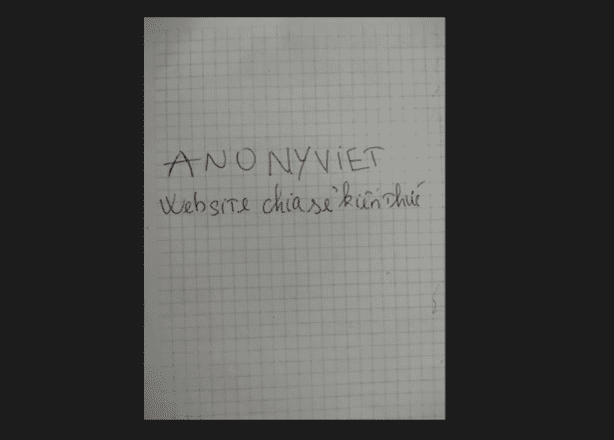
First, you need to take a photo of the writing you want to scan. Then open that photo on Windows 10. You can send it via Mess or Zalo and then open it directly there, it is not necessary to download the photo to your computer and open it.
Here, I have delivered a page of quite simple handwritten notes. My family has bad handwriting for 3 generations so please understand :v.
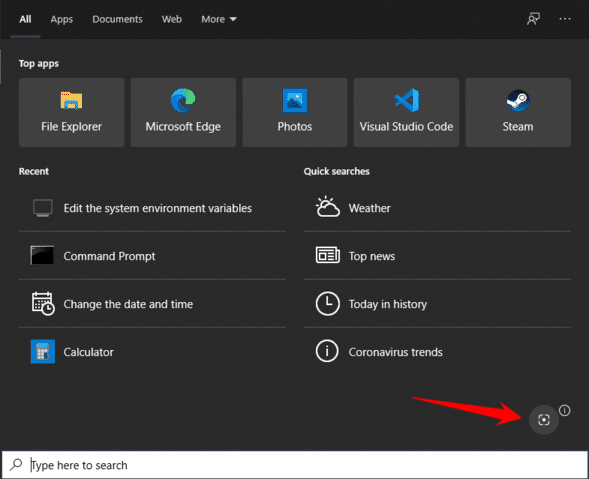
Next, open Windows Search by pressing the shortcut Windows + S. Then click on the photo icon in the bottom right corner.
At this point, Windows will open a photography interface similar to when taking a screenshot with a key Shift + Windows + S for you guys. You scan the area you want to convert handwriting to a document. Be sure to scan clearly.
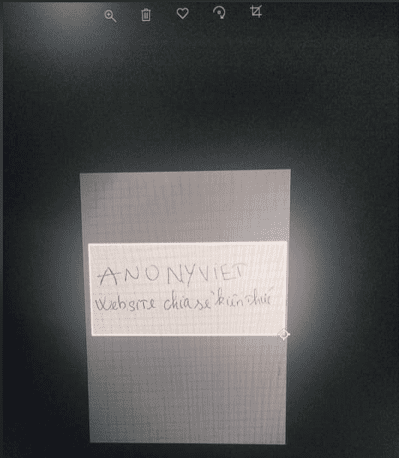
After scanning, wait a bit for Bing to process the data. After processing, Bing will open a web page with similar images, but what you need to pay attention to is the text in the section. Text.
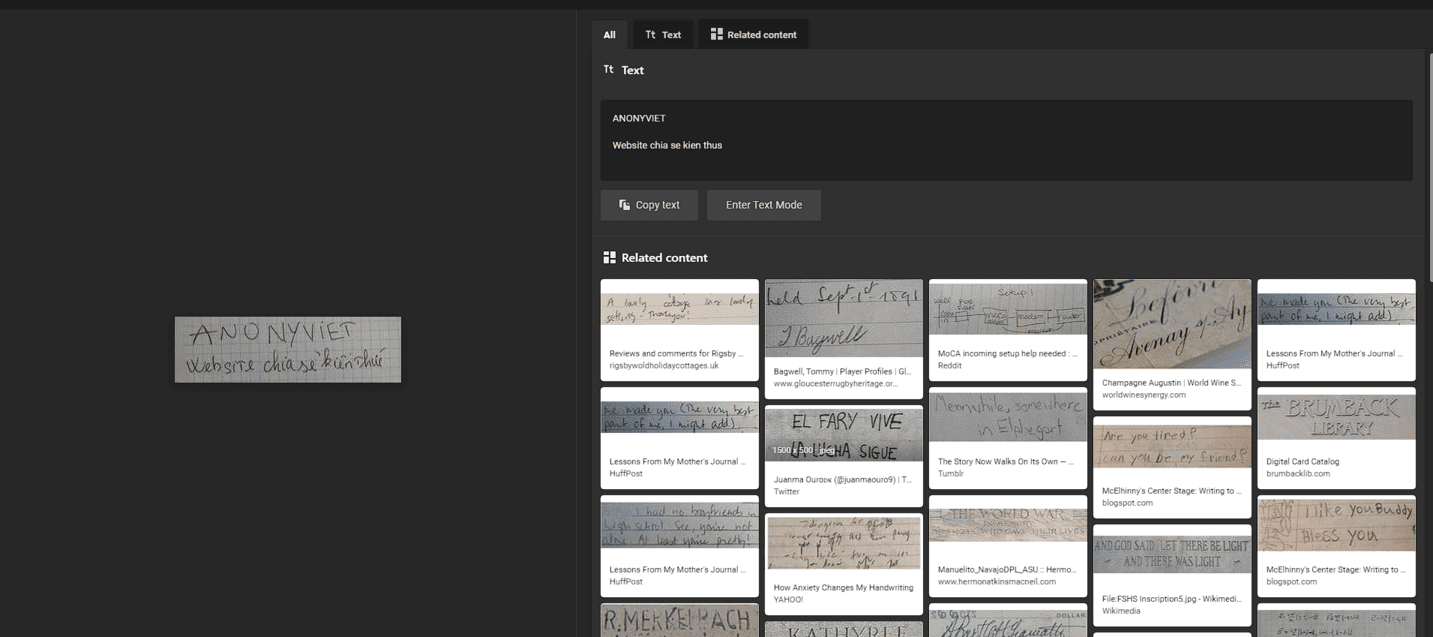
So that’s it. Very simple and quick, right? However, the disadvantage of this method is that it cannot convert images into Vietnamese words, which is a bit sad but temporarily acceptable. If you know any other way, please comment. I use it Vflat On Android, it can be used.
Handwriting to text recognition application
Nowadays, you often use Samsung Note or Ipad or tablet to take notes by writing on them for convenience, but that is digital handwriting. If you want to convert handwriting on your iPad or tablet into text, you can use a number of premium and paid applications. I introduce some of the best handwriting recognition applications today:
Google Keep/Google Doc
You can use it Google Keep
If you have the app on your phone, log in with your Google account and use the feature camera to take a photo of your notes.


Google Handwriting Input

Google Handwriting Input is an app that reads your handwriting, so you can write directly on your screen instead of using the keyboard. It adds an additional keyboard option to your device, which you can use in any app where you need to type.
Google Handwriting Input can recognize emojis using drawings and it’s quite impressive. You can write haphazardly, the application will still process exactly what you wrote. Your handwriting will quickly be converted into a font on your phone or computer for later editing using the keyboard.
Frequently asked questions
How can I convert Vietnamese handwriting to text on Windows 10?
Currently, the method of using Windows Search and Bing in the article only supports converting English handwriting to text. There is no full support for Vietnamese yet.
Is there any application that supports converting Vietnamese handwriting to text on the phone?
The article mentions some applications such as Google Keep/Google Docs, which can partially support, but the Vietnamese conversion efficiency may not be perfect. Need to check the Vietnamese language support ability of each specific application.
If my handwriting is difficult to read, will the conversion be successful?
The accuracy of the conversion depends on the quality of the handwriting. Clear, easy-to-read writing will give better results. For hard-to-read writing, the possibility of successful conversion is lower and it is necessary to use applications with better recognition capabilities.