Extension reminds you to drink water is a compact but extremely useful tool for those who often have to work continuously in the web environment. In fact, focusing on the computer screen makes us easily forget to drink water or get up to exercise, leading to back fatigue and fatigue. Integrating a reminder tool right in the browser will help maintain healthy habits in the most natural and effective way.
📢 Join the channel Telegram belong to AnonyViet
Update new articles, cool tools and IT tips fastest
Health concerns of people working on computers
In the digital age, sitting for hours in front of a computer screen has become a difficult habit for office workers, programmers or students. Intense concentration often causes the body to fall into a “freeze” state, forgetting basic needs such as drinking water or light exercise.
As a result, dry eyes, neck and shoulder pain and lack of water occur regularly, directly affecting long-term work productivity. Therefore, finding a technological solution to overcome this problem is extremely urgent.

How to install and use the extension to remind you to drink water
To solve the problem of “remembering and forgetting yourself”, an extension on Chrome was born with the goal of helping users balance work and health. Setting up this tool is very simple, anyone can do it quickly right in their browser.
Step 1: Visit the official link on Chrome Web Store below to download and install extension Health reminder.
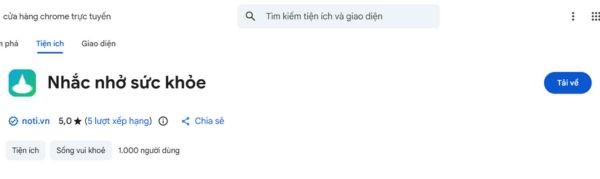
Step 2: After opening the utility interface, users can easily operate through the icons:
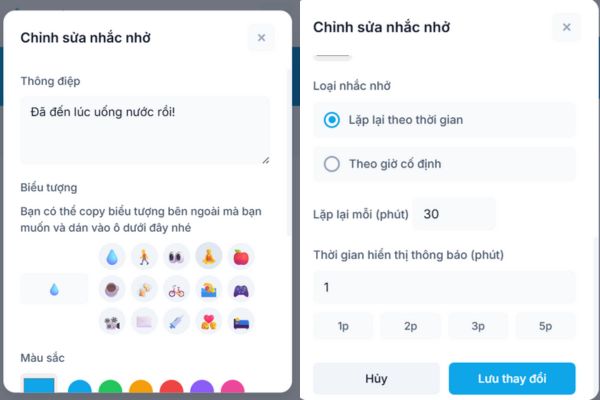
- Click on the icon pen to edit the reminder content, change the message name, choose a vivid icon and favorite color.
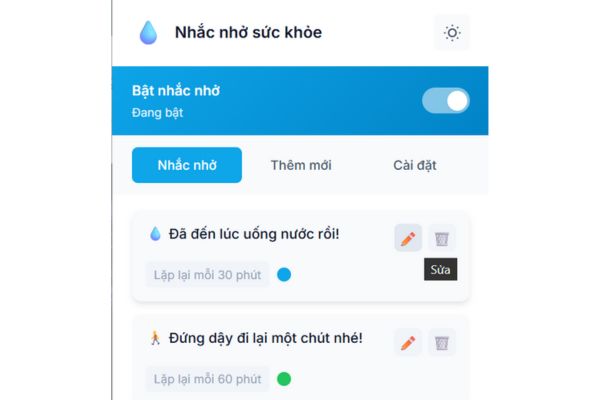
The utility allows you to create separate reminders to suit your personal needs such as “Get up and walk”, “Stretch and relax” or “Take your medicine on time”.

Besides, the extension’s interface is also very focused when it supports switching between light and dark modes (Dark mode/Light mode). This helps protect the eyes and creates comfort when working in different lighting conditions.
- Click on the icon trash can to delete reminders that are no longer needed.
Step 3: After selecting the repeat mode or fixed time frame, as well as the notification display time, the user just needs to press the button “Save changes“. The system will automatically remember and start running according to the installed schedule.
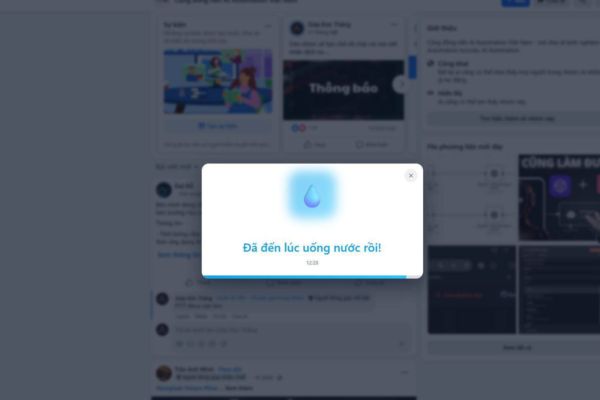
Smart time setting mechanism
The timer feature of this utility meets a variety of practical usage situations:
- Repeat cyclically: Users can choose how many minutes the notification repeats (e.g. reminder to drink water every 30 minutes).
- Fixed time frame: Set up reminders for specific times of the day (e.g. lunchtime, break time).
- Display time: You can customize the time notifications stay on the screen (in minutes) to ensure users see them promptly but without causing inconvenience.
Conclusion
Don’t let work take away your precious health, let technology help you maintain your best health. Hope extension to remind you to drink water This will be a reliable companion, helping you stay full of energy and reduce common office diseases.