• Home
  • News
  • Software
  • Knowledge
  • MMO
  • Tips
  • Security
  • Network
  • Office
AnonyViet - English Version
  • Home
  • News
  • Software
  • Knowledge
  • MMO
  • Tips
  • Security
  • Network
  • Office
No Result
View All Result
  • Home
  • News
  • Software
  • Knowledge
  • MMO
  • Tips
  • Security
  • Network
  • Office
No Result
View All Result
AnonyViet - English Version
No Result
View All Result

5 AI tools to make AI model videos – Create beautiful AI Tiktok female characters

AnonyViet by AnonyViet
February 1, 2026
in Tips
0

AI tool to make short videos Not only does it save time but also opens up countless unique ideas. From creating dance animations to changing faces, everything is easier than ever. Here is a list of apps you need to know to stay ahead of the curve.

Join the channel Telegram belong to AnonyViet 👉 Link 👈

Top 5 AI tools to make short videos you need to know

Producing video content today requires speed and constant novelty. The emergence of artificial intelligence has solved this difficult problem for creators. Use correctly AI tools Making short videos not only helps the video become more professional but also creates visual effects that are difficult to achieve with traditional software.

Below are details about 5 outstanding AI applications that will completely change your video making mindset.

1. Autovis – Catch dance trends automatically

This is a great solution for those who want to create dance videos but don’t have actual dancing ability. Autovis Allows you to seamlessly superimpose dance patterns onto characters in still photos or videos.

Step 1: Upload an original image or video of the character that needs to be animated.

Step 2: Choose a dance template available in the application library.

Step 3: Wait for AI to process and match movements to create a complete dance video.
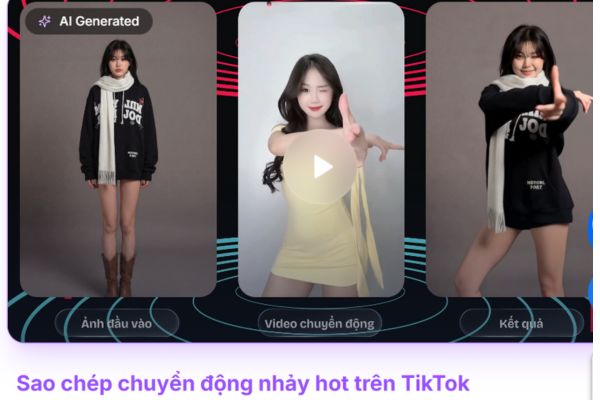
Autovis - Catch dance trends automatically
Autovis – Catch dance trends automatically

2. Kling AI – Flexible character replacement

Kling AI Stands out with the ability to change your appearance or transform into different characters right in the video. This tool is extremely useful for storytelling or parody videos.

Step 1: Record original videos with desired expressions and actions.

Step 2: Select the target character (for example: Avatar character, famous person) for AI to perform face swap.

Step 3: Export video with changed face and charisma but still retain the original motion.
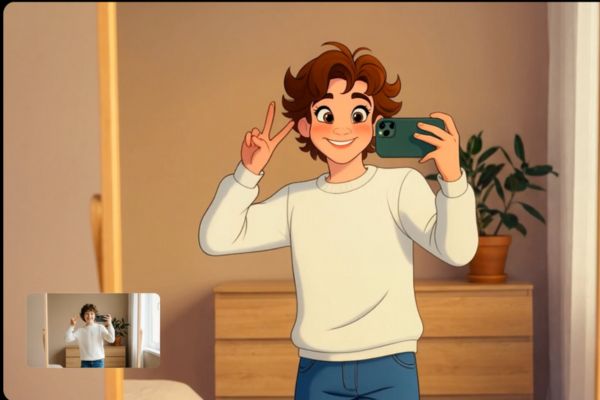
Kling AI - Flexible character replacement
Kling AI – Flexible character replacement

3. Higgsfield – Create professional virtual models

For fashion shops or lookbook videos, Higgsfield is an indispensable short video making AI tool. It helps create virtual models with natural movements without hiring real models.

Step 1: Provide a picture of the outfit or describe the desired style.

Step 2: Set up the scene and gait for the virtual model.

Step 3: AI will create lifelike videos of models performing outfits.
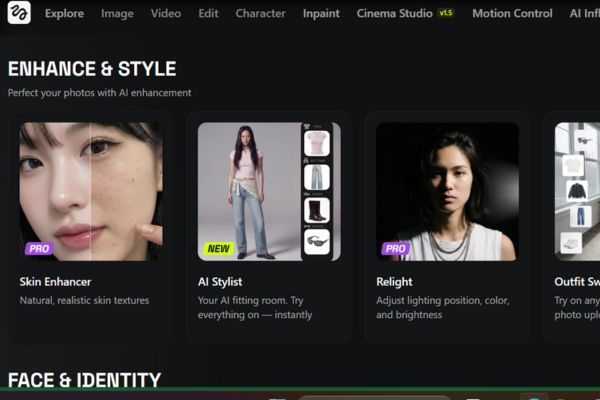
5 AI tools to make short videos

4. Google Nano Banana – Change the style

This is a powerful tool to change the “vibe” of your video in just a snap. From costumes to backgrounds, Google Nano Banana can transform realistic images into different artistic styles.

Step 1: Import the original image to be edited into the system.

Step 2: Enter a command (prompt) that describes the new style (for example, turn the suit into a cartoon style or change the color).

Step 3: Get results in a completely new style.
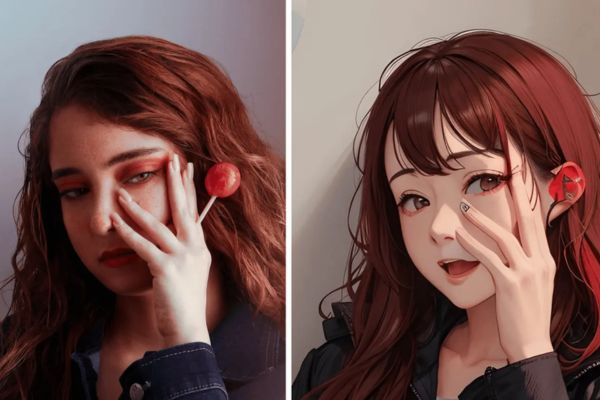
Google Nano Banana - Change the style
Google Nano Banana – Change the style

5. Remin – Create mind maps from audio

Different from the above entertainment tools, Remin Focus on educational content and knowledge sharing. It helps summarize video content into a visual mind map (Mindmap).

Step 1: Import audio or video files of lectures and training sessions.

Step 2: AI analyzes speech and extracts important key ideas.

Step 3: The system automatically draws a mind map summarizing the entire content to insert into the video.
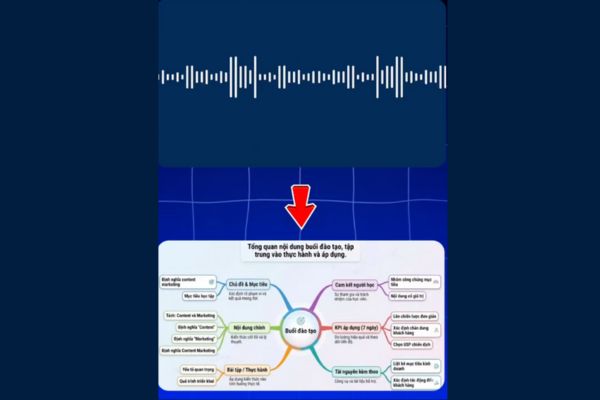
Remin - Create mind maps from audio
Remin – Create mind maps from audio

Conclusion

Hope the list AI tool to make short videos The above will bring a new breeze to your channel. Creativity combined with modern technology will certainly create explosive products. Wish you success!


Tags: beautifulcharacterscreatefemalemodelTikToktoolsvideos
Previous Post

How to make a Tet calendar with your own photo: Unique, strange and completely free

Next Post

Instructions for installing OpenClaw – AI Personal Assistant on your computer

AnonyViet

AnonyViet

Related Posts

How to change the default font on Windows 10
Tips

How to change the default font on Windows 10

April 13, 2026
5 tips for using a Browser to replace an App (helps save RAM, time and money)
Tips

5 tips for using a Browser to replace an App (helps save RAM, time and money)

April 13, 2026
How to make funny MeMe photos without Photoshop within 10 seconds
Tips

How to make funny MeMe photos without Photoshop within 10 seconds

April 11, 2026
How to quickly design your own Logo without Photoshop
Tips

How to quickly design your own Logo without Photoshop

April 10, 2026
How to convert Website into App on Windows
Tips

How to convert Website into App on Windows

April 9, 2026
Instructions for getting 3 months of Adobe Express Pro for free
Tips

Instructions for getting 3 months of Adobe Express Pro for free

April 9, 2026
Next Post
Instructions for installing OpenClaw – AI Personal Assistant on your computer

Instructions for installing OpenClaw - AI Personal Assistant on your computer

0 0 votes
Article Rating
Subscribe
Login
Notify of
guest

guest

0 Comments
Oldest
Newest Most Voted
Inline Feedbacks
View all comments

Recent News

How to add Watermark to Google Docs to protect copyright

How to add Watermark to Google Docs to protect copyright

April 19, 2026
How to intercept traffic using Burp Suite to analyze HTTP/HTTPS

How to intercept traffic using Burp Suite to analyze HTTP/HTTPS

April 18, 2026
How to avoid Adblock detection on Youtube with 4 good tips

How to avoid Adblock detection on Youtube with 4 good tips

April 17, 2026
How to transfer ChatGPT data to Claude is extremely simple

How to transfer ChatGPT data to Claude is extremely simple

April 16, 2026
How to add Watermark to Google Docs to protect copyright

How to add Watermark to Google Docs to protect copyright

April 19, 2026
How to intercept traffic using Burp Suite to analyze HTTP/HTTPS

How to intercept traffic using Burp Suite to analyze HTTP/HTTPS

April 18, 2026
How to avoid Adblock detection on Youtube with 4 good tips

How to avoid Adblock detection on Youtube with 4 good tips

April 17, 2026
AnonyViet - English Version

AnonyViet

AnonyViet is a website share knowledge that you have never learned in school!

We are ready to welcome your comments, as well as your articles sent to AnonyViet.

Follow Us

Contact:

Email: anonyviet.com[@]gmail.com

Main Website: https://anonyviet.com

Recent News

How to add Watermark to Google Docs to protect copyright

How to add Watermark to Google Docs to protect copyright

April 19, 2026
How to intercept traffic using Burp Suite to analyze HTTP/HTTPS

How to intercept traffic using Burp Suite to analyze HTTP/HTTPS

April 18, 2026
No Result
View All Result
  • Home
  • News
  • Software
  • Knowledge
  • MMO
  • Tips
  • Security
  • Network
  • Office

wpDiscuz
0
0
Would love your thoughts, please comment.x
()
x
| Reply