Log in Facebook with passkey without a password Now has become a reality with a breakthrough PassKey technology. Have you ever felt tired when you have to remember complicated passwords or worry about the risk of account theft? Passkey is the comprehensive solution, bringing the login experience that is both absolutely safe and unexpected.
| Join the channel Telegram belong to Anonyviet 👉 Link 👈 |
What is passkey? Why is it the future of security?
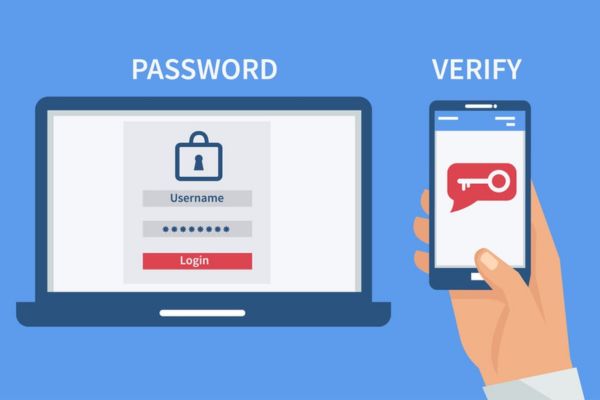
Imagine Passkey As a unique digital key, unable to copy and be associated with yourself. Instead of typing a string of characters, you only need to use the biometric method available on your device such as fingerprints, face ID, or PIN to prove your identity.
This mechanism is not only convenient but also much safer. Passwords may be exposed in data leaks or stolen through scam websites, but passkey is not. Your key code is safely stored right on the device and is never sent online, making hackers nothing to steal.
Facebook login guide without password
To start a new security journey, you only need to perform a few simple steps:
Step 1: Application guarantee Facebook Yours have been updated to the latest version App Store or Google Play.
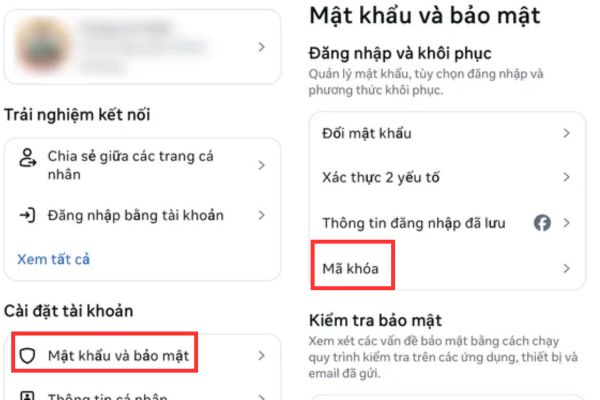
Step 2: Open the application and navigate to the item Menuthen choose Install & Privacy → Setting.
Step 3: Access to the account center, select next Password and security.
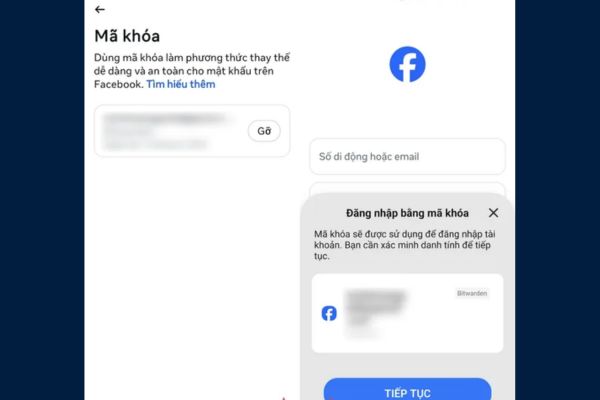
Step 4: Find and click on the item Lock code.
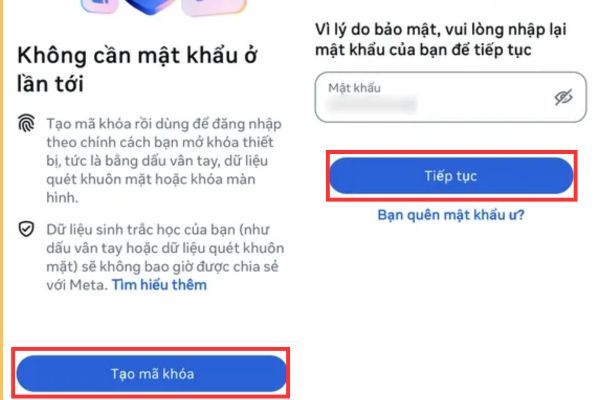
Step 5: Select Create lock codeyou will be asked to re -enter the current Facebook password to confirm.
Step 6: Follow the instructions on the screen for your device to create and save the lock with fingerprint or face.
Small note: If you are using password management applications like Bitwarden, you can also choose to save the passkey into it for more focus.
How does the Passkey storage and synchronization mechanism work?
The convenience of Passkey lies in the ability to synchronize smart through large ecosystems. Once created, your lock code will be stored and protected by:
- iCloud Keychain If you use Apple devices (iPhone, iPad, Macbook).
- Google password manager (Google Password Manager) If you use Android devices.
This means that you just need to log in to your Apple ID or Google account on a new device, Passkey will automatically be available for you to use. You can log in anywhere without remembering the password, as long as you have access to your Google or iCloud account.
A few important notes you need to know
- Currently, Facebook is deploying this feature gradually on mobile applications and not widely supported on computer browsers.
- In the unfortunate case of losing the device has saved the passkey, you do not need to worry too much. You just need Log in Google/iCloud account On the new device and perform verification steps to reset.
- In the near future, Meta will continue to expand this technology for even Messenger and Meta Paycreating a synchronous and convenient security ecosystem.
Conclusion
The conversion to Passkey is not only a security upgrade but also a step forward in convenience, helping you completely escape the nuisance of the password. Proactively protect your account against increasingly sophisticated cybersecurity threats. Activate this feature today to experience how Log in Facebook with passkey without a password The safest and most modern.