In the age of rapidly developing technology, personal financial management is no longer a difficult problem. With the arrival of Rolly – AI Money Tracker, users can easily track and manage spending effectively and conveniently. This is a financial virtual assistant application that is attracting attention thanks to its outstanding features and interesting feedback. Let's explore with AnonyViet how to download, install and use this application!
| Join the channel Telegram belong to AnonyViet 👉 Link 👈 |
What is Rolly – AI Money Tracker?
Rolly is a smart financial management application that helps users track and control daily spending easily. You just need to enter the transactions into the message box, and Rolly will automatically add or subtract the amount to your account. The special feature of the application is that it not only helps you record your spending but also gives reasonable advice depending on the user's emotional state, from happy, sad to angry.
With Rolly, financial management will become more interesting and easier than ever, instead of having to take notes by hand like before. Each transaction entered will have relevant and motivating feedback, giving you more motivation to take control of your finances.

See more: PC emulation on iOS is easy with UTM SE
How to download Rolly financial virtual assistant application
For iPhones
For those who use iPhone, you can download Rolly – AI Money Tracker easily and for free from the App Store. Just search for the app name or click HERE for quick download.
The application has a capacity of about 50MB, is very light and does not take up much phone memory.

For Android
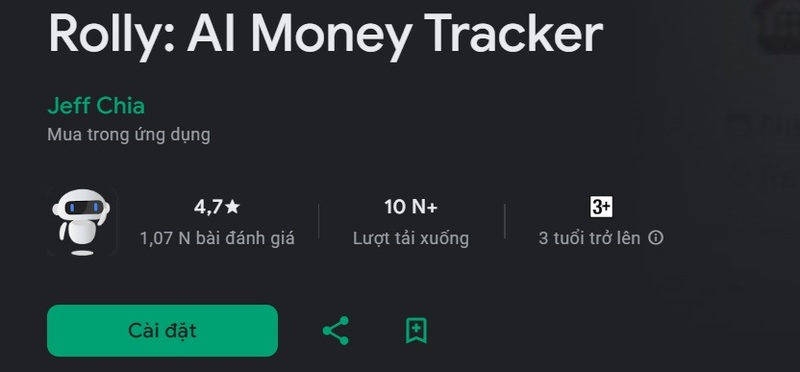
If you use an Android phone, such as Samsung phones, you can also download the Rolly app from the Google Play Store. Or click THIS LINK for quick download.
Instructions for using financial virtual assistant Rolly
Step 1: Account settings
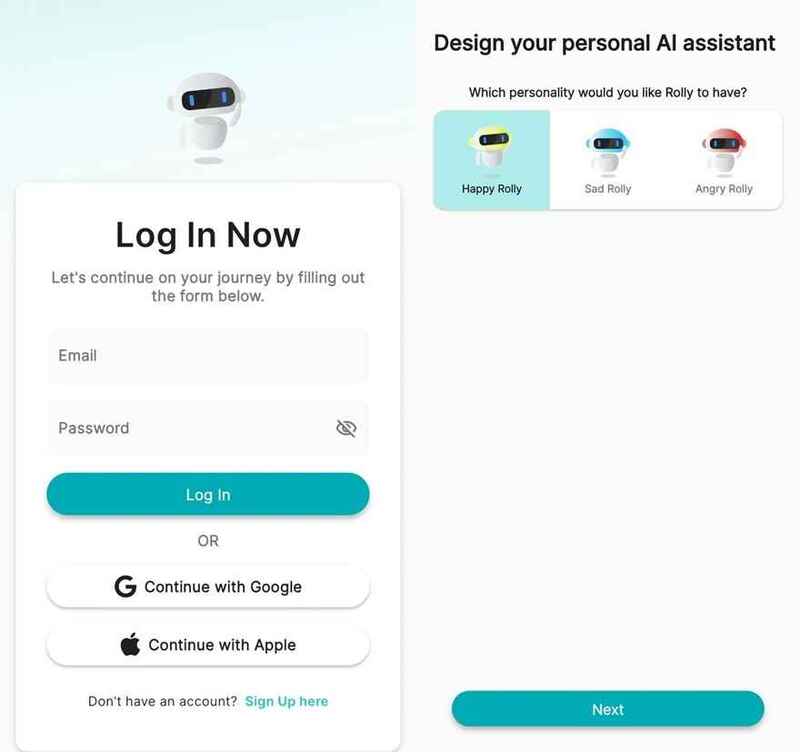
After downloading the application, the next step is to log in to Rolly. You can use your Google or Apple account to create an account quickly and easily.
Step 2: Set status
One of Rolly's unique features is the ability to change the virtual assistant's emotional state. You can choose Rolly's status through three colors that represent different emotions:
- Yellow: Happy state
- Blue: Sad state
- Red: Angry state
Changing the status will make Rolly interact with you in an interesting way, bringing a closer feeling in personal financial management.
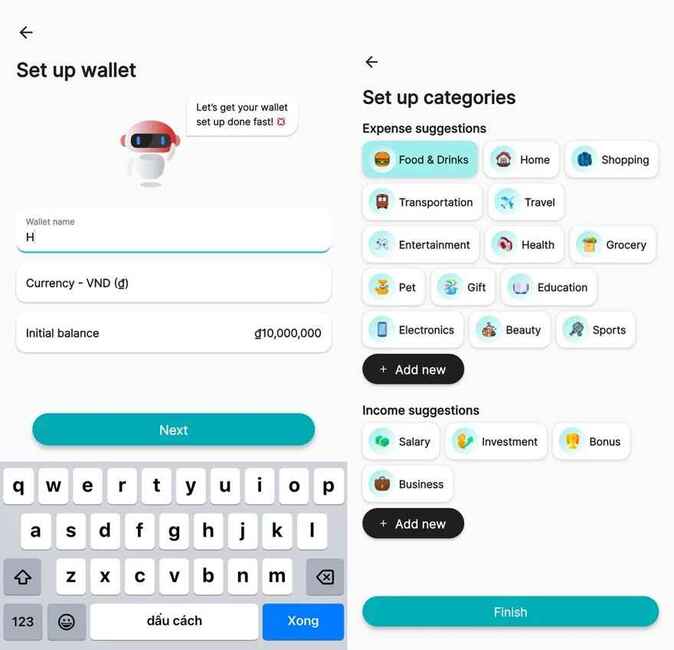
Step 3: You will proceed to set up your wallet. Specifically, you need:
- Name your wallet (Example: “December Spending Wallet”)
- Choose the appropriate currency (VND, USD,…)
- Enter the amount of money currently in the wallet.
Next, you'll establish your main spending needs such as food, entertainment, savings, investments, and sources of income. Once completed, you just need to press Finish to complete the setup process.
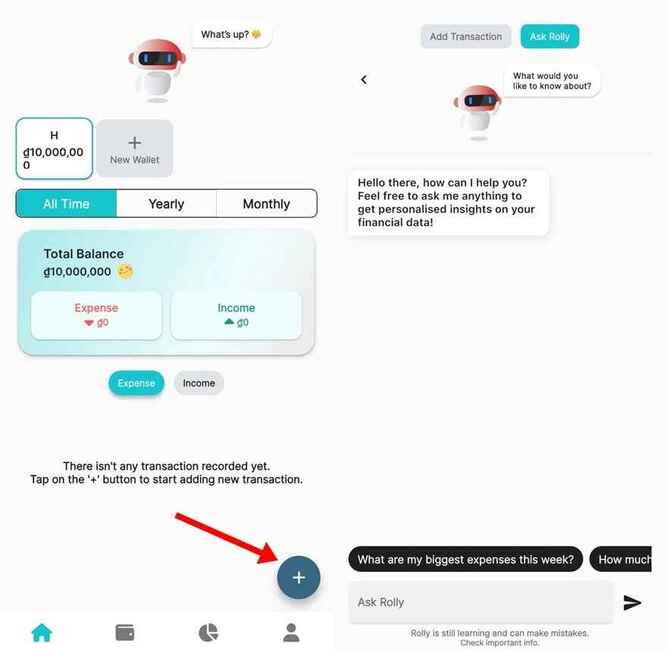
Step 4: Once you've completed setup, you'll be taken to Rolly's main interface, which displays your wallet's transaction history. To add a transaction, simply click on the “+” in the bottom right corner of the screen and select one of two options: Add Transaction (Add transaction) or Ask Rolly (Chat with Rolly).
Step 5: Add new transaction
To add a transaction, you just need to enter the information with the simple syntax: “Action + amount + transaction date“. For example, if you buy lipstick worth 2 million VND on November 24, 2024, just enter: “buy lipstick 2000000 on November 24, 2024”. Rolly will automatically deduct 2 million VND from the wallet and record this transaction.
The special thing about Rolly is that each transaction has interesting feedback from the virtual assistant, helping you feel more comfortable in the financial management process. If Rolly is angry, he may criticize you like a mother would her child for spending too much or buying unnecessary things.
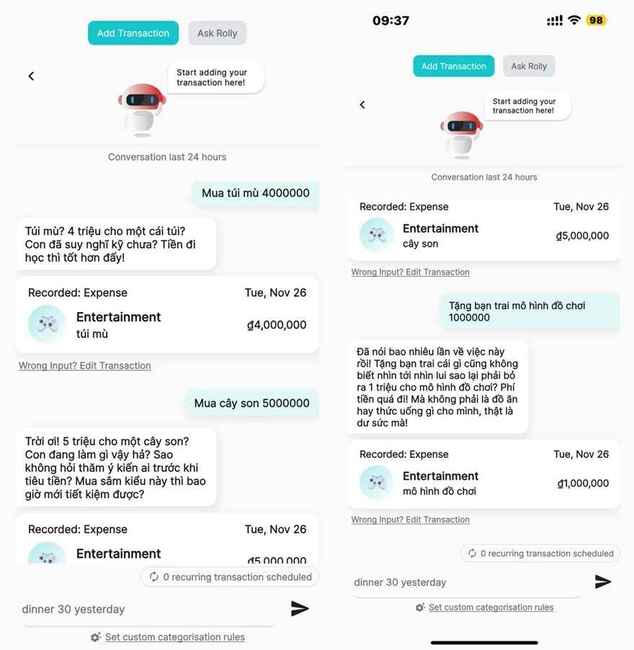
If you want to change Rolly's emotions, just click on the robot icon in any interface and select a new emotional state. Changing the status will make the application experience more interesting and lively.
See more: PhoneWalls: Default wallpaper store Huge for every device
Conclusion
With superior features, Rolly not only helps you manage spending but also creates a new and interesting approach to controlling personal finances. If you're looking for a simple, effective and inspiring way to track your money, this is the perfect choice.