• Home
  • News
  • Software
  • Knowledge
  • MMO
  • Tips
  • Security
  • Network
  • Office
AnonyViet - English Version
  • Home
  • News
  • Software
  • Knowledge
  • MMO
  • Tips
  • Security
  • Network
  • Office
No Result
View All Result
  • Home
  • News
  • Software
  • Knowledge
  • MMO
  • Tips
  • Security
  • Network
  • Office
No Result
View All Result
AnonyViet - English Version
No Result
View All Result

Namechk: Check whether a brand name has users on a variety of platforms

AnonyViet by AnonyViet
November 21, 2024
in Knowledge
0

In today's digital age, building a strong personal or online business brand is extremely important. And one of the first and most important steps is to choose a suitable and consistent username or brand name across platforms. That's the time Namechk become an indispensable useful tool.

Join the channel Telegram belong to AnonyViet 👉 Link 👈

Introducing Namechk

Namechk is a free online tool that allows users to quickly check the availability of a username or brand name across a variety of social media platforms, domains and other online services. Just enter the desired name, Namechk will scan through hundreds of websites and services to see if the name is already in use, saving you time and effort in finding a suitable name.
Introducing Namechk
Introducing Namechk

See more: DNS Spy: Tool to analyze DNS of any Domain

Why should you use Namechk?

Minimize time and effort

Instead of having to test each platform yourself, Namechk allows you to test hundreds of platforms in just a few seconds. This saves you considerable time and effort, especially when you need to check many different names.
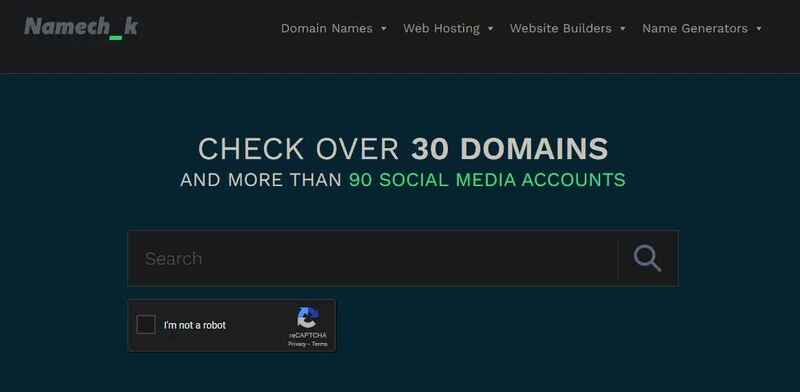
Namechk helps you reduce time and effort

Maintain consistency in brand identity

Using the same username or brand name across online platforms helps build consistency and brand recognition. Namechk makes it easy to search for a name that is available on all major platforms (like Facebook, Twitter, YouTube, Blogger, Twitch, Tumblr, TikTok, WordPress, eBay, Yelp, Flickr, PayPal, etc.) Professional and consistent for the brand.

The tool helps you maintain consistency in brand identity

Avoid problems later

Using a name that is already in use by someone else can lead to copyright problems, trademark disputes, and customer confusion. Namechk helps you avoid these problems by identifying names that are already in use early.

Completely free and easy to use

Namechk's interface is very simple and easy to use. You just need to enter the name you want to check and press the “Check” button (with a magnifying glass). Results will be displayed immediately, showing whether the name is still available on each platform. And the best thing is that Namechk is completely free!

How to use Namechk

Using Namechk is extremely simple. Follow these simple steps:

Step 1: Visit the website HERE

Step 2: Enter the username or brand name you want to check in the search box.

Step 3: Click the “Check” button with a magnifying glass image
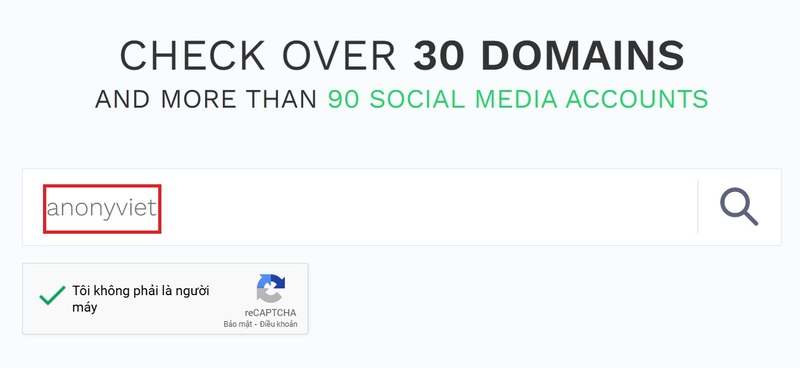
Enter a username or brand name

Namechk will instantly scan through hundreds of platforms and display the results. Each platform will be displayed with a separate icon.

  • Green icon: Name available on this platform.
  • Red icon: Name is already taken on this platform.
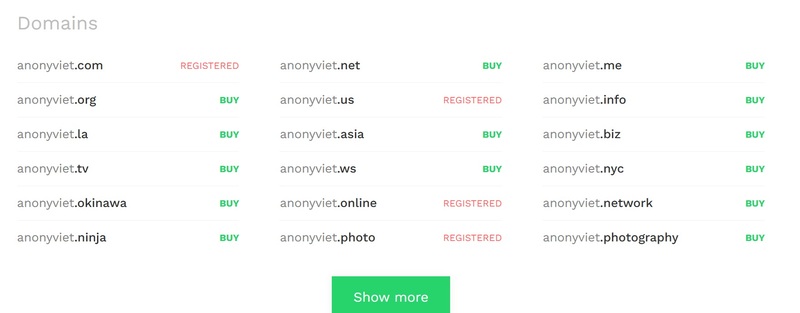
Check domains
Check domains
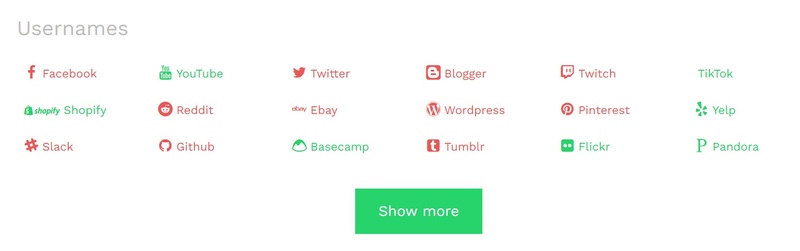
Check names on platforms and social networks

See more: De digger: Tool to find other people's files on Google Drive

Conclusion

In today's digital world, having a consistent and memorable username or brand name is extremely important. Namechk is a tool that helps you search for the right name on hundreds of online platforms, saves you time and effort, and helps you build a professional online brand.


Tags: brandcheckNamechkplatformsusersvariety
Previous Post

ChatGPT Voice Advanced: Interact with AI by voice (supports Vietnamese)

Next Post

Overview of the interface and how it works on Godot Engine

AnonyViet

AnonyViet

Related Posts

How to block pop-up ads on Safari without installing an app
Knowledge

How to block pop-up ads on Safari without installing an app

May 6, 2026
How to use Clean Up on iPhone to remove excess objects extremely quickly
Knowledge

How to use Clean Up on iPhone to remove excess objects extremely quickly

May 4, 2026
Tips for pinning the step counter to the iPhone screen to monitor your health
Knowledge

Tips for pinning the step counter to the iPhone screen to monitor your health

April 28, 2026
How to turn off password suggestions on iPhone: Prevent Safari from auto-filling passwords
Knowledge

How to turn off password suggestions on iPhone: Prevent Safari from auto-filling passwords

April 27, 2026
Tips to completely turn off CAPTCHA codes on iPhone and Mac are super simple
Knowledge

Tips to completely turn off CAPTCHA codes on iPhone and Mac are super simple

April 25, 2026
How to compress online videos for free without losing quality
Knowledge

How to compress online videos for free without losing quality

April 24, 2026
Next Post
Overview of the interface and how it works on Godot Engine

Overview of the interface and how it works on Godot Engine

0 0 votes
Article Rating
Subscribe
Login
Notify of
guest

guest

0 Comments
Oldest
Newest Most Voted
Inline Feedbacks
View all comments

Recent News

SafeKid – AI video blocking utility, helps children watch YouTube safely

SafeKid – AI video blocking utility, helps children watch YouTube safely

May 14, 2026
Key Smart Call Blocker Premium 1 year – Block spam calls

Key Smart Call Blocker Premium 1 year – Block spam calls

May 13, 2026
How to use multiple Zalo on one computer for business people

How to use multiple Zalo on one computer for business people

May 13, 2026
Compare vivo X300 Ultra and vivo X200 Ultra: A comprehensive leap forward for the photography “monster”

Compare vivo X300 Ultra and vivo X200 Ultra: A comprehensive leap forward for the photography “monster”

May 12, 2026
SafeKid – AI video blocking utility, helps children watch YouTube safely

SafeKid – AI video blocking utility, helps children watch YouTube safely

May 14, 2026
Key Smart Call Blocker Premium 1 year – Block spam calls

Key Smart Call Blocker Premium 1 year – Block spam calls

May 13, 2026
How to use multiple Zalo on one computer for business people

How to use multiple Zalo on one computer for business people

May 13, 2026
AnonyViet - English Version

AnonyViet

AnonyViet is a website share knowledge that you have never learned in school!

We are ready to welcome your comments, as well as your articles sent to AnonyViet.

Follow Us

Contact:

Email: anonyviet.com[@]gmail.com

Main Website: https://anonyviet.com

Recent News

SafeKid – AI video blocking utility, helps children watch YouTube safely

SafeKid – AI video blocking utility, helps children watch YouTube safely

May 14, 2026
Key Smart Call Blocker Premium 1 year – Block spam calls

Key Smart Call Blocker Premium 1 year – Block spam calls

May 13, 2026
No Result
View All Result
  • Home
  • News
  • Software
  • Knowledge
  • MMO
  • Tips
  • Security
  • Network
  • Office

wpDiscuz
0
0
Would love your thoughts, please comment.x
()
x
| Reply