• Home
  • News
  • Software
  • Knowledge
  • MMO
  • Tips
  • Security
  • Network
  • Office
AnonyViet - English Version
  • Home
  • News
  • Software
  • Knowledge
  • MMO
  • Tips
  • Security
  • Network
  • Office
No Result
View All Result
  • Home
  • News
  • Software
  • Knowledge
  • MMO
  • Tips
  • Security
  • Network
  • Office
No Result
View All Result
AnonyViet - English Version
No Result
View All Result

What is Game Mode on iOS 18? How to use it?

AnonyViet by AnonyViet
September 20, 2024
in Knowledge
0

Game Mode on iOS 18 is a new feature introduced by Apple, promising to bring a better mobile gaming experience to iPhone and iPad users. With the ability to optimize performance, reduce latency and enhance connectivity, Game Mode will turn your device into a real gaming machine.

Join the channel Telegram belong to AnonyViet 👉 Link 👈

What is game mode and how does it work?

Game Mode on iOS 18 is a new feature introduced by Apple to optimize the gaming experience on iPhone and iPad.

Some of the key features of Game Mode include:

Automatically turn on when playing games

One of the highlights of Game Mode is that it automatically turns on when you launch any game. When you open a game, a small window with the words “Game Mode: On” appears at the top of the screen. You can easily turn it off by tapping the icon.

In addition to the automatic feature, you can also manually turn Game Mode on and off via Control Center. Just swipe down from the top-right corner of the screen while playing a game, then tap the game name at the top of the screen. A Game Mode toggle will appear, allowing you to turn the feature on or off as desired.

Game mode will automatically turn on when playing games

See also: How to Hide and Lock Apps Using Face ID on iOS 18

Optimize game performance

Game Mode works by prioritizing system resources for the game you're running. It temporarily limits other background activities, freeing up processing power for the game and delivering the highest possible performance.

While this mode is automatically enabled for all games, its impact will be most noticeable on high-graphics 3D titles, especially AAA games like Resident Evil Village.

Optimize game performance

Increase battery life

By reducing background activity, Game Mode can also help extend battery life while gaming.

Smoother Bluetooth connection

Game Mode also doubles the Bluetooth detection speed for controllers, making controls more responsive and reducing input lag.

Smoother Bluetooth connection

Lower latency audio

Users of AirPods Pro 2 and later will benefit from lower audio latency when using the headphones for gaming.

Easy to customize

You can customize Game Mode in iOS 18’s Focus section. Go to Settings > Focus, find “Gaming,” and decide which calls, messages, contacts, or apps can still send you notifications while you’re gaming. You can even set Game Mode to automatically activate when you connect a controller.

Customize Game Mode in Focus

Operating system requirements

To use Game Mode, your device needs to be running iOS 18 or iPadOS 18. If your device is compatible, you can upgrade the software in Settings > General > Software Update.

See also: Music Touch on iOS 18: Experience Music Through Tactile Sense

Conclusion

With superior features, Game Mode on iOS 18 will definitely be a big plus for mobile gamers. It not only brings higher gaming performance but also helps users fully enjoy the gaming world on their mobile devices. Have you tried this new feature yet?

Tags: GameiOSMode
Previous Post

Advanced YouTube Search Tips and Tricks to Find the Right Video

Next Post

Viettel sim 09 is beautiful, cheap, how to choose the right one? Let's find out!

AnonyViet

AnonyViet

Related Posts

What is eTax Mobile? How to install, log in and look up tax code on the phone
Knowledge

What is eTax Mobile? How to install, log in and look up tax code on the phone

November 13, 2026
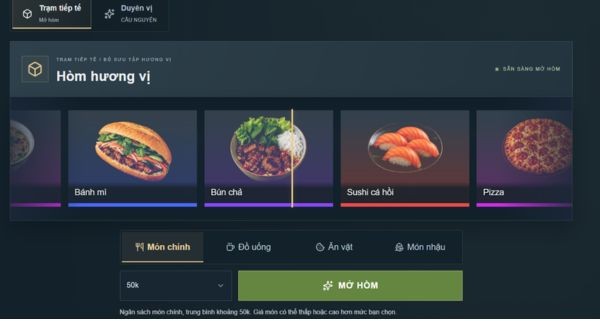
What to eat for lunch today: Website suggested dishes for CS2-style office workers
Knowledge

What to eat for lunch today: Website suggested dishes for CS2-style office workers

November 11, 2026
How to get $250 in Docker credits to run AI Agent for free
Knowledge

How to get $250 in Docker credits to run AI Agent for free

November 3, 2026
Postpaid for new employees: Should you start using it?
Knowledge

Postpaid for new employees: Should you start using it?

October 26, 2026
How to create a UFO Game that calls students to return their homework
Knowledge

How to create a UFO Game that calls students to return their homework

October 26, 2026
Instructions on how to exit iOS 27 Beta and update to the official version
Knowledge

Instructions on how to exit iOS 27 Beta and update to the official version

October 22, 2026
Next Post
Viettel sim 09 is beautiful, cheap, how to choose the right one? Let's find out!

Viettel sim 09 is beautiful, cheap, how to choose the right one? Let's find out!

0 0 votes
Article Rating
Subscribe
Login
Notify of
guest

guest

0 Comments
Oldest
Newest Most Voted

Recent News

SubPeek – Extension to find vietsub on Youtube right on the thumbnail

SubPeek – Extension to find vietsub on Youtube right on the thumbnail

November 19, 2026
Fun Learning for Children: Great app for learning letters and math for grade 1 for children

Fun Learning for Children: Great app for learning letters and math for grade 1 for children

November 18, 2026
Instructions for registering for free Google AI Ultra + Youtube Premium

Instructions for registering for free Google AI Ultra + Youtube Premium

November 18, 2026
How to create a virtual Android phone with US IP for free forever

How to create a virtual Android phone with US IP for free forever

November 17, 2026
SubPeek – Extension to find vietsub on Youtube right on the thumbnail

SubPeek – Extension to find vietsub on Youtube right on the thumbnail

November 19, 2026
Fun Learning for Children: Great app for learning letters and math for grade 1 for children

Fun Learning for Children: Great app for learning letters and math for grade 1 for children

November 18, 2026
Instructions for registering for free Google AI Ultra + Youtube Premium

Instructions for registering for free Google AI Ultra + Youtube Premium

November 18, 2026
AnonyViet - English Version

AnonyViet

AnonyViet is a website share knowledge that you have never learned in school!

We are ready to welcome your comments, as well as your articles sent to AnonyViet.

Follow Us

Contact:

Email: anonyviet.com[@]gmail.com

Main Website: https://anonyviet.com

Recent News

SubPeek – Extension to find vietsub on Youtube right on the thumbnail

SubPeek – Extension to find vietsub on Youtube right on the thumbnail

November 19, 2026
Fun Learning for Children: Great app for learning letters and math for grade 1 for children

Fun Learning for Children: Great app for learning letters and math for grade 1 for children

November 18, 2026
  • Home
  • Home 2
  • Home 3
  • Home 4
  • Home 5
  • Home 6
  • Next Dest Page
  • Sample Page

say88 tỷ lệ kèo nhà cái kèo nhà cái 5 febet

No Result
View All Result
  • Home
  • News
  • Software
  • Knowledge
  • MMO
  • Tips
  • Security
  • Network
  • Office

say88 tỷ lệ kèo nhà cái kèo nhà cái 5 febet

wpDiscuz
0
0
Would love your thoughts, please comment.x
()
x
| Reply