Hello everyone, after recent Windows updates, activation may have become more difficult. Microsoft has patched and blocked some old activation methods. Today, I would like to share with you how Activate Windows 10 license Latest.
| Join the channel Telegram belong to AnonyViet 👉 Link 👈 |
This is the way to activate digital copyright that I have tested and succeeded. You only need to activate it once and the key will be attached to the device. This means that even if you reinstall Windows 10, it will still be activated automatically.
Why do you need to use copyrighted Windows 10?
Microsoft only protects activated versions of Windows 10. If you use Windows 10 Crack then you are putting your computer at risk. Viruses can attack your computer at any time because you are not protected.
Windows 10 Crack will not be able to run as smoothly as the original version. Because the Crack process will break the packaging and distort the perfection of Windows. That's why using Windows Crack for a long time will cause your computer to become heavy and lag.
What is Windows 10 digital license activation?
Perhaps you have heard or seen a lot of these problems online. Many of you often text me to ask if this activation method is valid or not. Today, I would like to answer that this is a valid activation method!!
When you activate Windows 10 digital license, your computer will receive an electronic code. This code is called Digital Code and it will be imprinted deep into the core of your computer. Later, when you reinstall Windows 10, it will automatically recognize this code and automatically activate.
That's why many people like to activate it this way to save effort. Today I will guide you to activate Windows 10 digitally in a new way.
Windows 10 Digital Activation Instructions 2018
You can still use the old activation method using KMS. But after 180 days you must use KMS to activate again. However, this method is very risky and is no longer as safe as before.
We will use the GENERIC KEY (standard key for each version of Windows) to activate. GENERIC KEY is the key entered directly during Windows installation. Each KEY corresponds to and can only activate one version of Windows.
Below are Windows versions that support copyright activation using GENERIC KEY
- Core (Home) (N)
- CoreSingleLanguage (N)
- Professional (N)
- ProfessionalEducation (N)
- ProfessionalWorkstation (N)
- Education (N)
- Enterprise (N)
- EnterpriseS (N)
Method 1 – Activate Windows 10 using W10 Digital License C#
Because the activation method with GENERIC KEY requires you to use many complex commands. So a programmer wrote this software to help you easily do it without having to remember commands.
W10 Digital License C# written by him angelkyo on the forum nsaneforums.
Instructions for using W10 Digital License C#
First of all you need to download the software at the link below.
After downloading, unzip and run the software normally. Because the software interface is not polished, it looks a bit ugly. But it still works very effectively!!
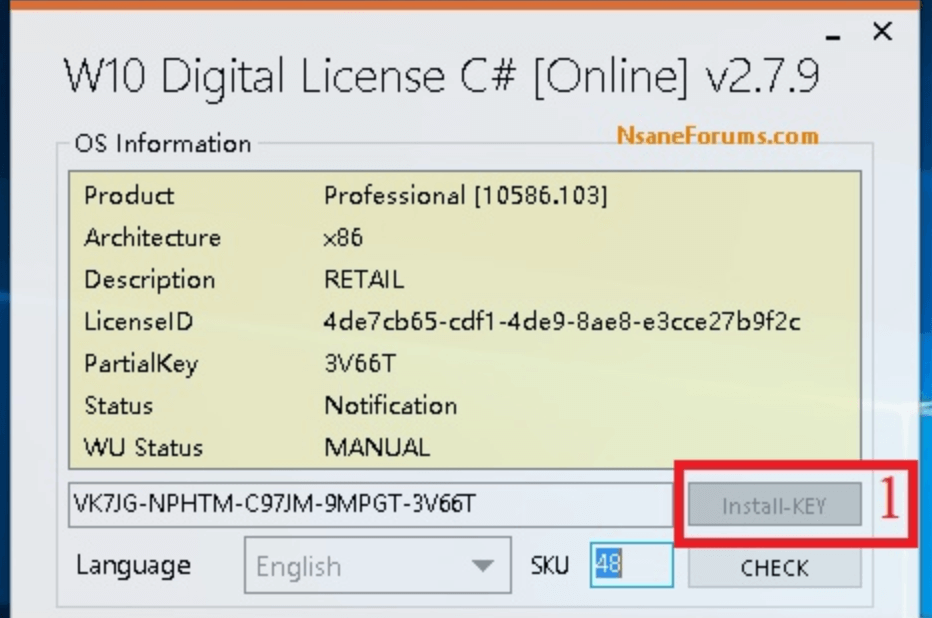
Select the INSTALL KEY button as shown above to GET the digital key. Then continue to select the ACTIVE button in the lower left corner to proceed to load the KEY to the computer. This process will take some of your time.
Wait a moment until the ACTIVE process tree below runs successfully and receives a notification like the image below.
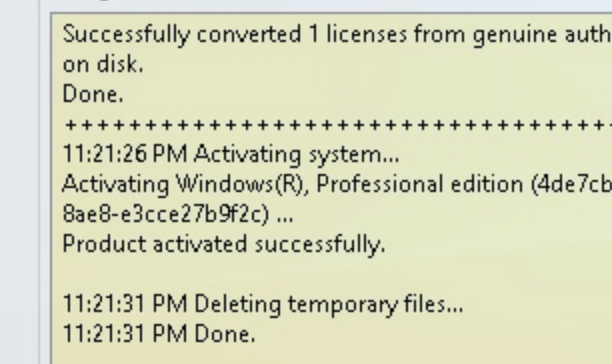
So you have successfully activated your Windows 10 digital license. Restart your computer and go to section Settings -> Update & Security -> Activation to see genuine copyright authentication parameters.
Method 2 – Activate Windows 10 with W10 Digital License Activation Script
Similar to the above method, this method also helps you save time and does not need to remember the Code. This Tool is a pre-compiled script code so it is lighter than the Tool above. And it is also considered fast and compatible with more devices.
Details W10 Digital License Activation Script
- This script has been tested for safety and does not include any malicious code.
- Works quickly, simply and automatically.
- When activated, you must allow the Windows 10 Update feature to operate.
- A stable Internet connection is required to use. If you do not have Internet, the Code inserted into your device will automatically activate when the device goes online.
- Secured by VPN.
User manual
First, you need to make sure your computer is connected to the Internet and the network connection is stable. Next you need to unzip the downloaded file and run the script with permissions Administrator.
Because this script needs deep access to the system to insert the digital KEY. So you must allow it to run with administrator rights.
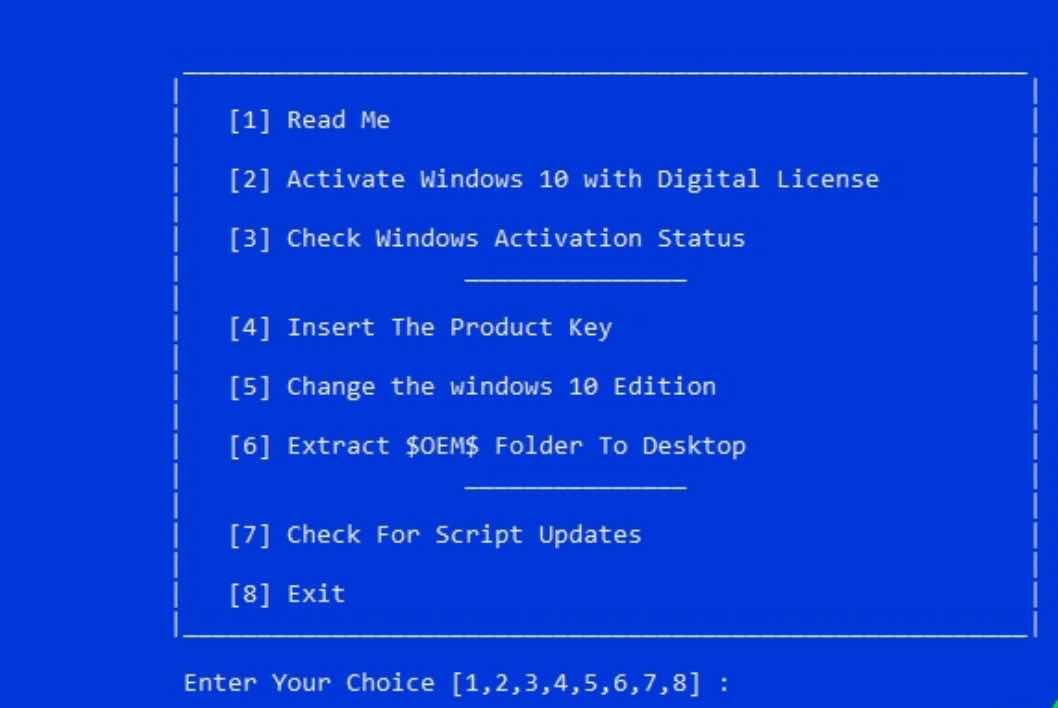
On the interface there will be many different options from 1 to 8. You do not need to understand this script in depth because it has many things. You enter No.3 and press Enter to activate. Wait a few seconds until a message similar to the image below appears and it's successful!!
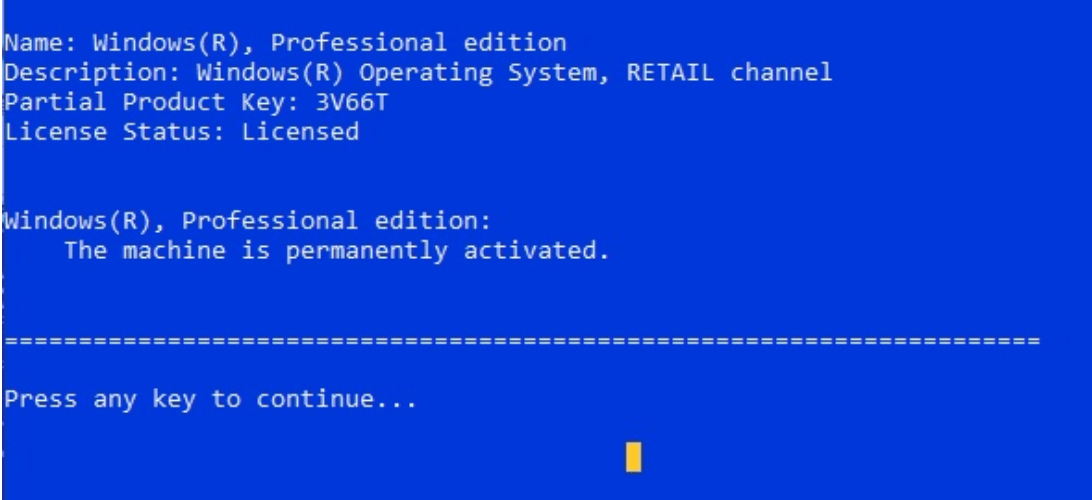
Press any key to exit the program after success. Restart the computer and check the license authentication like in method 1. So I have introduced 2 ways to activate licensed Windows 10 for you.
Hopefully this sharing from AnonyViet will be useful to you. Like Fanpage or follow website to quickly update good articles.
Good luck
Lmint.