• Home
  • News
  • Software
  • Knowledge
  • MMO
  • Tips
  • Security
  • Network
  • Office
AnonyViet - English Version
  • Home
  • News
  • Software
  • Knowledge
  • MMO
  • Tips
  • Security
  • Network
  • Office
No Result
View All Result
  • Home
  • News
  • Software
  • Knowledge
  • MMO
  • Tips
  • Security
  • Network
  • Office
No Result
View All Result
AnonyViet - English Version
No Result
View All Result

Instructions for getting 3TB Google Drive for free from OWASP

AnonyViet by AnonyViet
December 19, 2023
in Tips
0

How to post 3TB Google Drive free with OWASP is one of the tricks that many people are looking for. Google Drive is a very safe and convenient data storage and sharing service. However, Google Drive only offers 15GB of free storage per account, if you want to increase the storage you have to pay a monthly fee. So is there any way to own 3TB Google Drive for free? The answer is yes, and you will know how to do it in this article. Reference article from J2Team

Join the channel Telegram belong to AnonyViet 👉 Link 👈

How to register 3TB Google Drive for free with OWASP

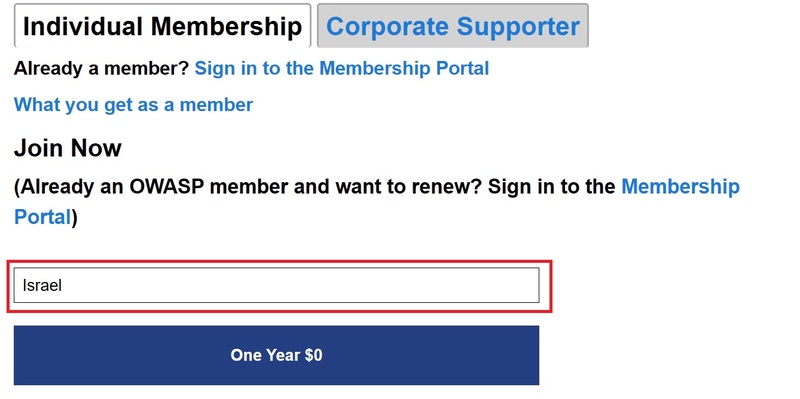
Step 1: You access the link The followingchoose region Israel or Ukraine and you will get 1 year free.
How to own 3TB Google Drive
Select region as Israel or Ukraine

Step 2: Check the 3 boxes that the website displays

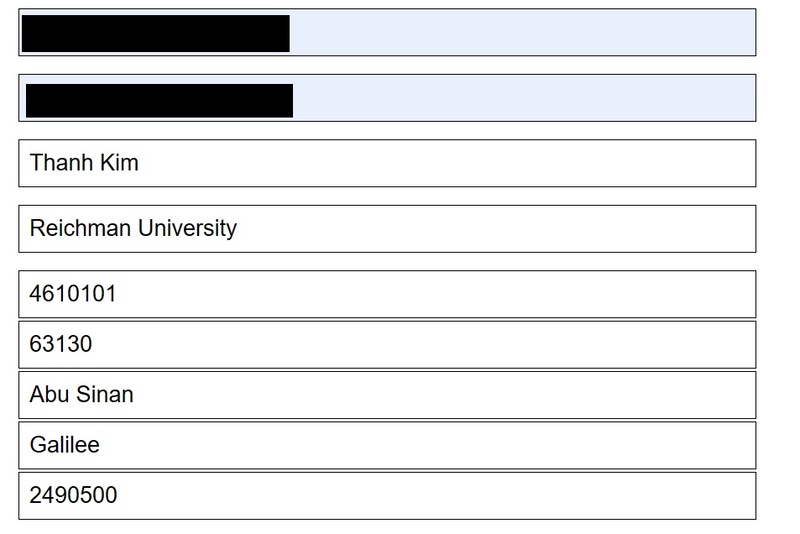
Step 3: Fill in information including name, email, school, postal code,… as shown below
How to own 3TB Google Drive
Fill in information

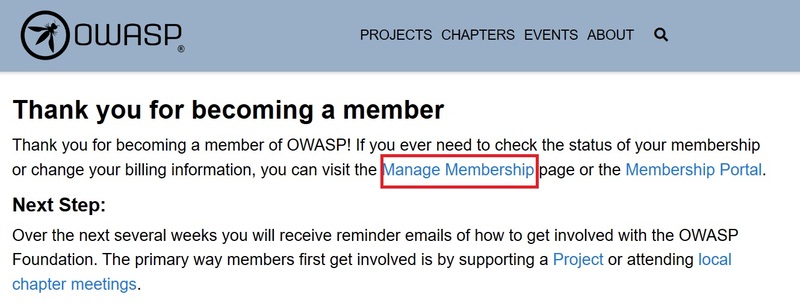
Step 4: Click on 'Manage Membership'

How to own 3TB Google Drive
Click on 'Manage Membership'

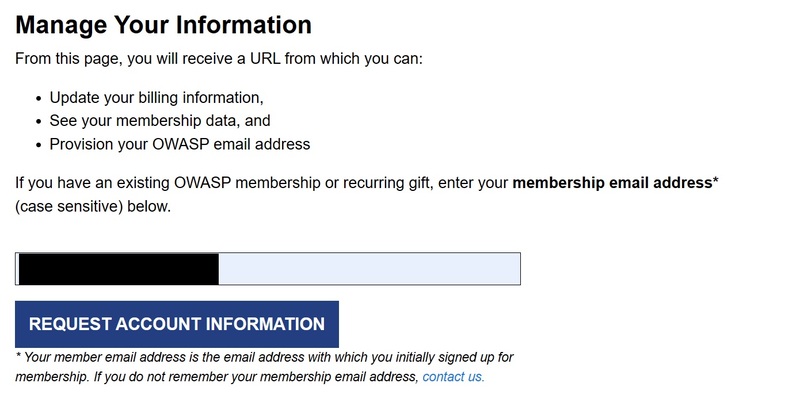
Step 5: Enter the email used to register earlier > Select 'Request Account Information'
How to own 3TB Google Drive
Select 'Request Account Information'

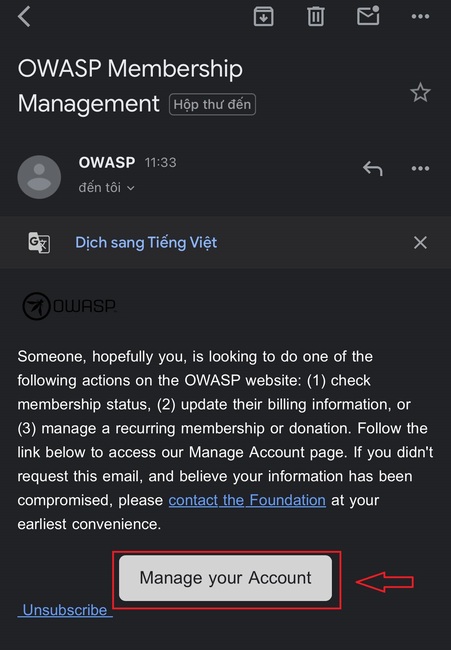
Now you will receive an email from OWASP, click 'Manage your account' to open the website containing your owasp.org email information.
How to own 3TB Google Drive
Click 'Manage your account'

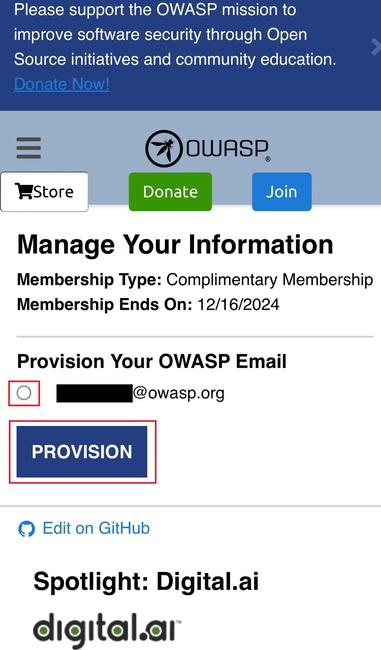
Step 6: Click on the owasp email address > Click 'Provision' and wait until it displays a success message.
How to own 3TB Google Drive
Click 'Provision'

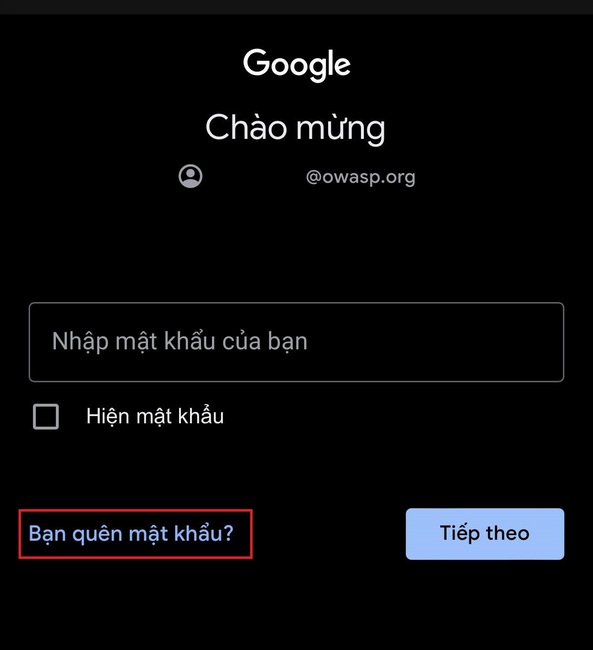
Step 7: At this point, go to your email, log in with the @owasp.org account > Click 'Forgot your password?'.
How to own 3TB Google Drive
Click 'Forgot your password?'.

Step 8: Fill in the recovery email (the gmail extension you filled out in step 3) > Click 'Send'
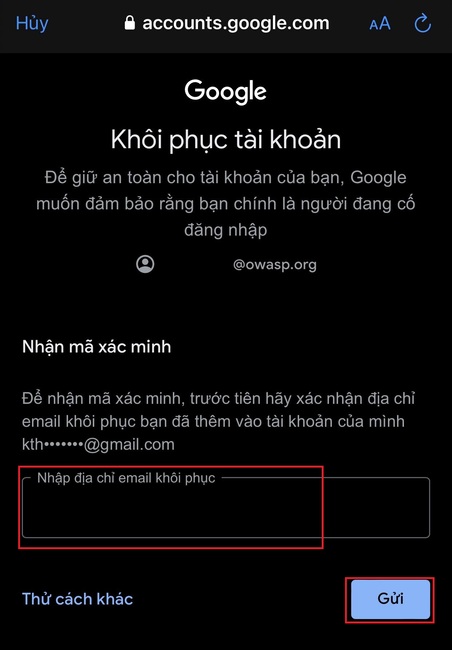
How to own 3TB Google Drive
Fill in your recovery email

Step 9: You will now receive a verification code > Enter that code. You can change your password for convenience the next time you log in.

It is done! You have successfully logged in to Google using Owasp mail
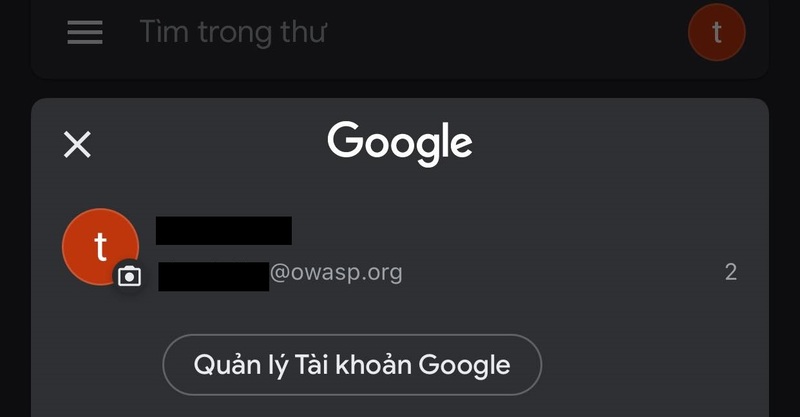
How to own 3TB Google Drive
Successfully logged in to Google using Owasp email

Now you can go to Drive to check if the capacity is currently 3TB!
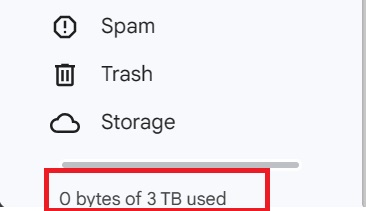
How to own 3TB Google Drive

Epilogue

How to own 3TB Google Drive Free with OWASP that I just shared above will help you store and share data comfortably and easily. Hope you are succesful.


The article scored: 5/5 – (101 votes)

Tags: 3TBdrivefreeGoogleInstructionsOWASP
Previous Post

How long does it take to fully charge an electric car? How to charge an electric car to ensure safety

Next Post

How to create Google Passkey to log in without a password

AnonyViet

AnonyViet

Related Posts

How to add sliders to Facebook Stories to easily rewind videos
Tips

How to add sliders to Facebook Stories to easily rewind videos

April 21, 2026
How to change the default font on Windows 10
Tips

How to change the default font on Windows 10

April 13, 2026
5 tips for using a Browser to replace an App (helps save RAM, time and money)
Tips

5 tips for using a Browser to replace an App (helps save RAM, time and money)

April 13, 2026
How to make funny MeMe photos without Photoshop within 10 seconds
Tips

How to make funny MeMe photos without Photoshop within 10 seconds

April 11, 2026
How to quickly design your own Logo without Photoshop
Tips

How to quickly design your own Logo without Photoshop

April 10, 2026
How to convert Website into App on Windows
Tips

How to convert Website into App on Windows

April 9, 2026
Next Post
How to create Google Passkey to log in without a password

How to create Google Passkey to log in without a password

0 0 votes
Article Rating
Subscribe
Login
Notify of
guest

guest

0 Comments
Oldest
Newest Most Voted
Inline Feedbacks
View all comments

Recent News

Common errors when using Bosch products and how to fix them

Common errors when using Bosch products and how to fix them

April 22, 2026
Top 5+ utilities to install for Gmail to speed up work processing

Top 5+ utilities to install for Gmail to speed up work processing

April 22, 2026
Decoding the problem of 4GB RAM and processing performance

Decoding the problem of 4GB RAM and processing performance

April 21, 2026
How to add sliders to Facebook Stories to easily rewind videos

How to add sliders to Facebook Stories to easily rewind videos

April 21, 2026
Common errors when using Bosch products and how to fix them

Common errors when using Bosch products and how to fix them

April 22, 2026
Top 5+ utilities to install for Gmail to speed up work processing

Top 5+ utilities to install for Gmail to speed up work processing

April 22, 2026
Decoding the problem of 4GB RAM and processing performance

Decoding the problem of 4GB RAM and processing performance

April 21, 2026
AnonyViet - English Version

AnonyViet

AnonyViet is a website share knowledge that you have never learned in school!

We are ready to welcome your comments, as well as your articles sent to AnonyViet.

Follow Us

Contact:

Email: anonyviet.com[@]gmail.com

Main Website: https://anonyviet.com

Recent News

Common errors when using Bosch products and how to fix them

Common errors when using Bosch products and how to fix them

April 22, 2026
Top 5+ utilities to install for Gmail to speed up work processing

Top 5+ utilities to install for Gmail to speed up work processing

April 22, 2026
No Result
View All Result
  • Home
  • News
  • Software
  • Knowledge
  • MMO
  • Tips
  • Security
  • Network
  • Office

wpDiscuz
0
0
Would love your thoughts, please comment.x
()
x
| Reply