• Home
  • News
  • Software
  • Knowledge
  • MMO
  • Tips
  • Security
  • Network
  • Office
AnonyViet - English Version
  • Home
  • News
  • Software
  • Knowledge
  • MMO
  • Tips
  • Security
  • Network
  • Office
No Result
View All Result
  • Home
  • News
  • Software
  • Knowledge
  • MMO
  • Tips
  • Security
  • Network
  • Office
No Result
View All Result
AnonyViet - English Version
No Result
View All Result

Understanding SSDs – Part 1

AnonyViet by AnonyViet
February 19, 2023
in Tips
0

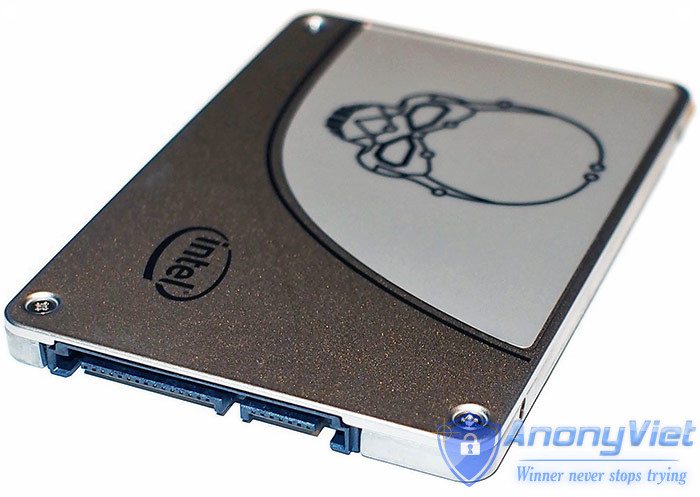
If you intend to buy an SSD to use, the things that come to mind will be: what brand to buy? What parameters to pay attention to? how much capacity? with the same capacity of 128gb, but some are less than 2 million, some are more than 3 million? Why is there such a big price difference? My computer is too old, is it too expensive to buy ssd to use?

Join the channel Telegram belong to AnonyViet 👉 Link 👈

Understanding SSDs - Part 1 5

This article will help you answer the above constraints and get the right choice for your needs

That’s also the first parameter I want to mention in my series on learning about SSDs, but I will go deeper to understand what those parameters mean when I look up SSD specs: speed READ/WRITE (MB) /S).

As we all know, when buying HDD usually choose capacity, cache memory, and the most important thing is the rotation speed: 5400rpm, 7200rpm, higher there is 10000rpm (HDD SAS for server), lap speed The higher the rotation and cache memory, the faster the data retrieval.

  • SSDs don’t use mechanical disks like HDDs, so they can’t have 5400 or 7200rpm, so I have to rely on READ/WRITE parameters (MBs): indicating read/write data access speed in MB/s, This speed is most commonly seen when copying data from a computer to USB, the data copy window will show you the speed of copying. For USB 2.0, the actual speed is about 10MB / s depending on the data you copy, USB 3.0 is about 40-50MB / s, the mobile HDD is about 2 times higher than USB.

What about SSDs?

  • As far as I know, most SSDs are sold on the market (goods are still in production, old goods are not manufactured by the factory anymore), so if you compare, READ / WRITE is also 500 / 150 MB / s. with the 10MB/s figure of USB 2.0, it’s a bit faster!!

The reason why I compare it with the speed of USB is because this is more common for users, it will be easier to imagine than compared to the internal HDD, try to imagine that you copy a 10GB movie file to USB 2.0 at a faster speed. 10MB/s will take about 10,240s ~ 17 minutes


But with SSD write speed of 150MB/s, it only takes 68s ~ 1p8s, too impressive, right?

  • For better SSDs, write speeds of 300, 400 or even 500MB/s take less than 1 minute to copy 10GB of film, which is unthinkable when using USB or portable HDD.

But that’s just an example to visualize, in fact it’s not that simple, because I bought SSD to install win and soft to boot quickly, not to copy. JAV

So what’s the difference between booting win/soft compared to copying movie files?

  • The biggest difference is that when booting win/soft SSD, you have to access thousands of individual files with a very small capacity of a few KB or a few tens of KB (1MB = 1024KB), system files with the extension “.dll”. I will elaborate more on this in the next section.

So when it comes to SSD, I must first know its data read / write speed (READ / WRITE), the higher this parameter, the better the SSD and the more expensive the price!

  • To know the read/write speed of the SSD, look up the manufacturer’s specifications on the website or on the product box, note that the manufacturer’s specifications are in ideal working conditions. Like testing the fuel consumption of a motorcycle running on a treadmill in the gym, there is no wind, no red light, no potholes, no yellow shirt aunts begging on the street.


Just for fun, if you have the conditions to set up a machine to test SSD like a manufacturer, your SSD will still achieve the same speed as the manufacturer offers… !

Next part: READ/WRITE speed classification — Look forward to part 2!!

The article achieved: 5/5 – (100 votes)

Previous Post

Instructions to increase Facebook Sub by Like post

Next Post

Instructions for creating fairy photos with PicsArt

AnonyViet

AnonyViet

Related Posts

How are Windows 11 Pro and Windows 10 Pro different?
Tips

How are Windows 11 Pro and Windows 10 Pro different?

October 23, 2026
Instructions for using CleanYourTV: Remove ads on Android TV, Google TV
Tips

Instructions for using CleanYourTV: Remove ads on Android TV, Google TV

October 23, 2026
How to use Messenger without a Facebook account
Tips

How to use Messenger without a Facebook account

October 22, 2026
The website helps you draw beautifully like TikToker Viet My
Tips

The website helps you draw beautifully like TikToker Viet My

October 21, 2026
Instructions on how to hard reset iPhone 18 Pro / iPhone 18 Pro Max
Tips

Instructions on how to hard reset iPhone 18 Pro / iPhone 18 Pro Max

October 21, 2026
Anyone can do how to increase Internet speed using CMD
Tips

Anyone can do how to increase Internet speed using CMD

October 20, 2026
Next Post
Instructions for creating fairy photos with PicsArt

Instructions for creating fairy photos with PicsArt

0 0 votes
Article Rating
Subscribe
Login
Notify of
guest

guest

0 Comments
Oldest
Newest Most Voted

Recent News

How are Windows 11 Pro and Windows 10 Pro different?

How are Windows 11 Pro and Windows 10 Pro different?

October 23, 2026
Instructions for using CleanYourTV: Remove ads on Android TV, Google TV

Instructions for using CleanYourTV: Remove ads on Android TV, Google TV

October 23, 2026
Receive copyright for 3 Halloween software worth 0

Receive copyright for 3 Halloween software worth $150

October 23, 2026
How to use Messenger without a Facebook account

How to use Messenger without a Facebook account

October 22, 2026
How are Windows 11 Pro and Windows 10 Pro different?

How are Windows 11 Pro and Windows 10 Pro different?

October 23, 2026
Instructions for using CleanYourTV: Remove ads on Android TV, Google TV

Instructions for using CleanYourTV: Remove ads on Android TV, Google TV

October 23, 2026
Receive copyright for 3 Halloween software worth 0

Receive copyright for 3 Halloween software worth $150

October 23, 2026
AnonyViet - English Version

AnonyViet

AnonyViet is a website share knowledge that you have never learned in school!

We are ready to welcome your comments, as well as your articles sent to AnonyViet.

Follow Us

Contact:

Email: anonyviet.com[@]gmail.com

Main Website: https://anonyviet.com

Recent News

How are Windows 11 Pro and Windows 10 Pro different?

How are Windows 11 Pro and Windows 10 Pro different?

October 23, 2026
Instructions for using CleanYourTV: Remove ads on Android TV, Google TV

Instructions for using CleanYourTV: Remove ads on Android TV, Google TV

October 23, 2026
  • Home
  • Home 2
  • Home 3
  • Home 4
  • Home 5
  • Home 6
  • Next Dest Page
  • Sample Page

say88 tỷ lệ kèo nhà cái kèo nhà cái 5 febet

No Result
View All Result
  • Home
  • News
  • Software
  • Knowledge
  • MMO
  • Tips
  • Security
  • Network
  • Office

say88 tỷ lệ kèo nhà cái kèo nhà cái 5 febet

wpDiscuz
0
0
Would love your thoughts, please comment.x
()
x
| Reply