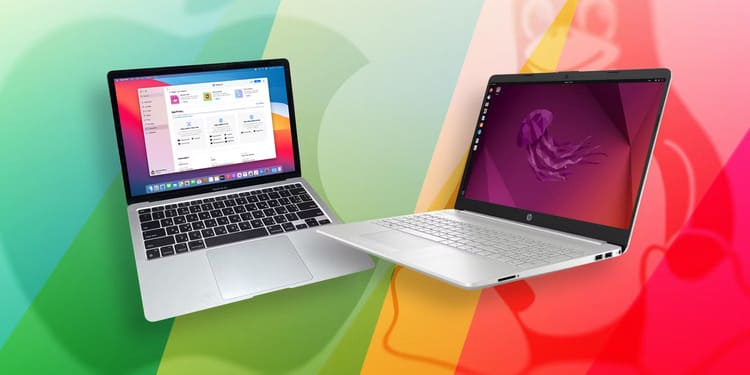
MacOS and Linux are both widely used operating systems. Both are inspired by Unix so very stable and powerful. These two operating systems have a lot in common, but they are still different in their own way. So in this article, we will learn 5 differences between MacOS and Linux.
| Join the channel Telegram of the AnonyViet 👉 Link 👈 |
Brief History of macOS and Linux
The main parts of macOS and Linux are the kernel, utilities, interfaces, and applications.
macOS is based on the BSD Unix kernel called Darwin, which is open source. Other parts of macOS (for example, the GUI and applications) are closed source and proprietary. Apple builds and maintains these software systems, and they become part of the Mac.
Apple adopted Unix into macOS in the early 2000s. Before that, macOS was based on a non-Unix operating system.
On the other hand, Linux started as a personal project and was a clone of the Unix operating system in the early 90s by Linus Torvalds. Strictly speaking, Linux is just the kernel. The operating system itself is made up of core components like GNU utilities and desktop environments like GNOME, KDE, etc.
5 differences between MacOS and Linux
1. Open Source Software and Proprietary Software
Both Linux and macOS use open source software, but while Linux distributions are entirely open source, the components of macOS are closed source and proprietary.
From the open source kernel to GNU utilities and interfaces, Linux is a scaled-down version of free and open source software. You are free to modify and repackage the entire operating system to your liking. You can even commercialize and monetize it, as is the case with Red Hat Enterprise Linux.
In most cases, the license terms for Linux require that the modifications you have made also be made public to the community.
With macOS, it’s mostly an open-source kernel. Other parts like the desktop and apps are not open source. Of course, other Apple components like the Swift programming language are open source.
Unlike Linux, which you can use on any hardware of your choice, macOS is used on Mac devices. When you buy a PC from Apple, you’re paying for both the software and the hardware.
2. Software management
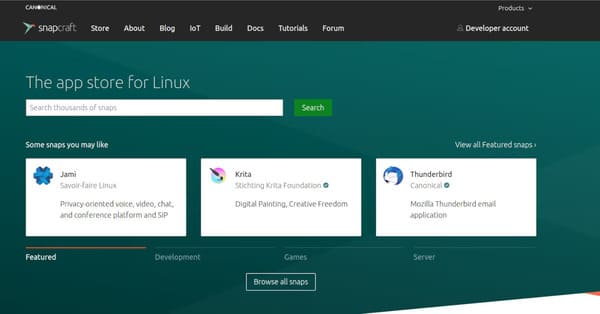
Linux has long embraced the concept of a central software repository, from which users can download and install applications using the command line or through interfaced tools.
Most Linux distributions come with a package manager such as APT on Debian-based distributions, DNF or Yum on Fedora and Red Hat Enterprise Linux, and Pacman on Arch-based distributions. With the package manager, you can install, remove, update and manage software applications easily on your PC.
The traditional method of installing apps on macOS is through the applications folder. You download the application you want to install from the internet and drag it to the applications folder and macOS will take care of the rest.
Another more convenient option is to use the Mac App Store to install software applications.
You can also use Homebrew, a package manager that works on macOS similar to Linux package managers like APT. Homebrew also works on Linux.
3. The importance of the command line
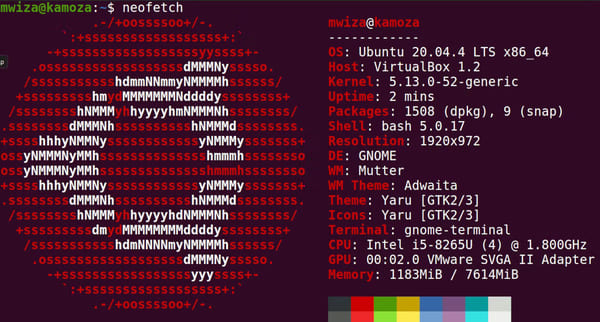
The real power of Linux lies in the terminal or command line. macOS has a similar terminal emulator available, but most of the attention is on the Mac desktop.
Terminal allows you to interact with your PC and software resources efficiently and easily. Plus, it allows you to automate and schedule tasks with ease. Software engineers, advanced users, and Linux system administrators incorporate terminals into their workflows.
Most Linux distributions use Bash (GNU Bourne Again Shell) as the default shell for the terminal. In 2019, Apple replaced the Bash shell with Zsh (the Z shell). Z shell is highly customizable and shares many similarities with Bash, ksh and tcsh.
Because Linux and macOS mostly use similar shells, the core commands you run on Linux will also work on a Mac, and vice versa.
4. Desktop Environments (Desktop Environments)
In the early days of Linux, kernel-based operating systems didn’t have a GUI, and most Linux servers still don’t. You must interact with the operating system through the terminal. Over time, the Desktop environment (an environment with an interface instead of the command line) has been developed to help users interact with the operating system in a more intuitive and friendly way so that the operating system can serve the needs of users. both casual and non-technical users.
There are many desktop environments you can choose from, all of which give you a way to interact with the system. Some prominent desktop environments include GNOME, XFCE, KDE, Deepin, etc. You can freely install several desktop environments on Linux, however, you can only use one environment. field at a time.
The GUI on macOS is the default and is the same for all users. Aside from changing the wallpaper, themes, and similar tweaks, you don’t have the option of installing another desktop environment manager to change the look and feel of macOS.
5. Distributions
On Linux, a distribution is a specific type of Linux that comes with a specific set of applications, Desktop environments, and system utilities. Different distributions often target a specific group of users such as ethical hackers, programmers, software developers, etc.
There are literally thousands of Linux distributions that you can choose from depending on your working needs. For example, Kali Linux, a Debian-based distribution, is mainly used for penetration testing and ethical hacking. It comes with a lot of tools and utilities suitable for white hat hackers.
Arch Linux is another example of a Linux distribution that is lightweight and comes with default tools. It is widely used by Linux enthusiasts and computer enthusiasts who love to customize the operating system.
On the other hand, with macOS, everyone has the same kind of operating system regardless of their passion or job. This is because Apple is the only company that develops and controls this operating system.
The reason why there are so many Linux distributions stems from the fact that the Linux kernel and its core components are all open source. This allows users to easily create new versions of Linux that target certain audiences.
Conclusion
Linux and macOS are both great and inherit some of the legacy of Unix. For example, both come with the same command line shell and have identical file structures. All other differences stem from the fact that the Linux kernel is open source and anyone is free to modify it.
If there are too many Linux distributions and you don’t know which one to choose, you can check out the 8 best Linux operating systems today. here Please.