Computer slow start is probably the most annoying thing that Windows users face. There are many reasons why your PC boots slowly, but one of the most common is that you have too much startup software on (software that starts with Windows).
If your computer boots slowly, you may have too many processes and startup software. But you remember I didn’t turn on these startup software, so why are they turned on?
Usually, programs automatically add themselves to the startup. That’s why you should pay attention when installing software and remove bloatware from time to time. However, not all programs that add themselves to a startup are bad.
If you are using an Apple device (iPod, iPhone, etc.), this process will automatically launch iTunes when the device is connected to the computer. This is an unnecessary process, as you can manually launch iTunes when you want and is especially unnecessary if you don’t use Apple devices.
QuickTime allows you to play and open different video files. This program is often used to view web content, specifically videos. But you don’t need to add it to your startup.
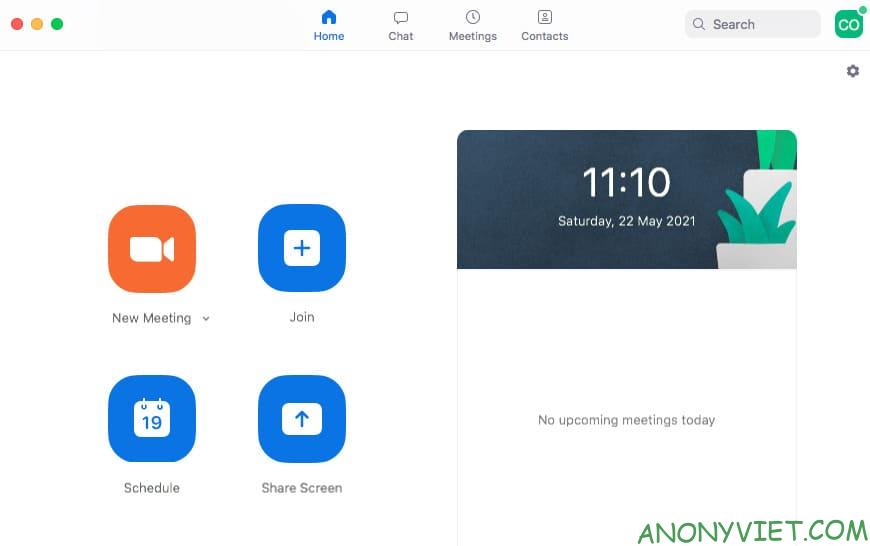
Software cabinets of students and students. However, it doesn’t have to be a startup program as you can launch it manually if you want. Furthermore, disabling it at startup does not affect your updates Zoom.
4.Adobe Reader
Adobe Reader is a very popular PDF reader. Even though you don’t use it (and there are other great PDF readers out there), Adobe Reader is still the program of choice for many. But you don’t need to add this program to your startup either.
5. Skype
Skype is a great video calling program, there’s no denying that. But do you need it to start and log in as soon as you open Windows? Sure is not. Besides, there are very few people using this program in Vietnam.
6. Google Chrome
All Google does at startup is consume system resources that Windows could use to boot faster.
7. Spotify Web Helper
Spotify is a great way to discover new music, and with Spotify Web Helper, you don’t even need to install it. However, if you already have it installed, you can find this little app in your startup.
It simply allows the Spotify PC app to communicate with your browser. When a Spotify song is selected on the web, it automatically opens in the PC app. So you don’t need to add it to your startup.
8. CyberLink YouCam
If you have a webcam, you’ll likely use CyberLink’s YouCam for your software. Therefore, manufacturers feel it should enter the startup? No, it does nothing but load unnecessary processes.
9. Evernote Clipper
I love using Evernote and Web Clipper is awesome. But you don’t need to add it to your startup. You can still use the web clipper every day if you disable it in startup.
10. Microsoft Office
Microsoft Office is the most famous office suite today. But what good does it do you at startup? If you turn it off, you can still open any file. You can launch any program manually. So allowing Microsoft Office to start with the operating system only adds burden to your system.
Managing Startup processes and software
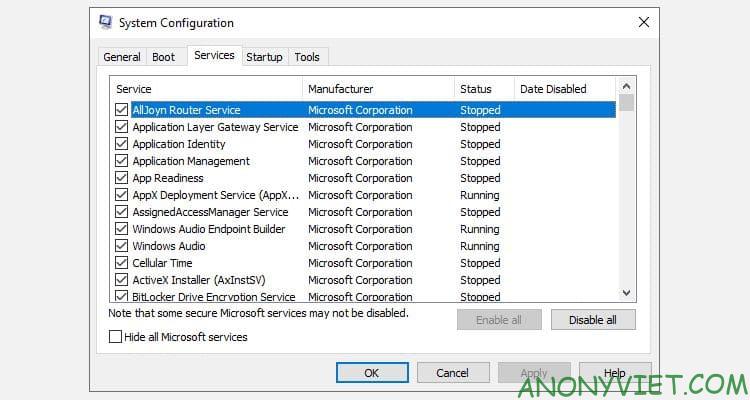
System Configuration is a great tool for managing startup processes and software. You can launch it by typing MSConfig into the Start Menu search bar.
Alternatively, you can also press Windows + CHEAP to open the dialog box Runimport msconfig and press Enter.
But System Configuration no longer shows startup software. Instead, these applications will be displayed in the Task Manager. Press Ctrl + Shift + Esc to open Task Manager.
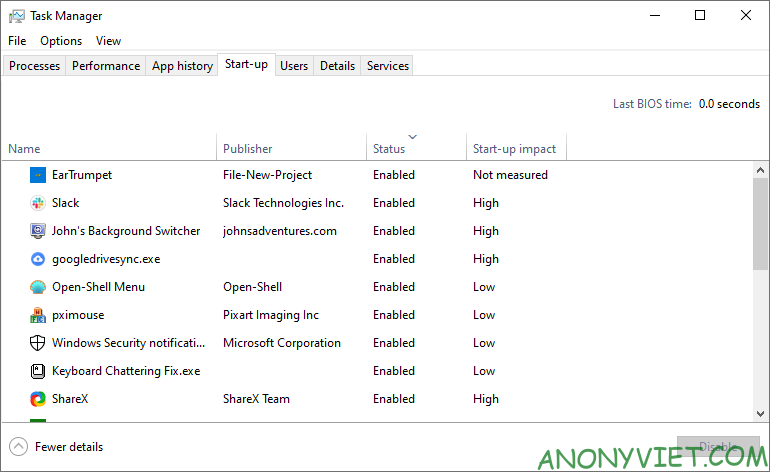
When you view the Startup tab, you can sort the items by name, publisher, status (on/off), and effect on startup (high, medium, low).
Suggestions for apps to enable in startup
Here are some apps you should enable in your startup:
- Leave everything anti-virus software alone (e.g. Avast, Avira, etc.).
- Do not turn off Unikey or Vietnamese typing programs
- Do not disable services and applications for audio, wifi, trackpad (for laptops).
- Use caution when shutting down Microsoft services – know exactly what you’re doing.
- Intel and AMD applications and services must be enabled.
- Cloud synchronization programs such as Dropbox, SugarSync, Google Drive, .. if you often use.
- The software you want to start automatically with Windows without having to manually turn it on.
What about you, what startup software do you turn on? Also, if you want to manage startup software on Ubuntu, you can read this post.