ChatGPT Atlas was officially launched, marking OpenAI’s ambitious step into the web browser field. More than just a regular web surfing tool, Atlas promises to turn the browser into an intelligent assistant, understanding and proactively supporting users in every task. Let’s explore in detail the groundbreaking features and controversies surrounding this highly popular product.
| Join the channel Telegram belong to AnonyViet 👉 Link 👈 |
Differences of ChatGPT Atlas
Ability to remember information
The first highlight of ChatGPT Atlas is the ability to remember information while you browse the web. This “memory” feature is designed to help the AI provide responses and suggestions that are more relevant to your context. OpenAI emphasizes that users have full control over this data, can turn on/off memory at any time, and the information is always kept private.
However, this feature also received mixed opinions. Some users say memory sometimes works haphazardly, applying old, irrelevant information to new conversations, causing confusing situations.
AI assistants are always by your side
Atlas deeply integrates ChatGPT into everyday experiences, turning AI into a supportive partner.
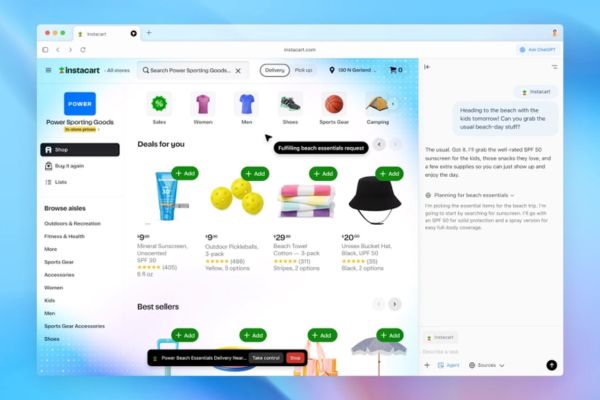
You can open sidebar ChatGPT on any website to request a summary of a long article, explain complex terms, or even compose an email right next to the content you’re viewing.
The inline editing feature is extremely convenient, allowing you to highlight any text in an email or form, then click the ChatGPT icon to quickly request a rewrite, error correction or style change.
New search and Agent mode
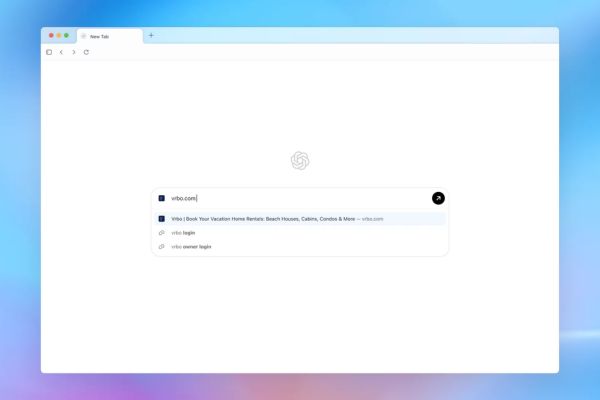
ChatGPT Atlas not only changes the way you interact with content, but also the way you search for information. The big difference with Atlas is that search queries from the address bar will be handled directly by ChatGPTinstead of redirecting through Google or Bing, promises to deliver smarter and more contextual results.
In particular, mode Agent Mode (for premium accounts) is the most prominent feature, capable of automatically performing complex tasks for you such as making restaurant reservations, comparing products, or planning a trip.
Who can use ChatGPT Atlas?
Currently, ChatGPT Atlas is only available to users macOS. OpenAI has plans to expand to other platforms such as iOS, Android and Windows in the future, but there is no specific roadmap yet.
This browser is available for free, but the most groundbreaking feature is Agent Mode which is only available for paid accounts such as Pro, Plus and Enterprise.

Instructions for installing ChatGPT Atlas
To install and use, you just need to follow a few simple steps:
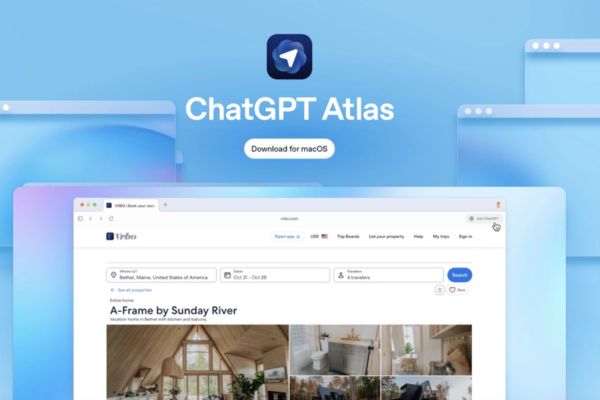
- First, visit the official website at chatgpt.com/atlas to download the Mac installer.
- Once installed, you just need to log in with your existing ChatGPT account to synchronize “memories” and chat history.
- Atlas also supports importing important data such as bookmarks, passwords and browsing history from popular browsers such as Chrome, Safari or Firefox.
- Finally, you can set Atlas as your default browser in the section Setting to fully enjoy the features
OpenAI’s smart strategy
OpenAI has come up with a very clever “incentive trick” to get users to switch to Atlas. When you Set this browser as defaultyou will be given 7 days “boost”, which includes benefits such as increased message limits, file downloads, data analysis and image generation. This is an effective strategy to attract users from other popular browsers.

Controversy surrounding ChatGPT Atlas
The launch of ChatGPT Atlas also sparked heated discussions about privacy and security.
- Many users question its commitment to privacy, concerned that their browsing data could be used to train AI models in the future.
- The fact that Atlas requires access to the macOS Keychain to enter passwords also causes some concerns, although OpenAI affirms that this is only for user convenience.
- Some comments compared this feature to Windows Recall, but noted that Atlas is easier to uninstall if users feel uncomfortable with being tracked.

Conclusion
Clear, ChatGPT Atlas is not just a new browser but also OpenAI’s manifesto about the future of the Internet, where AI plays an intermediary role. The product brings groundbreaking benefits but also comes with big questions about privacy that need to be answered.