• Home
  • News
  • Software
  • Knowledge
  • MMO
  • Tips
  • Security
  • Network
  • Office
AnonyViet - English Version
  • Home
  • News
  • Software
  • Knowledge
  • MMO
  • Tips
  • Security
  • Network
  • Office
No Result
View All Result
  • Home
  • News
  • Software
  • Knowledge
  • MMO
  • Tips
  • Security
  • Network
  • Office
No Result
View All Result
AnonyViet - English Version
No Result
View All Result

What to do if iPhone is lost? Do the following immediately

AnonyViet by AnonyViet
October 30, 2023
in Knowledge
0

Lost iPhone, what to do?? This is a question that many iPhone users may encounter when their smartphone is unfortunately stolen or forgotten. In this case, you not only lose an expensive device, but you also risk having your personal data, photos, videos, messages, emails and online accounts exposed. So what should you do to protect? Iphone and restore it if possible? Here are some steps you should take.

Join the channel Telegram belong to AnonyViet 👉 Link 👈

What to do if iPhone is lost? Do the following steps now!

Activate theft mode on Apple ID

You can do the following steps to enable theft mode on your Apple ID:

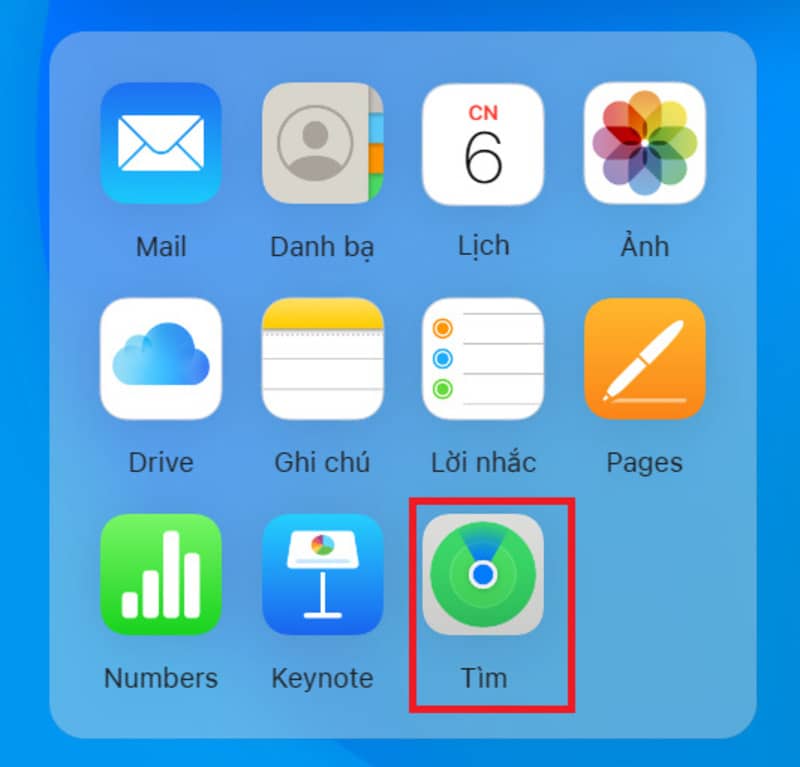
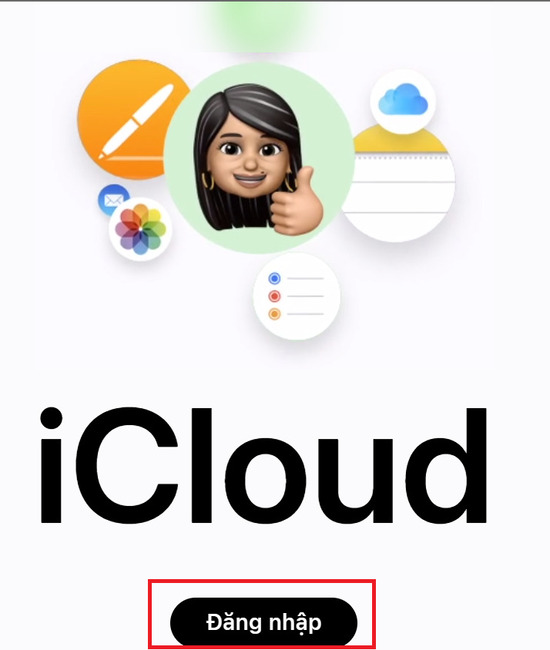
Step 1: You go to the website icloud > Sign in with Apple ID > Select the Find icon
Lost iPhone, what to do?
Sign in with your Apple ID
Lost iPhone, what to do?
Select Find

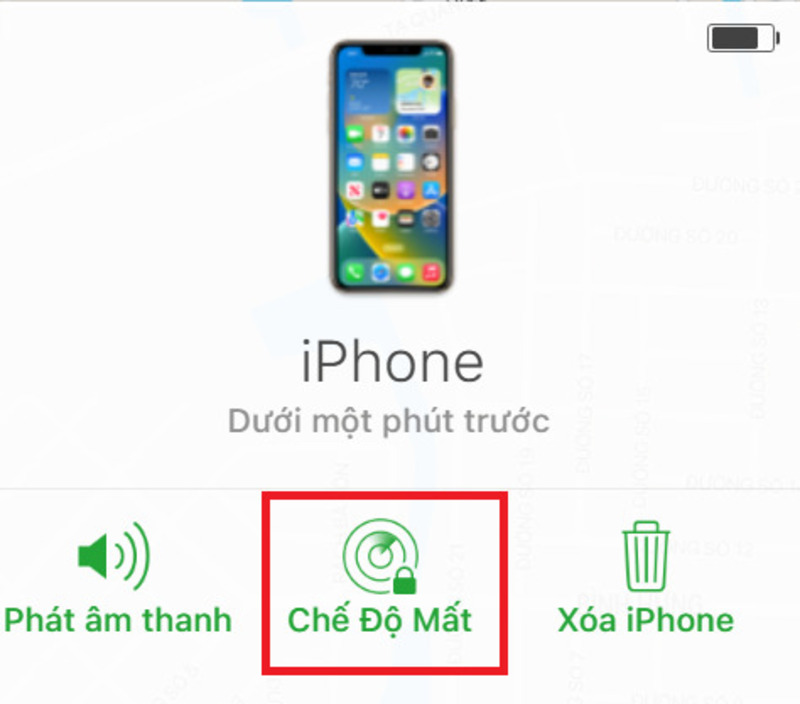
Step 2: Select your lost iPhone > Click to select “Lost mode”
Lost iPhone, what to do?
Click to select “Lost mode”

Contact the switchboard to lock the SIM

To lock your SIM when your iPhone is lost, you need to immediately contact your carrier and provide authentic information such as name, ID card number, phone number and 5 most recent calls. This will help you prevent thieves from taking advantage of your SIM to cause harm.

Lost iPhone, what to do?
Contact the switchboard to lock the SIM

Below are the switchboard numbers of popular carriers:

  • MobiFone: 1800.1090 – 9090
  • Viettel: 1800.8098 – 1800.8168
  • Vinaphone: 1800.1091 – 9191
  • Vietnamobile: 0922.789.789

Remove phone number from account email

If you use the same email to authenticate accounts, such as Apple ID. When you request to reset the password for your Apple ID, the system will send a link to the email on your iPhone. At this time, bad people can appropriate a lot of your personal data. Steps to remove phone number from email account are as follows:

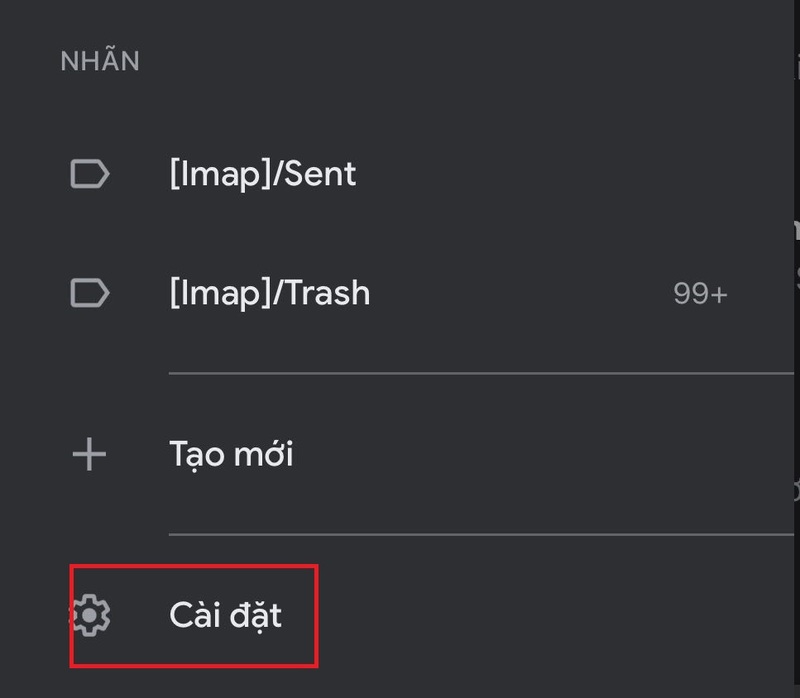
Step 1: Open GMail application > Go to “Settings”
Lost iPhone, what to do?
Open GMail application > Go to “Settings”

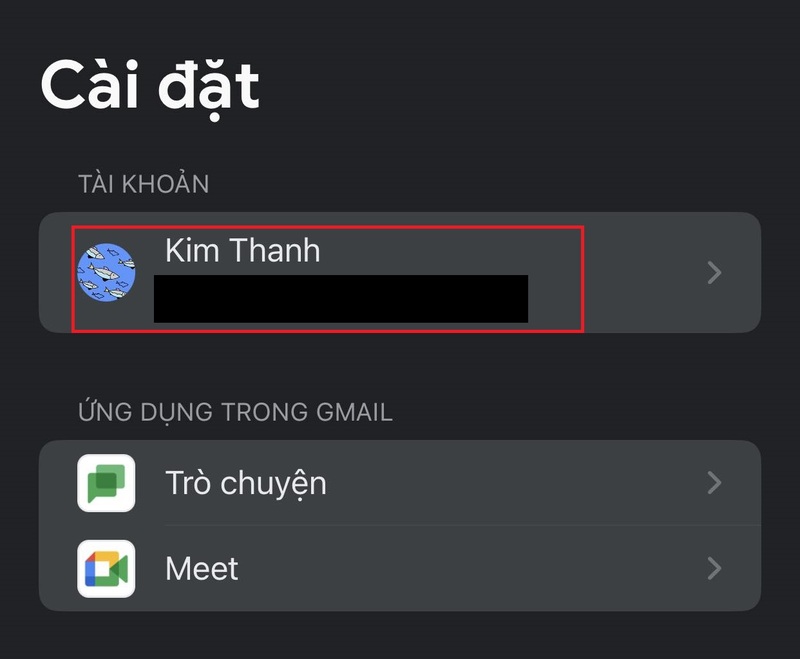
Step 2: Select account
Lost iPhone, what to do?
Select account

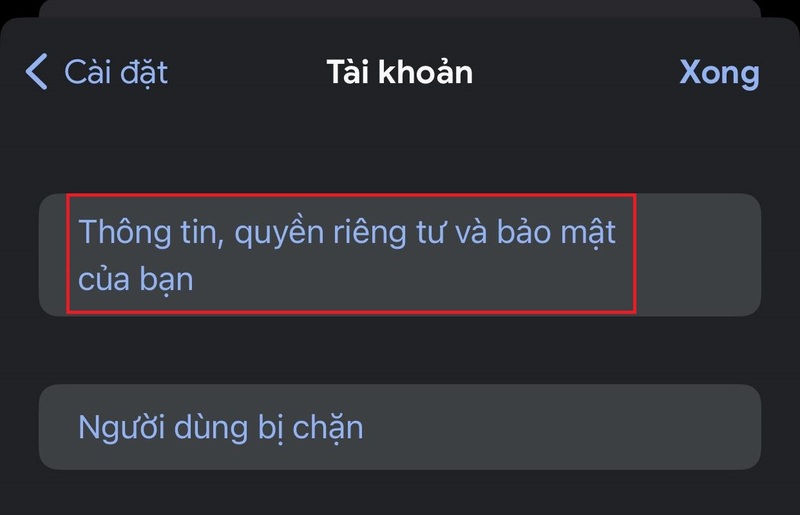
Step 3: Click on “Your information, privacy and security”
Lost iPhone, what to do?
Click on “Your information, privacy and security”

Step 4: Select the “Personal Information” tab
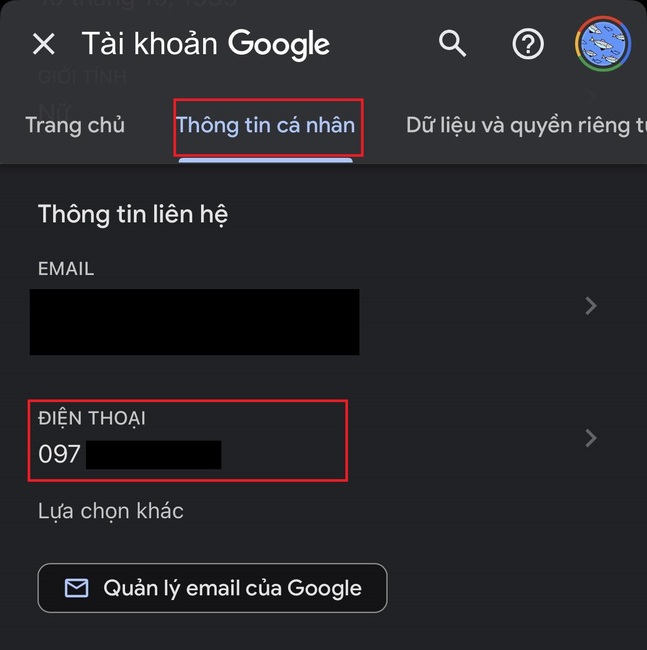
Lost iPhone, what to do?
Select the “Personal Information” tab

Step 5: Click on the phone number

Step 6: Click the trash icon to delete it
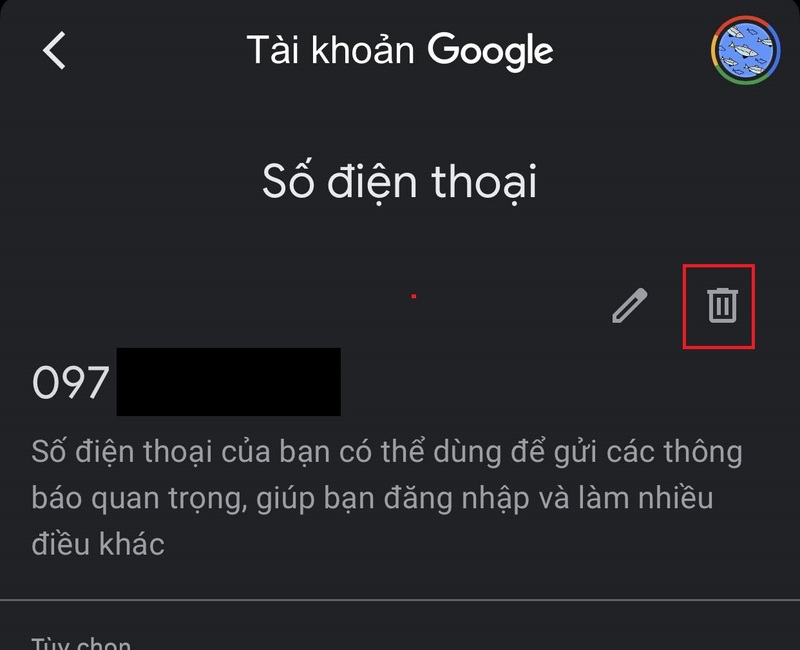
Lost iPhone, what to do?
Click the trash icon to delete it

Be cautious with unofficial messages

There may be scammers who will use tricks to steal your password. For example, they may impersonate Apple and send you a message asking you to log in to a non-Apple website, etc. Therefore, you must always be alert and not reveal any personal information to anyone. others.
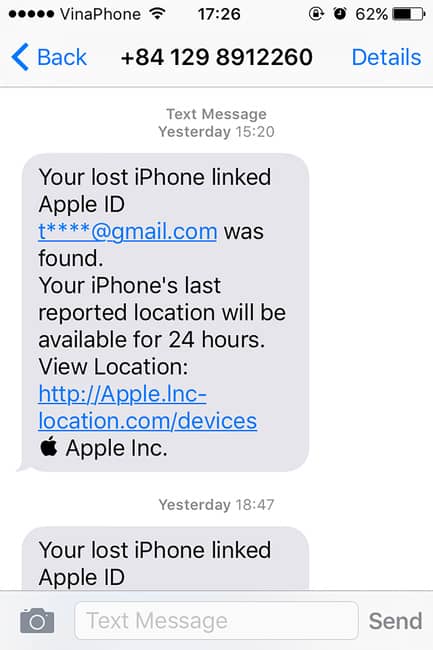
Lost iPhone, what to do?
Be cautious with unofficial messages

Notice of blocking banking services and e-wallets

A safer measure is to request a lock on your bank accounts and e-wallets for maximum protection in case someone can open your phone, change your password and Make payment transactions via e-wallet, withdraw money from the bank card you have connected.
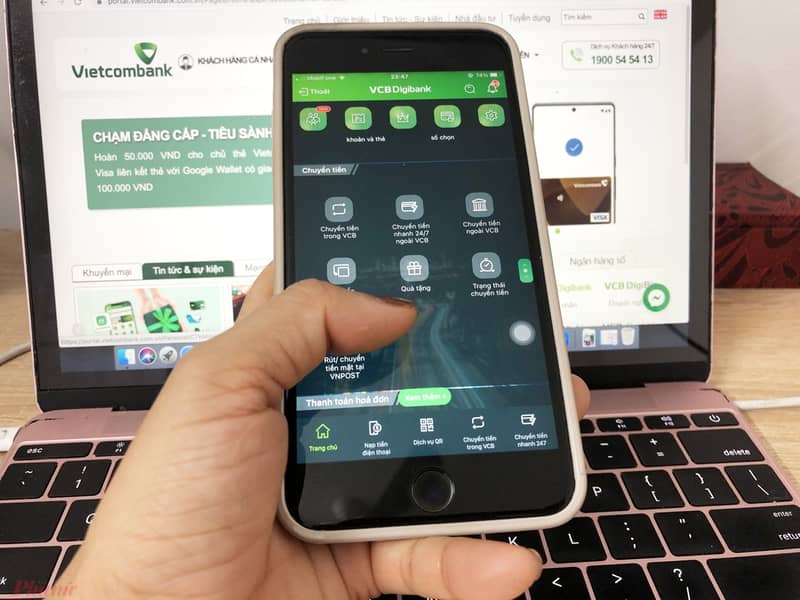
Lost iPhone, what to do?
Notice of blocking banking services and e-wallets

Set up SIM lock code

Once you set up your SIM lock code, you’ll need to enter it every time you turn it back on or change your SIM to another device. If you enter the wrong SIM lock code more than 3 times, the SIM will be locked and cannot be used anymore.

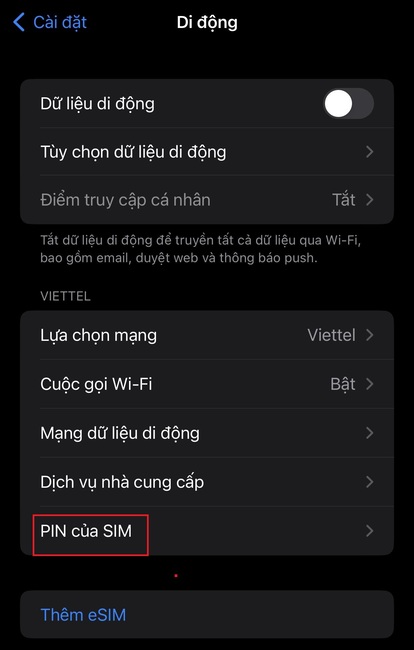
Step 1: Go to Settings > Mobile > Select SIM PIN.
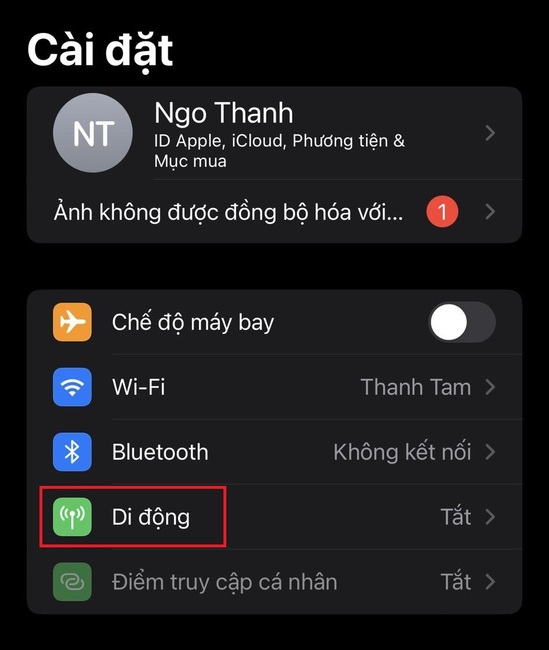
Lost iPhone, what to do?
Go to Settings > Mobile
Lost iPhone, what to do?
Select SIM PIN.

Step 2: Activate SIM PIN > Enter pin code to lock SIM.
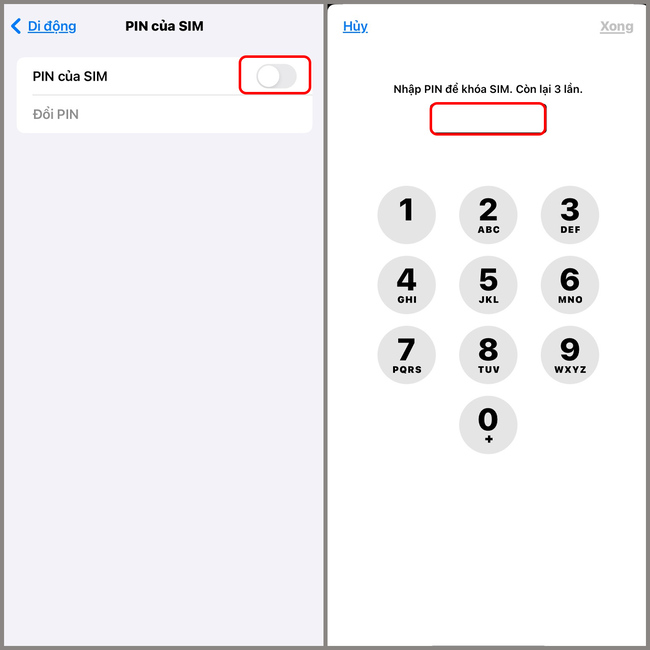
Lost iPhone, what to do?
Activate SIM PIN > Enter pin code

Generate a recovery key

Using a recovery key will help you restore your account and data when needed. Make sure you keep this key in a safe place and do not reveal it to anyone to ensure the security of your account.

Step 1: Go to “Settings” > Tap Apple ID
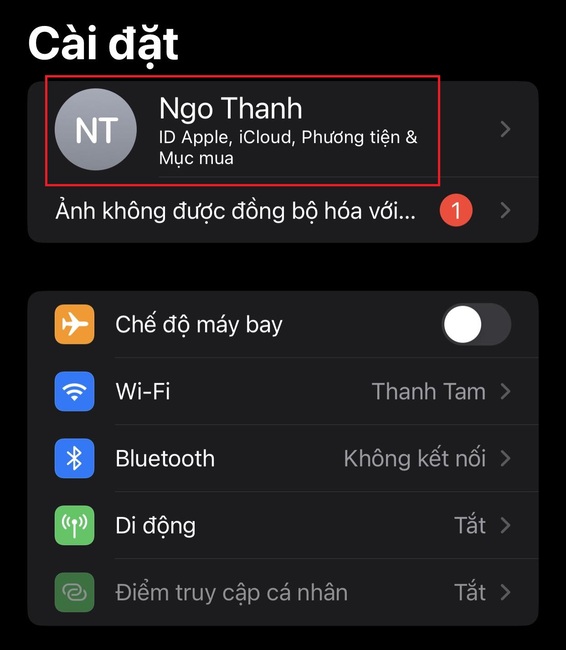
Lost iPhone, what to do?
Go to “Settings” > Tap Apple ID

Step 2: Select “Password & Security”

Step 3: Select “Recover account”
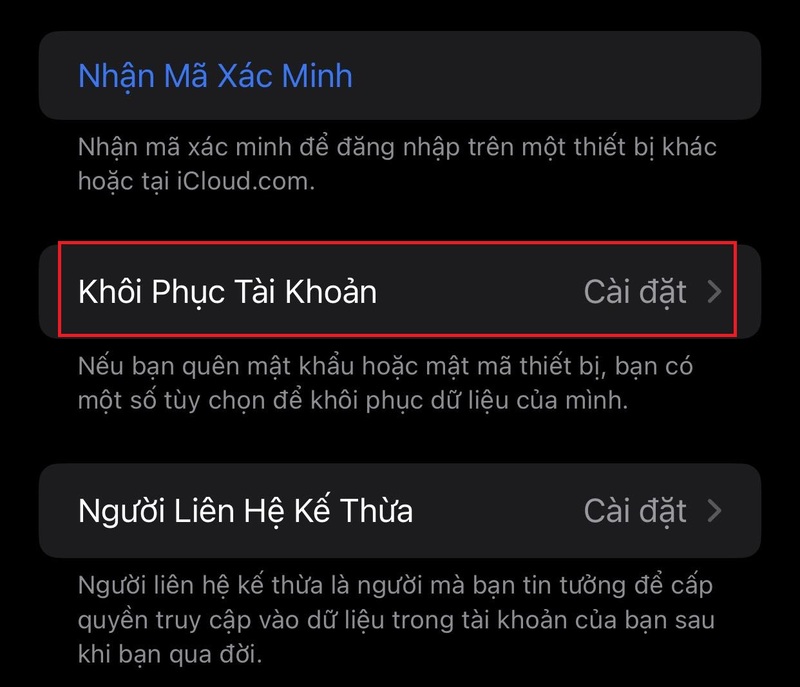
What to do if your iPhone is lost?
Select “Password & Security”

Step 4: Tap “Recovery Key” to enable this feature. Then the screen will appear with a recovery key sequence, please write down this key code and keep it in a safe place!
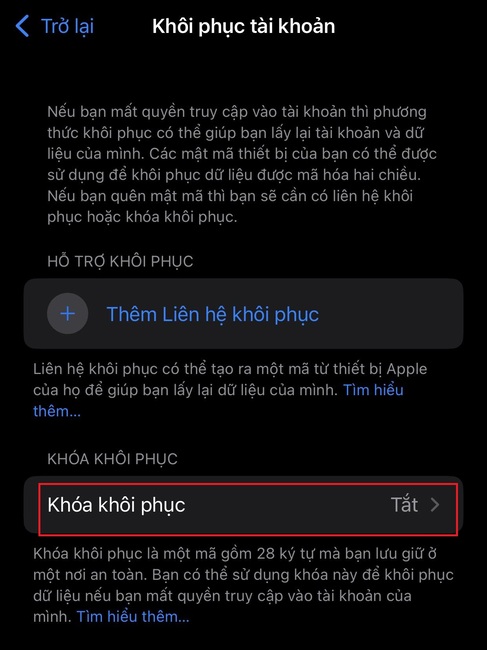
Lost iPhone, what to do?
Tap “Recovery Key”

Epilogue

Hopefully this article will help you gain more knowledge and experience to handle the situation What to do if your iPhone is lost?. Always be careful and take good care of your device! Good luck!


Rate this post

Tags: ImmediatelyiPhonelost
Previous Post

Grac – Application to help call waste collectors online

Next Post

Top 13 scary computer games on Halloween

AnonyViet

AnonyViet

Related Posts

Instructions for receiving the free Certified LLM Security Expert certificate
Knowledge

Instructions for receiving the free Certified LLM Security Expert certificate

July 30, 2026
What is quantum resistant cryptography? Why must the Internet change?
Knowledge

What is quantum resistant cryptography? Why must the Internet change?

July 29, 2026
How to delete hidden files on Samsung phones, free up device space
Knowledge

How to delete hidden files on Samsung phones, free up device space

July 27, 2026
Super cool way to turn photos and text into coloring pictures for kids
Knowledge

Super cool way to turn photos and text into coloring pictures for kids

July 24, 2026
Instructions on how to get a certificate from Canva for free
Knowledge

Instructions on how to get a certificate from Canva for free

July 23, 2026
Little Sun Cloud Library: VTV’s audiobook application helps babies sleep well
Knowledge

Little Sun Cloud Library: VTV’s audiobook application helps babies sleep well

July 22, 2026
Next Post
Top 13 scary computer games on Halloween

Top 13 scary computer games on Halloween

0 0 votes
Article Rating
Subscribe
Login
Notify of
guest

guest

0 Comments
Oldest
Newest Most Voted

Recent News

Windows 7/8.1/10 users will be upgraded to Windows 11 for free

Windows 7/8.1/10 users will be upgraded to Windows 11 for free

July 30, 2026
Instructions for receiving the free Certified LLM Security Expert certificate

Instructions for receiving the free Certified LLM Security Expert certificate

July 30, 2026
MSI laptops are not just for gamers: Which line is suitable for students, office workers and creative people?

MSI laptops are not just for gamers: Which line is suitable for students, office workers and creative people?

July 29, 2026
What is quantum resistant cryptography? Why must the Internet change?

What is quantum resistant cryptography? Why must the Internet change?

July 29, 2026
Windows 7/8.1/10 users will be upgraded to Windows 11 for free

Windows 7/8.1/10 users will be upgraded to Windows 11 for free

July 30, 2026
Instructions for receiving the free Certified LLM Security Expert certificate

Instructions for receiving the free Certified LLM Security Expert certificate

July 30, 2026
MSI laptops are not just for gamers: Which line is suitable for students, office workers and creative people?

MSI laptops are not just for gamers: Which line is suitable for students, office workers and creative people?

July 29, 2026
AnonyViet - English Version

AnonyViet

AnonyViet is a website share knowledge that you have never learned in school!

We are ready to welcome your comments, as well as your articles sent to AnonyViet.

Follow Us

Contact:

Email: anonyviet.com[@]gmail.com

Main Website: https://anonyviet.com

Recent News

Windows 7/8.1/10 users will be upgraded to Windows 11 for free

Windows 7/8.1/10 users will be upgraded to Windows 11 for free

July 30, 2026
Instructions for receiving the free Certified LLM Security Expert certificate

Instructions for receiving the free Certified LLM Security Expert certificate

July 30, 2026
  • Home
  • Home 2
  • Home 3
  • Home 4
  • Home 5
  • Home 6
  • Next Dest Page
  • Sample Page

say88 tỷ lệ kèo nhà cái kèo nhà cái 5 febet

No Result
View All Result
  • Home
  • News
  • Software
  • Knowledge
  • MMO
  • Tips
  • Security
  • Network
  • Office

say88 tỷ lệ kèo nhà cái kèo nhà cái 5 febet

wpDiscuz
0
0
Would love your thoughts, please comment.x
()
x
| Reply