• Home
  • News
  • Software
  • Knowledge
  • MMO
  • Tips
  • Security
  • Network
  • Office
AnonyViet - English Version
  • Home
  • News
  • Software
  • Knowledge
  • MMO
  • Tips
  • Security
  • Network
  • Office
No Result
View All Result
  • Home
  • News
  • Software
  • Knowledge
  • MMO
  • Tips
  • Security
  • Network
  • Office
No Result
View All Result
AnonyViet - English Version
No Result
View All Result

Tut create the latest 2Gb RAM Windows VPS without Credit Card

AnonyViet by AnonyViet
January 27, 2023
in Network
0

Yellow Circle is a free educational project for students and teachers. Yellow Circle provides a virtualization platform that allows students to learn about cloud computing and cloud infrastructure. Here you can create projects through VPS Linux and Windows in different price categories. Fortunately, at Yellowcircle still allows you to create a free 2Gb RAM Windows VPS. Especially Windows VPS you can use for free and do not need Credit Card.

Join the channel Telegram of the AnonyViet 👉 Link 👈

Create the latest 2Gb RAM Windows VPS without Credit Card

Of course, at Yellowcircle you can still create a Linux VPS completely free. But actually the need of many of you is to use a Windows VPS, so I will show you how to create a Windows VPS with 2Gb Ram. Currently, Yellowcircle supports creating Windows VPS types:

  • Create a free Windows 10 Enterprise VPS
  • Create a free Windows 7 Professional VPS
  • Create a free Windows 8.1 Professional VPS
  • Create a free Windows Server 2012 VPS
  • Create VPS Windows Server 2019 for free

First you need Create a Student account at Yellowcircle. Choose the $ 0 package, you will get a free 2Gb RAM Windows VPS just for the experience of not being able to go to the Internet. If you choose 1 $ you will get to the Internet.

Create a Student account at Yellowcircle

You can use virtual mail to create multiple accounts. Remember Check your mail to get Username and Login Password:

check email

You click Login to log in with the account provided in the Email. At the main interface, select Menu Instances -> Launch instance.

Tut create a Windows VPS with 2Gb RAM without Credit Card latest 4
Instances -> Launch instance.

Next, you name your VPS and then click Next. The next step is to choose the operating system for VPS, which version you choose, then click on the + sign. Both Windows and Linux are available.choose a Windows VPS

Click Next, to select RAM, if you use a Free account, you will only get 2GB of RAM.

choose ram

Finally, click Launch Instance to start creating a 2Gb RAM Windows VPS. The VPS creation process can take 5-10 minutes

Tut create the latest 2Gb RAM Windows VPS without Credit Card 5

When the VPS is created, click on the left corner and select Console to enter the VPS interface

into the VPS interface Windows 2Gb RAM

On your screen is the RemoteVNC interface, you should set it to Full screen to keyboard can be used.

The next process takes place just like you install Windows. Just press next to get in Desktop.

Tut create the latest 2Gb RAM Windows VPS without Credit Card

Note: Free account will not access the Internet. This VPS is only used for practice, or demo only.


The article achieved: 5/5 – (100 votes)

Tags: 2GbcardcreateCreditlatestRAMTutVPSWindows
Previous Post

8 Websites to check the safety of Websites

Next Post

Latest Vip Code Game Play Together

AnonyViet

AnonyViet

Related Posts

Is Renting a Cheap VPS to Run Docker Really Effective?
Network

Is Renting a Cheap VPS to Run Docker Really Effective?

July 2, 2026
How to get a free domain for 1 year from Gravatar
Network

How to get a free domain for 1 year from Gravatar

June 23, 2026
Cloud Infrastructure Resilience: Mitigating Advanced Layer 7 Vulnerabilities and Securing High-Throughput Database Handshakes
Network

Cloud Infrastructure Resilience: Mitigating Advanced Layer 7 Vulnerabilities and Securing High-Throughput Database Handshakes

June 20, 2026
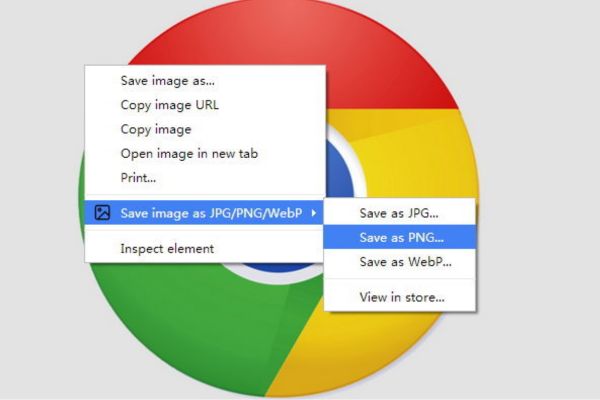
Save image as Type contains malicious code: Remove immediately before losing money unfairly!
Network

Save image as Type contains malicious code: Remove immediately before losing money unfairly!

March 19, 2026
Instructions on how to register a .co.uk domain name for free for 1 year
Network

Instructions on how to register a .co.uk domain name for free for 1 year

March 12, 2026
How to Setup Paperclip AI: Create a Company for AI Agent
Network

How to Setup Paperclip AI: Create a Company for AI Agent

March 12, 2026
Next Post
Latest Vip Code Game Play Together

Latest Vip Code Game Play Together

0 0 votes
Article Rating
Subscribe
Login
Notify of
guest

guest

0 Comments
Oldest
Newest Most Voted

Recent News

Instructions for Logo Design in just a few clicks with Logaster

Instructions for Logo Design in just a few clicks with Logaster

July 20, 2026
Clean Tam – Accompanying the green space of every Vietnamese family

Clean Tam – Accompanying the green space of every Vietnamese family

July 20, 2026
3 coolest ways to turn off your computer

3 coolest ways to turn off your computer

July 19, 2026
Instructions on how to get Norton 360 Deluxe for 1 year for free

Instructions on how to get Norton 360 Deluxe for 1 year for free

July 19, 2026
Instructions for Logo Design in just a few clicks with Logaster

Instructions for Logo Design in just a few clicks with Logaster

July 20, 2026
Clean Tam – Accompanying the green space of every Vietnamese family

Clean Tam – Accompanying the green space of every Vietnamese family

July 20, 2026
3 coolest ways to turn off your computer

3 coolest ways to turn off your computer

July 19, 2026
AnonyViet - English Version

AnonyViet

AnonyViet is a website share knowledge that you have never learned in school!

We are ready to welcome your comments, as well as your articles sent to AnonyViet.

Follow Us

Contact:

Email: anonyviet.com[@]gmail.com

Main Website: https://anonyviet.com

Recent News

Instructions for Logo Design in just a few clicks with Logaster

Instructions for Logo Design in just a few clicks with Logaster

July 20, 2026
Clean Tam – Accompanying the green space of every Vietnamese family

Clean Tam – Accompanying the green space of every Vietnamese family

July 20, 2026
  • Home
  • Home 2
  • Home 3
  • Home 4
  • Home 5
  • Home 6
  • Next Dest Page
  • Sample Page

say88 tỷ lệ kèo nhà cái kèo nhà cái 5 febet

No Result
View All Result
  • Home
  • News
  • Software
  • Knowledge
  • MMO
  • Tips
  • Security
  • Network
  • Office

say88 tỷ lệ kèo nhà cái kèo nhà cái 5 febet

wpDiscuz
0
0
Would love your thoughts, please comment.x
()
x
| Reply