QR Code is increasingly widely used in marketing, retail, product packaging and multi-channel communication. However, many platforms today still insert intermediary pages, ads or branding when users scan the code, disrupting the experience and reducing brand credibility.
📢 Join the channel Telegram belong to AnonyViet
Update new articles, cool tools and IT tips fastest
Therefore, the need to create QR Codes without advertising is becoming an important criterion for individuals and businesses. This article summarizes 5 reliable ad-free QR Code generator tools in 2026, selected based on usage experience, platform transparency, and suitability for each actual need.
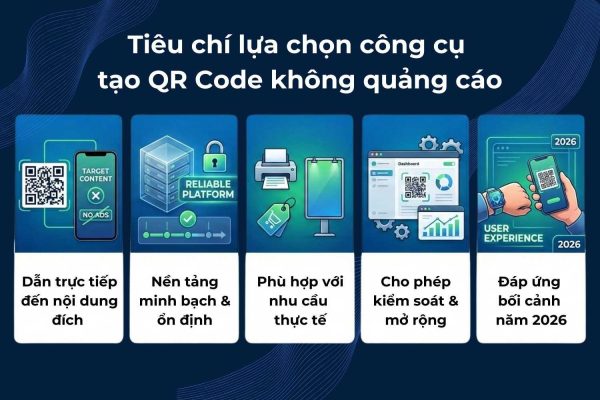
1. Criteria for selecting a QR Code creation tool without advertising
- QR Code leads directly to the target content, without displaying ads or intermediary pages
- The platform is transparent, operates stably, and does not interrupt QR after use
- Suitable for practical needs such as printing, marketing, and retail
- Enables the necessary level of control and scalability (dynamic QR, management, basic tracking)
- Meet the QR Code usage context in 2026, prioritizing user experience
2. Top 5 QR Code websites/platforms without advertising in 2026
2.1. QR Code Monkey – Best suited for printing and design
QR Code Monkey is a globally popular static QR creation tool, especially popular for design and printing needs.
Ad status: No ads when scanning codes.
Strengths
- Static QR leads directly to the destination link
- Do not display ads or intermediary pages
- Strong customization of colors, logos, shapes
- Export high quality files (SVG, PDF), suitable for printing packaging and posters
Limit
- Dynamic QR is not supported
- No tracking or campaign management
Suitable for: Individuals, designers, and businesses need beautiful QR for printing that does not require data tracking.
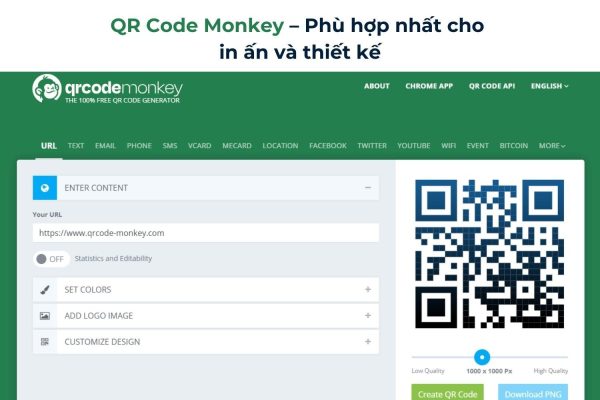
Tool link: https://www.qrcode-monkey.com/
2.2. iCheckQR – QR platform for business and marketing
iCheckQR is a QR Code platform developed to serve business, marketing and user data management, instead of simply creating codes.
Ad status: No ads when scanning codes.
Strengths
- Do not display ads or intermediary pages
- Support dynamic QR, edit links after printing
- There is tracking of scans, devices, and time
- Suitable for POS, product packaging, marketing campaigns
Limit
- Do not focus on the need to create personal entertainment QR
- Some advanced features require a business account
Suitable for: Businesses, stores, and brands use QR as part of their marketing and sales strategy.
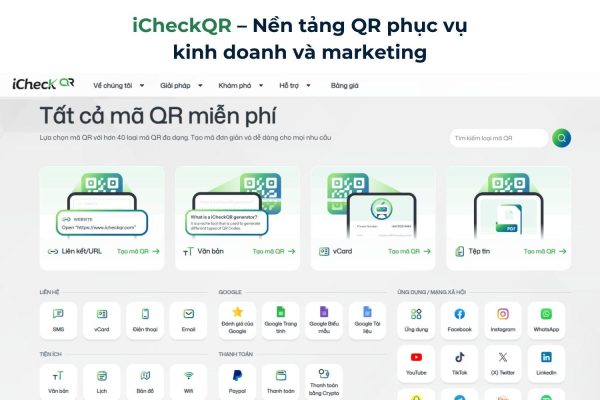
Tool links: https://icheckqr.com/en/qrcode
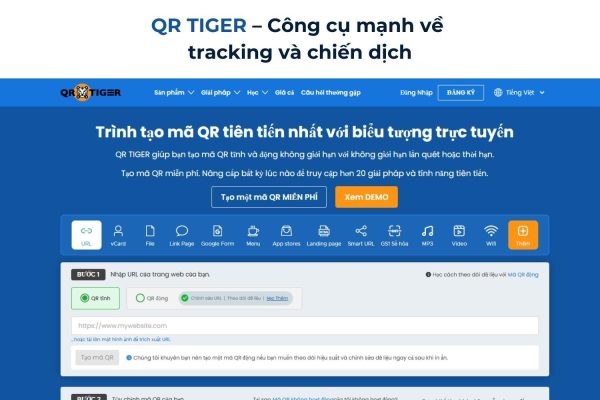
2.3. QR TIGER – Powerful tool for tracking and campaigns
QR TIGER is an international QR platform used by many marketers for campaigns that need to measure effectiveness.
Ad status:
- Free version: There are ads when scanning
- Paid version: No ads
Strengths
- Dynamic QR support
- Track scans, locations, devices
- QR support for files, social, electronic menus
Limit
- If you want to remove ads, you must upgrade to a paid package
- The free plan limits the number of QRs
- Interface with many features, takes time to get used to
Suitable for: Marketers, businesses running short-term campaigns or events.
Tool link: https://www.qrcode-tiger.com/en
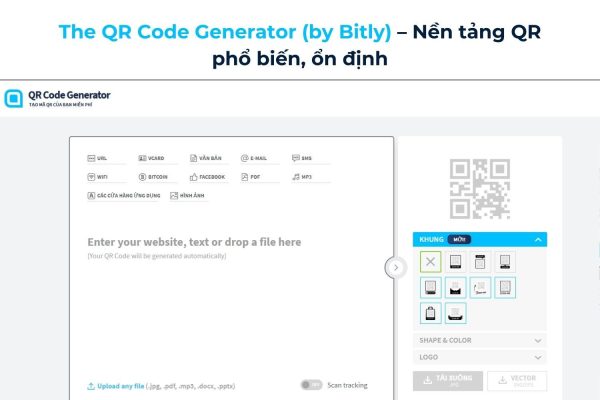
2.4. The QR Code Generator (by Bitly) – Popular, stable QR platform
The QR Code Generator is one of the oldest and widely used QR creation tools on the market.
Ad status:
- Free version: Ads appear after the trial period ends
- Paid version: No ads
Strengths
- QR leads directly to the target content
- Dynamic QR support
- Stable operation, suitable for printing and long-term use
- Has basic scan statistics
Limit
- The free plan is limited in features and time
- The fee is relatively high for individual users
Suitable for: Businesses and marketers need stable QR, no advertising, long-term use for websites, documents or communication campaigns.
Tool link: https://vi.qr-code-generator.com/
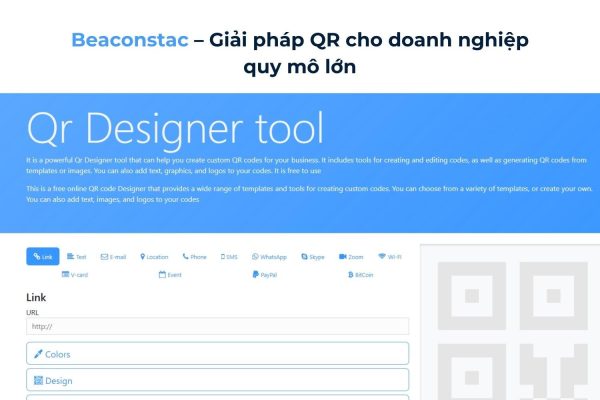
2.5. Beaconstac – QR solution for large-scale businesses
Beaconstac is a QR platform aimed at large businesses, retail chains and large-scale product systems.
Ad status: No ads when scanning codes.
Strengths
- Dynamic QR without advertising
- Dashboard manages multiple QRs
- Advanced data analysis
- Support system integration API
Limit
- High cost
- Not suitable for simple or personal needs
Suitable for: Large enterprises, retail chains, FMCG, multiple point of sale systems.
Tool link: https://www.beaconstac.net/
3. Quickly compare tools
| Tools | Advertisements while scanning | Dynamic QR | Tracking | Most suitable |
|---|---|---|---|---|
| QR Code Monkey | Are not | Are not | Are not | Printing, design |
| iCheckQR | Are not | Have | Good | Business, marketing |
| QR TIGER | Yes (free version)
No (paid version) |
Have | Good | Campaigns, events |
| The QR Code Generator | Yes (free version after trial ends)
No (paid version) |
Have | Rather | Content, communication |
| Beaconstac | Are not | Have | Advanced | Big business |
4. Which ad-free QR Code creation tool should I choose?
- QR Code Monkey: Suitable when you just need to create static QR to print on posters, packaging, business cards… No ads when scanning, no need to register an account, but does not support dynamic QR or data tracking.
- iCheckQR: Suitable for businesses, stores and marketing activities. Supports dynamic QR, edits links after printing, has a scanning statistics and management system, and does not display ads when users scan codes.
- QR TIGER: Suitable for campaigns that need detailed tracking. However, to avoid ads when scanning, you need to use the paid version. Suitable for events, short-term campaigns or promotional activities that need to measure effectiveness.
- The QR Code Generator (by Bitly): Stable choice, internationally popular. Suitable for businesses that need a standard platform, supporting dynamic QR. If you want to remove ads, you need to use a paid package.
- Beaconstac: Suitable for large businesses, retail chains or multiple point-of-sale systems. Supports QR bulk management, advanced data analysis, and no advertising when scanning.
In shortthere is no QR Code platform suitable for all needs. The choice should be based on the actual intended use: do you need QR for simple printing, marketing, or data management and analysis?
Not all free tools are suitable for business environments. Advertising-free QR Code helps ensure a seamless experience, increases trust and protects brand image when customers scan the code.
If priority QR does not advertisewith management and tracking for business, can be considered iCheckQR. If you are willing to invest your budget to use international platforms with advanced feature systems, you can absolutely choose other paid tools that suit your scale and goals.
Choosing the right tool from the beginning will help QR Code become an effective touch point for customers, instead of causing disruption in the experience journey.