• Home
  • News
  • Software
  • Knowledge
  • MMO
  • Tips
  • Security
  • Network
  • Office
AnonyViet - English Version
  • Home
  • News
  • Software
  • Knowledge
  • MMO
  • Tips
  • Security
  • Network
  • Office
No Result
View All Result
  • Home
  • News
  • Software
  • Knowledge
  • MMO
  • Tips
  • Security
  • Network
  • Office
No Result
View All Result
AnonyViet - English Version
No Result
View All Result

Tips for viewing posts of people who have blocked their Facebook profile

AnonyViet by AnonyViet
January 2, 2025
in Tips
0

Have you ever been curious about the status lines, images or videos that a friend on Facebook posted, but encountered a security “wall” when their personal page was locked? Surely that feeling is not pleasant at all, right? Do not worry! This article will give you “tips”. How to view posts of people who have blocked their personal page without installing any complicated utilities. Let's explore together!

Join the channel Telegram belong to AnonyViet 👉 Link 👈

Do you know about Facebook's personal page lock mode?

Before diving into good “tips”, let's take a look at the personal page locking feature on Facebook. This is a useful tool that helps users better control their privacy. When activating this mode, people who are not friends will be limited from viewing posts, photos, friend lists and many other information on your personal page.

The main purpose of this is to protect personal information from prying eyes or unwanted parties. However, sometimes, curiosity arises, especially when you want to know how your “crush” or acquaintance is doing on this social network.
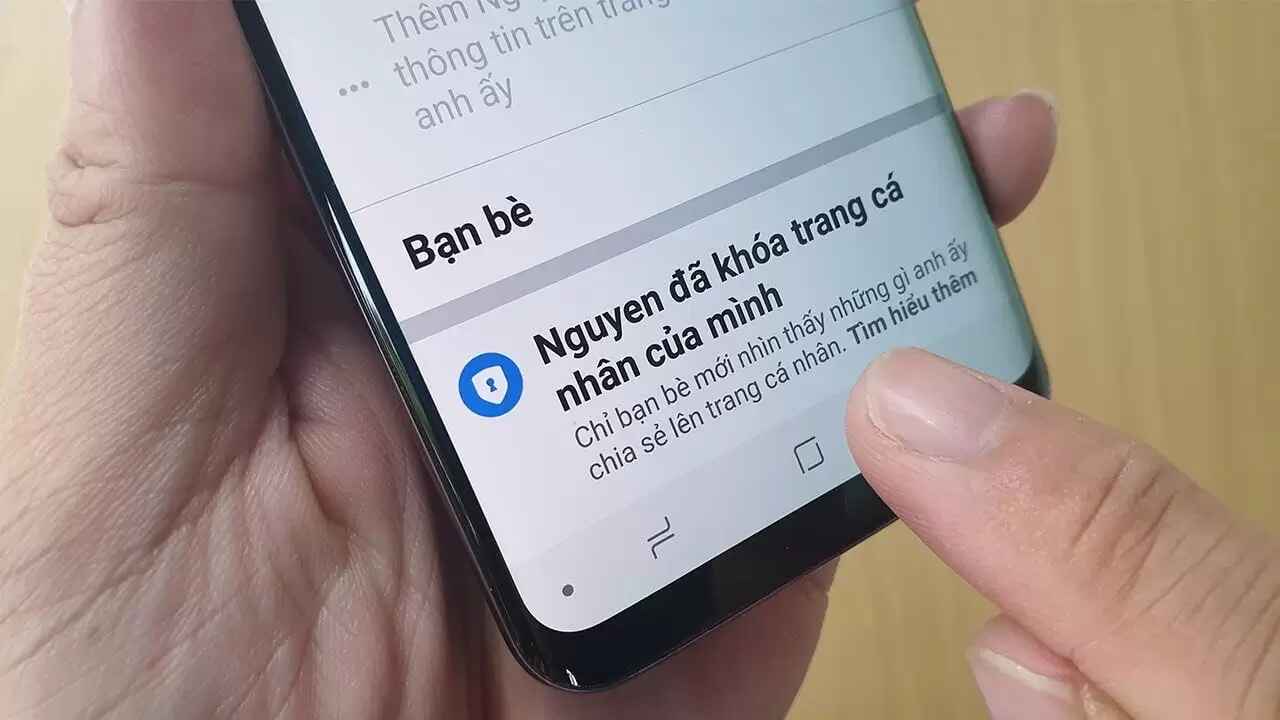
Do you know about Facebook's personal page lock mode?

See more: Facebook All in One: 30+ comprehensive social network management features

How to view posts of people who have blocked their personal page

And now, we will get to the most important part: how to see the posts of someone who has locked their personal page? Follow these simple steps:

Step 1: First, visit the personal page of the person you want to find out information about. You can search for their name in the Facebook search bar or click on their name if you've interacted before.

Step 2: Next, find the icon three dots (⋮) is usually located next to the “Message” or “Friends” button on their profile.

Step 3: In the menu that appears, select the option “Search“.
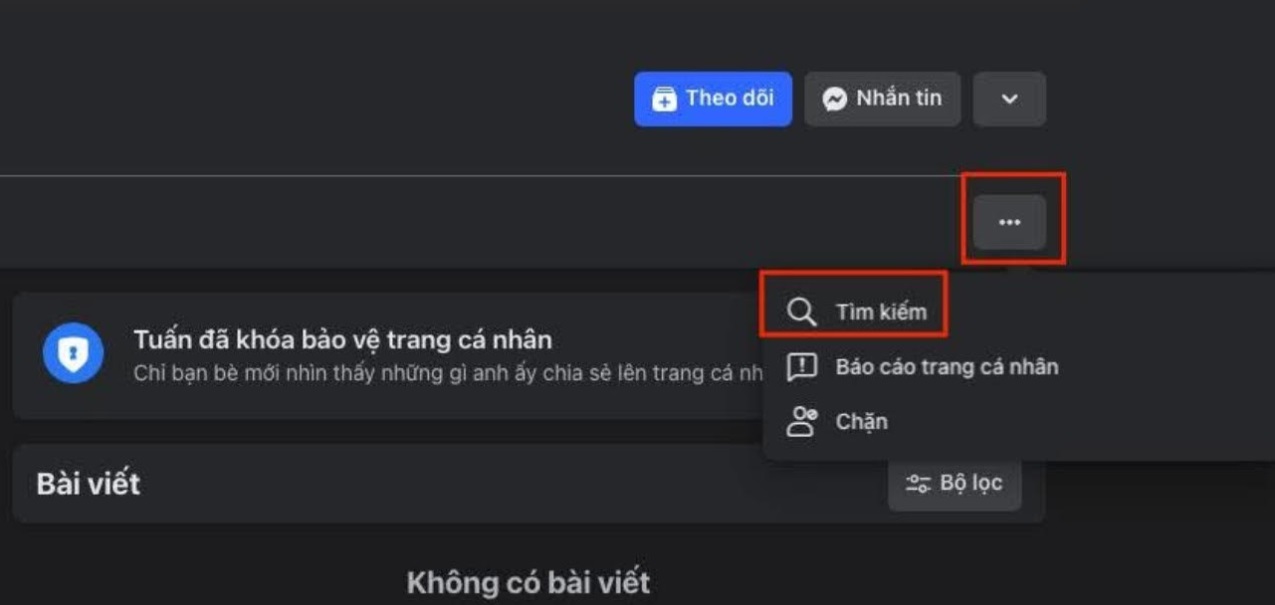
Select the Search option

Step 4: In the search box that appears, all you need to do is: type a dot only (.).

Step 5: Finally, press the “Search“. Facebook will start the search process and display results.

Magically, the search results will show all the posts that person has posted in public Facebook groups or groups that you both belong to.

Even though you can't see their personal posts, you can still see what they've shared in their online communities. This is a great way to learn more about their interests, concerns, and activities on Facebook.

Note

It should be noted that this method only helps you view public posts in the group, you cannot “break through” to view content on personal pages that have been completely locked. In addition, the effectiveness of this method also depends on whether the person participates in public groups or not.

See more: CFacebook account authentication To avoid having your account locked after December 25

Conclusion

So you know How to view posts of people who have blocked their personal page on Facebook. No need to install complicated applications, no need for fancy tricks, with just a few simple steps, you can discover interesting information. Try applying it now and share the surprising things you find!


Tags: blockedFacebookpeoplepostsprofiletipsviewing
Previous Post

[PyHack] Lesson 1: What is MAC? How to change MAC using python

Next Post

How to sign in to Windows with a Google account

AnonyViet

AnonyViet

Related Posts

How to change the default font on Windows 10
Tips

How to change the default font on Windows 10

April 13, 2026
5 tips for using a Browser to replace an App (helps save RAM, time and money)
Tips

5 tips for using a Browser to replace an App (helps save RAM, time and money)

April 13, 2026
How to make funny MeMe photos without Photoshop within 10 seconds
Tips

How to make funny MeMe photos without Photoshop within 10 seconds

April 11, 2026
How to quickly design your own Logo without Photoshop
Tips

How to quickly design your own Logo without Photoshop

April 10, 2026
How to convert Website into App on Windows
Tips

How to convert Website into App on Windows

April 9, 2026
Instructions for getting 3 months of Adobe Express Pro for free
Tips

Instructions for getting 3 months of Adobe Express Pro for free

April 9, 2026
Next Post
How to sign in to Windows with a Google account

How to sign in to Windows with a Google account

0 0 votes
Article Rating
Subscribe
Login
Notify of
guest

guest

0 Comments
Oldest
Newest Most Voted
Inline Feedbacks
View all comments

Recent News

How to intercept traffic using Burp Suite to analyze HTTP/HTTPS

How to intercept traffic using Burp Suite to analyze HTTP/HTTPS

April 18, 2026
How to avoid Adblock detection on Youtube with 4 good tips

How to avoid Adblock detection on Youtube with 4 good tips

April 17, 2026
How to transfer ChatGPT data to Claude is extremely simple

How to transfer ChatGPT data to Claude is extremely simple

April 16, 2026
How to authenticate the owner’s SIM on VNeID from April 15

How to authenticate the owner’s SIM on VNeID from April 15

April 15, 2026
How to intercept traffic using Burp Suite to analyze HTTP/HTTPS

How to intercept traffic using Burp Suite to analyze HTTP/HTTPS

April 18, 2026
How to avoid Adblock detection on Youtube with 4 good tips

How to avoid Adblock detection on Youtube with 4 good tips

April 17, 2026
How to transfer ChatGPT data to Claude is extremely simple

How to transfer ChatGPT data to Claude is extremely simple

April 16, 2026
AnonyViet - English Version

AnonyViet

AnonyViet is a website share knowledge that you have never learned in school!

We are ready to welcome your comments, as well as your articles sent to AnonyViet.

Follow Us

Contact:

Email: anonyviet.com[@]gmail.com

Main Website: https://anonyviet.com

Recent News

How to intercept traffic using Burp Suite to analyze HTTP/HTTPS

How to intercept traffic using Burp Suite to analyze HTTP/HTTPS

April 18, 2026
How to avoid Adblock detection on Youtube with 4 good tips

How to avoid Adblock detection on Youtube with 4 good tips

April 17, 2026
No Result
View All Result
  • Home
  • News
  • Software
  • Knowledge
  • MMO
  • Tips
  • Security
  • Network
  • Office

wpDiscuz
0
0
Would love your thoughts, please comment.x
()
x
| Reply