Learning graphic design is not merely learning software. It is also the process of working with dozens of projects, large and small, high -resolution image processing, video rendering, 3D models, etc., so if there is no strong enough computer, learning will not only be slow but also make you fall behind compared to classmates.
| Join the channel Telegram belong to Anonyviet 👉 Link 👈 |
But if it is a student, the problem is more difficult: the budget is limited. So maybe Build PC Graphic With reasonable cost? And what is the right configuration option for each stage of learning and overtime?
1. Learn graphic design: Do not underestimate hardware
Unlike students in other disciplines that can use thin laptops to study, graphic design students need more than that. Software such as Photoshop, Illustrator, Premiere, After Effects or Blender all consume significant hardware resources – from CPU, RAM to graphics cards and hard drives.
If you want to learn fast, run smooth software, render without lag and even earn extra income from freelance projects, investing in a PC set from the beginning is a smarter choice than a laptop. The reason is:
- PC easy to upgradecan add RAM, SSD, GPU after a period of use.
- Price above performance is better than laptops and money.
- Better heat dissipationthe machine runs stably for a long time.
Of course, specific options depend on your budget and intensive learning orientation.
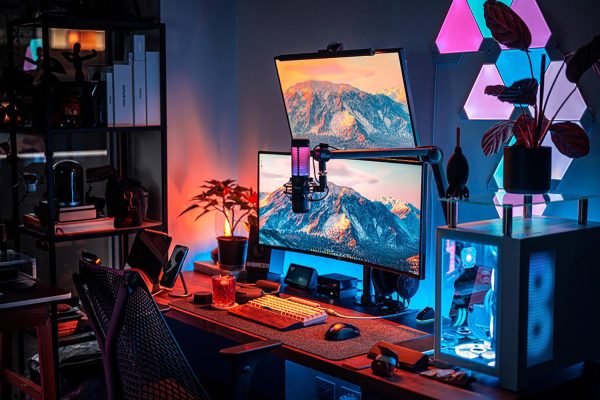
2. Do new students need a strong PC Build?
The answer is Not needed too strong, but should not be weak.
The first year – second year, you mainly get used to software like Photoshop, Illustrator, Indesign or Premiere at the basic level. These tasks do not require too high configuration. However, if the machine is too weak (old CPU, RAM under 8GB, HDD), you will experience lag, open files slowly, crash in the middle – seriously affect the learning process.
The minimum configuration should be aiming for:
- CPU: Intel Core i3-12100F or Ryzen 5 5500
- Ram: 16GB (2x8GB)
- Hard drive: SSD 512GB (nvme priority)
- GPU: GTX 1650 or card onboard Intel UHD 730 (if not 3D need)
- Source: 450W real power
- Case: ATX has airy slots, easy to upgrade
This is the foundation for the first 2-3 years. When you are in the third year, you can consider upgrading VGA or adding RAM if you study 3D, video or animation.
You can refer to the basic configuration in the article Build PC Graphic To grasp the appropriate component coordination with each learning software.
3. Is there a built as a PC as a graphics in the range of 15 million?
Absolutelyif you clearly define the goal: learn 2D design, build basic videos or draw UI/UX. With 15 million, you can own a desktop computer with the ability to run smoothly Adobe Photoshop, Illustrator, Figma, Premiere at a stable level.
For example, actual configuration in the price range of 15 million:
- CPU: Intel Core i3-12100F (4 cores 8 threads, high pulse)
- Mainboard: H610M
- RAM: 16GB DDR4 (2x8GB Bus 3200)
- SSD: 512GB NVMe
- VGA: GTX 1650 4GB GDDR5
- PSU: 450W certified
- Case: Mid Tower Simple
The strength of this configuration is to be able to handle multi -tasks well, run many adobe software simultaneously, support short video rendering or export high quality files without hanging up the device.
Details how to choose optimal components for this price range, you can view in the article Build PC 15 million – There are sufficient alternatives and assessment of each part of components.
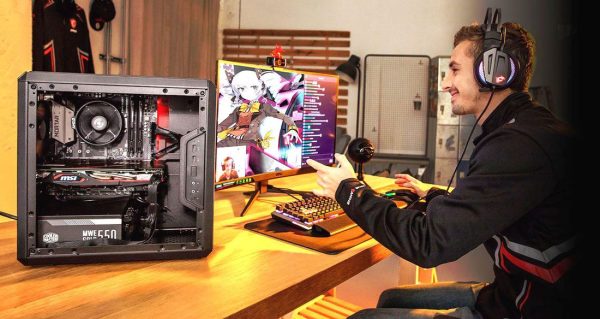
4. The common errors when students BUILD PC Graphic
- Not enough RAM: Many of you only install 1 8GB bar or temporarily use 4GB → the machine is extremely slow when opening a large file or render.
- Select CPU with weak igpu: With Celeron, Pentium or Athlon lines, IGPU cannot handle stable design, fragile images, shock.
- Do not use SSD: There are still many people who choose HDD because it is cheap, but it is the leading “bottleneck” that makes the machine lumber.
- Ignore the graphics card: For 3D classmates, videos, motion without VGA, the ability to work will be very limited. At least GTX 1650 or more.
- Do not invest in quality screen: Making graphics that use tn screen, color deviation, the image output is easy to be wrong, affecting product quality.
Graphic design students do not need a computer too expensive, but must Choose the right configuration To ensure smooth study and work. With the space 15-20 millionyou absolutely can build a PC system enough to learn the popular design software. It is important to balance the CPU, RAM and SSD, select easy to upgrade components later.
Instead of investing in a dream or excessive saving machine, focus on practical performance – because a stable machine is the companion tool during the university years, and may be your “capital capital” later.